
Terraform for DevOps: How It Works and Why It Matters
Table of Contents
Recommended Learning Path
What is Terraform for DevOps
Understanding what is Terraform for DevOps
Introduction
A developer may need a cloud server, a private network, and storage before an application can be deployed. Creating those resources manually is possible, but repeating the process for testing, staging, and production increases the chance of inconsistent settings. Terraform helps teams describe infrastructure in files and provision it through a repeatable workflow.
Understanding Terraform for DevOps means learning what Infrastructure as Code does, how Terraform communicates with AWS and Azure, and why teams review infrastructure changes before applying them. This guide covers its components, commands, limitations, and a beginner project.
Quick Answer: What Is Terraform?
Terraform is an Infrastructure as Code (IaC) tool developed by HashiCorp that lets teams define and manage infrastructure using configuration files. Instead of creating every virtual machine, network, or storage resource through a cloud console, engineers describe the intended infrastructure and use Terraform to plan and perform changes.
Terraform supports providers for AWS, Microsoft Azure, and many other services. Its value in DevOps comes from repeatability, version control, collaboration, and the ability to review proposed infrastructure changes before deployment.
What Is Infrastructure as Code in DevOps?
Infrastructure as Code means managing infrastructure through machine-readable definitions rather than relying entirely on manual setup. These definitions can be stored in Git, reviewed with pull requests, and updated alongside application requirements.
Imagine two students configuring identical cloud environments. One creates servers through a dashboard and forgets a firewall setting. The other follows a reviewed infrastructure configuration. The second approach makes settings easier to inspect and reproduce, although errors remain possible.
IaC is broader than Terraform. AWS CloudFormation, Azure Bicep, and other tools also use infrastructure definitions. Terraform is one option, especially when teams work with several supported providers.
Want to become a DevOps Engineer?
Explore our step-by-step How To Become Guide –>
How Does Terraform Work?
Terraform reads configuration files describing a desired infrastructure state. It uses providers, which communicate with external services through APIs, to inspect existing managed resources and request changes.
The basic workflow has three ideas: write, plan, and apply. First, define the resources. Next, inspect the changes Terraform proposes. Finally, approve and execute the plan when it is safe to do so.
Terraform also maintains state, which maps resources in the configuration to real infrastructure. Without suitable state management, collaboration and later changes become unreliable. Engineers must still review whether proposed changes are secure and appropriate.
What Are the Main Terraform Components?
Component | Meaning | Beginner example |
Provider | Plugin connecting Terraform to a service | AWS or AzureRM provider |
Resource | Infrastructure object Terraform manages | Virtual machine or storage account |
Variable | Input used to customize configuration | Environment name or VM size |
Output | Value exposed after a run | Resource identifier or address |
Module | Reusable collection of configuration | Standard network setup |
State | Record connecting configuration and resources | Mapping a resource to its cloud ID |
Backend | Location and mechanism for storing state | Supported remote state storage |
Most configurations use HashiCorp Configuration Language (HCL) in files ending with .tf. Its declarative format describes the intended result rather than a sequence of manual clicks.
Which Terraform Commands Should Beginners Learn?
A small Terraform tutorial usually introduces these commands:
- terraform init prepares the working directory and installs required providers and modules.
- terraform fmt formats configuration files consistently.
- terraform validate checks configuration syntax and internal consistency; it does not confirm that remote infrastructure will deploy successfully.
- terraform plan previews the actions Terraform proposes against the current configuration and state.
- terraform apply executes an approved plan and updates managed infrastructure.
- terraform destroy plans and removes resources managed by the configuration when intentionally authorized.
A successful validate is not proof that permissions, quotas, costs, or cloud settings are correct. Always inspect plan, especially when it shows resources being replaced or destroyed.
Start your journey with our beginner-to-advanced DevOps Roadmap –>
How Is Terraform Used with AWS and Azure?
Terraform’s AWS provider can manage supported resources such as EC2 instances, VPC networking, and S3 buckets. The AzureRM provider can manage Azure virtual machines, resource groups, networks, and storage accounts. Microsoft also documents the AzAPI provider for Azure Resource Manager functionality.
For an AWS Azure DevOps learning exercise, a student might create a basic AWS test environment and a separate Azure test environment from version-controlled definitions. The overall workflow remains familiar, but resource schemas, authentication, and network configurations differ.
Terraform AWS Azure projects do not automatically become portable. A configuration for an AWS security group cannot simply be renamed into an Azure network security group. The common tooling helps organize changes, while provider-specific knowledge remains necessary.
Why Is Terraform Important in DevOps?
Repeatable Environments
Teams can recreate approved resource configurations for development, testing, and other environments. This reduces reliance on remembered manual steps and makes differences easier to investigate.
Version-Controlled Infrastructure
A proposed change to a network rule can appear in a Git pull request. Reviewers can inspect the configuration history before it reaches an important environment.
Planned Changes
Terraform plan highlights proposed creates, updates, replacements, and deletions. That visibility supports change review, although it does not replace security testing or operational judgment.
Automation and Team Collaboration
Terraform can run through reviewed CI/CD workflows and use shared state storage. Terraform benefits depend on good permissions, safe approvals, and clear ownership—not simply installing the tool.
Multi-Cloud Learning
One command-line workflow can manage supported AWS and Azure resources. Engineers still need to understand the services underneath their Terraform definitions.
How Does Terraform Fit into CI/CD Pipelines?
Terraform automation handles infrastructure changes, while application CI/CD tools handle activities such as building, testing, and releasing software. These workflows can be connected.
For example, a pull request might run terraform fmt -check, terraform validate, and a suitable plan. A reviewer examines the proposed changes before an authorized deployment pipeline applies them. GitHub Actions, Jenkins, and HCP Terraform can support different orchestration approaches.
For production environments, use controlled identities, restricted permissions, and an approval process. Avoid running terraform apply -auto-approve on critical infrastructure merely to save clicks. Keep changes traceable and avoid overlapping state modifications.
Get interview-ready with our DevOps Interview Preparation Guide –>
Why Is Terraform State Important?
Terraform state records which actual resources correspond to declared configuration. For a new learner, it may initially appear as a local terraform.tfstate file. Local state works for isolated practice but complicates teamwork.
Teams commonly use a remote backend with restricted access, recovery controls, and state locking where supported. Locking helps prevent competing operations from writing to the same state simultaneously.
State may contain credentials or other sensitive resource values. Marking a variable sensitive can hide its value from ordinary CLI output, but does not by itself prevent that value from entering state. Never upload state files to a public repository. Protect saved plans as well, because they may expose sensitive details.
Practical Example: Provisioning a Student Project
Imagine a student in Tirupati building a Spring Boot attendance application. The application needs a test server and networking configuration. The goal is to make the infrastructure reproducible, not to build a large production platform.
Step 1 — Decide what to create. Choose one supported cloud, a small virtual machine, necessary networking, and a safe access method. Check budget and region availability before starting.
Step 2 — Create configuration files. Declare the required provider and resources, then use variables for details such as environment names and supported instance sizes. Do not hardcode credentials.
Step 3 — Initialize and validate. Run terraform init, format the files, and check them using terraform validate.
Step 4 — Inspect the plan. Run terraform plan and confirm every proposed resource, network rule, and expected cost category. Fix unexpected changes before proceeding.
Step 5 — Apply with approval. Deploy the test infrastructure using an authorized identity. Confirm that the resources exist and the intended access restrictions work.
Step 6 — Make a controlled change. Modify a harmless setting, review the new plan, and observe how Terraform updates its managed resources.
Step 7 — Clean up safely. Review the destruction plan and remove test resources only when they are no longer needed. Check for remaining billable dependencies.
This is a hypothetical learning exercise, not a report about an actual FLM deployment. A portfolio README can explain your design, decisions, and troubleshooting.
Terraform vs CloudFormation, Bicep, and Ansible
Tool | Primary role | Typical context |
Terraform | Declarative infrastructure provisioning through providers | Supported multi-provider or cloud infrastructure |
AWS CloudFormation | AWS-native Infrastructure as Code | Provisioning AWS resources |
Azure Bicep | Azure-native declarative infrastructure | Deploying Azure Resource Manager resources |
Ansible | Automation and configuration management | Installing software and configuring systems |
These tools can complement one another. Terraform may provision a VM, while Ansible configures software inside it. Choose according to platform and maintenance needs.
What Are Terraform's Limitations and Security Risks?
Terraform configurations can contain mistakes, and a valid plan can still create insecure or expensive infrastructure. Permissions, cloud quotas, provider versions, and unexpected resource replacement can interrupt deployments.
Configuration drift occurs when managed infrastructure changes outside the expected Terraform workflow. A future plan may try to reconcile those differences. Teams should investigate drift instead of automatically accepting every proposed correction.
Use reviewed provider versions, secure remote state, least-privilege credentials, protected branches, and appropriate approvals. Reusable modules help standardize repeated setups, but unnecessary module complexity can make debugging harder.
FLM Expert Perspective: Define, Review, Repeat
For beginners, FLM recommends the Define–Review–Repeat learning framework:
- Define: Explain every infrastructure resource in your configuration and why it is needed.
- Review: Read the plan, inspect permissions and costs, and understand changes before approval.
- Repeat: Recreate a small environment safely and document what was consistent or different.
This is an educational recommendation, not an official HashiCorp framework or a claim about FLM’s internal infrastructure. Start with one small environment before attempting complex multi-cloud automation.
Terraform Learning Roadmap for Beginners
Stage 1 — Cloud basics: Understand servers, IP addresses, networks, identity, storage, and the differences between AWS and Azure resources.
Stage 2 — First configuration: Install Terraform, study HCL, declare a provider, and create a small resource in a controlled test account.
Stage 3 — Core workflow: Practice init, fmt, validate, plan, apply, and safe resource removal. Read every plan carefully.
Stage 4 — Reusability: Learn variables, outputs, and modules. Store configuration in Git and review changes through pull requests.
Stage 5 — Team practices: Study state, remote backends, access controls, locking, and provider version management.
Stage 6 — DevOps integration: Add a reviewed Terraform plan to a CI/CD workflow, then compare a simple AWS setup with an Azure equivalent.
Use a DevOps guide to understand the full delivery lifecycle, but treat Terraform as the infrastructure-management part of that lifecycle.
Common Terraform Mistakes Beginners Should Avoid
- Applying without reading the plan: Replacement or deletion may be unexpected.
- Committing state or secrets: Protect credentials, saved plans, and state storage.
- Changing resources manually: Untracked changes can create drift and confusing plans.
- Skipping cleanup: Test infrastructure can continue generating cloud charges.
- Confusing Terraform with CI/CD: Infrastructure provisioning does not automatically build or test an application.
- Starting with complex modules: First understand individual resources and their dependencies.
Frequently Asked Questions
1. What is Terraform in simple words?
Terraform is a tool that creates and manages infrastructure using configuration files. It can provision supported cloud resources through provider APIs.
2. Why is Terraform important in DevOps?
It helps teams automate repeatable infrastructure setup, review changes, and keep configuration in version control alongside their delivery processes.
3. Is Terraform a programming language?
Terraform is a tool that commonly uses the declarative HashiCorp Configuration Language (HCL). Beginners do not need advanced application programming to start.
4. Can Terraform manage AWS and Azure?
Yes. Its AWS and Azure providers manage supported resources, although each cloud has distinct configuration and authentication requirements.
5. What is the difference between plan and apply?
Plan previews proposed infrastructure changes. apply performs the selected changes, subject to the configured execution and approval workflow.
6. What is Terraform state?
State records how Terraform-managed configuration corresponds to real resources. Secure storage and locking are important for teamwork.
7. Does Terraform replace Jenkins or GitHub Actions?
No. Terraform provisions infrastructure. Jenkins and GitHub Actions can orchestrate builds, tests, and deployment workflows, including Terraform operations.
8. Is Terraform useful for non-IT beginners?
Yes, after learning basic cloud infrastructure, networking, Git, and command-line concepts. Begin with a small test environment and inspect every change.
9. Is Terraform free to learn?
Terraform Community Edition can be used without a Terraform software subscription, but cloud resources and optional commercial services may still incur charges. Check applicable terms and pricing.
Conclusion
Terraform for DevOps helps turn infrastructure setup into a reviewable, repeatable process. By defining cloud resources as code, teams can plan changes, collaborate through Git, and manage supported AWS and Azure environments with a consistent workflow.
For beginners, the most useful first achievement is a small, secure environment that you can create, modify, inspect, and remove confidently. Understanding providers, state, and approval practices matters more than memorizing commands. Terraform becomes especially valuable when its automation is combined with sound cloud knowledge and responsible DevOps processes.
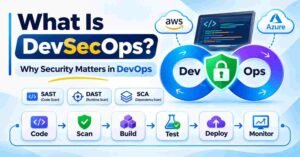
Security in DevOps and CI/CD Guide
What Is DevSecOps and Why Is Security Integrated into DevOps? Table of Contents Recommended Learning Path What Is DevSecOps Explain about the and Why Is
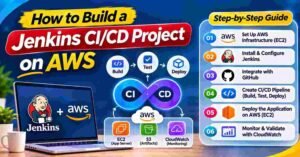
Jenkins AWS Project
How to Build a Jenkins CI/CD Project on AWS Table of Contents Recommended Learning Path Jenkins AWS Project Build a CI/CD Pipeline Step by Step
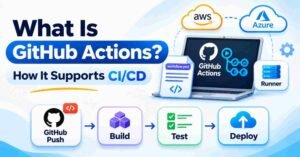
What Is GitHub Actions
What Is GitHub Actions and How Does It Support CI/CD? Table of Contents Recommended Learning Path GitHub Actions CI CD GitHub actions Explained Live Classes

Docker Kubernetes Project: Beginner DevOps Guide
How to Build a Docker and Kubernetes DevOps Project Table of Contents Recommended Learning Path Docker Kubernetes Project Beginner DevOps Guide Live Classes Real Projects

AWS CodePipeline vs Azure Pipelines
AWS CodePipeline vs Azure Pipelines: What Is the Difference? Recommended Learning Path AWS CodePipeline vs Azure Pipelines Understand the difference between the AWS and Azure
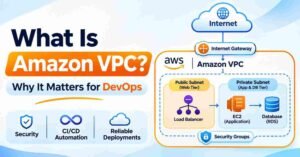
What Is Amazon VPC in DevOps
What Is Amazon VPC and Why Is It Important for DevOps? Table of Contents Recommended Learning Path Amazon VPC DevOps AWS Networking Guide for Beginners