
90-Day DevOps Course Roadmap: From Beginner to Job-Ready Engineer
Table of Contents
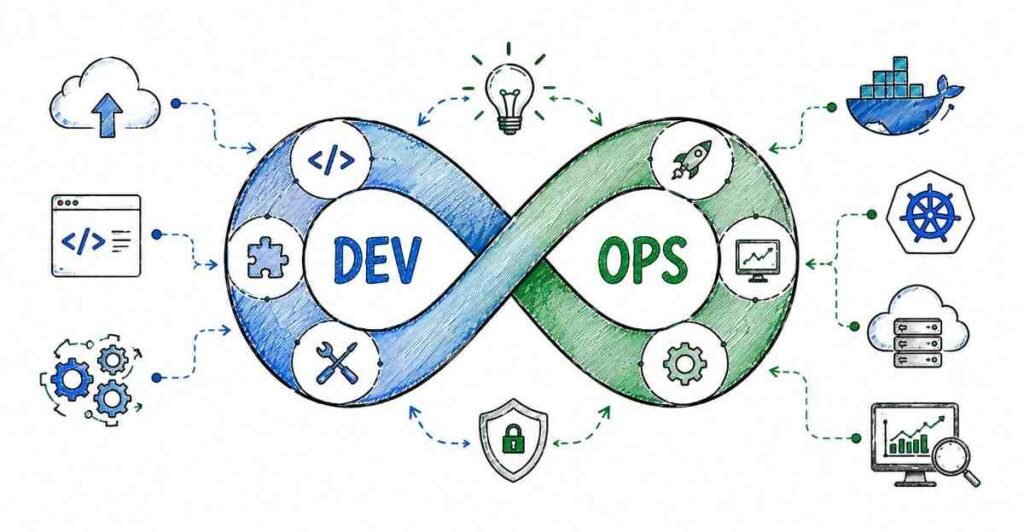
This 90-day DevOps roadmap is designed to take you from absolute beginner to job-ready DevOps engineer with a practical, step-by-step plan. You will start with Linux, Git, and basic scripting, then move into CI/CD, Docker, Kubernetes, Ansible, monitoring, and cloud deployment before finishing with real projects and interview preparation. The goal is simple: help students in Hyderabad, Telangana, Andhra Pradesh, and across India learn the skills that DevOps teams actually use every day. DevOps roles are in demand because companies need faster releases, better automation, and reliable infrastructure. By the end of 90 days, you should be ready for entry-level DevOps jobs with confidence and a solid portfolio.
Why DevOps Is a Smart Career Choice
DevOps has become one of the most practical career paths in tech because every modern company wants faster software delivery and smoother operations. Instead of separate development and operations teams working in silos, DevOps connects them through automation, collaboration, and continuous improvement. That means skilled DevOps professionals are needed in IT services, product companies, fintech, e-commerce, and startups.
This is also a field where practical skills matter more than degrees. If you can build pipelines, deploy containers, manage servers, and troubleshoot issues, you already have what companies want. That is why this roadmap focuses on hands-on learning from day one.
- DevOps improves speed, reliability, and automation.
- It is used across IT services, startups, product companies, and cloud teams.
- Entry-level candidates can grow quickly with the right hands-on practice.
- The skill set is useful for both freshers and working professionals.
- DevOps knowledge often leads to strong long-term career growth.
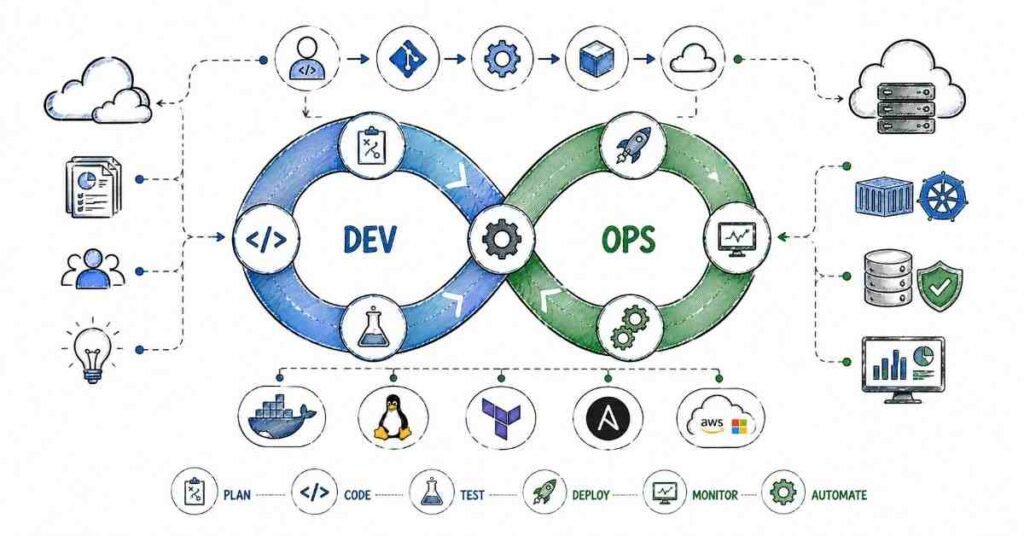
90-Day Learning Plan
- Creative and practical work.
- Strong demand in product and startup companies.
- Good mix of design, psychology, and business.
- Remote and freelance opportunities.
- Easy to build a portfolio with real projects.
Month 1: DevOps Foundations
Month 1 is about building the base. If you skip the basics, the advanced tools will feel confusing later. Linux, Git, and shell scripting are the everyday language of DevOps, so this month gives you the confidence to work in real environments.
Week 1: Linux Basics
Linux is the operating system behind most servers, containers, and cloud environments. You need to be comfortable with the command line because DevOps engineers spend a lot of time navigating files, checking logs, and running system commands. Start with basic commands and then move into file permissions, process management, and system monitoring.
- Learn the Linux file system.
- Practice commands like pwd, ls, cd, mkdir, rm, and cp.
- Understand file permissions with chmod and chown.
- Explore processes using ps, top, htop, kill, and systemctl.
- Read system logs with cat, less, tail, and grep.
Week 2: Git and Version Control
Git is the backbone of collaboration in modern software teams. It helps you track changes, manage branches, and work with other developers safely. In DevOps, Git is also important because pipelines often pull code from repositories before building and deploying it.
Git Concept | Why It Matters |
Repository | Stores your project history |
Commit | Saves a snapshot of changes |
Branch | Lets you work on features safely |
Merge | Combines changes from different branches |
Pull Request | Supports code review before release |
Week 3: Shell Scripting
Shell scripting helps you automate repetitive tasks. Even small scripts can save hours when you need to run commands across many files or servers. Learn variables, loops, conditionals, and simple automation scripts. This is also where you begin to think like an engineer instead of just a user.
- Write your first bash script.
- Use variables and arguments.
- Practice loops and conditional statements.
- Automate simple file backup tasks.
- Build scripts that check disk usage or service status.
Week 4: Networking and Month 1 Review
DevOps engineers should understand basic networking because servers, containers, and cloud systems all depend on it. Learn IP addresses, DNS, ports, HTTP, HTTPS, SSH, and firewalls. By the end of Month 1, you should understand how systems connect and how to troubleshoot basic environment issues.
Month 2: Automation and Deployment Tools
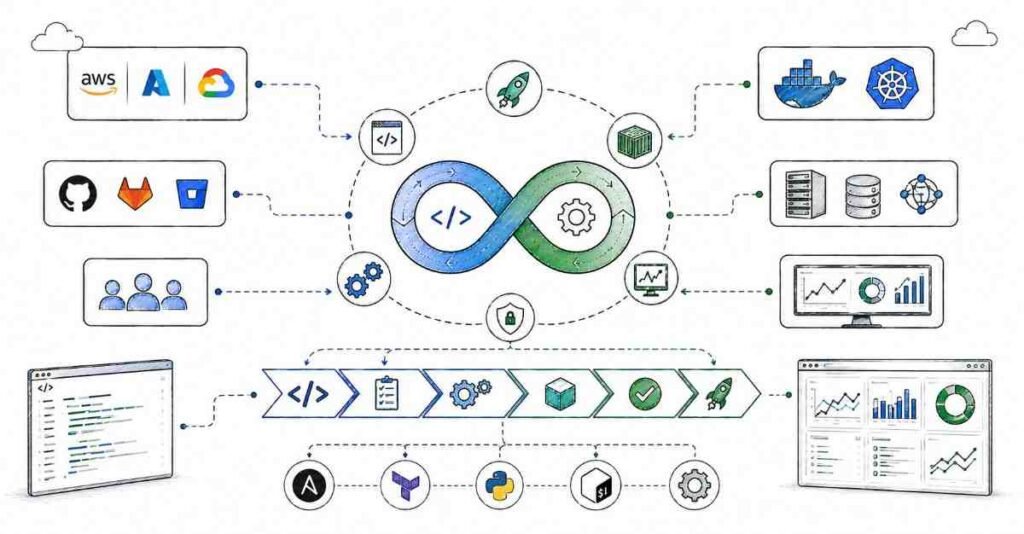
Month 2 is where DevOps becomes real. You start building pipelines, packaging applications, and automating server setup. This is the stage where most students begin to feel the job relevance of the course.
Week 5: CI/CD Fundamentals
CI/CD means Continuous Integration and Continuous Delivery or Deployment. It helps teams move code from development to production in a structured way. You need to understand why automation matters and how a pipeline reduces errors and speeds up releases.
- Learn the CI/CD concept.
- Understand build, test, and deploy stages.
- Explore pipeline triggers and approvals.
- Study common pipeline failures.
- Read sample release workflows used in real teams.
Week 6: Jenkins
Jenkins is one of the most widely used automation tools in DevOps. It helps teams build pipelines that can test code and deploy applications automatically. Learn jobs, stages, agents, plugins, webhooks, and pipeline scripts. A simple Jenkins pipeline is a great skill to show in interviews.
Jenkins Feature | Use Case |
Job | Runs a build or task |
Pipeline | Automates the release flow |
Agent | Executes the job on a machine |
Plugin | Adds extra functionality |
Webhook | Triggers builds from Git events |
Week 7: Docker
Docker changed how software is packaged and shipped. It lets you put an application and its dependencies into a container so it runs consistently anywhere. Learn images, containers, Dockerfiles, volumes, ports, and Docker Compose. This is one of the most important tools in any DevOps roadmap.
- Learn the difference between an image and a container.
- Build your first Dockerfile.
- Map ports and mount volumes.
- Run multi-container applications with Docker Compose.
- Practice container debugging and logs.
Week 8: Kubernetes and Ansible
Kubernetes helps manage containers at scale, while Ansible helps automate configuration and server provisioning. These two tools are very common in DevOps job descriptions, especially in mid-level roles. Learn the basics of pods, deployments, services, config maps, and secrets in Kubernetes. Then move into Ansible inventory, playbooks, roles, and modules.
Want to be clear about DevOps? View DevOps Multi-Cloud Course.
Month 3: Cloud, Monitoring, and Projects
Month 3 focuses on real-world operations and career readiness. By now, you should know the main tools. This month helps you combine them into projects that look impressive on your resume and GitHub.
Week 9: Cloud Basics
Most DevOps work now runs on the cloud. Learn the basics of AWS, Azure, or GCP so you understand compute, storage, networking, and IAM. You do not need to master every cloud product, but you should know how cloud infrastructure supports modern deployments.
- Learn cloud service models.
- Understand virtual machines and storage.
- Study IAM and access control.
- Explore cloud networking basics.
- Practice deploying a simple app to the cloud.
Week 10: Monitoring and Logging
DevOps is not only about deployment. You also need to watch systems after they go live. Monitoring and logging help you detect errors, understand performance, and respond quickly when something fails.
Monitoring Tool Type | Purpose |
Metrics | Track performance and resource usage |
Logs | Record system and application events |
Alerts | Notify teams when thresholds are crossed |
Dashboards | Show system health visually |
Week 11: Terraform and Infrastructure as Code
Use this week to build one complete DevOps project. For example, take a sample web application and create a full pipeline with Git, Jenkins, Docker, Kubernetes, and cloud deployment. Add monitoring and write documentation. Once that is done, begin interview preparation and resume polishing.
Week 12: Capstone Project and Interview Prep
A UI/UX resume should show your design process, tools, and case studies. Employers want to know that you can think like a designer and communicate clearly.
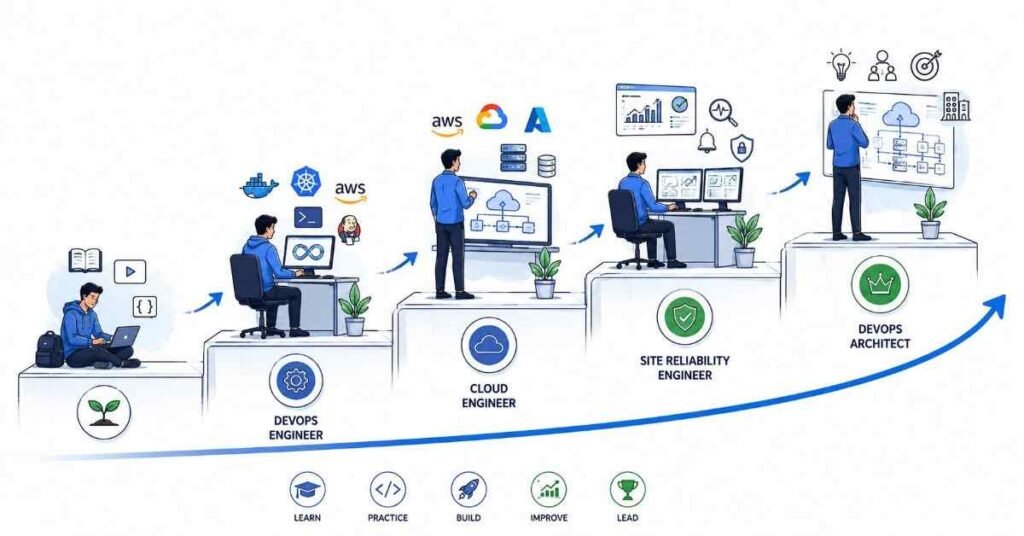
DevOps Career Paths and Salary Guide
Role | Experience | Salary Range |
DevOps Support Associate | 0–1 years | ₹3.5–5 LPA |
Junior DevOps Engineer | 0–2 years | ₹5–8 LPA |
DevOps Engineer | 1–4 years | ₹8–14 LPA |
Cloud DevOps Engineer | 3–6 years | ₹12–20 LPA |
Senior DevOps Engineer | 5+ years | ₹18–30 LPA |
DevOps salaries vary depending on company, city, and cloud experience, but the field is known for strong growth. Hyderabad, Bangalore, Pune, Chennai, and Gurgaon are among the active hiring locations. Candidates who know Linux, Docker, Kubernetes, and cloud basics usually have a better chance of getting shortlisted.
Why Choose Frontlines Edutech
Frontlines Edutech helps students learn practical, job-focused skills in a way that feels clear and achievable. The training is designed for beginners who want real platform understanding, not just theory. Students also benefit from guided learning, interview support, and a roadmap that matches current industry needs.
- Hands-on learning with real tools and projects.
- Beginner-friendly explanations for complex topics.
- Job-focused curriculum with practical outcomes.
- Support for resumes, interviews, and career preparation.
- Training aligned with Indian hiring expectations.
Frequently Asked Questions
🧠 Prepare for DevOps Interviews More Than 200+ real interview questions in our
DevOps Interview Preparation Guide
Q1. Do I need coding experience to learn DevOps?
No, you do not need advanced coding experience to start. Basic computer knowledge is enough for the first month, and scripting is introduced gradually.
Q2. What is the salary for a DevOps fresher in India?
A DevOps fresher in India can typically expect around ₹3.5 to ₹5 LPA, depending on the role, company, and skill level. Candidates with cloud and container experience can earn more.
Q3. Is DevOps a good career for beginners?
Yes, DevOps is a strong career option for beginners because companies need automation and deployment support. It offers good demand, structured roles, and strong growth paths.
Q4. What will I learn in this 90-day DevOps roadmap?
You will learn Linux, Git, shell scripting, CI/CD, Jenkins, Docker, Kubernetes, Ansible, cloud basics, monitoring, and Terraform basics. You will also work on practical projects and interview preparation.
Q5. Can I get a job after learning DevOps in 90 days?
Yes, you can become job-ready in 90 days if you practice regularly and build projects. A strong portfolio and interview preparation are important for getting shortlisted.
Q6. Does DevOps use Linux heavily?
Yes, Linux is one of the most important parts of DevOps. Most tools, servers, and cloud environments rely on Linux, so command-line comfort is essential.
Q7. What kind of jobs can I apply for after this course?
You can apply for DevOps support, junior DevOps, build and release, cloud support, and infrastructure automation roles. With more experience, you can grow into cloud DevOps and senior DevOps positions.
Q8. Is DevOps used in real companies?
Yes, DevOps is used by large enterprises, startups, and product companies to speed up releases and improve reliability. That is what makes it such a practical career path.
Published by Frontlines Edutech | blog.frontlinesedutech.com
support@frontlinesedutech.com