
What Is Multi Cloud DevOps: Tools and Beginner Guide
Table of Contents
Recommended Learning Path
What is Multi-Cloud?
Understanding What is Multi-Cloud DevOps
Introduction
A software team might run its customer application on Amazon Web Services (AWS), maintain another service on Microsoft Azure, and still want consistent ways to test changes, release updates, and monitor failures. Multi-Cloud DevOps helps coordinate those environments.
If you are asking what is multi cloud DevOps, begin with the basics: what makes an environment multi-cloud, which tasks can be automated across providers, and where the differences remain. This guide covers architecture, tools, benefits, challenges, and learning steps.
Quick Answer: What Is Multi-Cloud DevOps?
Multi-Cloud DevOps applies collaborative development, automated delivery, and operational practices to workloads hosted across two or more cloud providers. For example, a team may deploy one service on AWS and another on Azure while using Git, CI/CD pipelines, Infrastructure as Code, and monitoring to coordinate changes.
Its purpose is consistent delivery and operations across environments with different interfaces, permissions, and managed services. A good multi-cloud strategy starts with a business or technical need, not a requirement to use as many clouds as possible.
What Does Multi-Cloud Mean in Simple Words?
Multi-cloud means using cloud services from more than one cloud provider, such as AWS and Azure. Providers may serve different teams, applications, or locations without direct communication.
DevOps is an approach in which development and operations collaborate, automate repeatable work, and learn from testing and production feedback. Combining the two means applying these practices consistently where several cloud environments are involved.
For example, one project could run an API on AWS while another runs on Azure. Using version-controlled deployment definitions and shared monitoring responsibilities demonstrates multi-cloud DevOps. Simply opening two cloud accounts is not enough to demonstrate a useful DevOps workflow.
Want to become a DevOps Engineer?
Explore our step-by-step How To Become Guide –>
Single-Cloud vs Hybrid-Cloud vs Multi-Cloud DevOps
Approach | Basic meaning | Example |
Single-cloud | Cloud workloads use one provider | An application and database both run on AWS |
Hybrid-cloud | An on-premises or private environment is combined with cloud services | A college data center connects to Azure |
Multi-cloud | Workloads use at least two cloud providers | One service runs on AWS and another on Azure |
An organization can be both hybrid and multi-cloud, with its own data center plus AWS and Azure. Multi-cloud DevOps architecture should reflect the real deployment arrangement rather than assuming every cloud must host a copy of the same application.
How Does Multi-Cloud DevOps Work?
The familiar DevOps cycle—plan, code, build, test, release, operate, monitor, improve—now spans different services and security boundaries.
A development team stores application code in Git. A CI pipeline checks proposed changes and builds a deployable artifact. A delivery pipeline then selects the intended environment, authenticates to the relevant cloud, and releases the application. Operations teams review logs, alerts, performance, and incidents in each provider. Feedback becomes the next planned improvement.
Teams can standardize code reviews, testing, release approvals, and incident procedures while retaining provider-specific deployment steps.
What Does Multi-Cloud DevOps Architecture Include?
A basic design contains several connected layers:
- Source control: Git repositories hold application code, pipeline files, and infrastructure definitions.
- Build and test: CI tools create artifacts and reject changes that fail required checks.
- Artifact storage: Trusted registries store container images or other deployable packages.
- Cloud infrastructure: AWS and Azure each provide their own compute, networking, storage, and identity systems.
- Deployment and operations: Delivery jobs release updates, while monitoring and incident processes track results.
Document where components run, how deployments authenticate, and whether data crosses cloud boundaries. If services communicate, plan connectivity, encryption, latency, and failure handling.
Start your journey with our beginner-to-advanced DevOps Roadmap –>
How Does a Multi-Cloud CI/CD Pipeline Work?
A multi-cloud CI/CD pipeline can use one shared source repository and testing workflow while directing deployment jobs to different cloud targets. GitHub Actions, Jenkins, and Azure Pipelines are examples of tools that can participate in this design.
A simple release flow is commit → review → build → test → package → approve → deploy → verify. The build and test stages may be common, but deployment requires provider-specific configuration. AWS permissions cannot simply be copied into Azure’s role system.
For GitHub Actions, OpenID Connect (OIDC) can enable short-lived authentication to supported cloud providers instead of storing long-lived cloud credentials in the repository. Each provider still needs an appropriately configured trust relationship and narrowly scoped permissions.
Plan rollback or recovery: if Azure succeeds but AWS fails, decide whether to retry, pause, or restore.
Which Tools Are Used in Multi-Cloud DevOps?
Need | Example tools or services | Main purpose |
Code collaboration | Git, GitHub, GitLab | Version and review changes |
CI/CD | GitHub Actions, Jenkins, Azure Pipelines | Automate build and release stages |
Containers | Docker | Package application dependencies |
Orchestration | Kubernetes, Amazon EKS, Azure AKS | Manage containerized workloads |
Infrastructure as Code | Terraform, AWS CloudFormation, Azure Bicep | Provision defined infrastructure |
Observability | Prometheus, Grafana, CloudWatch, Azure Monitor | Inspect health, metrics, and logs |
These multi-cloud DevOps tools are optional combinations. Small projects need fewer tools than enterprise platforms
How Do Terraform and Containers Help?
Terraform can describe resources for multiple supported providers using version-controlled configuration. However, AWS and Azure still have different resource types, parameters, and permission models. Terraform improves repeatability; it does not make infrastructure interchangeable.
Docker makes it easier to package an application consistently. Kubernetes provides a common orchestration model and is available through Amazon EKS and Azure Kubernetes Service (AKS). Storage, identity, networking, and add-ons still vary. Learn single-container deployments first.
Get interview-ready with our DevOps Interview Preparation Guide –>
How Can AWS and Azure Work Together?
There is no requirement to build a direct network connection just because an organization uses both clouds. A company may run independent workloads on each platform and manage their releases through shared Git policies and pipeline practices.
Where services communicate, assess secure APIs, connectivity, authentication, transfer costs, and latency. AWS and Azure integration is therefore an architecture decision, not a single tool installation.
Also distinguish Azure DevOps from Microsoft Azure: Azure DevOps is a suite of planning, repository, and pipeline services. It can support projects that deploy outside Azure, so the phrase AWS Azure DevOps does not imply that both cloud providers require the same deployment products.
Practical Example: A Student Event Platform on Two Clouds
Imagine a student team in Hyderabad developing an event-registration platform. The application has a public registration frontend and an administrative reporting service. For learning purposes, the team decides to host the public API on AWS and the reporting service on Azure.
- Developers use one Git repository with separate application folders and clear ownership.
- A shared CI workflow checks code quality, runs unit tests, and builds container images.
- Terraform definitions provision a small AWS environment and a separate Azure environment.
- A protected pipeline job deploys the API to an AWS hosting service; another deploys reporting to Azure.
- The services exchange only the required information through an authenticated API, with an explicit data-handling plan.
- The team checks logs and alerts on each platform, then records how to recover from a failed release.
This hypothetical teaching example is not an FLM production system. Beginners can simplify it to two independent demo apps, avoiding cross-cloud data transfer.
What Are the Benefits of Multi-Cloud DevOps?
Multi-cloud DevOps benefits may include greater flexibility in choosing services, the ability to support existing environments, and reduced dependence on one provider for selected workloads. Common development practices can help teams review and manage changes more consistently.
Multi-cloud can also contribute to resilience when applications are deliberately designed for alternative hosting or recovery. However, running workloads in two clouds does not automatically provide failover. Recovery requires tested data replication, traffic routing, dependencies, and operational procedures.
Cost savings are likewise not guaranteed. Using two providers can introduce additional monitoring, data transfer, staffing, and administration costs. Value depends on the problem solved.
What Challenges Should Beginners Understand?
Security: AWS and Azure have different identity and authorization systems. A consistent policy must still be implemented separately and verified in both environments.
Networking and data: Cross-cloud connections can introduce latency, egress charges, and extra failure points. Data residency and handling requirements need explicit review.
Visibility: Separate logging and monitoring interfaces can hide incidents unless teams establish shared alerting ownership and useful dashboards.
Operational complexity: More providers mean more configuration, maintenance, cost tracking, and troubleshooting. Teams should avoid adding a second cloud without a reason that outweighs these costs.
These issues make multi-cloud a design choice rather than an automatic upgrade from single-cloud DevOps.
What Skills Do Multi-Cloud DevOps Engineers Need?
Begin with Linux, networking, Git, scripting, CI/CD, and basic application troubleshooting. Then learn cloud identity, compute, storage, and networking on one provider before mapping those ideas to another. Container basics, Infrastructure as Code, monitoring, and security practices become increasingly important.
Engineers may maintain pipelines, review infrastructure, or investigate deployments. Multi-cloud automation is useful, but does not alone establish job readiness.
FLM Expert Perspective: The One-Workflow, Two-Clouds Method
For beginners, FLM recommends an educational framework called One Workflow, Two Clouds:
- Understand: Explain one application’s code, dependencies, network needs, and deployment process.
- Automate: Create a reliable build-and-test pipeline before adding extra cloud destinations.
- Compare: Deploy the same simple workload to AWS and Azure, documenting what stays consistent and what changes.
- Evaluate: Examine security, monitoring, recovery, effort, and cost before deciding whether both clouds are necessary.
This proposed teaching framework is not a vendor standard or a claim about FLM’s internal systems
Multi-Cloud DevOps Roadmap for Beginners
Stage 1 — Foundations: Learn Linux commands, HTTP, DNS, Git branches, and how a small web application runs.
Stage 2 — Basic DevOps: Create a CI pipeline that builds and tests the application. Practice reading logs when it fails.
Stage 3 — First cloud: Deploy the project to AWS or Azure with a basic budget alert and least-privilege access.
Stage 4 — Reproducible infrastructure: Use Terraform or a native IaC tool to create and remove test resources safely.
Stage 5 — Second cloud: Rebuild an equivalent deployment on the other provider. Compare networking, identity, deployment commands, and monitoring.
Stage 6 — Portfolio: Publish an architecture diagram, README, sanitized configurations, troubleshooting notes, and cleanup steps.
This multi-cloud DevOps guide for beginners is a learning sequence, not a guaranteed timeline. Use short DevOps tutorial exercises, but make sure you can explain each stage without copying commands blindly.
Common Multi-Cloud DevOps Mistakes
- Using two clouds without a goal: Choose providers to solve a real requirement, not to make a project appear advanced.
- Assuming cloud portability is automatic: Container images may travel, but managed databases and networking configurations often do not.
- Skipping security design: Never commit credentials or grant broad cloud access merely to make a pipeline work.
- Ignoring rollback and cleanup: Plan for failed releases and remove unused test resources.
- Learning every tool simultaneously: Complete one reliable deployment before introducing multi-cloud complexity.
Frequently Asked Questions
1. What is Multi-Cloud DevOps in simple words?
It is the use of DevOps collaboration, automation, deployment, and monitoring practices across workloads hosted by two or more cloud providers, such as AWS and Azure.
2. Is Multi-Cloud DevOps different from regular DevOps?
The core practices are the same. Multi-cloud adds coordination across different provider services, identities, networks, costs, and operational environments.
3. Do AWS and Azure need to communicate directly?
No. Independent workloads can run on separate providers. Direct integration is necessary only when application requirements call for data exchange or service communication.
4. Can one CI/CD pipeline deploy to AWS and Azure?
Yes. Tools such as GitHub Actions and Jenkins can coordinate separate deployment jobs, provided each provider has secure authentication and the correct permissions.
5. Is Terraform enough for multi-cloud automation?
No. Terraform helps provision infrastructure, but teams still need CI/CD, security, networking, monitoring, deployment procedures, and operational knowledge.
6. Do I need Kubernetes to learn Multi-Cloud DevOps?
No. Kubernetes is useful for many containerized systems, but beginners can learn core multi-cloud concepts with smaller applications and simpler hosting services.
7. Does multi-cloud automatically prevent downtime?
No. Resilience depends on tested failover, data availability, routing, recovery processes, and the design of each application.
8. Can non-IT students learn Multi-Cloud DevOps?
Yes. Start with computing, networking, Linux, and Git fundamentals. Build practical experience on one cloud before progressing to a second.
9. Is multi-cloud always cheaper than single-cloud?
No. Extra networking, data transfer, monitoring, and operational work can increase spending. Compare the total cost against the benefits of the proposed design.
Conclusion
Multi-Cloud DevOps extends familiar software-delivery practices across more than one cloud provider. It helps teams coordinate builds, deployments, infrastructure, security, and monitoring while recognizing that AWS and Azure are not identical environments.
For beginners, the most valuable step is completing one dependable deployment before recreating it on a second cloud. Learning why configurations differ—and when a second provider is worth the complexity—builds stronger practical judgment than simply memorizing tools. Use multi-cloud when it solves a genuine requirement, and keep reliability, security, and maintainability central to every decision.
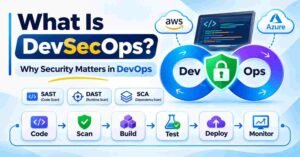
Security in DevOps and CI/CD Guide
What Is DevSecOps and Why Is Security Integrated into DevOps? Table of Contents Recommended Learning Path What Is DevSecOps Explain about the and Why Is
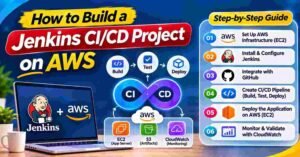
Jenkins AWS Project
How to Build a Jenkins CI/CD Project on AWS Recommended Learning Path Jenkins AWS Project Build a CI/CD Pipeline Step by Step Live Classes Real
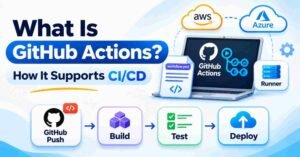
What Is GitHub Actions
What Is GitHub Actions and How Does It Support CI/CD? Table of Contents Recommended Learning Path GitHub Actions CI CD GitHub actions Explained Live Classes

Docker Kubernetes Project: Beginner DevOps Guide
How to Build a Docker and Kubernetes DevOps Project Recommended Learning Path Docker Kubernetes Project Beginner DevOps Guide Live Classes Real Projects Career Support Explore

AWS CodePipeline vs Azure Pipelines
AWS CodePipeline vs Azure Pipelines: What Is the Difference? Recommended Learning Path AWS CodePipeline vs Azure Pipelines Understand the difference between the AWS and Azure
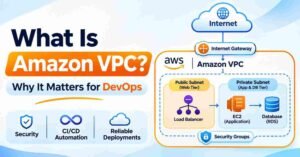
What Is Amazon VPC in DevOps
What Is Amazon VPC and Why Is It Important for DevOps? Table of Contents Recommended Learning Path Amazon VPC DevOps AWS Networking Guide for Beginners