ServiceNow Administrator Skills Needed for Jobs
Recommended Learning Path
What Is a ServiceNow Administrator?
Understanding ServiceNow Administrator for Beginners
What Skills Are Needed for a ServiceNow Administrator Job?
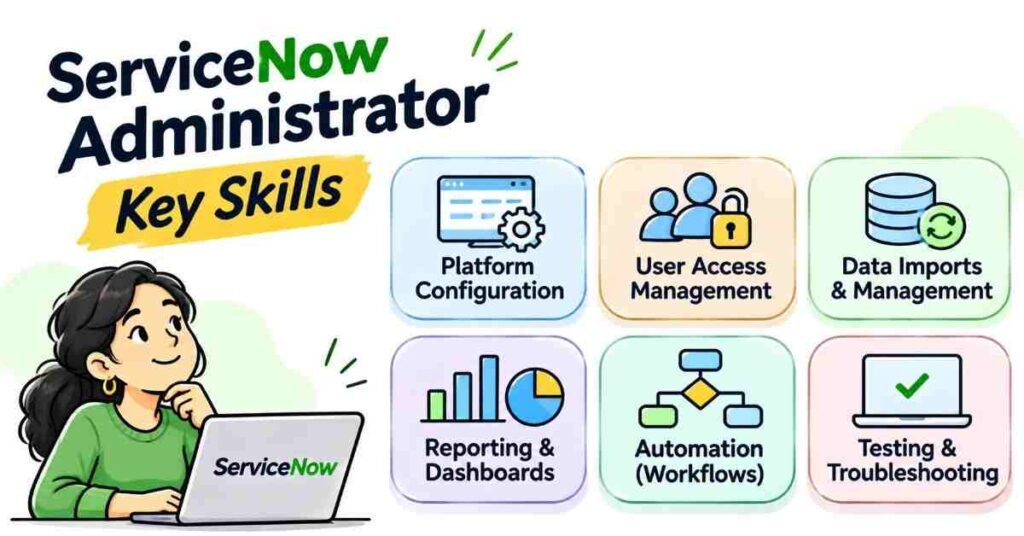
ServiceNow administrator skills include platform configuration, user access management, data handling, reporting, automation, and troubleshooting. Just as importantly, an administrator must be able to check whether a change works for the people who will use it.
The official Certified System Administrator blueprint reflects this broad scope. It covers navigation, instance configuration, collaboration, self-service, database management, security, scripting, and update sets. It is a useful preparation reference—not a fixed job description for every employer.
Quick Answer
Imagine a support manager says, “The dashboard is wrong, new employees cannot see their work, and yesterday’s import created extra records.”
Knowing where the dashboard menu is will not solve all three problems.
You need to understand the records behind the report, the access assigned to users, and the matching rules used during the import. You also need to investigate without making unrelated changes.
That is the difference between recognizing a feature and being able to administer it.
1. Understand how records and forms connect
Start with tables, records, fields, references, lists, and forms.
You should be able to answer:
- Where is this information stored?
- Does the field hold text or refer to another record?
- Is the problem in the stored value or its presentation?
- Will changing this field affect a report or process?
Practise with a small dataset and trace a few records manually.
Form configuration and data schema are both included in the official CSA scope. That connection matters: an administrator needs to understand the information as well as the screen displaying it.
2. Manage access without granting unnecessary permissions
Learn the difference between an account, group membership, a role, and an access control.
When a user cannot open a record, do not immediately give them broader access. First establish what they should be allowed to do and compare that requirement with the current configuration.
A useful practice task is to test three different situations:
User | Question to check |
Requester | Can they access the information approved for them? |
Support technician | Can they carry out their assigned work? |
Unrelated user | Are restricted actions prevented? |
ServiceNow documents impersonation as a testing and troubleshooting feature, while also identifying restrictions for protected and application-specific roles. Different test accounts may be needed for thorough validation.
Use this capability only in authorized circumstances. Actions performed during impersonation can affect records; it is not simply a read-only preview.
3. Configure changes with a clear purpose
An administrator should be able to explain why a configuration change is needed.
For example, making a field mandatory may help collect information—but what happens to existing records or automated processes that do not provide that value?
Before changing a form, notification, or setting, write down:
- The expected behavior.
- The affected users.
- The records or processes involved.
- How you will test the change.
- How you will recover if it causes a problem.
The CSA blueprint includes form configuration, notifications, UI Policies, and Business Rules. Administration therefore involves understanding behavior, not just adjusting layouts.
4. Import data carefully
A file loading successfully does not prove that the correct records were created or updated.
Learn how an import moves through a staging table and how a transform map relates source fields to target fields.
Also understand coalescing. ServiceNow documents that a matching coalesce value updates an existing target record; if no matching record is found, a new one can be created.servicenow
That makes the choice of matching field important.
For a synthetic employee-directory exercise:
- Use a deliberately defined unique identifier.
- Check duplicate identifiers in the source.
- Test a small sample.
- Review created, updated, and rejected records.
- Repeat the import and inspect the result.
Do not assume a display name is a reliable unique key.
5. Build reports you can reconcile
A report should answer a defined question.
“Show open work” needs clarification. Which states count as open? Which team is included? Is the date filter based on creation or closure?
Practise opening the records behind a summary and checking whether the totals match your definition.
Visualizations, dashboards, filters, and platform analytics appear in the CSA scope. For a beginner, a simple report with verified filters is more useful than a complicated dashboard that nobody can explain.
6. Understand ITSM and automation
Learn why incidents, requests, problems, and changes represent different processes. Then connect that understanding to the platform behavior you configure.
For an approval exercise, check more than the approved path:
- What if approval is rejected?
- What if required information is missing?
- What if the expected recipient is unavailable?
- What if the process is triggered again?
ServiceNow’s administrator blueprint includes service catalog, knowledge management, Workflow Studio, and other self-service and automation topics.
You do not need to master every product immediately. You do need to understand the process you are supporting.
7. Develop scripting awareness
Administration should not be advertised as a promise that you will never encounter code.
The official CSA blueprint includes scripting, Business Rules, and UI Policies.
For a starting skill level, practise recognizing:
- Whether behavior comes from configuration or a script.
- What triggers the logic.
- Which records it affects.
- When you need a developer or senior administrator to review it.
Avoid running unfamiliar scripts against important data.
8. Troubleshoot and document methodically
When a problem appears, describe the expected and actual behavior before changing anything.
A practical sequence is:
- Reproduce the issue.
- Identify who is affected.
- Check a representative record.
- Form a specific explanation.
- Test it in an authorized environment.
- Verify the correction.
Keep a short record of your findings and changes.
Learn update-set handling too. Update sets are part of the official administration scope, but they should not be treated as a complete backup of every record and configuration item.
A practical exercise to demonstrate these skills
Create a synthetic “New Support Team Setup” scenario in a non-production environment.
Your deliverables could include:
- Test users and a support group.
- Documented access expectations.
- A small data import with a clear matching rule.
- A report showing the intended team’s work.
- One notification or automation.
- Tests for both allowed and restricted actions.
- A short troubleshooting note.
Introduce an error deliberately—for example, an incorrect report filter—and explain how you identified it.
Proposed FLM perspective: provide proof for each skill
Use a three-column project note: “Requirement, change, evidence.”
If you claim that a report is correct, show the checked filters. If you claim access is restricted, show the negative test. If you claim an import updates existing records, demonstrate the matching behavior.
The goal is evidence, not a longer list of features on a resume.
FLM advertises practice topics including user administration, reports, access controls, imports, update sets, and workflows. Review its ServiceNow course and confirm the current lab access and feedback arrangements.
FAQs
- What should a beginner learn first?
Begin with tables, records, forms, users, groups, and roles. Then practise access checks, reports, imports, and simple automation. This is a recommended sequence, not an employer’s universal prerequisite list. - Is coding compulsory for every administrator job?
The expected depth varies. However, scripting appears in the official CSA scope, so basic awareness is useful preparation. - Are ITSM skills important?
Understanding support processes helps you configure them appropriately. The CSA blueprint identifies familiarity with help-desk, incident, problem, and change workflows as useful preparation. - Is CSA certification enough?
CSA validates a defined knowledge and skills scope. You should also be able to demonstrate practical work and satisfy the requirements of the vacancy you apply for. - Can non-IT learners prepare?
They can begin with platform and computing foundations, then build practice evidence. Check course prerequisites and employer eligibility separately. - How can I demonstrate skills without work experience?
Document authorized practice exercises honestly. Include requirements, configuration decisions, test results, and limitations. Do not describe training work as production experience.