
90-Day DevOps with Multi-Cloud (AWS + Azure) Course Roadmap: Your Complete Journey to Landing a High-Paying Tech Role
🚀 Start Your DevOps Career in 90 Days
Master Linux, Git, Jenkins, Docker, Kubernetes, AWS, and Azure with hands-on training from industry experts. Begin your journey with our DevOps Multi-Cloud Course.
Imagine yourself three months from now, confidently walking into a DevOps engineer interview at companies like Infosys, TCS, or Accenture, answering technical questions with ease, and discussing real projects you’ve built from scratch. That’s not a dream—it’s exactly what this 90-day roadmap is designed to achieve.
This comprehensive guide breaks down the DevOps with Multi-Cloud (AWS + Azure) course offered by Frontlines Edutech into a day-by-day learning plan. Whether you’re a complete beginner or transitioning from another IT field, this roadmap will transform you into a job-ready DevOps professional.
Why DevOps is Your Ticket to a Six-Figure Career
The DevOps job market is booming in 2025, with demand growing by 24% over the next five years. In India, DevOps engineers earn between ₹7 lakhs to ₹20+ lakhs per year, with experienced professionals commanding salaries exceeding ₹25 lakhs annually. Cities like Bangalore, Hyderabad, Pune, Mumbai, and Chennai are hiring DevOps professionals at unprecedented rates.
Companies across software development, security monitoring, automation, and digital platforms are desperately searching for skilled DevOps engineers who can bridge the gap between development and operations teams. The global DevOps market is projected to hit $15 billion by 2025, creating thousands of high-paying job opportunities across all industries.
What Makes This 90-Day Roadmap Different
Unlike generic online tutorials that leave you confused about what to learn next, this structured roadmap follows the proven curriculum from Frontlines Edutech—a training institute trusted by over 3,000 learners who have successfully transitioned into DevOps careers. Every single day has a clear purpose, specific topics to master, and hands-on assignments that build your portfolio.
You’ll learn from industry experts who have worked at top companies, receive daily assignments to reinforce learning, get resume building support, LinkedIn profile optimization guidance, and interview preparation that actually prepares you for real-world technical rounds. Most importantly, you’ll gain practical experience with the exact tools that companies like Infosys, Wipro, Cognizant, IBM, and Capgemini use in their production environments.
Month 1: Building Your Foundation (Days 1-30)
The first month is about establishing a rock-solid foundation. You’ll start from absolute basics and gradually build confidence. Even if you’ve never opened Excel before, by day 30, you’ll be creating professional spreadsheets with AI assistance.
Week 1: Linux Mastery – The DevOps Foundation (Days 1-7)
Day 1: Linux Fundamentals & System Architecture
- Introduction to Linux operating system and why it powers 90% of DevOps infrastructure
- Understanding Linux distributions (Ubuntu, CentOS, RedHat)
- Basic system commands: pwd, ls, cd, mkdir, rmdir, touch
- File system hierarchy and navigation techniques
Assignment: Install Ubuntu on VirtualBox and create a directory structure for a sample project.
Day 2: Advanced File Operations
- File commands: cp, mv, rm, cat, more, less, head, tail
- Understanding file permissions and ownership
- Working with hidden files and configuration files
- Text file manipulation using grep, sed, and awk basics
Assignment: Create 50 files, organize them into folders, and practice moving/copying operations.
Day 3: User Management & Permissions
- Creating and managing users with useradd, usermod, userdel
- Group management and understanding user privileges
- Permission commands: chmod, chown, chgrp
- Understanding read, write, execute permissions (rwx)
- Numeric and symbolic permission methods
Assignment: Create multiple users with different permission levels and test access restrictions.
Day 4: Process Management & System Monitoring
- Understanding processes and daemons
- Process commands: ps, top, htop, kill, killall
- Background and foreground processes
- System resource monitoring with free, df, du commands
- Hardware information commands: lscpu, lsblk, lspci
Assignment: Monitor system resources while running multiple processes and create a resource utilization report.
Day 5: Networking Fundamentals in Linux
- Networking commands: ping, ifconfig, ip, netstat, ss
- Understanding IP addressing and subnetting basics
- SSH configuration and remote server access
- Firewall basics with ufw and iptables introduction
- DNS resolution with nslookup .
Assignment: Configure SSH between two virtual machines and establish remote connections.
Day 6: Package Management & Software Installation
- Understanding package managers: apt, yum, dnf
- Installing, updating, and removing software packages
- Managing repositories and adding third-party sources
- Compiling software from source code
- Dependency resolution and troubleshooting
Assignment: Install and configure Apache web server, MySQL, and PHP (LAMP stack).
Day 7: VIM Editor & Shell Scripting Introduction
- Mastering VIM editor: insert mode, command mode, visual mode
- VIM commands for efficient text editing
- Introduction to Bash shell scripting
- Creating your first shell script with variables and echo statements
- Making scripts executable with chmod +x
Assignment: Write a shell script that creates backup directories and logs system information.
Week 1 Milestone: By the end of week one, you’ll be comfortable navigating Linux like a professional DevOps engineer—a skill that 85% of DevOps jobs require.
Week 2: Shell Scripting & Version Control (Days 8-14)
Day 8: Shell Scripting – Variables & Data Types
- Understanding variables in Bash (string, number, boolean)
- Variable assignment and referencing
- Environment variables vs local variables
- Command substitution and arithmetic operations
- Reading user input with read command
Assignment: Create a script that calculates disk usage and displays warnings if usage exceeds 80%.
Day 9: Conditional Statements & Control Flow
- If-else statements and nested conditions
- Case statements for multiple conditions
- Comparison operators for strings and numbers
- Logical operators: AND, OR, NOT
- Exit status and return codes
Assignment: Build a system health check script that checks CPU, memory, and disk usage with conditional alerts.
Day 10: Loops & Iterations
- For loops for iterating through lists and ranges
- While loops for conditional iterations
- Until loops and their use cases
- Break and continue statements
- Infinite loops and how to control them
Assignment: Write a script that monitors a log file and alerts when specific error keywords appear.
Day 11: Functions & Script Organization
- Creating reusable functions in shell scripts
- Passing arguments to functions
- Return values and function scope
- Organizing large scripts with functions
- Best practices for maintainable scripts
Assignment: Refactor previous scripts using functions and create a script library.
Day 12: Introduction to Version Control with Git
- Understanding version control systems (VCS) and their importance
- Git history and why Git dominates the industry
- Installing and configuring Git
- Git workflow: Working Directory → Staging Area → Repository
- Basic commands: git init, git status, git add, git commit
Assignment: Initialize a Git repository for your shell scripts and make your first commits.
Day 13: Git Branching & Merging Strategies
- Understanding branches and why they matter
- Creating, switching, and deleting branches
- Merging branches and understanding merge commits
- Resolving merge conflicts manually
- Branching strategies: feature branches, hotfix branches
Assignment: Create multiple branches, make changes, and practice merging with intentional conflicts.
Day 14: Advanced Git Operations
- Git stash for temporary changes
- Git tags for version releases
- Git cherry-pick for selective commits
- Git revert vs git reset
- Understanding .gitignore files
- Git logs and history visualization
Assignment: Create a project with multiple features, use stash, tags, and cherry-pick operations.
Week 2 Milestone: You now have automation skills through shell scripting and version control expertise—two core competencies that every DevOps engineer must possess.
💡 Practice DevOps Tasks the Right Way
Reinforce everything you learn with step-by-step tutorials and real automation examples inside our
DevOps How-to Guides.
Week 3: GitHub, Bitbucket & Build Tools (Days 15-21)
Day 15: GitHub Fundamentals
- Creating GitHub account and repositories (public vs private)
- Pushing local repositories to GitHub
- Cloning remote repositories
- README files and repository documentation
- GitHub tokens for authentication
Assignment: Push all your previous projects to GitHub with proper README documentation.
Day 16: GitHub Collaboration Features
- Forking repositories and contributing to open source
- Creating and managing pull requests
- Code review process and comments
- Comparing branches and viewing differences
- GitHub Issues for bug tracking
Assignment: Fork an open-source project, make improvements, and create a pull request.
Day 17: GitHub Advanced & Repository Management
- Renaming and transferring repository ownership
- Making repositories private or public
- Archiving old repositories
- Danger zone operations and safety measures
- GitHub Actions introduction (preview)
Assignment: Organize your GitHub profile with pinned repositories and complete profile information.
Day 18: Bitbucket Essentials
- Understanding Bitbucket vs GitHub
- Creating Bitbucket repositories and projects
- Access tokens and authentication
- Bitbucket pipelines introduction
- Team collaboration in Bitbucket
Assignment: Create a Bitbucket account, migrate one repository from GitHub, and explore differences.
Day 19: Maven – Java Build Tool Fundamentals
- Understanding build tools and why developers need them
- Maven architecture and project structure
- POM.xml file components and configuration
- Maven lifecycle: compile, test, package, install, deploy
- Maven goals and phases
Assignment: Set up Maven, create a simple Java project with pom.xml, and build your first JAR file.
Day 20: Maven Dependency Management
- Understanding Maven repositories (local, central, remote)
- Adding dependencies to pom.xml
- Maven directory structure conventions
- Troubleshooting dependency conflicts
- Maven vs Ant comparison
Assignment: Create a Maven project with multiple dependencies and generate executable JAR files.
Day 21: Build Automation & Integration
- Automating builds with shell scripts
- Integrating Git with build processes
- Understanding continuous integration concepts
- Build artifacts and where they’re stored
- Preparing for Jenkins integration
Assignment: Create an automated build script that pulls code from Git and builds with Maven.
Week 3 Milestone: You’ve mastered collaboration tools and build automation—essential skills for working in professional development teams.
Week 4: Jenkins CI/CD Mastery (Days 22-30)

Day 22: Jenkins Fundamentals & Installation
- Understanding Continuous Integration, Continuous Delivery, and Continuous Deployment
- Jenkins architecture and workflow
- Installing Jenkins on Linux
- Java installation prerequisites
- Initial Jenkins configuration and security setup
Assignment: Install Jenkins on your local machine and complete the initial setup wizard.
Day 23: Jenkins Job Types & Freestyle Projects
- Creating Freestyle jobs
- Configuring source code management (Git integration)
- Build triggers: manual, scheduled, automated
- Build steps and post-build actions
- Viewing console output and build history
Assignment: Create a Freestyle job that pulls code from GitHub and builds it with Maven.
Day 24: Parameterized Builds & Build Triggers
- Choice parameters for multiple options
- String parameters for user input
- File parameters for uploads
- Multi-string parameters for lists
- Using parameters in build scripts
Assignment: Create a parameterized job that accepts environment selection (dev/staging/prod).
Day 25: Automated Build Triggers
- Cron jobs and scheduling builds
- Poll SCM for Git repository changes
- Webhooks for instant build triggers
- GitHub webhook configuration
- Troubleshooting webhook issues
Assignment: Configure webhooks so that Git commits automatically trigger Jenkins builds.
Day 26: Jenkins Pipeline Introduction
- Scripted vs Declarative pipelines
- Pipeline syntax and structure
- Creating your first pipeline
- Pipeline stages and steps
- Pipeline as Code concept
Assignment: Convert a Freestyle job into a simple declarative pipeline.
Day 27: Multi-Stage Pipelines & Pipeline as Code
- Designing complex multi-stage pipelines
- Using environment variables in pipelines
- Pipeline input parameters
- Post-build actions in pipelines (success, failure, always)
- Storing Jenkinsfiles in Git repositories
Assignment: Create a complete CI/CD pipeline with build, test, and deploy stages.
Day 28: Jenkins Master-Slave Architecture
- Understanding distributed builds
- Setting up Jenkins agents/slaves
- Node configuration and labels
- Distributing builds across multiple agents
- Agent capacity management
Assignment: Configure one master and two slave nodes for distributed build execution.
Day 29: Jenkins User Management & Security
- Creating and managing Jenkins users
- Role-based access control (RBAC)
- Assigning specific permissions to users
- Matrix-based security configuration
- Plugin management and security best practices
Assignment: Create multiple user accounts with different permission levels (admin, developer, viewer).
Day 30: Jenkins Advanced Features & Views
- Build Pipeline View plugin
- List views and custom views
- Multi-branch pipelines for Git branches
- Editing build information
- Console output analysis and debugging
Assignment: Create a Build Pipeline View that visualizes your entire CI/CD workflow.
Week 4 Milestone: You’re now proficient in Jenkins, the most widely used CI/CD tool in the industry—a skill that appears in 70% of DevOps job descriptions.
⚙️ Build Real CI/CD Pipelines Like a Pro
Get expert-led training on Jenkins, pipelines, automation, Docker, and cloud deployment inside our
DevOps Multi-Cloud Course.
Month 2: Intermediate Mastery with AI (Days 31-60)
Month two transforms you from a beginner into an intermediate user capable of handling real business problems. You’ll work with logical functions, lookup formulas, and data analysis tools that professionals use daily.
Week 5: Docker Containerization (Days 31-37)
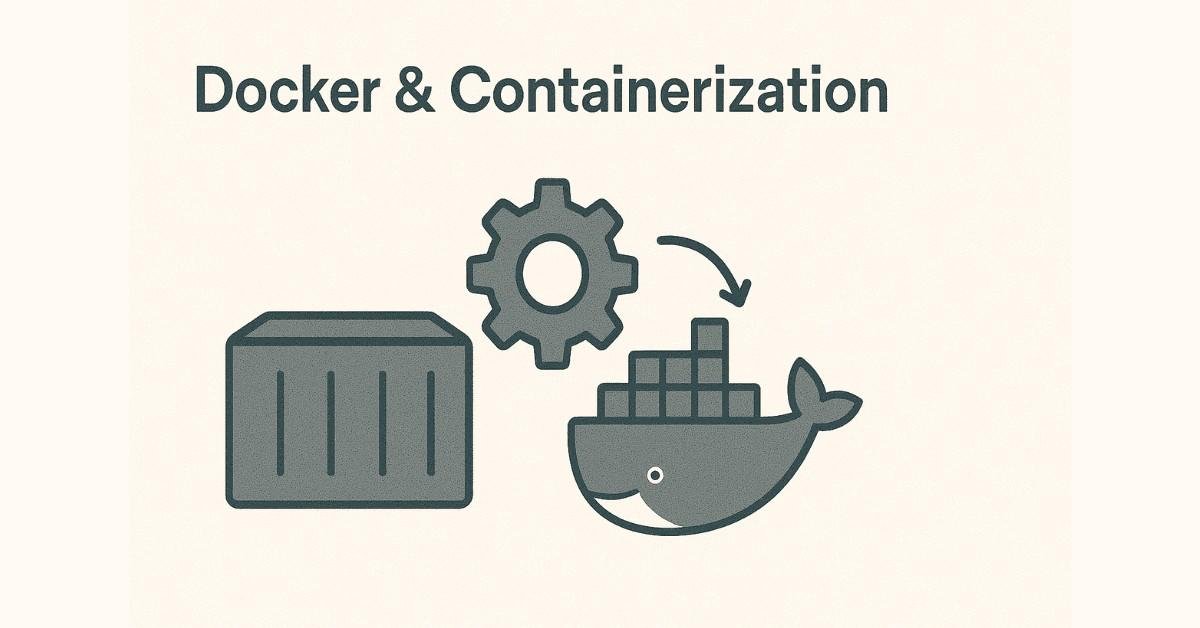
Day 31: Microservices & Docker Introduction
- Understanding microservices architecture vs monolithic applications
- Why companies are switching to microservices
- Problems before Docker: environment inconsistencies, dependency conflicts
- Docker architecture: Client, Server, Daemon, Registry
- Virtualization vs Containerization comparison
- Installing Docker on Linux
Assignment: Install Docker and verify installation by running hello-world container.
Day 32: Docker Core Concepts & Basic Commands
- Understanding Docker images and containers
- Docker lifecycle: pull, create, start, stop, remove
- Essential commands: docker run, docker ps, docker images, docker pull
- Interactive containers with -it flags
- Container logs and inspecting container details
- Difference between docker stop vs docker kill
Assignment: Run multiple containers (nginx, MySQL, Ubuntu) and practice lifecycle management.
Day 33: Docker Images & Dockerfile Creation
- Understanding Docker image layers
- Creating custom Docker images from containers
- Introduction to Dockerfile and its components
- Dockerfile instructions: FROM, RUN, CMD, ENTRYPOINT, COPY, ADD
- Difference between RUN vs CMD vs ENTRYPOINT
- Building images with docker build command
Assignment: Create a Dockerfile for a simple web application and build your custom image.
Day 34: Docker Volumes & Data Persistence
- Understanding container data persistence problem
- Types of volume mounting: bind mounts vs volumes
- Creating and managing Docker volumes
- Host-to-container volume mounting
- Container-to-container data sharing
- Volume permissions and security considerations
Assignment: Set up MySQL container with persistent data using volumes and verify data survives container deletion.
Day 35: Docker Networking & Port Mapping
- Understanding Docker network types: bridge, host, none
- Port mapping and exposing container services
- Creating custom Docker networks
- Multi-container networking and communication
- Docker network commands: inspect, create, connect
- Container DNS resolution
Assignment: Create a three-tier application (frontend, backend, database) with custom network configuration.
Day 36: Docker Multi-Stage Builds & Optimization
- Understanding image size optimization
- Multi-stage builds for production-ready images
- Reducing image layers and build cache
- .dockerignore file usage
- Security best practices for images
- Container resource limits (CPU, memory)
Assignment: Optimize a previous Docker image using multi-stage builds and reduce size by at least 50%.
Day 37: Docker Compose & Portainer
- Introduction to Docker Compose for multi-container applications
- Writing docker-compose.yml files in YAML format
- Defining services, networks, and volumes in Compose
- Docker Compose commands: up, down, scale
- Installing and configuring Portainer for GUI management
- Managing containers through Portainer dashboard
Assignment: Create a complete LAMP/MEAN stack application using Docker Compose with 4+ services.
Week 5 Milestone: You’re now capable of containerizing any application and managing complex multi-container environments—skills that 65% of companies require for DevOps roles.
Week 6: Kubernetes Container Orchestration (Days 38-44)
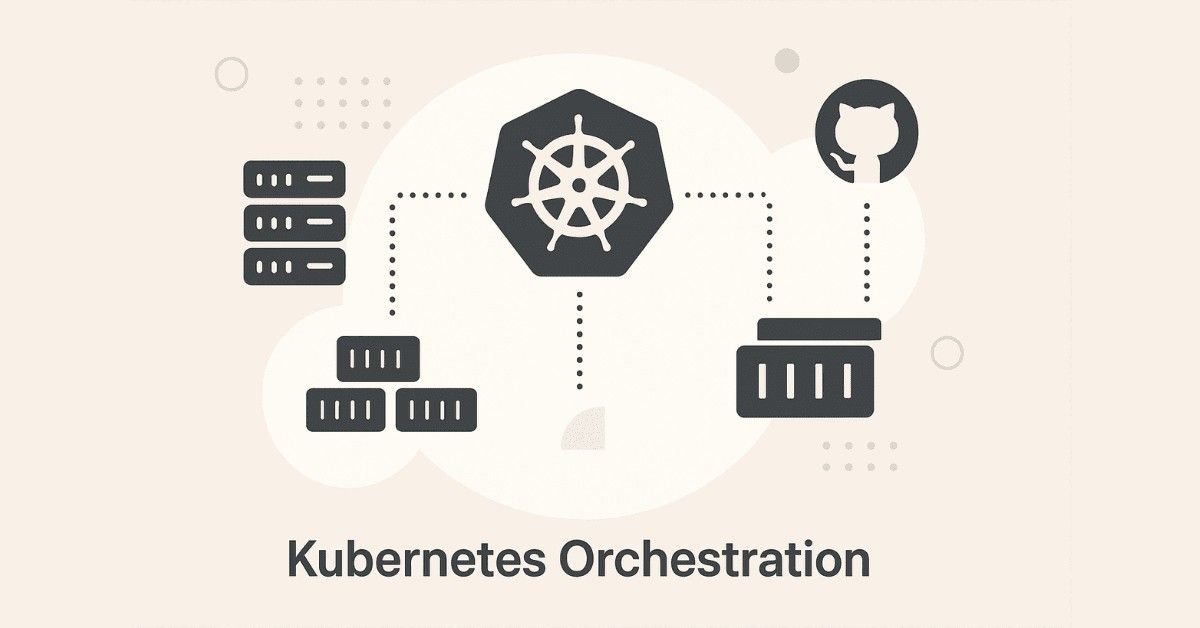
Day 38: Kubernetes Fundamentals & Architecture
- Understanding container orchestration and why it’s needed
- Kubernetes history and evolution from Borg
- Control Plane components: API Server, ETCD, Scheduler, Controller Manager
- Node components: Kubelet, Kube-Proxy, Container Runtime
- Pods as the smallest deployable unit
- Installing Minikube for local Kubernetes cluster
Assignment: Install Minikube and kubectl, deploy your first pod with nginx.
Day 39: Pods, ReplicaSets & Deployments
- Deep dive into Pods and multi-container pods
- Understanding ReplicaSets for scaling
- Limitations of ReplicaSets and DaemonSets
- Deployments for declarative updates
- Creating deployment YAML manifests
- Scaling applications horizontally
Assignment: Create a deployment with 5 replicas and practice scaling up/down through kubectl commands.
Day 40: Services & Networking in Kubernetes
- Understanding Kubernetes Services for stable networking
- Service types: ClusterIP, NodePort, LoadBalancer
- Ingress controllers for external access
- Service discovery and DNS in Kubernetes
- Labels and selectors for resource management
- When to use each service type
Assignment: Expose your deployment using all three service types and test accessibility.
Day 41: Rolling Updates & Deployment Strategies
- Rolling updates for zero-downtime deployments
- Rollback strategies when updates fail
- Pausing and resuming deployments
- Proportional scaling techniques
- Horizontal Pod Autoscaler (HPA) configuration
- Manual vs automatic scaling strategies
Assignment: Perform a rolling update with intentional failure and practice rollback procedures.
Day 42: Kubernetes Volumes & Storage
- Understanding persistent storage in Kubernetes
- EmptyDir volumes for temporary storage
- HostPath volumes and their limitations
- Persistent Volumes (PV) and Persistent Volume Claims (PVC)
- Storage classes and dynamic provisioning
- StatefulSets for stateful applications
Assignment: Deploy a database with persistent storage using PV and PVC, verify data persistence after pod deletion.
Day 43: ConfigMaps, Secrets & RBAC
- Externalizing configuration with ConfigMaps
- Storing sensitive data with Secrets
- Environment variables vs volume mounting
- Role-Based Access Control (RBAC) introduction
- Creating roles and role bindings
- Namespaces for resource isolation
Assignment: Create an application that uses ConfigMaps for configuration and Secrets for database credentials.
Day 44: Health Checks & Production Readiness
- Understanding Probes: Readiness, Liveness, Startup
- When to use each probe type
- Configuring health check parameters
- Resource quotas and limits
- Introduction to Helm for package management
- StatefulSets vs Deployments comparison
Assignment: Add all three probe types to an existing deployment and test failure scenarios.
Week 6 Milestone: You’re now proficient in Kubernetes, the industry-standard orchestration platform used by 88% of organizations running containers in production.
🧠 Prepare for DevOps Interviews
Master Kubernetes, Docker, Jenkins, AWS, Terraform & more with 200+ real interview questions in our
DevOps Interview Preparation Guide
Week 7: AWS Cloud Services (Days 45-51)
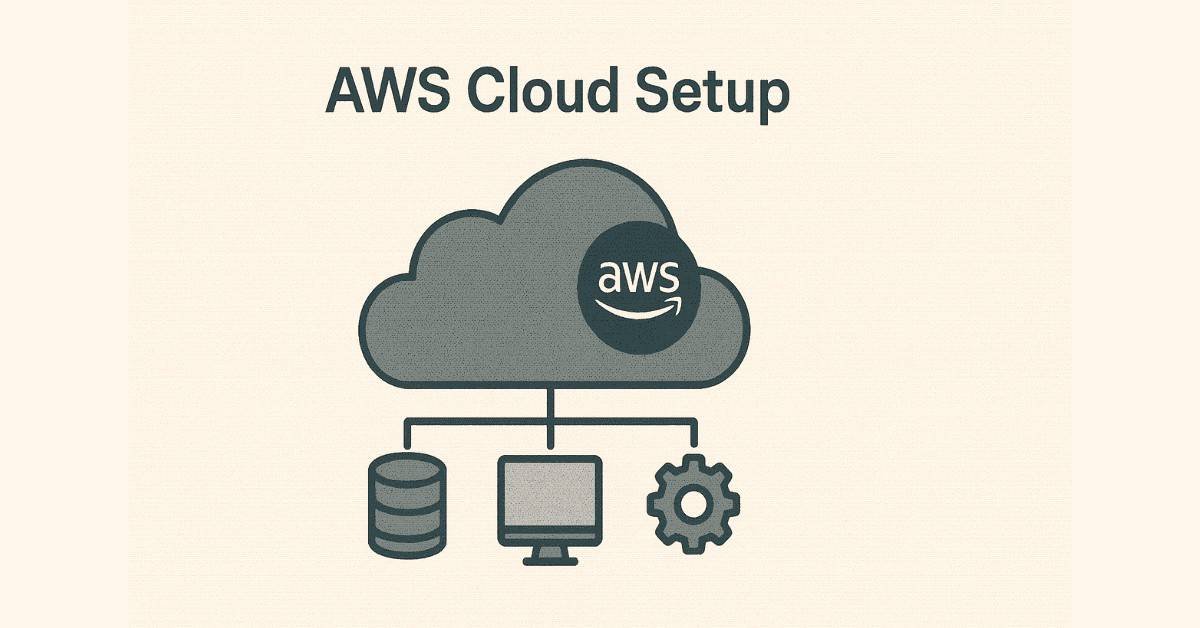
Day 45: AWS Fundamentals & IAM
- Understanding cloud computing models (IaaS, PaaS, SaaS)
- AWS global infrastructure: Regions, Availability Zones
- Creating AWS free tier account
- Identity and Access Management (IAM) fundamentals
- Users, groups, roles, and policies
- IAM best practices and security
Assignment: Create IAM users with different permission levels and test access restrictions.
Day 46: EC2 – Elastic Compute Cloud
- Understanding virtual servers in the cloud
- EC2 instance types and use cases
- Launching EC2 instances with different AMIs
- Security groups as virtual firewalls
- Key pairs for SSH access
- Instance metadata and user data scripts
Assignment: Launch multiple EC2 instances, configure security groups, and connect via SSH.
Day 47: VPC – Virtual Private Cloud
- Understanding networking in AWS
- Creating custom VPCs with CIDR blocks
- Subnets: public vs private
- Internet Gateway and NAT Gateway
- Route tables and routing
- Network ACLs vs Security Groups
Assignment: Design and implement a three-tier VPC architecture with public and private subnets.
Day 48: S3 – Simple Storage Service
- Object storage concepts and use cases
- Creating S3 buckets with naming conventions
- Bucket policies and access control
- Versioning and lifecycle policies
- Static website hosting on S3
- S3 storage classes and cost optimization
Assignment: Host a static website on S3 and configure public access through bucket policies.
Day 49: EBS, EFS & RDS
- Elastic Block Storage (EBS) for persistent volumes
- EBS volume types and performance characteristics
- Elastic File System (EFS) for shared storage
- Relational Database Service (RDS) introduction
- Creating RDS instances for MySQL/PostgreSQL
- Database backups and snapshots
Assignment: Attach EBS volumes to EC2, set up EFS for shared storage, and create an RDS database.
Day 50: Load Balancing & Auto Scaling
- Elastic Load Balancer (ELB) types: ALB, NLB, CLB
- Health checks and target groups
- Auto Scaling Groups (ASG) configuration
- Launch templates and scaling policies
- High availability and fault tolerance
- Integration with CloudWatch for metrics
Assignment: Create an Auto Scaling Group with load balancer that scales based on CPU utilization.
Day 51: Container Services & Route 53
- Elastic Container Registry (ECR) for Docker images
- Elastic Container Service (ECS) fundamentals
- Elastic Kubernetes Service (EKS) overview
- Route 53 for DNS management
- Creating hosted zones and DNS records
- Simple Notification Service (SNS) for alerts
Assignment: Push Docker image to ECR, deploy on ECS, and configure custom domain with Route 53.
Week 7 Milestone: You’ve gained hands-on experience with AWS, the leading cloud platform with 32% market share, opening doors to countless job opportunities.
Week 8: Azure Cloud Platform (Days 52-58)
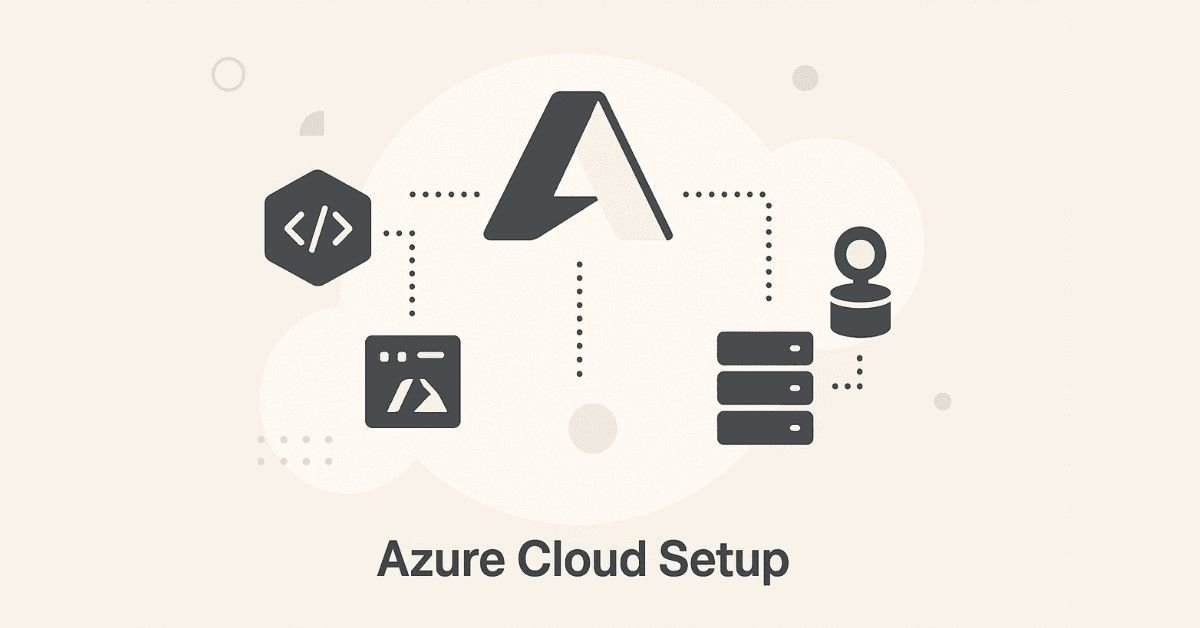
Day 52: Azure Fundamentals & Active Directory
- Microsoft Azure overview and services comparison with AWS
- Creating Azure free account
- Azure Active Directory (AAD) fundamentals
- Azure Resource Manager and resource groups
- Subscriptions and cost management
- Azure CLI installation and configuration
Assignment: Set up Azure account, create resource groups, and configure Azure CLI.
Day 53: Azure Virtual Machines
- Creating and managing Azure Virtual Machines
- VM sizes and pricing tiers
- Network Security Groups (NSGs) configuration
- Virtual Networks (VNets) and subnets
- VM Scale Sets for auto-scaling
- Differences between Azure VMs and AWS EC2
Assignment: Deploy a VM Scale Set with load balancer and test auto-scaling behavior.
Day 54: Azure Storage & Databases
- Azure Blob Storage for object storage
- Azure Disks for VM storage
- Storage account types and replication options
- Azure SQL Database service
- Cosmos DB for NoSQL workloads
- Storage comparison: Azure vs AWS
Assignment: Create blob storage containers, upload files, and set up Azure SQL Database.
Day 55: Azure Container Services
- Azure Container Registry (ACR) for image storage
- Azure Container Instances (ACI) for simple containers
- Azure Kubernetes Service (AKS) fundamentals
- AKS cluster creation and management
- Deploying applications to AKS
- Azure DevOps integration overview
Assignment: Push images to ACR and deploy a multi-container application on AKS.
Day 56: Azure Load Balancers & Networking
- Azure Load Balancer configuration
- Application Gateway for web traffic
- Traffic Manager for global load balancing
- Azure VPN Gateway and ExpressRoute
- Network peering and connectivity
- Azure Firewall and DDoS protection
Assignment: Set up Azure Load Balancer with health probes and backend pools.
Day 57: Azure Pipelines & CI/CD
- Introduction to Azure DevOps
- Azure Pipelines for continuous integration
- Creating build and release pipelines
- YAML-based pipeline configuration
- Azure Artifacts for package management
- Integration with GitHub repositories
Assignment: Create an Azure Pipeline that builds and deploys a containerized application.
Day 58: Azure Key Vault & Monitoring
- Azure Key Vault for secrets management
- Storing certificates, keys, and secrets
- Managed identities for Azure resources
- Azure Monitor and Application Insights
- Log Analytics workspace
- Setting up alerts and dashboards
Assignment: Store application secrets in Key Vault and configure monitoring with Azure Monitor.
Week 8 Milestone: You now have multi-cloud expertise with both AWS and Azure, making you a highly valuable DevOps engineer in the job market.
Month 3: Advanced Mastery and Career Preparation (Days 61-90)
The final month transforms you into an advanced Excel professional ready for the job market. You’ll master automation, PivotTables, advanced analytics, and most importantly, prepare yourself for landing jobs with profile optimization and interview preparation.
Week 9: Infrastructure as Code – Terraform (Days 59-60 + Continuation)

Day 59: Terraform Fundamentals
- Introduction to Infrastructure as Code (IaC) philosophy
- Why Terraform over other IaC tools
- Terraform architecture and workflow
- Installing Terraform on Linux
- Understanding Terraform lifecycle: init, plan, apply, destroy
- HCL (HashiCorp Configuration Language) basics
- Creating your first main.tf file
Assignment: Install Terraform and create a simple configuration to provision an EC2 instance.
Day 60: Terraform Variables & State Management
- Understanding Terraform state files
- Remote state with S3 backend for team collaboration
- Terraform variables: string, number, boolean, list
- Input variables and output values
- Using tfvars files for different environments
- Variable precedence and best practices
- Terraform workspace for environment separation
Assignment: Create a Terraform configuration with variables for dev, staging, prod environments using separate tfvars files.
Day 61: Terraform Resources & Provisioning
- Creating VPC infrastructure with Terraform
- EC2 instance provisioning with user data
- Security groups and network configuration as code
- S3 bucket creation and policies through Terraform
- EBS volumes and attachment automation
- Terraform dynamic blocks for repeated resources
Assignment: Build complete AWS infrastructure (VPC, subnets, EC2, RDS, S3) using Terraform with zero manual clicks.
Day 62: Terraform Loops, Locals & Outputs
- For_each loops for multiple resource creation
- Count parameter for resource multiplication
- Local values for code reusability
- Output values for cross-module references
- Data sources for existing resources
- Using multiple tfvar files for different environments
Assignment: Create infrastructure for three environments (dev/staging/prod) using loops and workspace switching.
Day 63: Terraform CLI & Advanced Operations
- Terraform import for existing infrastructure
- Terraform taint and untaint commands
- Terraform refresh and state manipulation
- Using terraform graph for visualization
- Module creation for reusable components
- Remote backend configuration with S3 and DynamoDB locking
Assignment: Import existing AWS resources into Terraform state and create reusable modules.
Day 64: Ansible Introduction & Architecture
- Understanding configuration management tools
- Ansible vs Puppet vs Chef comparison
- Ansible architecture: Control node and managed nodes
- Agentless architecture advantages
- Installing Ansible on Linux
- Inventory file configuration and host patterns
- SSH key-based authentication setup
Assignment: Install Ansible, configure inventory with multiple servers, test connectivity with ping module.
Day 65: Ansible Ad-Hoc Commands & Modules
- Executing ad-hoc commands for quick tasks
- Understanding Ansible modules (command, shell, copy, file, yum, apt)
- Ansible setup module for gathering facts
- Raw module for systems without Python
- Debug module for troubleshooting
- User management with Ansible
Assignment: Use ad-hoc commands to install software, create users, and manage files across multiple servers.
🛣️ Explore DevOps & Cloud Career Paths
Plan your long-term growth with our detailed DevOps Career Path covering Cloud Engineer, SRE, DevOps Architect, and more.
Week 10: Ansible Deep Dive & Monitoring (Days 66-72)
Day 66: Ansible Playbooks & YAML
- Understanding YAML syntax and indentation rules
- Writing your first Ansible playbook
- Playbook structure: hosts, tasks, handlers
- Ansible variables and their usage
- Facts gathering and using system information
- Running playbooks with ansible-playbook command
Assignment: Create a playbook that installs LAMP stack on multiple servers simultaneously.
Day 67: Ansible Advanced Features
- Handlers for service restart after configuration changes
- Loops in Ansible for repetitive tasks
- Conditional statements (when clause)
- Ansible Vault for encrypting sensitive data
- Tags for selective playbook execution
- Dry run mode (–check) for testing
Assignment: Build a playbook with handlers, loops, conditions, and encrypted passwords using Vault.
Day 68: Ansible Roles & Best Practices
- Understanding Ansible roles structure
- Creating reusable roles for different applications
- Role directory structure: tasks, handlers, templates, files, vars
- Using Ansible Galaxy for community roles
- Variables precedence in roles
- Organizing large automation projects
Assignment: Convert previous playbooks into organized roles and create a complete infrastructure automation project.
Day 69: Monitoring with Datadog
- Introduction to application performance monitoring (APM)
- Setting up Datadog account and agent installation
- Monitoring application servers with Datadog
- Jenkins pipeline monitoring and alerts
- Container monitoring with Datadog
- Exporting logs to Datadog for centralized logging
- Creating custom dashboards and alerts
Assignment: Install Datadog agents on all infrastructure components and create monitoring dashboards.
Day 70: Monitoring with New Relic
- New Relic APM overview and comparison with Datadog
- Installing New Relic agents on servers
- Container and Kubernetes monitoring
- Setting up email notifications for critical events
- Log aggregation and analysis
- Performance metrics and bottleneck identification
Assignment: Configure New Relic for application monitoring and set up alerting for critical thresholds.
Day 71: Prometheus & Grafana
- Understanding time-series databases for metrics
- Installing Prometheus for metric collection
- Configuring exporters for different services
- PromQL query language basics
- Installing Grafana for visualization
- Creating beautiful dashboards with Grafana
- Alertmanager for notifications
Assignment: Set up Prometheus and Grafana to monitor Kubernetes cluster with custom dashboards.
Day 72: Code & Artifact Storage
- Nexus Repository Manager for artifact storage
- Storing Maven artifacts in Nexus
- Docker image storage in Nexus
- SonarQube for code quality analysis
- Integrating SonarQube with Jenkins pipelines
- Code coverage and technical debt metrics
Assignment: Configure Nexus for artifact storage and SonarQube for automated code quality checks.
Week 10 Milestone: You’ve mastered infrastructure automation with Terraform and Ansible, plus comprehensive monitoring strategies that every enterprise DevOps team implements.
Week 11: Integrations & Security Tools (Days 73-79)

Day 73: Complete CI/CD Integration Day
- Git integration with Jenkins (webhooks)
- Maven integration for Java builds
- Ansible integration for deployment automation
- Docker integration for containerized builds
- Terraform integration for infrastructure provisioning
- S3 integration for artifact storage
Assignment: Build an end-to-end pipeline: Git → Jenkins → Maven build → Docker image → Terraform deploy → Ansible configure.
Day 74: Advanced Integrations
- Nexus integration with Jenkins for artifact management
- SonarQube integration for code quality gates
- Slack integration for build notifications
- Splunk integration for log management
- Email notifications for pipeline status
- Multi-branch pipeline with automatic environment detection
Assignment: Enhance your CI/CD pipeline with quality gates, notifications, and centralized logging.
Day 75: DevSecOps – Security Tools Introduction
- Understanding DevSecOps philosophy
- SonarQube for static code analysis
- OWASP (Open Web Application Security Project) principles
- Trivy for container image vulnerability scanning
- Kube-bench for Kubernetes security auditing
- Integrating security scans into CI/CD pipelines
Assignment: Scan Docker images with Trivy and Kubernetes cluster with Kube-bench, remediate vulnerabilities.
Day 76: Advanced Security Tools
- Istio service mesh for microservices security
- Calico for Kubernetes network policies
- AWS Backup for disaster recovery
- Terraform Vault for secrets management
- TFSec for Terraform security scanning
- Implementing least privilege access
Assignment: Implement network policies in Kubernetes, scan Terraform code with TFSec, configure AWS Backup.
Day 77: AI-Powered DevOps Tools
- K8sGPT for Kubernetes troubleshooting with AI
- Cast AI for Kubernetes cost optimization
- GitHub Copilot for infrastructure code generation
- AI-assisted debugging and error resolution
- Predictive scaling with machine learning
- ChatOps for team collaboration
Assignment: Install K8sGPT, analyze Kubernetes issues, use Cast AI for cost recommendations.
Day 78: Complete Project – E-commerce Application Deployment
- Requirements analysis and architecture design
- Multi-tier application with microservices
- Database tier with RDS
- Application tier with auto-scaling
- Load balancer configuration
- CI/CD pipeline from scratch
Assignment: Deploy a complete 3-tier e-commerce application with automated CI/CD pipeline.
Day 79: Project Continuation & Optimization
- Implementing monitoring for all components
- Setting up alerts for critical metrics
- Performance optimization and load testing
- Security hardening and compliance checks
- Documentation and runbook creation
- Cost optimization strategies
Assignment: Complete monitoring, security scanning, and comprehensive documentation for your project.
Week 11 Milestone: You’ve built production-grade CI/CD pipelines with security integration and completed a portfolio project that demonstrates real-world expertise.
Week 12: Interview Preparation & Career Launch (Days 80-86)
Day 80: Resume Building for DevOps Roles
- Structuring a DevOps engineer resume that gets noticed
- Highlighting hands-on projects over theoretical knowledge
- Quantifying achievements with metrics (reduced deployment time by X%, automated Y processes)
- Keywords that pass ATS (Applicant Tracking Systems)
- Tailoring resume for different job descriptions
- Common mistakes that get resumes rejected
Key Resume Sections for DevOps:
- Professional summary highlighting multi-cloud expertise
- Technical skills organized by category (Cloud, CI/CD, Containers, IaC, Monitoring)
- Project experience with specific technologies and outcomes
- Certifications and training completion
Assignment: Create ATS-optimized DevOps resume highlighting all 90 days of project work.
Day 81: LinkedIn Profile Optimization
- Crafting compelling headline: “DevOps Engineer | AWS & Azure | Kubernetes | CI/CD Automation”
- Writing achievement-focused summary section
- Showcasing projects with GitHub links
- Skills endorsement strategy
- Recommendations and how to request them
- Activity strategy: sharing DevOps content regularly
LinkedIn Content Strategy:
- Share weekly DevOps learning insights
- Comment on industry leaders’ posts
- Write articles about projects you’ve completed
- Join DevOps communities and engage actively
Assignment: Build professional LinkedIn profile with optimized sections and connect with 50+ DevOps professionals.
Day 82: Job Platforms & Application Strategy
- Top job platforms in India: Naukri, LinkedIn, Indeed, Glassdoor, Instahiring
- Company career pages: TCS, Infosys, Wipro, Accenture, Cognizant, Capgemini
- Startup job boards: AngelList, Cutshort, Wellfound
- Creating job search alerts for “DevOps Engineer” across platforms
- Application timing strategy (apply within 24 hours of posting)
- Following up on applications professionally
Daily Application Routine:
- Morning: Apply to 5-10 relevant positions
- Afternoon: Customize cover letters for high-priority roles
- Evening: Network with recruiters on LinkedIn
Assignment: Create profiles on all major job platforms, set up 10+ job alerts, apply to first 20 positions.
Day 83: DevOps Interview Preparation – Technical Concepts
Understanding the interview process at top companies: screening call, technical round, practical assessment, HR round.
Core Topics to Master:
- Linux: Explain file permissions, process management, shell scripting use cases
- Git: Branching strategies, merge vs rebase, resolving conflicts
- Jenkins: Pipeline as code, master-slave setup, plugin management
- Docker: Container vs VM, Dockerfile optimization, networking modes
- Kubernetes: Pod lifecycle, deployment strategies, service types, persistent storage
- AWS: VPC architecture, security groups, IAM best practices, S3 lifecycle policies
- Terraform: State management, modules, workspaces, remote backend
- Ansible: Playbooks vs roles, idempotency, inventory management
Assignment: Prepare 2-minute answers for 50 most common DevOps questions.
Day 84: Scenario-Based & Troubleshooting Questions
Real interview scenarios you’ll face:
Scenario Questions:
- “Jenkins pipeline fails randomly. How do you troubleshoot?”
- “Application works on local Docker but fails in Kubernetes. What steps do you take?”
- “AWS costs increased by 200% this month. How do you investigate?”
- “Zero-downtime deployment requirement for production. What’s your approach?”
- “Team of 10 developers need isolated environments. Design the solution.”
Troubleshooting Approach:
- Reproduce the issue consistently
- Check logs at every layer
- Verify configurations
- Test in isolation
- Implement fix with rollback plan
Assignment: Practice answering 20 scenario-based questions out loud with timer (3-5 minutes each).
Day 85: Behavioral Questions & STAR Method
Companies don’t just test technical skills—they evaluate cultural fit and soft skills.
Common Behavioral Questions:
- “Tell me about a time you resolved a production outage under pressure.”
- “Describe a situation where you disagreed with a team member.”
- “How do you prioritize when multiple critical issues arise?”
- “Share an example of learning a new technology quickly.”
STAR Method Framework:
- Situation: Brief context (1-2 sentences)
- Task: Your responsibility
- Action: Specific steps you took
- Result: Quantifiable outcome
Assignment: Prepare STAR method stories for 10 behavioral questions using your 90-day project experiences.
Day 86: Mock Interview Practice & Final Preparation
- Conducting mock interviews with peers or mentors
- Recording yourself answering questions
- Body language and communication confidence
- Asking intelligent questions to interviewers
- Salary negotiation basics (₹7-10 lakhs for freshers, ₹12-18 lakhs with projects)
- Handling offers and multiple interview processes
Questions to Ask Interviewers:
- “What does the DevOps tech stack look like here?”
- “How does the team handle on-call rotations?”
- “What’s the deployment frequency?”
- “Opportunities for AWS/Azure certification support?”
Assignment: Complete 3 full mock interviews covering technical, scenario, and behavioral rounds.
Week 13: Capstone Project & Certification (Days 87-90)
Day 87: Capstone Project – Production-Grade Infrastructure
Build a complete production-ready infrastructure demonstrating every skill learned:
Project Requirements:
- Multi-cloud deployment (AWS primary, Azure disaster recovery)
- Microservices application (minimum 3 services)
- Kubernetes orchestration with auto-scaling
- Complete CI/CD pipeline with quality gates
- Infrastructure as Code with Terraform
- Configuration management with Ansible
- Centralized monitoring and logging
- Security scanning at every stage
- Comprehensive documentation
Architecture Components:
- Source: GitHub repository with multiple branches
- CI/CD: Jenkins multi-branch pipeline
- Build: Docker images with multi-stage builds
- Registry: AWS ECR and Azure ACR
- Orchestration: EKS cluster with 3+ nodes
- Infrastructure: Terraform modules for all resources
- Configuration: Ansible playbooks for application setup
- Monitoring: Prometheus + Grafana dashboards
- Security: Trivy scans, SonarQube analysis, TFSec
Assignment: Begin capstone project architecture documentation and repository setup.
Day 88: Capstone Project Implementation
- Set up multi-cloud accounts and permissions
- Create Terraform infrastructure code
- Build Kubernetes manifests
- Develop Jenkins pipeline code
- Write Ansible playbooks
- Configure monitoring solutions
- Implement security scanning
- Test end-to-end workflow
Assignment: Complete infrastructure provisioning and application deployment through automated pipeline.
Day 89: Project Documentation & GitHub Portfolio
Create comprehensive documentation that impresses recruiters:
README.md Structure:
- Project overview with architecture diagram
- Technologies used with version numbers
- Prerequisites and setup instructions
- Step-by-step deployment guide
- Screenshots of working application
- Monitoring dashboards and metrics
- Challenges faced and solutions
- Future improvements
Additional Documentation:
- Architecture decision records (ADRs)
- Runbook for common operations
- Troubleshooting guide
- Cost analysis spreadsheet
Assignment: Complete project documentation, create architecture diagrams, prepare presentation.
Day 90: Course Completion, Certification & Next Steps
- Review everything learned across 90 days
- Complete Frontlines Edutech course completion certificate
- Update resume with all projects and skills
- Update LinkedIn with certificate and projects
- Start applying to companies with confidence
- Plan for AWS Solutions Architect or Azure Administrator certification
- Set 30-60-90 day job search goals
Post-Course Roadmap:
- Week 1-2: Apply to 50+ positions, prepare company-specific interviews
- Week 3-4: Focus on companies that respond, practice specific tech stacks
- Week 5-6: Attend interviews, gather feedback, improve weak areas
- Month 2: Land offers, negotiate salary, choose best opportunity
- Month 3: Onboard successfully, continue learning advanced topics
Assignment: Update all profiles, create job tracking spreadsheet, schedule 5 informational interviews with DevOps engineers.
4. Career Paths After Course Completion
Real Career Outcomes: What Happens After 90 Days
Companies are desperately searching for DevOps engineers in 2025. The global DevOps market hitting $15 billion has created an unprecedented talent shortage. Here’s what this roadmap prepares you for:
Entry-Level Opportunities (0-2 Years)
- DevOps Engineer: ₹6-10 lakhs per year, focusing on CI/CD pipeline maintenance and monitoring
- Junior Cloud Engineer: ₹7-12 lakhs per year, managing AWS/Azure infrastructure
- Automation Engineer: ₹6-11 lakhs per year, writing scripts and playbooks
- Build & Release Engineer: ₹7-10 lakhs per year, managing Jenkins and deployment processes
Mid-Level Opportunities (2-4 Years)
After gaining experience and certifications, salaries jump significantly:
- Senior DevOps Engineer: ₹12-18 lakhs per year
- Cloud Solutions Architect: ₹15-22 lakhs per year
- Site Reliability Engineer (SRE): ₹14-20 lakhs per year
- DevSecOps Engineer: ₹16-24 lakhs per year
Senior-Level Opportunities (5+ Years)
Top performers with certifications earn premium salaries:
- Lead DevOps Engineer: ₹20-30 lakhs per year
- DevOps Architect: ₹25-40 lakhs per year
- Cloud Engineering Manager: ₹30-50 lakhs per year
Your Next Steps: From Reading to Doing
You’ve now seen the complete 90-day roadmap that transforms complete beginners into job-ready DevOps engineers. The question isn’t whether DevOps is worth learning—the market has answered that with 24% growth projections and six-figure salaries. The real question is: how will you learn it?
Option 1: Self-Paced Learning
Download this roadmap, follow it day by day, troubleshoot issues alone, search YouTube for every concept, spend hours on StackOverflow when things break, hope you’re learning the right things, and apply to jobs without knowing if you’re truly ready.
Option 2: Structured Learning with Frontlines Edutech
Join a program designed specifically for this transformation, learn from industry experts who’ve already walked this path, get daily support when stuck, build projects with guidance, receive resume and interview preparation, connect with hiring companies through placement assistance, and launch your DevOps career with confidence.
The choice is yours, but remember: every day you delay is another day someone else is getting trained, building skills, and landing the DevOps job you’re dreaming about.
Frequently Asked Questions
Can non-IT graduates learn DevOps?
Absolutely! This course is designed for beginners and takes special care of non-IT students. You start with Linux basics and build up gradually—no prior programming experience required.
Do I need to know coding?
Basic scripting knowledge helps, but you’ll learn shell scripting, Python basics, and infrastructure code throughout the course. The focus is on practical skills, not heavy programming.
How much time daily do I need?
Plan for 3-4 hours daily—2 hours for learning new concepts, 1-2 hours for hands-on assignments. Weekends might require additional time for projects.
Will I get interview calls after completing this?
With completed projects on GitHub, optimized LinkedIn profile, and structured resume, you’ll definitely get calls. The job market for DevOps is extremely active in 2025.
What’s the average salary for freshers?
DevOps engineers earn ₹7-10 lakhs as freshers, with quick growth to ₹12-18 lakhs within 2-3 years with certifications.
Is certification necessary?
Course completion certificate from Frontlines Edutech demonstrates structured learning. Later, pursue AWS Solutions Architect Associate or Azure Administrator certifications for salary boost.
Key Cities with Highest Excel Job Opportunities
Bangalore (Bengaluru) leads with technology and startup ecosystem demanding Excel professionals across all experience levels, offering competitive salaries and growth opportunities.
Hyderabad shows strong demand from IT services, pharmaceutical, and business process outsourcing sectors with attractive compensation packages.
Gurgaon (Gurugram) and Noida (NCR region) offer extensive opportunities in consulting, financial services, and corporate shared services centers.
Mumbai remains the financial capital with maximum opportunities in banking, finance, insurance, and media sectors requiring advanced Excel expertise.
Pune has growing demand from IT, automotive, and manufacturing industries with balanced cost of living and career growth prospects.
Chennai provides opportunities in automotive, manufacturing, IT services, and financial shared services with steady job market growth.
5. Why Choose Frontlines Edutech for Your Devops Journey?
At Frontlines Edutech, we understand the challenge of unemployment and the frustration of having skills but no opportunities. That’s why we’ve designed this comprehensive Excel with AI course to transform you from a beginner into an industry-ready professional in just 90 days.
Why Choose Frontlines Edutech for Your DevOps Journey
After seeing this comprehensive 90-day roadmap, you might wonder: “Can I really achieve all this on my own?” While self-study is possible, here’s why over 3,000 students chose Frontlines Edutech’s structured program:
Industry-Relevant Training
The curriculum is designed by DevOps professionals working at top companies who know exactly what skills employers test in interviews. Every topic aligns with real-world job requirements at Infosys, TCS, Wipro, Cognizant, Accenture, IBM, Capgemini, and KPMG—the companies actively hiring in Bangalore, Hyderabad, Pune, Mumbai, Chennai, Noida, and Gurgaon.
Hands-On Learning Approach
Unlike theoretical courses, Frontlines Edutech provides daily assignments and real projects that build your GitHub portfolio. You’ll work on actual scenarios like “deploying microservices on Kubernetes with zero downtime” or “building CI/CD pipeline that automatically scales based on traffic”—exactly what interviewers ask about.
Complete Career Support
The program includes resume building workshops where experts help you craft ATS-optimized resumes that get past automated filters. LinkedIn profile optimization ensures recruiters find you when searching for DevOps engineers. Interview guidance sessions prepare you for technical, scenario-based, and behavioral questions with mock interviews.
Placement Assistance
Regular placement updates connect you with hiring companies. Q&A sessions with instructors ensure no doubt remains unresolved. On-demand video access means you can review complex topics like Kubernetes networking or Terraform state management as many times as needed.
Affordable & Transparent
The program offers quality education at affordable pricing with transparent fee structure—no hidden costs. Compare this with self-learning where you waste months figuring out what to learn next, make costly mistakes on cloud platforms, and struggle with concepts that an expert could explain in minutes.
Recognized Certification
Upon completion, you receive a course completion certificate that employers in the edutech and software industry recognize. This certificate demonstrates commitment to structured learning and validates your 90-day transformation from beginner to job-ready DevOps professional.
Ready to Transform Your Career in 90 Days?
The DevOps revolution is happening right now. Companies are hiring, salaries are rising, and opportunities are everywhere. This roadmap gives you the exact path that successful DevOps engineers have followed.
What you get with Frontlines Edutech’s DevOps with Multi-Cloud (AWS + Azure) Course:
✅ Industry-standard training from scratch to master level
✅ Daily assignments that build real portfolio projects
✅ Resume building and LinkedIn profile optimization
✅ Interview guidance with mock sessions
✅ Placement updates from hiring companies
✅ Q&A sessions for doubt clarification
✅ Course completion certificate
✅ On-demand video access for lifetime learning
✅ Downloadable resources and documentation
Don’t let another day pass watching others succeed in DevOps careers.
📞 Contact Frontlines Edutech: +91-83330 77727
📧 Email: support@frontlinesedutech.com
🌐 Website: www.frontlinesedutech.com
Follow for daily DevOps tips and success stories:
- LinkedIn: Frontlines Edutech
- Instagram: Frontlines Media
- YouTube: Frontlines Skill Academy
Your 90-day transformation to a high-paying DevOps career starts with one decision. Make it today.
🎯 Your DevOps Transformation Starts Today
Build real cloud projects, master automation, and get job-ready with Frontlines Edutech.