
Jenkins vs GitHub Actions: Key Differences for DevOps
Table of Contents
Recommended Learning Path
Difference between Jenkins & GitHub
Jenkins vs GitHub Action key differences
Introduction
A developer pushes a code change to GitHub. Before users receive the update, the application must be built, tested, packaged, and deployed. Jenkins and GitHub Actions can automate that process, but they differ in how teams configure pipelines, provide computing resources, and manage ongoing operations.
Understanding Jenkins vs GitHub Actions helps beginners choose a practical CI/CD tool without relying on popularity alone. This guide compares architecture, setup, customization, security, costs, and cloud deployments, then demonstrates how the same small project could use either option.
Quick Answer: Jenkins vs GitHub Actions
Jenkins is an open-source automation server that teams install and manage, while GitHub Actions is a workflow automation service integrated into GitHub. Jenkins pipelines are typically defined in a Jenkinsfile using Declarative or Scripted syntax. GitHub Actions workflows use YAML files inside .github/workflows.
Both tools can build, test, and deploy applications to AWS, Azure, and other environments. GitHub Actions often offers a simpler starting path for GitHub-hosted projects, while Jenkins provides substantial flexibility for teams managing their own automation infrastructure. Neither is automatically more secure, reliable, or affordable.
What Is Jenkins?
Jenkins is an automation server with a broad plugin ecosystem. A Jenkins controller schedules work, manages configuration, and coordinates agents that execute jobs. Teams can host Jenkins on a local server, a virtual machine, or suitable cloud infrastructure.
A Jenkins CI/CD pipeline describes connected stages such as checkout, build, test, approval, and deployment. The pipeline definition can live in version control so changes are reviewable. Jenkins can connect to GitHub, GitLab, private repositories, and various build or deployment systems through supported integrations.
Teams must maintain the server, agents, plugins, access controls, and backups.
Want to become a DevOps Engineer?
Explore our step-by-step How To Become Guide –>
What Is GitHub Actions?
GitHub Actions is GitHub’s automation platform for repository events and software-delivery workflows. A workflow may start when a pull request opens, a commit reaches a branch, a release is created, or someone manually triggers it.
A GitHub Actions CI/CD pipeline contains jobs and steps. Each job executes on a runner, which may be a GitHub-hosted machine or a self-hosted machine supplied by the organization. Workflows can use reusable actions and reusable workflows to avoid repeating setup logic.
Developers can inspect workflow status near pull requests, but must still plan security and recovery.
Jenkins vs GitHub Actions: Key Differences
Comparison area | Jenkins | GitHub Actions |
Delivery model | Open-source server managed by the user or organization | GitHub-integrated automation service |
Pipeline definition | Jenkinsfile, commonly Declarative or Scripted Pipeline | YAML files in .github/workflows |
Execution | Jenkins agents coordinated by a controller | GitHub-hosted or self-hosted runners |
Integrations | Plugins, APIs, scripts, and shared libraries | Actions, APIs, scripts, and reusable workflows |
Setup | Requires a Jenkins installation and administration | Available within supported GitHub repositories |
Maintenance | Teams maintain Jenkins, agents, and plugins | GitHub operates the hosted platform; teams manage workflows and any self-hosted runners |
Pricing model | No Jenkins software license fee; infrastructure costs remain | Plan allowances and possible usage/storage charges; self-hosted infrastructure costs remain |
Cloud deployment | AWS, Azure, and other targets with suitable integrations | AWS, Azure, and other targets with suitable actions or commands |
These are practical differences, not a ranking. Both can handle complex delivery workflows when configured by experienced teams.
How Do Jenkins Pipelines and GitHub Actions Workflows Differ?
A Jenkins pipeline vs GitHub Actions workflow comparison begins with how automation is expressed.
Jenkinsfile Structure:
Jenkins Declarative Pipeline uses a pipeline block, an agent, stages, and individual steps. Each stage groups related work such as testing or deployment. Scripted Pipeline offers additional programming flexibility through its Groovy-based approach. Jenkins plugins can add supported pipeline steps.
GitHub Actions YAML Structure:
A GitHub Actions workflow declares the triggering event with on, then defines jobs. A job specifies runs-on and its steps. A step may execute a shell command or invoke a reusable action using uses. Separate jobs can express dependencies with needs.
Both formats support version control and code review. Understand where tasks run and what happens when they fail, not just syntax.
Start your journey with our beginner-to-advanced DevOps Roadmap –>
Which Tool Is Easier for Beginners?
For a student already using GitHub, GitHub Actions can be convenient because basic workflows can run on GitHub-hosted runners without maintaining a separate automation server. A beginner can add a YAML workflow, push a commit, and inspect its logs in the repository.
Jenkins requires more initial preparation: installation, setup, plugins, credentials, and an agent suitable for the project. That work exposes learners to CI/CD infrastructure.
Jenkins vs GitHub Actions ease of use therefore depends on the task. GitHub Actions commonly reduces initial setup for GitHub repositories. Jenkins may fit teams with established Jenkins infrastructure or specialized execution requirements. Neither removes the need to understand Git, Linux, testing, and troubleshooting.
Customization, Plugins, and Reusable Automation
Jenkins can extend its behavior through plugins and shared libraries, allowing teams to centralize common pipeline functions. This is useful when a company operates several applications with established Jenkins conventions. Administrators must review plugin security and compatibility.
GitHub Actions provides a marketplace of reusable actions alongside organization-controlled actions and reusable workflows. Teams can share build and deployment patterns across repositories while controlling which actions are allowed.
Prefer a small, reviewed automation stack with clear ownership.
Build Agents, Runners, and Hosting Responsibilities
Jenkins separates its controller from agents that execute builds. Agents may be local, virtual, or cloud-based. Teams design their capacity, isolation, software versions, and network connectivity.
GitHub Actions can allocate GitHub-hosted runners for supported jobs, reducing infrastructure administration. Organizations may instead register self-hosted runners when they need their own hardware, private network access, or custom software.
Self-hosted execution creates security responsibilities in either system. Untrusted build code can compromise a poorly isolated worker. Keep sensitive deployments away from untrusted pull requests and avoid giving every job privileged machine access.
Jenkins vs GitHub Actions Pricing and Costs
Jenkins is open-source software, but hosting a controller, maintaining workers, storing artifacts, and paying staff to operate it are not free. A company already running Jenkins infrastructure might have a different cost profile from a student creating a new server.
GitHub Actions pricing depends on repository visibility, the account’s plan, runner type, compute usage, and artifact or cache storage rules. Standard GitHub-hosted runner usage for public repositories is generally free under GitHub’s published terms. Private-repository usage receives plan-dependent included allowances, and eligible usage beyond them may be billed. GitHub does not charge an Actions runner fee for self-hosted runners under the current model, but the underlying machines still cost money.
Compare total operating cost, and verify current billing terms before estimating.
Get interview-ready with our DevOps Interview Preparation Guide –>
How Do Security and Deployment Controls Compare?
Jenkins supports managed credentials and integrations that inject selected secrets into pipeline steps. Administrators must restrict credential scope, maintain plugins, protect the controller, and isolate agents. A secret stored in Jenkins is not safe if untrusted jobs can read it.
GitHub Actions supports repository and environment secrets, permission controls for GITHUB_TOKEN, environment approvals, and OpenID Connect (OIDC) for supported cloud authentication without storing long-lived cloud credentials. These features still require correct trust policies and branch restrictions.
For both tools, protect deployment workflows from unauthorized edits, review third-party components, limit cloud permissions, and prepare a rollback procedure. Security depends on implementation, not brand.
Can Both Tools Deploy to AWS and Azure?
Yes. Jenkins vs GitHub Actions for deployment is not an AWS-versus-Azure decision. Both can build container images, publish artifacts, run deployment commands, and coordinate releases to cloud services when their credentials and networking are configured.
A Jenkins job might deploy a Docker image to Amazon ECS or a Kubernetes cluster. A GitHub Actions workflow could target Azure Kubernetes Service or an Azure virtual machine. Either tool can use Terraform in an infrastructure stage, but Terraform manages infrastructure rather than replacing application delivery.
In AWS Azure DevOps learning, first understand each cloud’s identities and deployment services. A successful pipeline is only one part of a safe release.
Practical Example: A College Event Application
Imagine students in Hyderabad building a small Spring Boot event-registration API. They want every proposed change tested, with approved changes deployed to a controlled test environment.
Using Jenkins: The team stores a Jenkinsfile in GitHub. A webhook starts a pipeline, an isolated Jenkins agent builds the project with Maven, tests the API, and creates a container image. A protected deployment stage releases the image, checks a health endpoint, and records the outcome.
Using GitHub Actions: The team places a YAML workflow under .github/workflows. Pull requests trigger a test job on a suitable runner. After review and merge, a deployment job retrieves or builds the approved artifact, authenticates to the target cloud, deploys, and checks application health.
Both designs require secure credentials, a known deployment target, tested rollback, and application monitoring. These workflows are hypothetical, not descriptions of FLM production systems. Compare setup effort and troubleshooting.
Jenkins vs GitHub Actions: Pros and Cons
Jenkins advantages: self-managed control, broad integrations, established pipeline patterns, and flexible execution infrastructure. Jenkins challenges: server maintenance, plugin management, agent security, backups, and setup effort.
GitHub Actions advantages: convenient GitHub integration, hosted-runner options, repository-based feedback, and reusable workflows. GitHub Actions challenges: usage and storage management, dependence on GitHub workflow features, and security considerations around actions and self-hosted runners.
Neither list determines the best tool for every team. Infrastructure, security, and team skills influence the decision.
FLM Expert Perspective: Choose by Four Questions
For learners, FLM recommends a simple Source–Run–Secure–Support framework:
- Source: Where is your code stored, and how are changes reviewed?
- Run: Who provides and maintains the machines executing tests and deployments?
- Secure: How are secrets, cloud permissions, and production approvals protected?
- Support: Who investigates failures, updates integrations, and maintains the pipeline?
Answer these questions for your project before choosing either tool. This is an educational decision framework, not a claim about FLM’s internal production practices.
Beginner Roadmap for Learning Both Tools
- Build foundations: Learn Git branches, Linux commands, shell scripts, and CI/CD concepts.
- Try GitHub Actions: Run a workflow that checks and tests a small Java or Python project.
- Explore Jenkins: Install it in a disposable lab and execute an equivalent Jenkinsfile on an isolated agent.
- Add deployment: Release each tested artifact to a controlled environment and verify its health.
- Compare security: Practice least-privilege credentials, branch approvals, and protected deployment settings.
- Document results: Record workflow diagrams, failed builds, fixes, operating effort, and lessons learned.
A practical DevOps tutorial should end with a working, explainable pipeline. Certifications and tool lists alone cannot demonstrate that understanding.
Common Mistakes When Choosing CI/CD Tools
- Choosing by popularity: Match capabilities to project requirements and team responsibility.
- Calling Jenkins entirely free: Include infrastructure, maintenance, and staffing costs.
- Assuming GitHub Actions needs no security work: Review permissions, third-party actions, and runner isolation.
- Skipping tests: A deployment pipeline should not publish unverified builds merely because a trigger fired.
- Running untrusted jobs with secrets: Separate trust levels and restrict privileged execution.
- Ignoring recovery: Plan how to identify and restore the last healthy application version.
Frequently Asked Questions
1. What is the main difference between Jenkins and GitHub Actions?
Jenkins is a self-managed automation server. GitHub Actions is GitHub’s integrated workflow service, offering hosted and self-hosted runner options.
2. Is Jenkins better than GitHub Actions for CI/CD?
Neither is universally better. Jenkins offers extensive self-managed flexibility, while GitHub Actions is convenient for repository-centered workflows on GitHub.
3. Which tool is easier for a beginner?
GitHub Actions usually requires less initial infrastructure setup for a GitHub project. Jenkins teaches additional server, plugin, and agent administration concepts.
4. Is Jenkins completely free?
The Jenkins software is open source, but servers, storage, maintenance, and build infrastructure can incur costs.
5. Does GitHub Actions cost money?
It depends on the plan, repository visibility, runner type, compute usage, and storage. Check GitHub’s current billing rules.
6. Can Jenkins work with GitHub repositories?
Yes. Jenkins can retrieve GitHub code and react to changes using supported repository and webhook integrations.
7. Can GitHub Actions use self-hosted runners?
Yes. Organizations can register their own runners, but must manage those machines and isolate untrusted workloads.
8. Can both deploy applications to AWS and Azure?
Yes. Both can coordinate deployment to supported cloud targets when permissions, networking, and deployment tools are correctly configured.
9. Should a DevOps beginner learn both tools?
Learning one complete pipeline first is sensible. Recreating the same project in the other tool helps develop transferable CI/CD skills.
Conclusion
The key difference in Jenkins vs GitHub Actions is their operating model. Jenkins offers a highly extensible, self-managed automation server. GitHub Actions brings workflow automation directly into GitHub with hosted and self-hosted execution choices.
For beginners, GitHub Actions can make the first CI/CD project easier to start, while Jenkins provides valuable experience with pipeline infrastructure and customization. Choose according to source control, runner needs, security, maintenance, and costs. Above all, learn how to build, test, deploy, and verify an application reliably—those practices matter with either tool.
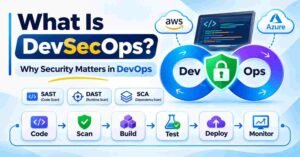
Security in DevOps and CI/CD Guide
What Is DevSecOps and Why Is Security Integrated into DevOps? Table of Contents Recommended Learning Path What Is DevSecOps Explain about the and Why Is
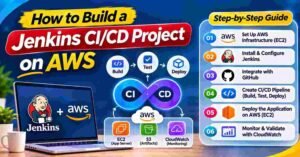
Jenkins AWS Project
How to Build a Jenkins CI/CD Project on AWS Table of Contents Recommended Learning Path Jenkins AWS Project Build a CI/CD Pipeline Step by Step
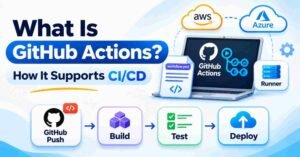
What Is GitHub Actions
What Is GitHub Actions and How Does It Support CI/CD? Table of Contents Recommended Learning Path GitHub Actions CI CD GitHub actions Explained Live Classes

Docker Kubernetes Project: Beginner DevOps Guide
How to Build a Docker and Kubernetes DevOps Project Table of Contents Recommended Learning Path Docker Kubernetes Project Beginner DevOps Guide Live Classes Real Projects

AWS CodePipeline vs Azure Pipelines
AWS CodePipeline vs Azure Pipelines: What Is the Difference? Recommended Learning Path AWS CodePipeline vs Azure Pipelines Understand the difference between the AWS and Azure
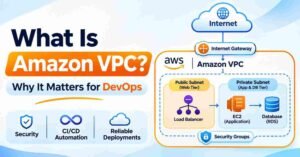
What Is Amazon VPC in DevOps
What Is Amazon VPC and Why Is It Important for DevOps? Table of Contents Recommended Learning Path Amazon VPC DevOps AWS Networking Guide for Beginners