How to Become a ServiceNow Administrator Step by Step
Recommended Learning Path
What Is a ServiceNow Administrator?
Understanding ServiceNow Administrator for Beginners
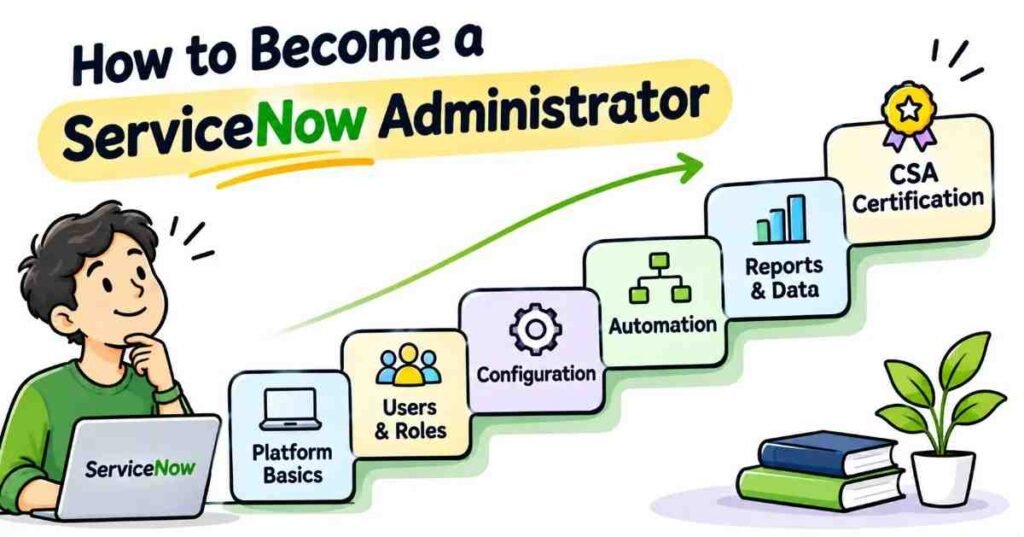
How to Become a ServiceNow Administrator
To become a ServiceNow administrator, learn the platform’s data and access concepts, practise everyday configuration tasks, and build a small project you can explain and test. Then prepare for certification and apply to roles whose requirements match your demonstrated skills.
The role is broader than managing accounts. ServiceNow’s official administrator blueprint covers application configuration, database management, security, self-service, automation, and moving configuration changes between environments.
Quick Answer
A course schedule tells you when lessons happen. It does not establish when you will be ready to manage someone else’s platform.
Use these milestones to organize your preparation:
Milestone | What you should demonstrate |
Understand the platform | Explain tables, records, fields, forms, and lists |
Configure access | Distinguish users, groups, roles, and access controls |
Support a process | Configure a small, clearly defined workflow |
Work with data | Check an import and explain a report’s filters |
Validate changes | Test permitted and restricted actions |
Present your work | Explain what changed, why, and how you verified it |
You do not have to master every feature before beginning. You do need to move beyond following a video step by step.
1. Learn what the platform is organizing
Begin by following one record through the system.
Which table stores it? What do its fields mean? Does it reference another record? Who is allowed to read or change it?
Learn the difference between:
- A table and a record.
- A stored field and its appearance on a form.
- A user, a group, and a role.
- An incident, a service request, a problem, and a change.
Help-desk processes and familiarity with incident, problem, and change workflows are useful preparation identified in the CSA blueprint.
Do not reduce these processes to labels you memorize for an interview. Understand the purpose of each.
2. Arrange an authorized practice environment
ServiceNow offers free Personal Developer Instances, or PDIs, for learning and experimentation. They are not intended for business or production use, and availability is not guaranteed.
Use a PDI or an authorized training environment with synthetic records.
Check that your learning material matches the instance’s release. Features, navigation, and available applications can differ.
Save important work outside the instance using appropriate supported methods. ServiceNow warns that PDIs can be reclaimed after inactivity and recommends preserving work through source control or update sets. These are not substitutes for a complete backup of every kind of data.
Never use an employer’s production instance as an unrestricted practice space.
3. Practise administration through small tasks
Avoid treating the syllabus as a list of definitions. Turn each topic into something you can demonstrate.
Topic | Suggested exercise |
Users and groups | Create synthetic accounts and organize a test support team |
Forms and lists | Adjust a view to show useful information |
Reporting | Build a filtered summary and verify its underlying records |
Data imports | Load a small synthetic file and inspect the results |
Access controls | Define and test an approved restriction |
Automation | Configure a simple process and its exception path |
Update sets | Learn which configuration changes are captured and how they are reviewed |
These areas align with the official CSA scope, which includes collaboration configuration, self-service, security, importing data, scripting, and update sets.
When something works, ask why. When it fails, record the cause instead of simply repeating the tutorial.
4. Build one complete administration project
Try a “Campus IT Support Setup” exercise using synthetic users and work records.
The requirement is simple: a support team needs an organized way to view its work, while ordinary requesters should have only the access approved for them.
Define the expected behavior
Write down:
- Who the requesters and technicians are.
- Which group receives the work.
- Which records each user type may access.
- Which fields they may update.
- What the team report should include.
Group membership alone should not be assumed to enforce every intended restriction. Inspect the relevant permissions and access rules.
Configure and verify
Create the practice accounts and group, prepare sample records, and build the report.
Then test:
- A technician viewing the intended work.
- A requester opening an allowed record.
- A requester attempting an unauthorized action.
- A report with an incorrect filter.
- A user missing an expected role or membership.
This is an illustrative project, not a real FLM implementation.
5. Learn to test without administrator privileges
An administrator account can hide problems that ordinary users experience.
ServiceNow provides impersonation for testing and troubleshooting from another user’s perspective. Its documentation recommends different account types for comprehensive testing and explains restrictions involving protected or application-specific roles.servicenow
Use this feature only with authorization. Impersonation is not a harmless preview: actions can affect records, so use controlled test data.
A useful habit is to test both sides of a permission:
- Can the user perform the approved action?
- Is the user prevented from performing the restricted action?
Do not treat a hidden field as proof that its underlying data is secure.
6. Record changes clearly
For each exercise, keep a short change note:
- Requirement.
- Configuration changed.
- Reason for the change.
- Test accounts used.
- Expected and actual results.
- Known limitation.
- Recovery or reversal approach.
This makes your work easier to review and gives you something concrete to discuss in interviews.
Update sets belong within administration learning, but understand their scope before using them. The CSA blueprint includes system update sets alongside data migration and integration topics.
Practise reviewing what was captured rather than assuming every change or record is included.
7. Prepare for CSA after building foundations
ServiceNow’s Certified System Administrator credential validates knowledge for configuring, implementing, and maintaining the platform.
The current blueprint recommends:
- Familiarity with database and system-management concepts.
- Access to administration applications.
- Helpful knowledge of support processes.
- Three to six months using or maintaining an instance.
That experience range is guidance for exam preparation—not a promise that every beginner will qualify for employment within that period.
Use the current official blueprint, recommended training, product documentation, and authorized practice resources. Avoid exam dumps.
Before paying, check registration conditions and deadlines. The current blueprint states that registration is payment and that the exam must be scheduled and completed within 90 days. Recheck these terms when you register
8. Prepare evidence for job applications
Build a short walkthrough showing:
- Your practice environment.
- The requirement you implemented.
- An access configuration.
- A report or data exercise.
- A problem you diagnosed.
- The tests you completed.
Label personal practice honestly. Do not describe a training project as production experience.
Review each vacancy’s education, experience, certification, and technical requirements. A course certificate, an official credential, and employer eligibility are separate matters.
If Telugu explanations help you learn, use them while practising the English terminology shown in the platform.
Proposed FLM perspective: diagnose before changing
Before modifying a setting, write one sentence describing the suspected cause. Then identify a test that could confirm or reject it.
This develops diagnosis rather than a habit of changing settings until the screen looks right.
FLM advertises administration topics including users, roles, reports, access controls, imports, and update sets. Review its ServiceNow Course in Telugu, and confirm current practice access and feedback arrangements before enrolling.
FAQs
- Can a non-IT beginner prepare for administration?
You can begin learning platform concepts and practising in a suitable environment. Check the course’s prerequisites and evaluate job eligibility separately. - Do administrators need coding?
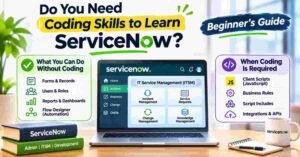
Do not treat the role as permanently coding-free. The CSA scope includes scripting, Business Rules, and UI Policies. The depth required depends on the assignment. - Can I practise without a company instance?
Yes. ServiceNow offers PDIs for learning, subject to availability and program restrictions. - Is CSA mandatory for every administrator job?
Check the vacancy. Employers may state certification as required, preferred, or not specified. - Is a training certificate the same as CSA?
No. A provider’s completion certificate is different from ServiceNow’s official Certified System Administrator credential. - How long will preparation take?
There is no universal timeline. Assess what you can configure, troubleshoot, and explain. Do not convert an exam-experience recommendation into a guaranteed career schedule.