ServiceNow Administrator Responsibilities and Skills
Recommended Learning Path
What Is a Dataset ?
Understanding Data for Analytics Beginners
What Does a ServiceNow Administrator Do?
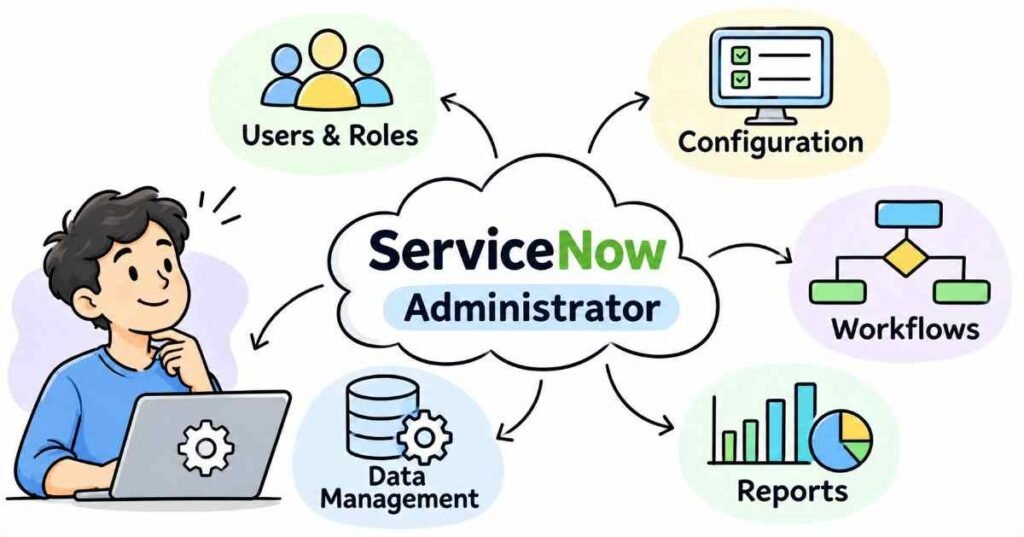
A ServiceNow administrator configures and maintains the platform so people can use its applications and workflows appropriately. The work can include managing users and permissions, adjusting forms, supporting reports, maintaining data, and troubleshooting configuration problems.
It is broader than assigning tickets or resetting accounts. ServiceNow’s official CSA blueprint describes administration across platform configuration, application configuration, databases, self-service, and automation.
What does the role look like in practice?
Imagine a new support team has joined an organization. Its members need to receive assigned work, use the right forms, and view information relevant to their responsibilities.
An administrator helps establish that setup. Later, if a team member cannot see an expected record or can see information they should not the administrator investigates.
The task is not simply “give everyone more access.” It is to understand the approved requirement and configure the platform accordingly.
Step 1: Write down the expected behavior
Before opening a configuration screen, describe the integration in plain language:
“When an incident meets the agreed conditions, send its number and short description to the external support application. Save the external ticket ID when creation succeeds.”
Then settle these details:
- Which incidents qualify?
- Which system owns each field?
- What information is permitted to leave ServiceNow?
- What response confirms success?
- Who investigates a failed transfer?
For this practice example, use synthetic incident details and a sandbox destination. Do not send real employee or customer information.
What are the main responsibilities?
Manage users, groups, and roles
These terms describe different things:
Term | Meaning |
User | An individual account |
Group | A collection of users with a shared purpose |
Role | A permission-related definition of what someone can do |
ServiceNow documents groups as a way to organize people and apply roles to multiple users. Groups can also be involved in assignments, approvals, and notifications.
An administrator needs to understand the difference between joining a support group and receiving permission to access an application. They may be connected, but they are not interchangeable concepts.
Configure the platform for agreed requirements
Administration can involve adjusting forms, lists, fields, application settings, and other supported configuration.
A useful question is: “What should this change help someone do?”
For example, adding a field should serve a clear purpose. The administrator should know who supplies the value, whether it is required, and whether reports or automation depend on it.
Application configuration and database management are part of the scope described in the official CSA blueprint.
Support self-service and automation
Administrators may work with service requests, knowledge content, approvals, and workflow configuration, depending on the team.
These responsibilities are not limited to IT ticketing. ServiceNow’s administration blueprint includes self-service and automation as part of the platform skill set..
A request should behave sensibly when it is approved, rejected, or missing information—not only when everything goes as expected.
Maintain useful data and reports
A report is only meaningful when its filters, fields, and access settings match the question.
For example, “open work” needs a clear definition. Does it include pending records? Is the report filtered to one team? Are resolved records excluded?
Database management is included in the CSA scope. In practice, administrators should also check the effect of configuration and data changes on the people using reports.
Investigate problems and test changes
An administrator should gather evidence before changing permissions or settings.
Check the affected user, the record, the expected behavior, and the relevant configuration. Reproduce the issue in an authorized test environment when possible.
ServiceNow supports impersonation to help administrators test and troubleshoot from another user’s perspective. Protected roles and applications have limitations, so impersonation is not an unrestricted way to access everything.
A practical example: a support team cannot see its work
Suppose a synthetic training scenario contains a “Facilities Support” group and several test users.
One user reports: “The team report looks empty.”
A careful investigation might ask:
- Is the record actually assigned to this group?
- Does the report use the correct group filter?
- Is the test user a member of the expected group?
- Does the user have the required permissions?
- Is the problem limited to the report, or does it also affect the underlying records?
After correcting the relevant configuration, test again as the intended user—not only as an administrator.
ServiceNow’s documentation recommends testing with different account types, such as an administrator, a technician, and an end user.
This is an illustrative exercise, not an FLM customer case.
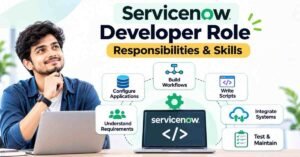
ServiceNow administrator vs developer
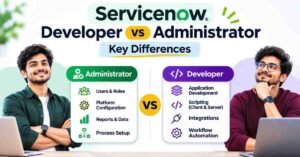
A practical distinction is:
Administrator emphasis | Developer emphasis |
Configure and support platform use | Build or extend application behavior |
Manage access and routine settings | Implement more involved logic and integrations |
Investigate configuration issues | Design and troubleshoot application code |
Validate operational changes | Develop and test application changes |
The boundary depends on the organization. Administrators may automate processes, and developers need administration knowledge.
Avoid describing administrators as people who “never code” or developers as people who “only code.” The official CSA scope itself includes automation, integrations, and customization.
Which skills should beginners build?
Platform navigation and data concepts
Learn how tables, records, fields, forms, and lists relate. Practise following a record from its stored data to its user-facing form.
Access management
Understand users, groups, roles, and access controls. Learn to investigate denied access without immediately granting excessive permissions.
ITSM vocabulary
Become familiar with incidents, service requests, problems, and changes. Do not treat them as different names for the same process.
Troubleshooting and documentation
Record what was reported, what you checked, what changed, and how you verified the result.
Basic scripting awareness
You do not need to begin by writing complex scripts. However, learn enough to recognize when behavior comes from configuration, automation, or scripted logic, and when specialist help is needed.
How can you prepare through practice?
Build a small support-team exercise in an authorized non-production environment:
- Create synthetic users and a test group.
- Configure appropriate membership and access.
- Prepare sample work records.
- Build a filtered team report.
- Test what different users can view and change.
- Document an access problem and its resolution.
Do not demonstrate the project only through screenshots. Explain why the configuration is appropriate and show at least one negative test—something the user should not be allowed to do.
If Telugu explanations help you learn, use them while practising the English labels shown in the platform.
Proposed FLM perspective: test the restriction too
Editorial recommendation for an FLM practitioner to approve.
For each feature, test both the permitted action and the boundary.
If a team should read certain records, check a record it should not read. If a user should update one field, check whether unrelated fields remain protected.
This makes the exercise about controlled behavior rather than simply making something visible.
FLM advertises user administration, reporting, access controls, imports, and workflow projects. Its course page is an option to review if you want to learn ServiceNow with hands-on projects. Confirm current practice access and review arrangements before enrolling.courses.frontlinesedutech
Common mistakes to avoid
- Using broad administrator access as the first troubleshooting fix.
- Assuming that a hidden field is necessarily protected from access.
- Testing only with an administrator account.
- Changing several settings without recording what changed.
- Treating a course certificate as an employment guarantee.
- Claiming production experience when the work was a practice exercise
FAQs
- Is a ServiceNow administrator a ticket-resolution agent?
Not necessarily. Administrators configure and maintain the platform; support agents use its processes to handle work. Some organizations combine responsibilities, so read the job description. - Does an administrator need coding?
The role is not entirely defined by coding, but scripting awareness is useful. The depth required depends on the assignment and team. - Can administrators build workflows?
Automation falls within the official CSA scope. Which workflows an administrator owns depends on the organization’s responsibilities and change process. - Why should I test without administrator access?
You need to verify the intended user’s experience. ServiceNow provides impersonation for testing, subject to documented restrictions. - Can a non-IT beginner prepare for the role?
They can begin learning platform and administration fundamentals. Confirm the course’s prerequisites and assess employer eligibility separately. - Is a training certificate the same as CSA?
No. A provider’s completion certificate is separate from ServiceNow’s Certified System Administrator credential. Check the official blueprint for current exam requirements. - Does certification guarantee a job?
No. Evaluate your practical ability and the requirements of individual vacancies rather than assuming certification guarantees selection.