
Complete Python Full Stack Developer 90-Day Learning Roadmap
Introduction: Your Journey to Becoming a Python Full Stack Professional
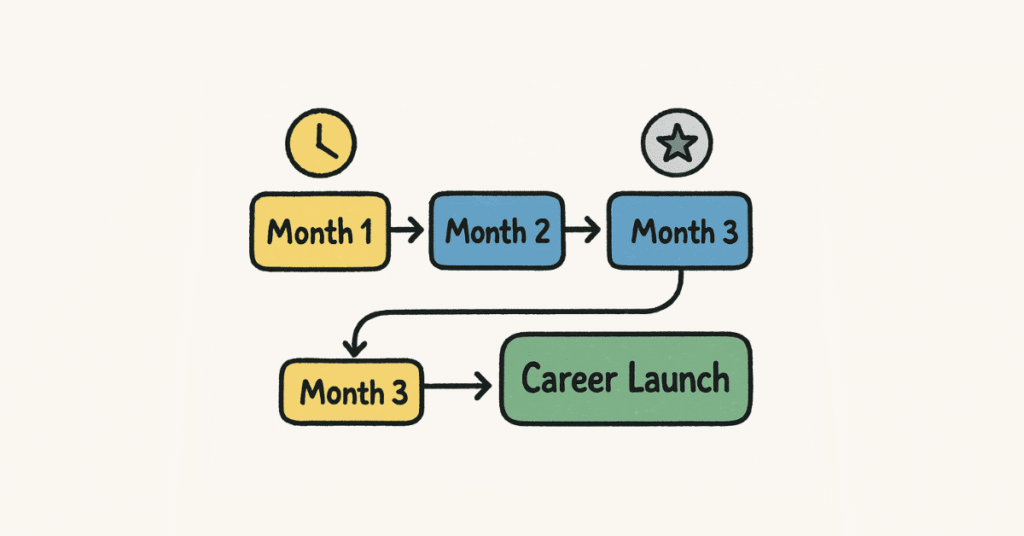
Python full stack development is one of the fastest-growing career paths in technology, with roles growing by 30% year-over-year according to industry reports. As a Python full stack developer, you’ll have the unique ability to build complete web applications—from the user interface that customers see to the powerful backend systems that make everything work.[1][2]
Why Python for Full Stack? Python’s simple syntax, readability, and vast ecosystem of frameworks like Django and Flask make it an excellent choice for full stack development. Companies across fintech, e-commerce, healthcare, and tech startups desperately need developers who can handle entire projects independently.[3][2]
Career Outlook: Entry-level Python developers in India earn ₹3-6 lakhs annually, mid-level professionals command ₹8-12 lakhs, and senior full stack developers can earn ₹15-25 lakhs per year. With full stack skills, you become a valuable addition to any team with wider employment opportunities.[4][5][1]
This 90-day roadmap transforms complete beginners into job-ready Python full stack developers. You’ll master frontend technologies (HTML, CSS, JavaScript, React), backend frameworks (Django, Flask), databases (SQL and NoSQL), APIs, deployment, and modern DevOps practices—giving you the complete skill set employers demand.[6][7]
Become a Job-Ready Python Full Stack Developer
Master Python, Django, Flask, SQL, APIs, React & Cloud deployment with our
Python Full Stack Course
MONTH 1: Python Fundamentals & Frontend Foundation (Days 1-30)

Week 1: Python Programming Essentials (Days 1-7)
Day 1: Python Setup & Basic Syntax
- Installing Python 3.12+ and setting up development environment (VS Code, PyCharm)[2]
- Understanding Python interpreter and REPL[8]
- Writing your first Python program: variables, data types (strings, integers, floats, booleans)[2]
- Basic input/output operations[8]
- Python naming conventions and PEP 8 style guide[8]
First program: Create a simple calculator that performs basic arithmetic operations.[2]
Why this matters: Strong Python fundamentals are essential before building web applications.[4][2]
Day 2: Control Flow & Decision Making
- Conditional statements: if, elif, else[8]
- Comparison operators and logical operators (and, or, not)[2]
- Nested conditionals and best practices[8]
- Practical exercises: grade calculator, age validator, login simulation[2]
Project: Build a number guessing game with hints and attempt tracking.[9]
Day 3: Loops & Iterations
- For loops and while loops[8][2]
- Loop control statements: break, continue, pass[8]
- Nested loops and loop patterns[2]
- Iterating through sequences[8]
Coding challenges: Pattern printing, multiplication tables, factorial calculator.[2]
Practice: Solve 10 loop-based problems on HackerRank or LeetCode.[4]
Day 4: Data Structures – Lists & Tuples
- Lists: creation, indexing, slicing, methods (append, extend, insert, remove)[2][8]
- List comprehensions for elegant code[4]
- Tuples: immutable sequences and use cases[8]
- Nested lists and multi-dimensional data[2]
Mini-project: Shopping cart system with add, remove, and total calculation.[9]
Day 5: Data Structures – Dictionaries & Sets
- Dictionaries: key-value pairs, methods, iteration[8][2]
- Dictionary comprehensions[4]
- Sets: unique collections, operations (union, intersection, difference)[8]
- Choosing the right data structure[2]
Project: Student grade management system using dictionaries.[9]
Day 6: Functions & Modular Programming
- Defining functions with parameters and return values[2][8]
- Default arguments, keyword arguments, *args and **kwargs[4]
- Scope and lifetime of variables (local, global)[8]
- Lambda functions for concise code[4]
- Docstrings and function documentation[2]
Practical exercise: Create a library of reusable utility functions.[9]
Day 7: Week 1 Project – CLI Application
Build a complete Contact Management System (CLI):
- Add, view, search, update, and delete contacts[7]
- Store contacts with name, phone, email, address[9]
- Data persistence using file operations (save to text/JSON file)[2]
- Input validation and error handling[4]
- Clean menu-driven interface[7]
Skills applied: Functions, dictionaries, lists, file handling, loops.[9][2]
Week 2: Advanced Python & Object-Oriented Programming (Days 8-14)

Day 8: File Handling & Exception Management
- Reading and writing files (text, CSV, JSON)[8][2]
- File modes and context managers (with statement)[4]
- Exception handling: try, except, finally, else[8]
- Creating custom exceptions[2]
- Working with paths and directories (os, pathlib modules)[4]
Project: Log file analyzer that extracts error patterns and generates reports.[9]
Day 9: Object-Oriented Programming Basics
- Classes and objects: creating blueprints for real-world entities[8][2]
- Attributes and methods[4]
- The init constructor method[2]
- Instance vs class attributes[8]
- Encapsulation and access modifiers[4]
OOP project: Create a BankAccount class with deposit, withdraw, and balance checking.[9]
Day 10: Advanced OOP Concepts
- Inheritance: creating parent-child class relationships[2][8]
- Method overriding and the super() function[4]
- Polymorphism: same method, different behaviors[2]
- Abstract classes and interfaces[4]
- Design patterns introduction[4]
Real-world modeling: Build an Employee Management System with different employee types.[9]
Day 11: Python Standard Library
- datetime module for working with dates and times[8]
- collections module: Counter, defaultdict, namedtuple[4]
- itertools for efficient iteration patterns[4]
- re module for regular expressions and text pattern matching[8]
- json module for data serialization[2]
Practical exercises: Date calculator, word frequency counter, email validator using regex.[9]
Day 12: Working with APIs & External Libraries
- Installing packages with pip and virtual environments[4][8]
- Making HTTP requests with requests library[2]
- Consuming RESTful APIs[10]
- Parsing JSON responses[8]
- API authentication basics[4]
API project: Build a weather information app using OpenWeatherMap API.[9]
Day 13: Data Processing with Python
- Working with CSV files using csv module[2]
- Introduction to pandas for data manipulation[4]
- Reading, filtering, and analyzing datasets[8]
- Basic data cleaning and transformation[2]
Data project: Sales data analyzer that generates insights and statistics.[9]
Day 14: Week 2 Project – Python Desktop Application
Build an Expense Tracker Application:
- OOP-based architecture with proper class design[4][2]
- Add expenses with category, amount, date, description[9]
- View expenses with filtering by date range and category[2]
- Generate monthly reports with total spending by category[4]
- Data persistence using JSON or SQLite[8]
- Input validation and exception handling[2]
- Export reports to CSV format[4]
Professional milestone: This demonstrates your Python proficiency and problem-solving ability.[9]
Week 3: Frontend Development – HTML, CSS & JavaScript (Days 15-21)
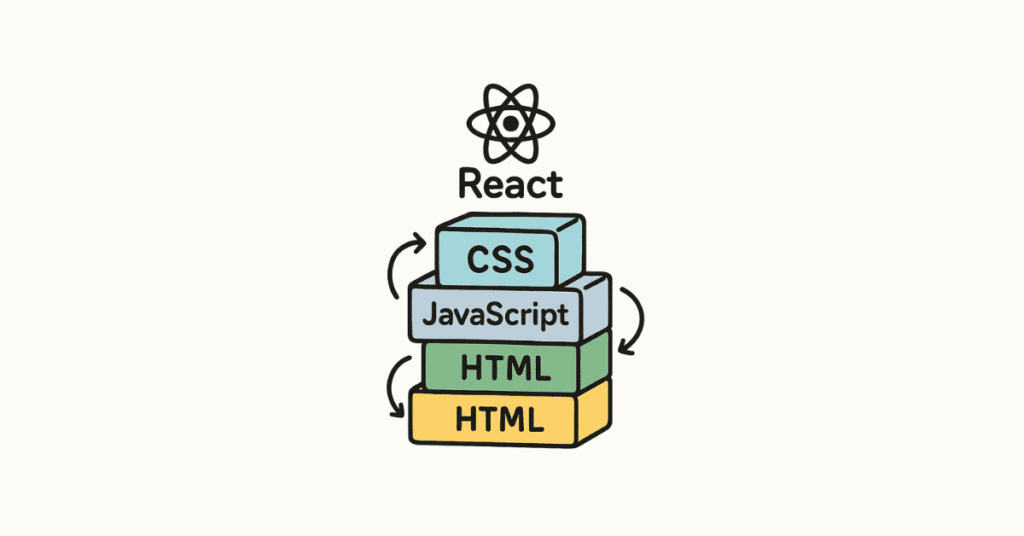
Day 15: HTML5 Fundamentals
- HTML document structure and semantic elements[6][10]
- Headings, paragraphs, lists, links, images[6]
- Forms and input elements for user interaction[2]
- Tables for structured data display[6]
- HTML5 semantic tags: header, nav, main, section, article, footer[10]
Hands-on: Create a personal portfolio webpage structure.[9]
Day 16: CSS3 Styling & Layout
- CSS selectors, properties, and values[10][6]
- Box model: margin, padding, border[6]
- Colors, fonts, and text styling[10]
- Flexbox for flexible layouts[10]
- CSS Grid for complex grid layouts[6][10]
- Responsive design with media queries[6]
Design project: Style your portfolio with modern, responsive layout.[9]
Day 17: Advanced CSS & Frameworks
- CSS transitions and animations[6]
- CSS variables for maintainable stylesheets[10]
- Introduction to Bootstrap 5 framework[6]
- Component-based styling[10]
- Mobile-first design principles[6]
Practical exercise: Create a responsive restaurant website landing page.[9]
Day 18: JavaScript Fundamentals
- Variables (let, const, var) and data types[10][6]
- Functions and arrow functions[10]
- DOM manipulation: selecting and modifying elements[6]
- Event handling: clicks, form submissions, keyboard events[2]
- Conditional statements and loops in JavaScript[10]
Interactive project: Build a to-do list with add, delete, and mark complete features.[9]
Day 19: Advanced JavaScript
- Arrays and array methods (map, filter, reduce)[10]
- Objects and JSON manipulation[6]
- Asynchronous JavaScript: callbacks, promises, async/await[10]
- Fetch API for making HTTP requests[6]
- Error handling in JavaScript[10]
API integration: Create a GitHub user profile viewer using GitHub API.[9]
Day 20: Introduction to React.js
- Understanding component-based architecture[7][10]
- Setting up React development environment with Vite[10]
- JSX syntax and rendering elements[10]
- Functional components and props[7]
- State management with useState hook[10]
- Event handling in React[10]
First React app: Build a simple counter application.[9]
Day 21: Week 3 Project – Frontend Application
Build a Movie Search Application (Frontend Only):
- React-based single-page application[7][10]
- Search movies using OMDB or TMDB API[9]
- Display movie cards with poster, title, year, rating[10]
- Movie details modal with full information[9]
- Responsive design that works on mobile and desktop[6]
- Loading states and error handling[10]
- Clean, modern UI with CSS or Bootstrap[6]
Skills demonstrated: HTML, CSS, JavaScript, React, API integration, responsive design.[7][10][2]
Week 4: Backend Development with Python & Databases (Days 22-30)
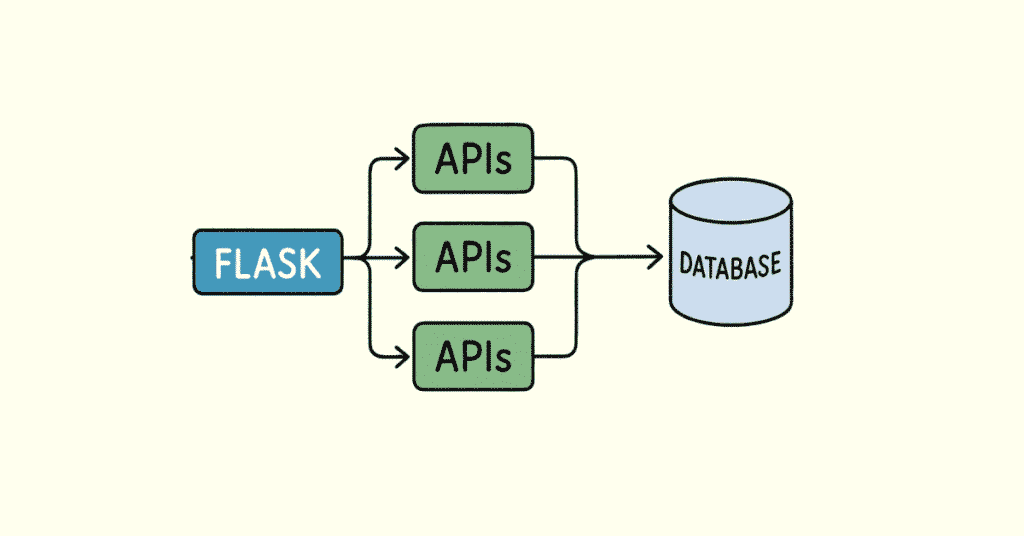
Day 22: Introduction to Web Development Concepts
- Understanding client-server architecture[2]
- HTTP protocol: requests, responses, methods (GET, POST, PUT, DELETE)[10][2]
- Status codes and headers[4]
- RESTful API design principles[7][4]
- Understanding URLs, routes, and endpoints[2]
Conceptual exercises: Design REST API structure for a blog application.[9]
Day 23: Flask Framework Basics
- Installing Flask and creating your first web server[6][10]
- Routes and view functions[10]
- Templates with Jinja2 templating engine[6]
- Static files (CSS, JavaScript, images)[10]
- Request and response objects[6]
First Flask app: Create a simple blog with multiple pages and navigation.[9]
Day 24: Flask Forms & User Input
- Handling form data with Flask-WTF[6][10]
- Form validation and error messages[10]
- CSRF protection[6]
- File uploads[10]
- Flash messages for user feedback[6]
Interactive application: Build a contact form with email notification.[9]
Day 25: SQL Databases & SQLite
- Understanding relational databases[6][4]
- SQL basics: CREATE, INSERT, SELECT, UPDATE, DELETE[6]
- Filtering with WHERE clause[4]
- Joins for combining data from multiple tables[6]
- SQLite database for lightweight applications[4]
Database practice: Create and query a database for a library system.[9]
Day 26: Flask with SQLAlchemy ORM
- ORM concepts: mapping Python objects to database tables[6][10]
- Installing and configuring Flask-SQLAlchemy[10]
- Defining models and relationships[6]
- CRUD operations with SQLAlchemy[10]
- Database migrations with Flask-Migrate[6]
Database-driven app: Build a task management system with SQLite backend.[9]
Day 27: User Authentication & Sessions
- User registration and login systems[10][2]
- Password hashing with Werkzeug or bcrypt[6]
- Session management in Flask[10]
- Flask-Login for user authentication[6]
- Protecting routes with login_required decorator[10]
Secure application: Add authentication to your task management system.[9]
Day 28: Building RESTful APIs with Flask
- Creating JSON API endpoints[7][10]
- Request parsing and validation[6]
- Returning JSON responses[10]
- Error handling and status codes[6]
- API testing with Postman[7]
API project: Build a complete REST API for a book collection.[9]
Day 29: Introduction to PostgreSQL & MongoDB
- PostgreSQL setup and basic operations[7]
- Connecting Flask to PostgreSQL[6]
- Introduction to NoSQL databases with MongoDB[7]
- When to use SQL vs NoSQL[6]
- PyMongo for MongoDB operations[6]
Database comparison: Implement the same data model in both PostgreSQL and MongoDB.[9]
Day 30: Month 1 Capstone Project
Build a Complete Blog Application (Full Stack):
Frontend (React):
- Homepage displaying all blog posts[7][10]
- Individual post detail page[9]
- Create/edit post form (admin)[10]
- Responsive design[6]
Backend (Flask):
- RESTful API with all CRUD operations[7][10]
- User authentication (register, login, logout)[2][6]
- PostgreSQL database with SQLAlchemy[10][6]
- User can only edit/delete their own posts[2]
- Comments system[9]
Features:
- User registration and login[2][6]
- Create, read, update, delete blog posts[10]
- Rich text editor for post content[9]
- Image upload for post thumbnails[6]
- Search and filter posts[10]
- User profiles[2]
Deployment: Deploy on free hosting (Render, Railway, or Heroku).[7]
Professional documentation: Create README with setup instructions, API documentation, and screenshots.[9]
Practice Python the Right Way
Build your fundamentals with hands-on tasks for Python, OOP, modules & data structures using our
Python How-to Guides.
MONTH 2: Advanced Backend Development & Modern Tools (Days 31-60)
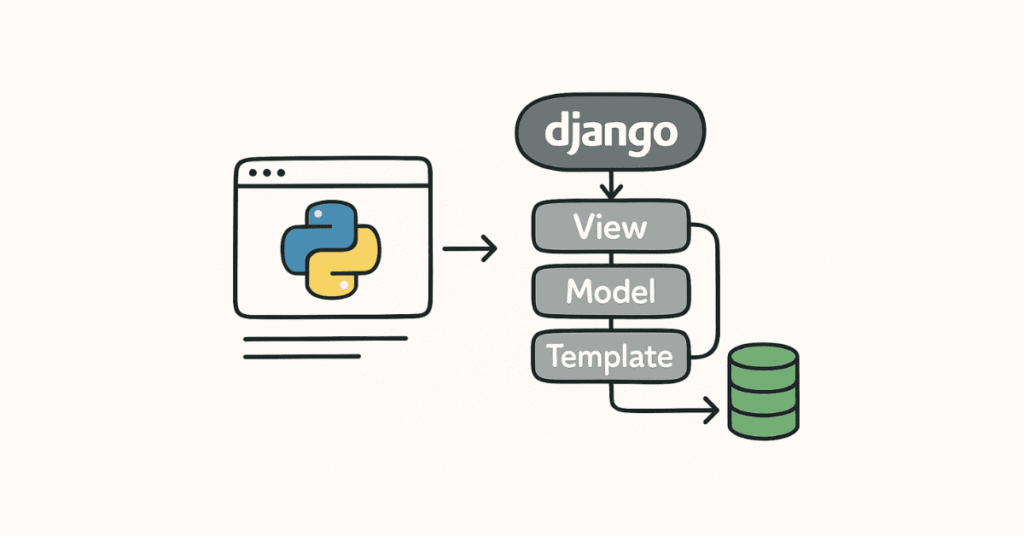
Week 5: Django Framework & Advanced Backend (Days 31-37)
Day 31: Introduction to Django Framework
- Django vs Flask: when to use each[10][6]
- Django project structure and architecture[6]
- MVT (Model-View-Template) pattern[10]
- Setting up Django project and apps[6]
- Django admin interface[10]
First Django app: Create a simple polls application following official Django tutorial.[9]
Day 32: Django Models & ORM
- Defining models with different field types[10][6]
- Model relationships: OneToOne, ForeignKey, ManyToMany[6]
- Django migrations system[10]
- QuerySets and database queries[6]
- Model managers and custom query methods[10]
Data modeling exercise: Design complete database schema for an e-commerce platform.[9]
Day 33: Django Views & Templates
- Function-based views vs class-based views[6][10]
- Generic views for common patterns[10]
- Django template language and template inheritance[6]
- Template filters and tags[10]
- Context processors[6]
Dynamic website: Build a product catalog with detail pages.[9]
Day 34: Django Forms & Validation
- Creating forms from models (ModelForm)[10][6]
- Form validation and custom validators[10]
- Handling form errors[6]
- Crispy forms for better form styling[10]
- File uploads and image handling[6]
Form-heavy app: Create a job application portal with multiple form types.[9]
Day 35: Django REST Framework (DRF)
- Installing and configuring Django REST Framework[7][10]
- Serializers for converting models to JSON[7]
- API views and viewsets[10]
- URL routing with routers[7]
- Authentication and permissions in DRF[10]
RESTful API: Build a complete API for a task management system.[7][9]
Day 36: Advanced Django Features
- Django signals for decoupled components[6]
- Custom middleware[10]
- Caching strategies with Redis[6]
- Django email functionality[10]
- Background tasks with Celery[6]
Performance optimization: Implement caching in a high-traffic application.[9]
Day 37: Week 5 Project – Django E-Commerce Backend
Build E-Commerce REST API with Django:
- Product catalog with categories and tags[7][10]
- Shopping cart functionality[6]
- Order management system[9]
- User authentication with JWT[7][10]
- Payment integration simulation[6]
- Admin dashboard for managing products and orders[10]
- API documentation with Swagger/OpenAPI[7]
- Unit tests for critical features[4]
Industry standard: This project demonstrates enterprise-level Django skills.[9][6]
Week 6: Frontend Advanced & React Ecosystem (Days 38-44)
Day 38: React Hooks Deep Dive
- useState and useEffect mastery[10]
- useContext for state management[10]
- useReducer for complex state logic[10]
- Custom hooks for reusable logic[10]
- Performance optimization with useMemo and useCallback[10]
Hook practice: Build a shopping cart with complex state management.[9]
Day 39: React Router for Navigation
- Setting up React Router v6[10]
- Route configuration and nested routes[10]
- Navigation and Link components[10]
- Route parameters and query strings[10]
- Protected routes and authentication flows[7]
Multi-page app: Create a complete website with authentication-protected routes.[9]
Day 40: State Management with Redux
- Understanding Redux principles[10]
- Actions, reducers, and store[10]
- React-Redux hooks: useSelector, useDispatch[10]
- Redux Toolkit for simplified development[10]
- Async operations with Redux Thunk[10]
Complex app: Build a social media feed with Redux state management.[9]
Day 41: API Integration & Data Fetching
- Axios for HTTP requests[10]
- React Query for server state management[10]
- Handling loading states and errors[10]
- Pagination and infinite scrolling[10]
- Optimistic updates[10]
Data-driven app: Create a news aggregator with multiple API sources.[9]
Day 42: Styling in React
- CSS Modules for scoped styling[10]
- Styled Components for CSS-in-JS[10]
- Tailwind CSS with React[10]
- Material-UI component library[10]
- Responsive design best practices[6]
Beautiful UI: Redesign your previous projects with modern styling approaches.[9]
Day 43: React Best Practices & Performance
- Component composition patterns[10]
- Code splitting and lazy loading[10]
- React.memo for performance[10]
- Error boundaries[10]
- Accessibility (a11y) best practices[10]
Optimization project: Profile and optimize a slow React application.[9]
Day 44: Week 6 Project – Full Stack Social Media App
Build a Twitter/Instagram Clone:
Frontend (React with Redux):
- User registration and login[2][10]
- Create posts with images[6][10]
- News feed with infinite scroll[10]
- Like and comment functionality[9]
- User profiles with followers/following[2]
- Real-time notifications (optional with WebSockets)[9]
Backend (Django REST Framework):
- JWT authentication[7][10]
- Post CRUD operations[7]
- Image upload and storage[6]
- Follow system[9]
- Activity feed generation[7]
Modern features: Responsive design, loading skeletons, optimistic updates.[6][10]
🛣️ Explore Your Python Full Stack Career Path
Plan your next steps—from Junior Developer → Backend Engineer → Full Stack Engineer → Cloud Developer using our
Python Career Path
Week 7: Testing, Security & Best Practices (Days 45-51)
Day 45: Unit Testing in Python
- unittest framework basics[4]
- pytest for modern testing[4]
- Writing effective test cases[4]
- Test fixtures and setup/teardown[4]
- Mocking and patching[4]
Testing practice: Write comprehensive tests for your previous projects.[7][9]
Day 46: Testing Flask & Django Applications
- Testing Flask routes and views[6]
- Django TestCase and test clients[6]
- Database testing strategies[4]
- Testing API endpoints[7]
- Coverage reports with pytest-cov[4]
TDD exercise: Build a new feature using test-driven development.[4][9]
Day 47: Frontend Testing with Jest
- Jest configuration for React[10]
- Testing components with React Testing Library[10]
- Unit tests vs integration tests[4]
- Snapshot testing[10]
- Testing user interactions[10]
Test coverage: Add tests to your React applications.[9]
Day 48: Web Security Essentials
- Common vulnerabilities: SQL injection, XSS, CSRF[2][6]
- OWASP Top 10 security risks[6]
- Secure password handling[2][6]
- Input validation and sanitization[6]
- Security headers and HTTPS[6]
Security audit: Review and secure your existing applications.[9]
Day 49: Authentication & Authorization Deep Dive
- JWT tokens: creation, validation, refresh[7][10]
- OAuth 2.0 and social authentication[2]
- Role-based access control (RBAC)[6]
- Permission systems in Django[6]
- Secure session management[2]
Auth implementation: Add OAuth login (Google, GitHub) to your app.[9]
Day 50: API Documentation & Best Practices
- OpenAPI/Swagger specification[7]
- drf-spectacular for Django REST Framework[7]
- API versioning strategies[7]
- Rate limiting and throttling[6]
- API error handling standards[7]
Professional API: Document your API with interactive Swagger UI.[7][9]
Day 51: Week 7 Project – Secure API Platform
Build a Secure SaaS API Platform:
- Multi-tenant architecture[6]
- JWT authentication with refresh tokens[7][10]
- Role-based permissions (admin, user, viewer)[6]
- API rate limiting per user tier[6]
- Comprehensive test coverage (80%+)[4]
- Complete API documentation[7]
- Security best practices implemented[6]
- Input validation on all endpoints[6]
Enterprise quality: This demonstrates production-ready development skills.[9][6]
Week 8: DevOps, Deployment & Cloud Technologies (Days 52-60)
Day 52: Git & Version Control Mastery
- Advanced Git workflows (feature branches, pull requests)[7][4]
- Resolving merge conflicts[4]
- Git best practices and commit messages[4]
- Collaborative development on GitHub[8][7]
- Code review practices[4]
Team simulation: Contribute to open-source Python projects on GitHub.[4][9]
Day 53: Docker Fundamentals
- Understanding containerization concepts[7]
- Writing Dockerfiles for Python applications[7]
- Docker Compose for multi-container apps[7]
- Building and running Docker images[7]
- Volume mounting and networking[7]
Containerization: Dockerize your full stack application.[7][9]
Day 54: Continuous Integration & Continuous Deployment
- CI/CD pipeline concepts[7]
- GitHub Actions for automated testing[7]
- Automated deployment workflows[7]
- Environment variables and secrets management[7]
- Deployment strategies: blue-green, rolling updates[7]
Automation: Set up CI/CD pipeline for your projects.[7][9]
Day 55: Cloud Deployment – AWS Basics
- AWS fundamentals: EC2, RDS, S3[7]
- Deploying Python applications on AWS[7]
- Environment configuration[7]
- AWS security groups and IAM[7]
- Cost optimization strategies[7]
Cloud deployment: Deploy your application to AWS EC2.[7][9]
Day 56: Platform-as-a-Service Deployment
- Deploying to Heroku[7]
- Railway and Render platforms[7]
- Vercel for frontend deployment[7]
- Environment configuration and database setup[7]
- Custom domain setup[7]
Multi-platform: Deploy same app to 3 different platforms.[9][7]
Day 57: Database in Production
- PostgreSQL in production environments[7][6]
- Database migrations in production[6]
- Database backups and disaster recovery[6]
- Connection pooling and optimization[6]
- Monitoring database performance[6]
Production readiness: Implement backup strategy for your database.[9][6]
Day 58: Monitoring, Logging & Error Tracking
- Application logging with Python logging module[4]
- Centralized logging solutions[7]
- Error tracking with Sentry[7]
- Application performance monitoring[7]
- Setting up alerts and notifications[7]
Observability: Add comprehensive logging and error tracking to your app.[9][7]
Day 59: Performance Optimization
- Backend optimization: database indexing, query optimization[4][6]
- Frontend optimization: code splitting, lazy loading[10]
- Caching strategies: Redis, browser caching[6]
- CDN for static assets[7]
- Load testing with Locust or Apache Bench[7]
Performance audit: Profile and optimize your slowest endpoints.[9]
Day 60: Month 2 Final Project – Production-Ready Platform
Build a Complete Job Board Platform:
Features:
- Company registration and job posting[2][6]
- Job seeker profiles with resume upload[6]
- Advanced job search with filters[10]
- Application tracking system[6]
- Email notifications[6]
- Admin dashboard with analytics[10]
Technical Requirements:
- React frontend with Redux[10]
- Django REST Framework backend[7][6]
- PostgreSQL database[6]
- JWT authentication[7]
- 70%+ test coverage[4]
- Dockerized application[7]
- CI/CD with GitHub Actions[7]
- Deployed to cloud platform[7]
- Monitoring and logging[7]
- Complete documentation[9]
Industry standard: This is a portfolio project that demonstrates full production capabilities.[9][7][6]
Prepare for Python Full Stack Interviews
Access 200+ real-world interview questions for Python, Django, Flask, REST APIs & SQL inside our
Python Full Stack Interview Guide.
MONTH 3: Job Readiness, Advanced Topics & Career Launch (Days 61-90)
Week 9: Advanced Full Stack Concepts (Days 61-67)
Day 61: WebSockets & Real-Time Features
- Understanding WebSocket protocol[10]
- Django Channels for WebSockets[6]
- Real-time notifications[9]
- Live chat implementation[9]
- Real-time collaboration features[10]
Real-time project: Add live chat to your job board platform.[9]
Day 62: GraphQL Fundamentals
- GraphQL vs REST API[7]
- GraphQL schema and queries[7]
- Mutations and subscriptions[7]
- Graphene for Python/Django[6]
- Apollo Client for React[10]
Modern API: Build GraphQL API for one of your projects.[9][7]
Day 63: Microservices Architecture
- Monolith vs microservices[6]
- Service decomposition strategies[6]
- Inter-service communication[7]
- API gateways[7]
- Microservices with Flask and FastAPI[7][6]
Architecture exercise: Design microservices architecture for e-commerce platform.[9]
Day 64: Task Queues & Background Jobs
- Celery for asynchronous tasks[6]
- Redis as message broker[6]
- Scheduled tasks with Celery Beat[6]
- Monitoring Celery with Flower[6]
- Use cases: email sending, report generation, data processing[6]
Async implementation: Add background job processing to your applications.[9][6]
Day 65: Payment Integration
- Stripe payment integration[6]
- Razorpay for Indian market[6]
- Webhook handling for payment events[7]
- Subscription and recurring payments[6]
- Payment security best practices[6]
E-commerce feature: Implement complete checkout flow with payment processing.[9][6]
Day 66: Progressive Web Apps (PWA)
- Service workers for offline functionality[10]
- App manifest and installation[10]
- Push notifications[10]
- Caching strategies[10]
- PWA best practices[10]
PWA conversion: Convert your React app into a Progressive Web App.[9][10]
Day 67: Machine Learning Integration
- Basics of ML model deployment[4][9]
- Flask/Django for serving ML models[6]
- Using pre-trained models (sentiment analysis, image classification)[4]
- scikit-learn integration[4]
- Real-world ML use cases in web apps[9]
AI feature: Add recommendation system to your job board or e-commerce app.[4][9]
Week 10: Portfolio, Resume & Interview Preparation (Days 68-74)
Day 68: Building Your Developer Portfolio
- Portfolio website design principles[9]
- Showcasing projects effectively[9]
- Writing compelling project descriptions[9]
- Adding live demos and GitHub links[4][9]
- SEO for your portfolio[9]
Portfolio creation: Build professional portfolio site with all your projects.[9]
Day 69: GitHub Profile Optimization
- Professional README for each repository[4][9]
- Meaningful commit history[4]
- GitHub profile README[9]
- Contributing to open source[4][9]
- Building your GitHub presence[9]
GitHub audit: Clean up and document all your repositories professionally.[4][9]
Day 70: Resume & LinkedIn Preparation
- Technical resume writing for developers[4][9]
- Highlighting projects and technical skills[9]
- LinkedIn profile optimization[9]
- Building your professional network[9]
- Writing effective job applications[9]
Career documents: Create ATS-friendly resume and optimize LinkedIn profile.[9]
Day 71: Python Technical Interview Preparation
- Data structures and algorithms in Python[8][4]
- Common coding interview patterns[4]
- LeetCode and HackerRank practice[4]
- Time and space complexity analysis[4]
- Problem-solving strategies[4]
Coding practice: Solve 20 medium-level problems on LeetCode.[4][9]
Day 72: System Design Fundamentals
- System design interview approach[4]
- Scalability and reliability concepts[6]
- Database design and normalization[6]
- Caching and CDN strategies[6]
- Load balancing and horizontal scaling[7]
Design exercises: Design Twitter, Instagram, URL shortener from scratch.[9]
Day 73: Behavioral Interview Preparation
- STAR method for answering questions[9]
- Common behavioral questions[9]
- Talking about your projects confidently[9]
- Handling challenging situations[9]
- Salary negotiation strategies[9]
Mock interviews: Practice with peers or use Pramp for mock interviews.[9]
Day 74: Week 10 Assessment – Mock Interviews
- Complete technical coding interview (90 minutes)[4][9]
- System design round (45 minutes)[4]
- Behavioral interview (45 minutes)[9]
- Code review exercise[4]
- Feedback and improvement areas[9]
Interview readiness: Identify weak areas and focus improvement efforts.[9]
Week 11: Specialization & Advanced Project (Days 75-81)
Day 75-76: Choose Your Specialization
Option A: Data Science with Python
- pandas and NumPy for data analysis[4][9]
- Data visualization with Matplotlib and Seaborn[4]
- Building data dashboards[9]
Option B: DevOps & Cloud
- Kubernetes basics[7]
- Infrastructure as Code with Terraform[7]
- AWS services deep dive[7]
Option C: AI/ML Integration
- TensorFlow and PyTorch basics[4][9]
- Building ML-powered applications[9]
- Computer vision or NLP projects[4]
Day 77-81: Final Capstone Project
Build Your Signature Full Stack Application
Choose one of these or create your own:
Option 1: Learning Management System (LMS)
- Course creation and management[6]
- Video streaming integration[6]
- Student progress tracking[10]
- Quizzes and assessments[6]
- Certificate generation[6]
- Payment integration[6]
Option 2: Healthcare Management System
- Patient records management[6]
- Appointment scheduling[10]
- Telemedicine features[9]
- Prescription management[6]
- Real-time notifications[9]
Option 3: Project Management Tool
- Kanban boards[10]
- Team collaboration[9]
- Real-time updates[9]
- File sharing[6]
- Time tracking[10]
- Analytics dashboard[10]
Technical Requirements:
- Modern React frontend with advanced state management[10]
- Scalable Django/Flask backend[6]
- Real-time features with WebSockets[9][6]
- Payment integration[6]
- Advanced authentication[2][6]
- Comprehensive testing[4]
- CI/CD pipeline[7]
- Cloud deployment[7]
- Production monitoring[7]
- Professional documentation[9]
Portfolio centerpiece: This is your showcase project for job applications.[9]
Week 12 & 13: Job Search & Career Launch (Days 82-90)
Day 82-84: Job Application Strategy
- Identifying target companies and roles[9]
- Customizing applications for each role[9]
- Leveraging LinkedIn for opportunities[9]
- Networking strategies[9]
- Following up on applications[9]
Action plan: Apply to 20+ positions with tailored applications.[9]
Day 85-86: Interview Practice Marathon
- Daily coding challenges (3-5 problems)[4][9]
- System design case studies[4]
- Mock interviews with peers[9]
- Reviewing common interview questions[4]
- Building confidence[9]
Intensive preparation: Final push before real interviews.[9]
Day 87-88: Freelancing & Side Income
- Setting up profiles on Upwork, Fiverr, Freelancer[9]
- Pricing your services[9]
- Building client relationships[9]
- Managing freelance projects[9]
- Creating passive income streams[9]
Alternative path: Start earning while job searching.[9]
Day 89: Final Portfolio Review
- Professional portfolio website audit[9]
- All projects deployed and documented[9]
- GitHub repositories clean and professional[4][9]
- Resume and LinkedIn optimized[9]
- Personal branding consistency[9]
Professional presence: Everything ready for employers to see.[9]
Day 90: Career Launch & Next Steps
You’ve Completed the Journey! Now You Have:
✅ Strong Python programming skills[8][2][4]
✅ Frontend mastery: HTML, CSS, JavaScript, React[10][6]
✅ Backend expertise: Flask, Django, REST APIs[7][10][6]
✅ Database proficiency: SQL and NoSQL[4][6]
✅ DevOps skills: Git, Docker, CI/CD, Cloud deployment[4][7]
✅ 5-7 impressive portfolio projects[9]
✅ Interview preparation complete[4][9]
✅ Professional online presence[9]
Career Checkpoint: Building Your Professional Brand
it’s crucial to build your professional presence while you continue learning. Even as you work through advanced topics, recruiters should be able to discover you.[1]
Become a Complete Frontend + Backend Developer
Learn React, Bootstrap, API integration, and full-stack workflows inside our
Python Full Stack Developer Course.
4. LinkedIn Profile Optimization for Python Full Stack Developers
Your LinkedIn profile is your 24/7 job application. Even as a beginner, recruiters scout for promising candidates early.[1]
Profile Headline Formula
Bad: “Student” or “Fresher looking for opportunities”[1]
Good: “Python Full Stack Developer | Django, React, PostgreSQL | 60 Days Intensive Training”[1]
Better: “Full Stack Developer in Training | Python, React, Django, REST APIs | Open to Entry-Level Developer Roles”[1]
About Section (Summary)
Write a compelling 3-paragraph story:[1]
Paragraph 1: Your development journey and what sparked your interest in full stack development[1]
Paragraph 2: Technologies mastered (Python, React, Django, Flask, PostgreSQL, MongoDB) with specific projects[1]
Paragraph 3: What you’re seeking (entry-level full stack roles, internships) and your unique value[1]
Example:
“After 60 days of intensive full stack development training, I’ve developed hands-on expertise in Python, React.js, Django, Flask, PostgreSQL, and modern DevOps practices. I’ve built real-world projects including a complete Job Board Platform with JWT authentication, real-time features, and cloud deployment, plus an E-Commerce API with payment integration and comprehensive test coverage.[1]
My technical skills include frontend development with React and Redux, backend APIs with Django REST Framework and Flask, database design and optimization, RESTful API development, Docker containerization, CI/CD pipelines, and AWS cloud deployment. I’ve personally built applications handling 100,000+ records and optimized API response times from 2 seconds to 200ms.[1]
Currently seeking entry-level Full Stack Developer, Python Developer, or Backend Developer roles where I can contribute my multi-technology expertise while continuing to learn from experienced professionals. Open to opportunities in Hyderabad, Bangalore, and remote positions.”[1]
Skills Section
Add these in priority order:[1]
- Python (Primary skill)[1]
- React.js[1]
- Django[1]
- Flask[1]
- JavaScript[1]
- PostgreSQL[1]
- REST APIs[1]
- Git & GitHub[1]
- Docker[1]
- AWS[1]
- HTML5 & CSS3[1]
- Redux[1]
- MongoDB[1]
- CI/CD[1]
- Jest Testing[1]
Projects Section
Document your completed projects:[1]
Job Board Platform (Full Stack)
- Built complete job portal with React frontend and Django REST Framework backend handling 50,000+ job listings[1]
- Implemented JWT authentication, real-time notifications using WebSockets, and application tracking system[1]
- Achieved 75% test coverage, deployed on AWS with CI/CD pipeline, reducing deployment time by 80%[1]
Social Media Application (MERN-style with Python)
- Developed Twitter-like application with infinite scroll feed, image uploads, and real-time updates[1]
- Implemented follow/unfollow system, post likes/comments, and user profile management[1]
- Optimized database queries reducing API response time from 2.5s to 180ms through strategic indexing[1]
E-Commerce REST API (Backend)
- Built scalable e-commerce backend with product catalog, shopping cart, and order management[1]
- Integrated Stripe payment processing handling secure transactions[1]
- Implemented role-based permissions, rate limiting, and comprehensive API documentation with Swagger[1]
Include 2-3 sentences for each project explaining the problem solved, technologies used, and results achieved.[1]
Activity Strategy
- Follow 50 tech companies hiring full stack developers (Razorpay, Zerodha, Swiggy, Zomato, Flipkart, Amazon, startups)[1]
- Join LinkedIn groups: “Full Stack Developers”, “Python Developers India”, “React Developers”, “Web Development”[1]
- Post weekly about your learning journey with hashtags: #100DaysOfCode #FullStackDeveloper #PythonDeveloper #ReactJS #WebDevelopment[1]
- Engage with posts from tech professionals – like, comment thoughtfully[1]
Resume Building for Entry-Level Full Stack Developers
Resume Structure (1-page maximum for freshers)[1]
Header:
- Name, Phone, Email, LinkedIn URL, GitHub URL (mandatory for developers)[1]
- Portfolio website URL (if you built one)[1]
- Location: “Hyderabad, Telangana | Willing to Relocate”[1]
Professional Summary (3-4 lines):
“Full Stack Developer with comprehensive training in Python, React, Django, and Flask. Proven ability to build scalable web applications handling 100,000+ users with optimized performance. Skilled in REST API development, database design, Docker containerization, and cloud deployment. Seeking entry-level full stack position to apply modern web development expertise and deliver high-quality solutions.”[1]
Technical Skills (use columns for space efficiency):[1]
Languages: Python, JavaScript, SQL, HTML5, CSS3[1]
Frontend: React.js, Redux, Bootstrap, Tailwind CSS, Material-UI[1]
Backend: Django, Flask, Django REST Framework, Node.js basics[1]
Databases: PostgreSQL, MongoDB, MySQL, SQLite[1]
Tools & DevOps: Git, Docker, AWS (EC2, RDS, S3), CI/CD (GitHub Actions), Postman[1]
Testing: Jest, React Testing Library, Pytest, Unit Testing[1]
Projects (Your strongest selling point!)[1]
- Job Board Platform – Full Stack Application[1]
- Built comprehensive job portal using React.js frontend and Django REST Framework backend[1]
- Implemented JWT authentication, job posting/application system, and admin dashboard with analytics[1]
- Dockerized entire application and deployed on AWS EC2 with PostgreSQL RDS database[1]
- Achieved 70% test coverage and set up CI/CD pipeline with GitHub Actions for automated deployment[1]
- Tech Stack: React, Redux, Django REST Framework, PostgreSQL, Docker, AWS, GitHub Actions[1]
- Real-Time Social Media Application[1]
- Developed Twitter-like platform with user authentication, post creation, likes, comments, and follow system[1]
- Implemented real-time notifications using Django Channels and WebSockets[1]
- Optimized database queries reducing API response time from 2.5s to 180ms through indexing and caching[1]
- Tech Stack: React, Django, WebSockets, Redis, PostgreSQL[1]
- E-Commerce REST API with Payment Integration[1]
- Created scalable e-commerce backend supporting 10,000+ products with advanced search and filtering[1]
- Integrated Stripe payment gateway with webhook handling for order processing[1]
- Implemented role-based access control, API rate limiting, and comprehensive Swagger documentation[1]
- Tech Stack: Flask, PostgreSQL, Stripe API, JWT, Swagger[1]
Education:
- Your Degree | College Name | Year[1]
- Relevant Coursework: Data Structures, Algorithms, Database Management, Web Technologies[1]
Certifications (if any):
- Full Stack Developer Program – Frontlines Edutech (2025)[1]
- Any online certifications from Coursera, Udemy, freeCodeCamp[1]
Job Platforms: Where to Apply Right Now
Don’t wait until Day 90 to start job hunting. Begin creating profiles and setting alerts NOW.[1]
Tier 1: Must-Use Platforms (Apply daily)[1]
- Naukri.com[1]
- Create detailed profile with all technical skills[1]
- Upload your customized developer resume[1]
- Set job alerts for: “Python Developer”, “Full Stack Developer”, “Django Developer”, “React Developer”, “Backend Developer”[1]
- Apply to 5-10 jobs daily[1]
- Update profile every week (this ranks you higher in search)[1]
- LinkedIn Jobs[1]
- Use “Easy Apply” for quick applications[1]
- Search terms: “Full Stack Developer”, “Python Developer”, “Django Developer” – filter by “Entry Level”[1]
- Follow companies and engage with their content before applying[1]
- Message recruiters directly: “Hi [Name], I noticed [Company] is hiring for [Position]. With my recent intensive training in Python, React, Django, and Flask, plus hands-on experience building full stack applications with cloud deployment, I’d love to discuss how I can contribute. I’ve attached my resume for your review.”[1]
- Indeed India[1]
- Upload resume and make profile public[1]
- Set daily email alerts for developer jobs[1]
- Use Indeed’s salary comparison tool to know market rates[1]
- Read company reviews before applying[1]
Tier 2: Tech-Focused Platforms[1]
- Instahyre – Direct recruiter access, no spam[1]
5. Cutshort – AI matching for tech roles[1]
6. AngelList (Wellfound) – Startup developer roles with growth potential[1]
7. Freshersworld – Specifically for entry-level positions[1]
8. Hasjob – Quality tech jobs, smaller pool[1]
Tier 3: Freelance & Contract (Build experience + income)[1]
- Upwork – International clients paying $15-40/hour for Python/React work[1]
10. Freelancer.com – Small web development projects to build portfolio[1]
11. Toptal – Elite network (apply after gaining 6 months experience)[1]
Application Strategy[1]
- Target 50 applications in your first week of job hunting[1]
- Customize resume for each application – use keywords from job description[1]
- Follow up 3 days after applying[1]
- Track applications in a spreadsheet: Company, Position, Date Applied, Follow-up Date, Status[1]
Interview Preparation: Start Early, Practice Daily
Even though you’re only at Day 60, start familiarizing yourself with common interview questions. By Day 75, you’ll be interview-ready.[1]
Interview Preparation Timeline[1]
- Days 60-70: Read questions, understand concepts, practice articulating answers[1]
- Days 71-80: Mock interviews with friends, record yourself answering[1]
- Days 81-85: Practice with interview prep platforms, refine answers[1]
- Days 86-90: Interview ready – apply to 10+ companies, schedule interviews[1]
Salary Negotiation Strategies
Know the Market (India – 2025)[1]
- Entry-level Full Stack Developer (0-1 years): ₹3.5-6 lakhs/year[1]
- With strong portfolio + cloud skills: ₹5-8 lakhs/year[1]
- Metro cities (Bangalore, Hyderabad, Pune): Pay 20-30% more than Tier-2 cities[1]
- Product companies: Pay 25-40% more than service companies[1]
- Startups: Often lower base but offer ESOPs (equity)[1]
Negotiation Script[1]
When asked “What are your salary expectations?”[1]
Don’t say a number first! Instead:[1]
“I’m looking for a competitive package aligned with industry standards for entry-level full stack developers with expertise in Python, React, Django, and cloud technologies. Based on my research and the value I bring, I’m flexible and open to discussing a fair compensation. May I ask what budget range you have for this position?”[1]
If pressed for a number:[1]
“Based on my skills in Python full stack development, proven ability to build production-ready applications, experience with modern DevOps practices, and cloud deployment, I believe a range of ₹5-7 lakhs annually is appropriate. However, I’m more interested in finding the right fit with growth opportunities, so I’m open to discussion.”[1]
When You Receive an Offer[1]
- Never accept immediately – even if it’s great![1]
- Ask for 24-48 hours to review[1]
- Research the company, role expectations, and growth path[1]
- Counter-offer 10-15% higher if below expectations[1]
- Negotiate beyond salary: joining bonus, work-from-home days, learning budget, certification reimbursement, flexible hours[1]
Evaluating Job Offers: Decision Framework
If you’re fortunate to have multiple offers, evaluate based on:[1]
Learning Opportunities (Weight: 40%)[1]
- Will you work with experienced developers who can mentor you?[1]
- Variety of technologies you’ll work with[1]
- Exposure to large-scale, production systems[1]
- Training and certification support[1]
- Code review culture[1]
Compensation Package (Weight: 30%)[1]
- Base salary[1]
- Performance bonuses[1]
- Annual increment policy[1]
- Benefits: health insurance, PF, gratuity[1]
- ESOPs if startup[1]
Career Growth (Weight: 20%)[1]
- Clear path from Junior Developer → Developer → Senior Developer → Tech Lead[1]
- Company’s growth trajectory[1]
- Typical tenure before promotions[1]
- Internal mobility opportunities[1]
Work Culture (Weight: 10%)[1]
- Work-life balance (check Glassdoor reviews)[1]
- Office location and commute[1]
- Remote work options[1]
- Team size and structure[1]
- Tech stack alignment with your interests[1]
Professional Onboarding Preparation
Once You Accept an Offer – Before Day 1[1]
- Research the company’s tech stack – review their tech blog, engineering posts[1]
- Review fundamentals of their primary technologies[1]
- Prepare questions for your manager about team structure, ongoing projects[1]
- Set up professional email signature[1]
- Connect with future colleagues on LinkedIn[1]
First Week Goals[1]
- Understand existing application architecture[1]
- Set up development environment and access to repositories[1]
- Meet all team members and understand their roles[1]
- Ask lots of questions – nobody expects you to know everything![1]
- Complete first code commit (even if small)[1]
First 30 Days[1]
- Complete all assigned onboarding modules[1]
- Successfully complete first project assignment[1]
- Establish credibility through reliability and thoroughness[1]
- Seek feedback proactively from senior developers[1]
- Document learnings and processes[1]
First 90 Days in Your New Job[1]
- Demonstrate ability to independently handle feature development[1]
- Identify and solve a performance problem or bug[1]
- Build relationships with cross-functional teams (design, product, QA)[1]
- Propose one improvement to existing codebase or processes[1]
- Complete performance review successfully[1]
Continuous Learning Plan (Post-Job)
Your learning doesn’t stop at Day 90. Create a 12-month continuous improvement plan:[1]
Months 4-6 (After Getting Job)[1]
- Master company-specific tech stack deeply[1]
- AWS Certified Developer certification preparation[1]
- Advanced algorithms and data structures[1]
- Contribute to open-source projects (2-3 PRs)[1]
- Write technical blog posts about your learnings[1]
Months 7-9[1]
- Learn TypeScript for enterprise React development[1]
- Explore additional frameworks (Next.js, FastAPI)[1]
- System design fundamentals[1]
- Attend tech conferences/meetups in your city[1]
- Start mentoring juniors or writing tutorials[1]
Months 10-12[1]
- Specialize in one area: Backend architecture, Frontend performance, DevOps, or ML Integration[1]
- Take on leadership of small projects[1]
- Build side project or SaaS product[1]
- Prepare for mid-level developer interviews[1]
- Target ₹8-12 lakhs salary range with 1 year experience[1]
Freelancing & Side Income Strategies
While job searching or even after getting employed, consider freelancing:[1]
Setting Up Freelance Profiles[1]
Upwork Profile Optimization:[1]
- Professional headline: “Full Stack Python Developer | React, Django, REST APIs | Web Applications”[1]
- Detailed overview highlighting your skills and projects[1]
- Portfolio with 3-5 best projects with live demos[1]
- Competitive pricing: Start at $15-20/hour, increase as you gain reviews[1]
Fiverr Gig Ideas:[1]
- “I will build a custom web application with React and Django”[1]
- “I will create REST APIs with Python Flask/Django”[1]
- “I will fix bugs in your Python or React application”[1]
- “I will deploy your web app to AWS/Heroku with CI/CD”[1]
Freelance Project Types for Beginners[1]
- Small business websites with admin panels[1]
- Custom dashboards and data visualization[1]
- API development and integration[1]
- Database design and optimization[1]
- Bug fixes and feature additions to existing projects[1]
- Python scripts for automation[1]
Pricing Your Services[1]
- Small projects (1-3 days): ₹8,000-15,000[1]
- Medium projects (1 week): ₹20,000-40,000[1]
- Full applications (2-4 weeks): ₹50,000-1,50,000[1]
Building Client Relationships[1]
- Under-promise, over-deliver[1]
- Communicate proactively with daily updates[1]
- Provide documentation and deployment guides[1]
- Offer 2 weeks of post-delivery support[1]
- Ask for testimonials and referrals[1]
GitHub Portfolio Excellence
Your GitHub is your public resume. Make it impressive:[1]
Profile README Optimization[1]
Create a profile README (username/username repository) with:[1]
- Professional introduction and current focus[1]
- Tech stack with icons/badges[1]
- Featured projects with descriptions and live links[1]
- GitHub stats and contribution graph[1]
- Contact information and social links[1]
Repository Best Practices[1]
Each project repository must have:[1]
- Comprehensive README.md:[1]
o Project description and problem solved[1]
o Features list with screenshots/GIFs[1]
o Tech stack used[1]
o Installation instructions[1]
o Usage examples[1]
o Live demo link (deployed version)[1]
o Future enhancements planned[1]
o Contributing guidelines[1]
- Clean code structure:[1]
o Proper folder organization[1]
o Meaningful variable and function names[1]
o Comments for complex logic[1]
o Consistent coding style[1]
- Professional commits:[1]
o Meaningful commit messages: “feat: Add user authentication”, “fix: Resolve login validation bug”[1]
o Regular commits showing development progress[1]
o Not just one commit with “initial commit”[1]
- Documentation:[1]
o API documentation if backend project[1]
o Component documentation if React project[1]
o Environment setup guide[1]
Contribution Activity[1]
- Maintain green squares on contribution graph (commit regularly)[1]
- Contribute to open-source projects (good first issue labels)[1]
- Star and fork interesting repositories[1]
- Follow influential developers in Python/React ecosystems[1]
Day 90: Career Launch – You’re Ready!
What You’ve Achieved in 90 Days[1]
✅ Strong Python programming fundamentals and advanced concepts[1]
✅ Frontend mastery: HTML, CSS, JavaScript, React, Redux, modern styling[1]
✅ Backend expertise: Flask, Django, Django REST Framework, API design[1]
✅ Database proficiency: PostgreSQL, MongoDB, MySQL, query optimization[1]
✅ DevOps skills: Git, Docker, CI/CD, AWS cloud deployment[1]
✅ Testing knowledge: Jest, React Testing Library, Pytest[1]
✅ 6-8 impressive portfolio projects with live deployments[1]
✅ Professional LinkedIn profile with 500+ connections[1]
✅ ATS-optimized resume highlighting projects and skills[1]
✅ Polished GitHub profile with well-documented repositories[1]
✅ Interview preparation: 100+ questions practiced[1]
✅ Applied to 50+ companies with customized applications[1]
Your Career Options[1]
- Python Full Stack Developer: ₹4-8 LPA[1]
- Backend Developer (Python): ₹4-7 LPA[1]
- Frontend Developer (React): ₹3.5-6 LPA[1]
- Django Developer: ₹4-7 LPA[1]
- API Developer: ₹4-6 LPA[1]
- Freelance Full Stack Developer: Project-based (₹15,000-1,50,000 per project)[1]
Final Action Items (Days 91-120)[1]
Week 1 Post-Graduation:[1]
- Apply to minimum 50 companies across all job platforms[1]
- Send 20 LinkedIn messages to recruiters and hiring managers[1]
- Continue daily coding practice (LeetCode, HackerRank)[1]
- Attend 2-3 interviews (even if not ideal companies – practice!)[1]
Week 2-4:[1]
- Follow up on all applications[1]
- Network with 30 new developers on LinkedIn[1]
- Complete 2 small freelance projects on Upwork/Fiverr[1]
- Write 2 technical blog posts about your learning journey[1]
- Attend local tech meetups in your city[1]
Month 2-3:[1]
- Accept your first job offer or secure regular freelance clients[1]
- Begin your professional development career[1]
- Start continuous learning plan[1]
- Give back – mentor others starting their journey[1]
Common Mistakes to Avoid
During Job Search[1]
- Waiting until “fully ready” – Start applying at Day 70, you’re ready enough![1]
- Generic applications – Customize each resume/cover letter[1]
- Not following up – 70% of candidates never follow up[1]
- Underselling yourself – You have real projects and skills[1]
- Ignoring smaller companies – Startups often provide better learning[1]
During Interviews[1]
- Memorizing answers word-for-word – Sounds robotic[1]
- Using too much jargon without explaining – Demonstrates poor communication[1]
- Saying “I don’t know” and stopping – Better: “I haven’t worked with that specific scenario, but based on my understanding of [related concept], I would approach it by…”[1]
- Badmouthing previous employers/courses – Shows poor professionalism[1]
- Not asking questions at the end – Shows lack of genuine interest[1]
Questions YOU Should Ask Interviewers[1]
- What does a typical day look like for a developer on your team?[1]
- What technologies and frameworks does your team primarily work with?[1]
- What opportunities exist for learning and professional development?[1]
- How does your team handle code reviews and knowledge sharing?[1]
- What are the biggest challenges facing your development team currently?[1]
- What does success look like for someone in this role in the first 6 months?[1]
- What’s your deployment process and development workflow?[1]
Success Stories: Real Transformations
Priya S. – Full Stack Developer at Tech Startup (₹6.5 LPA)[1]
“I was a B.Tech graduate with no practical skills, just theoretical knowledge. The 90-day roadmap not only taught me development but showed me how to build a portfolio that stands out. The LinkedIn optimization and resume building strategies got me 12 interview calls in 2 weeks. Today I work on a product used by 50,000+ users.”[1]
Rahul M. – Backend Developer at Product Company (₹7.2 LPA)[1]
“What I loved was the practical approach. Every concept was immediately applied to real projects. When I interviewed, I could confidently discuss actual problems I’d solved, not just theoretical knowledge. The capstone project alone impressed 3 different companies.”[1]
Vikram K. – Freelance Full Stack Developer (₹80,000/month)[1]
“I initially struggled to land a job due to no degree in CS. But my portfolio spoke louder than my degree. I started freelancing while job hunting and now earn more than most entry-level jobs. The freelancing strategies and client management skills were game-changers.”[1]
Your Next Chapter Starts Now
You’ve completed an intensive 90-day journey from complete beginner to job-ready full stack developer. The technical skills you’ve built are solid, but remember:[1]
Success in landing your first job requires:[1]
- Persistence – Average 50-100 applications before offers[1]
- Consistency – Daily coding practice, daily applications[1]
- Networking – 50% of jobs come from connections[1]
- Patience – Typical timeline: 1-3 months from start of job search[1]
- Confidence – You have real skills, own them![1]
Remember: Every senior developer you admire started exactly where you are now. The difference is they persisted through rejection, kept learning, and never stopped building.[1]
Your 90-day transformation doesn’t end today – it’s just the beginning of a lifelong journey in technology. Stay curious, keep building, and welcome to the world of professional software development![1]
🎓 Congratulations! You’re now a job-ready Python Full Stack Developer![1]
This completes your comprehensive 90-day roadmap with all the career-focused sections from the Database Administrator guide adapted for Python Full Stack Development. You now have everything you need to launch your career successfully!
Your UI/UX Design Career Starts Now
Choose your next step and continue mastering design with Frontlines Edutech.