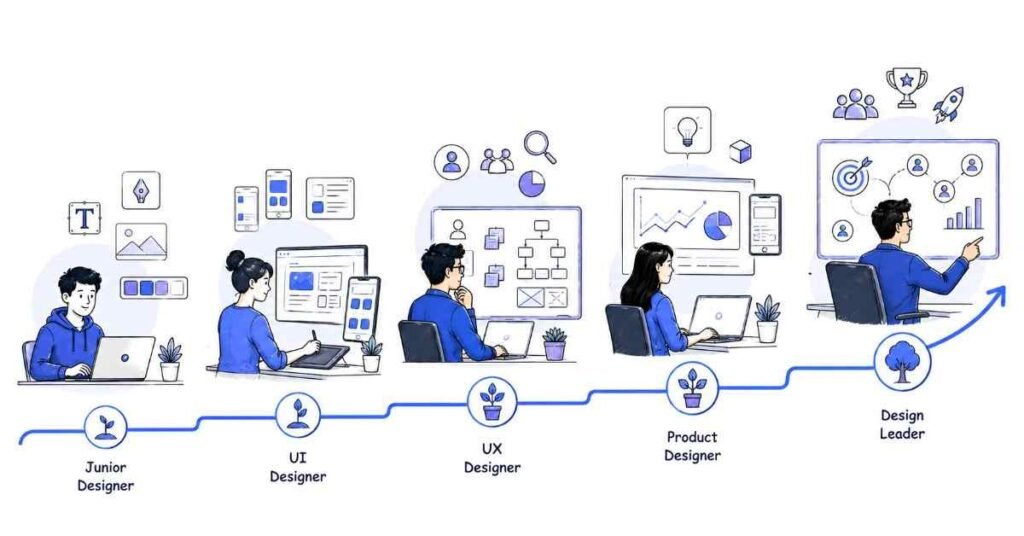
How to Become a UI/UX Designer in 2026 Complete Career Guide
Table of Contents
What a UI/UX Designer Does
A UI/UX designer plans and designs how people interact with websites, apps, and digital products. The work focuses on both how a product works and how it looks.
UI stands for User Interface, and UX stands for User Experience. UI is the visual layer, while UX is the thinking behind the experience.
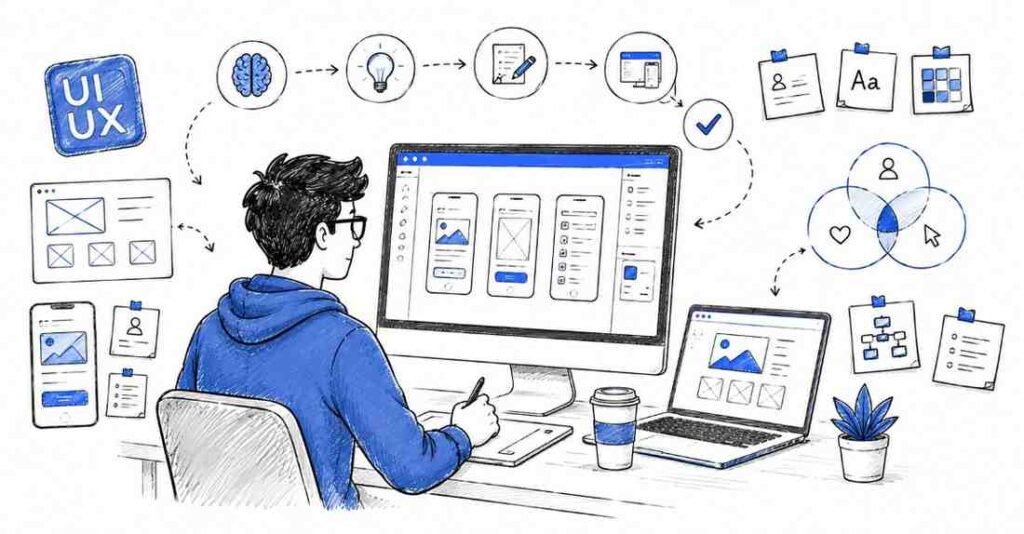
Main responsibilities
- Understand user needs and business goals.
- Conduct research and gather user insights.
- Create wireframes and user flows.
- Design screens and components.
- Build interactive prototypes.
- Test usability and improve the experience.
- Work with developers, product managers, and stakeholders.
Why UI/UX Design Is a Smart Career
⚡ Become a Job-Ready UI/UX Designer
Master UI, UX, research & portfolio building with our UI/UX Design Course.
UI/UX design is a smart career because digital products need to be intuitive, attractive, and easy to use. Every app and website competes on experience, so designers who can improve usability are highly valuable.
The career also combines creativity with problem-solving. If you enjoy design thinking and want to build products that people actually like using, this is a strong path.
Why students choose it
- Creative and practical work.
- Strong demand in product and startup companies.
- Good mix of design, psychology, and business.
- Remote and freelance opportunities.
- Easy to build a portfolio with real projects.
UI/UX Roles Compared
UI/UX has several related roles, and each one focuses on a different part of the design process.
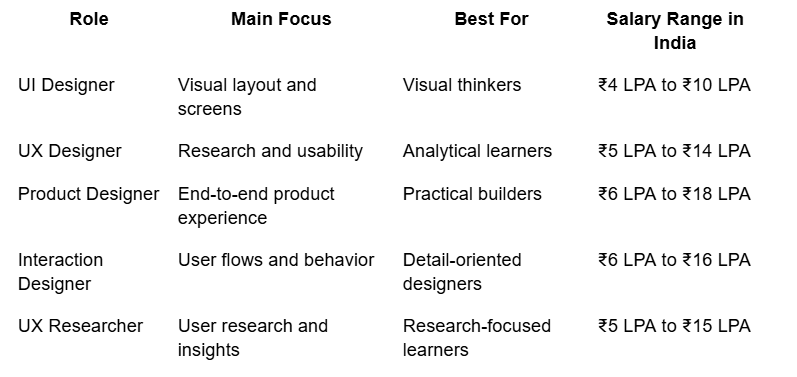
If you are starting out, a combined UI/UX path is usually best because it gives you a complete view of the design process.
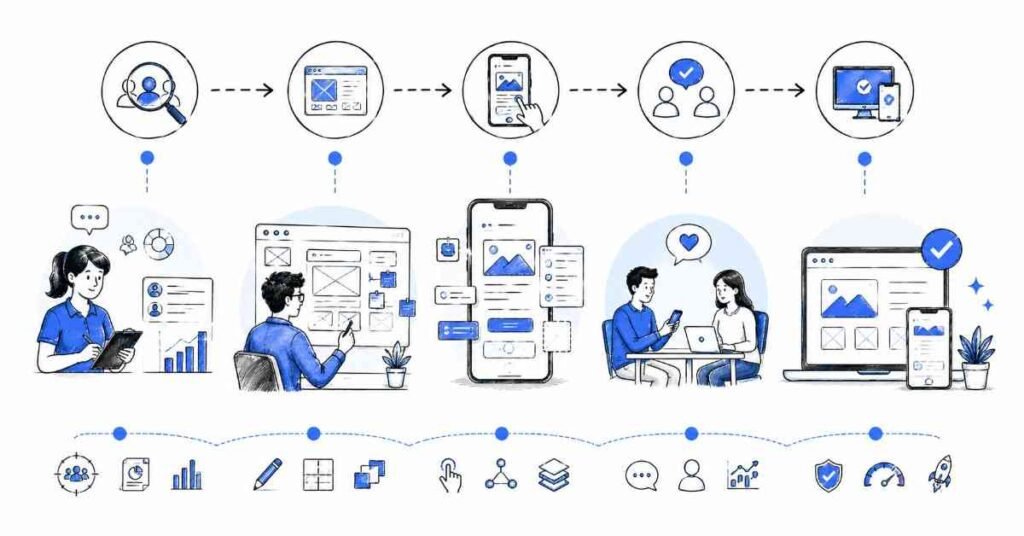
Complete Learning Roadmap
Phase 1: Design Foundations
Before you start using tools, you need to understand the principles behind good design. This base makes your work more thoughtful and effective.
Focus on:
- Design thinking.
- Visual hierarchy.
- Color theory.
- Typography.
- Layout and spacing.
- Gestalt principles.
- Accessibility basics.
Phase 2: UX Fundamentals
UX is about understanding people and solving problems for them. This is where you learn how to make products easier to use.
Learn:
- User research.
- User personas.
- Problem statements.
- User journeys.
- Information architecture.
- Task flow design.
- Usability principles.
Phase 3: Wireframing and Prototyping
Wireframes help you plan structure before you focus on visual polish. Prototypes help you test ideas before development.
Learn:
- Low-fidelity wireframes.
- High-fidelity wireframes.
- User flow diagrams.
- Clickable prototypes.
- Component libraries.
- Design systems.
- Iteration based on feedback.
Phase 4: UI Design Skills
UI design is where your work becomes visual and polished. This is the part most people notice first, but it works best when the UX foundation is already strong.
Learn:
- Color palettes.
- Fonts and text hierarchy.
- Buttons, forms, and cards.
- Spacing and alignment.
- Responsive layouts.
- Icons and visual consistency.
- Mobile-first design.
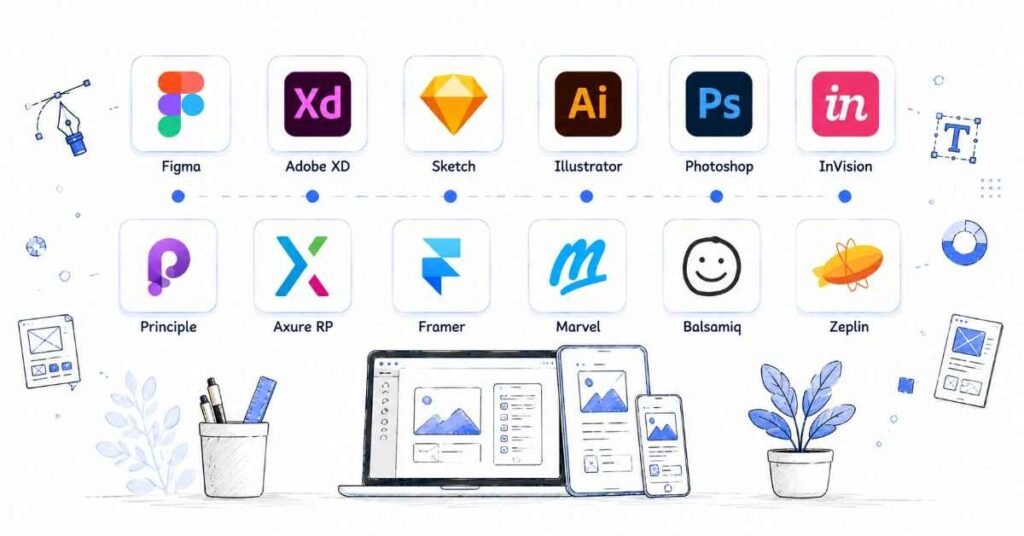
Phase 5: Tools and Handoff
Modern designers need to work efficiently and communicate clearly with developers.
Learn:
- Figma.
- FigJam.
- Adobe XD basics if needed.
- Design systems.
- Developer handoff.
- Annotation and documentation.
- Version control in design files.
User Research, Wireframes, & Prototypes
These three skills are the heart of UX work.
User research skills to master
- Interviews.
- Surveys.
- Competitive analysis.
- User behavior observation.
- Pain point identification.
- Persona building.
Wireframing skills to master
- Page structure planning.
- Information hierarchy.
- Navigation flow.
- Content placement.
- Layout variation testing.
Prototyping skills to master
- Click-through interactions.
- Screen transitions.
- Animation basics.
- Testing user journeys.
- Presenting design ideas.
Salary Expectations in India
Salary depends on your portfolio quality, tool knowledge, and how well you explain design decisions. Designers with research, product thinking, and strong case studies usually grow faster.
Experience Level | Typical Salary |
Fresher | ₹3.5 LPA to ₹6 LPA |
1–3 years | ₹6 LPA to ₹12 LPA |
3–5 years | ₹12 LPA to ₹18 LPA |
5+ years | ₹18 LPA to ₹30 LPA+ |
Portfolio That Gets Interviews
Why UI/UX Design Is a Smart Career
A strong portfolio is the most important part of a UI/UX job search. Recruiters want to see how you think, not just what you make.
What to include
- One app redesign project.
- One website redesign case study.
- One user research case study.
- Wireframes and prototypes.
- Problem statement and solution process.
- Before-and-after screens.
- Final UI mockups.
Portfolio checklist
- Explain the user problem clearly.
- Show research findings.
- Include sketches and wireframes.
- Show iterations and improvements.
- Add final design screens.
- Write case studies in a simple story format.
Job Search Strategy
A UI/UX resume should show your design process, tools, and case studies. Employers want to know that you can think like a designer and communicate clearly.
Quick Industry Reference Table
Resume keywords
- UI design
- UX design
- Figma
- Wireframing
- Prototyping
- User research
- Interaction design
- Design systems
- Usability testing
- Information architecture
- Visual design
- Product desig
Where to apply
- LinkedIn Jobs
- Naukri
- Wellfound
- Indeed
- startup career pages
- design communities
Interview preparation
Be ready to answer questions like:
- How do you approach a design problem?
- What is the difference between UI and UX?
- How do you conduct user research?
- How do you decide the layout of a screen?
- How do you handle feedback from developers or clients?
- What is a good case study structu
🧠 Crack UI/UX Interviews Faster
Get real case-study questions, white boarding tasks & portfolio evaluation tips
Open Interview Guide →
30-Day Starter Plan
If you want to begin now, follow this simple plan.
Week 1
- Learn the basics of UI and UX.
- Study design principles.
- Explore good product examples.
- Start observing apps critically.
Week 2
- Learn Figma basics.
- Create wireframes.
- Practice layout and spacing.
- Build a simple mobile screen set.
Week 3
- Learn prototyping.
- Design a small app flow.
- Test the flow with friends.
- Revise based on feedback.
Week 4
- Build one case study.
- Polish your portfolio.
- Update your resume and LinkedIn.
- Start applying for internships and junior roles.
🗺️ Follow the Complete UI/UX Learning Roadmap
Beginner → Research → UI Design → Prototyping → Portfolio Open Roadmap →
Why Learn UI/UX at Frontlines Edutech
Frontlines Edutech is a practical choice for students and working professionals who want structured learning, regional support, and career-focused training. The best programs combine research, wireframing, Figma practice, portfolio work, and interview preparation in a way that makes job readiness realistic.
What to look for in training
- Strong UI/UX fundamentals.
- Figma and prototyping practice.
- Real case study projects.
- Portfolio and resume support.
- Interview preparation.
- Regional-language explanation if needed.
Frequently Asked Questions
1. How long does it take to become a UI/UX designer?
It usually takes 3 to 6 months of consistent learning to become job-ready, depending on how much project work and portfolio building you do.
2. Is UI/UX design a good career in India?
Yes, it is a strong career because every digital product needs a good user experience. It is especially good for creative people who enjoy solving user problems.
3. Which skill should I learn first?
Start with design fundamentals, then move into UX thinking, wireframing, and Figma. After that, build prototypes and case studies.
4. Do I need coding to become a UI/UX designer?
No, coding is not required for most UI/UX roles. However, basic knowledge of HTML and CSS can help you work better with developers.
5. What is the best specialization for beginners?
A combined UI/UX path is the best starting point. It gives you both design thinking and visual design skills.
6. Can I get a job without experience?
Yes, if you have a strong portfolio, case studies, and a clear design process. Internships and freelance work can help you enter the field faster.
7. Which tools should I learn first?
Start with Figma, FigJam, and basic research tools. Then move into prototyping and design system practice.
8. Is UI/UX design remote-friendly?
Yes, many UI/UX roles are remote-friendly because the work can be done digitally and shared easily with teams.
9. What kind of projects should I show in interviews?
Show app redesigns, website redesigns, user research studies, wireframes, and prototypes. Employers want to see how you think and solve user problems.
✨ Follow Your UI/UX Learning Path
Choose your track — UI, UX Research, Product Design, or Design Systems View Learning Path →