
90-Day AI-Powered Video Editing Roadmap: From Beginner to Professional Editor
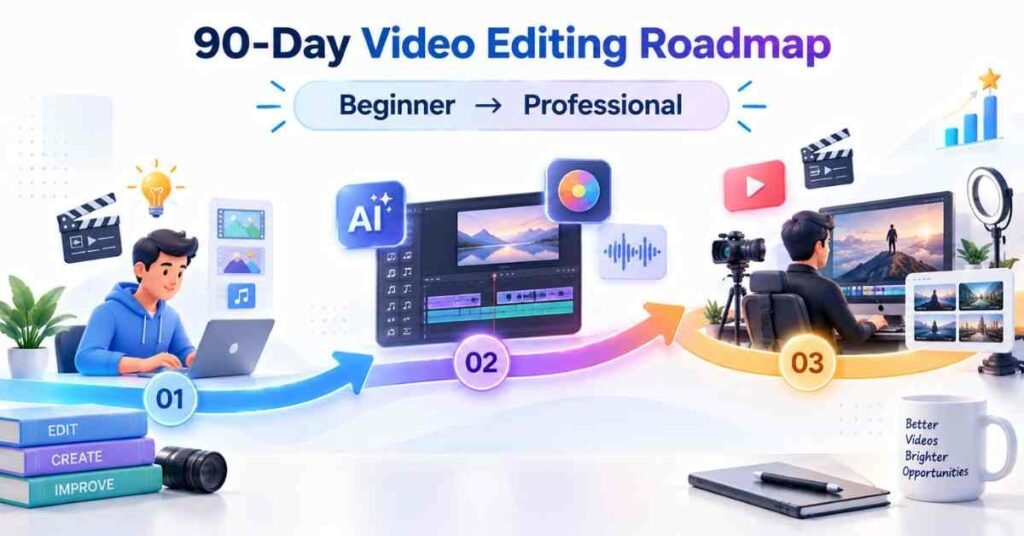
Table of Contents
Video editing is no longer limited to cutting clips and adding background music. Modern editors work with short-form videos, YouTube content, advertisements, podcasts, online courses and business presentations. Artificial intelligence is also changing how editors handle subtitles, audio correction, background removal, and content repurposing.
The AI-Powered Video Editing Course in Telugu can help Telugu-speaking learners understand these modern workflows through clear explanations and practical demonstrations. Students can learn video-editing fundamentals while also discovering how AI tools reduce repetitive work.
AI does not replace editing knowledge. It improves the speed of selected tasks. A tool may remove silence or suggest clips, but it cannot fully understand the audience, brand message or emotional purpose of every scene. A professional editor must know when to use automation and when to make a manual decision.
This 90-day roadmap takes learners from basic editing concepts to portfolio development. It can be followed by complete beginners, aspiring creators, digital marketers, freelancers and working professionals.
What You Will Achieve in 90 Days
By completing this roadmap, learners should be able to:
- Organise footage and project files
- Edit videos using a professional timeline
- Apply suitable cuts and transitions
- Improve dialogue and background audio
- Correct exposure, contrast and colour
- Create titles and simple motion graphics
- Generate and correct subtitles
- Use AI for repetitive editing activities
- Edit short-form and long-form content
- Build a professional showreel
- Present projects to clients or employers
Three-Month Learning Structure
Build Creative Editing Skills – Explore the Video Editing Course
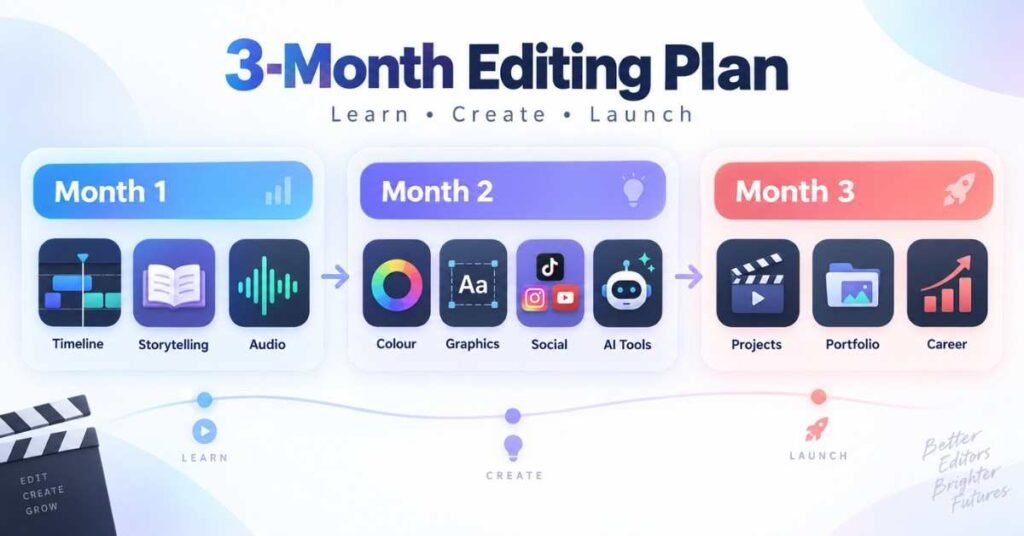
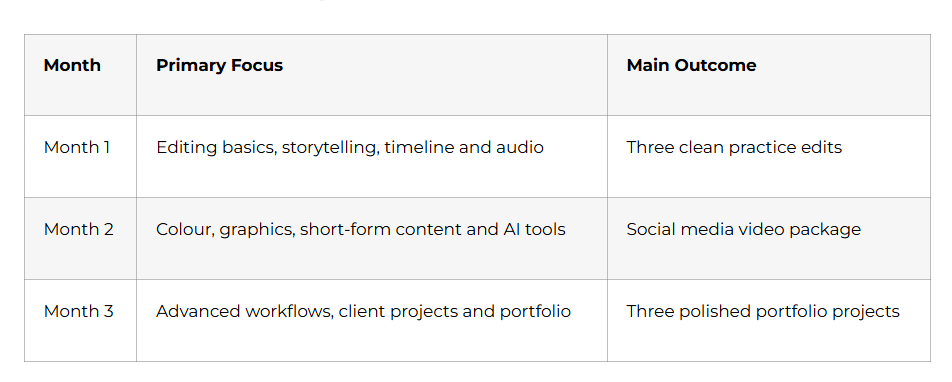
Month 1: Video Editing Foundations
The first month builds the technical and creative foundation required for every editing platform. Software interfaces may change, but storytelling, timing and audio principles remain valuable across tools.

Week 1: Understanding the Editing Process : Days 1–7
Days 1–2: Learn the Role of an Editor
Begin by understanding what happens before, during and after editing.
A professional workflow normally includes:
- Receiving the footage
- Understanding the objective
- Organising the files
- Creating a rough edit
- Refining the story
- Improving audio and colour
- Adding graphics and subtitles
- Reviewing the project
- Exporting the final version
Study common video formats such as educational videos, interviews, podcasts, advertisements, tutorials, reels and promotional content. Each format follows a different rhythm and audience expectation.
Days 3–4: Set Up the Workspace
Learn the main areas of an editing application:
- Media panel
- Preview monitor
- Timeline
- Audio tracks
- Video tracks
- Effects panel
- Export settings
Create a proper folder structure for footage, audio, images, graphics, project files and exports. Good file management prevents missing media and reduces confusion during revisions.
Days 5–6: Learn Basic Editing Actions
Practise importing footage, selecting clips, trimming unwanted portions and arranging shots on the timeline.
Understand:
- In and out points
- Splitting clips
- Ripple editing
- Moving clips
- Undo and redo
- Timeline zoom
- Basic playback controls
Day 7: Week 1 Project
Create a 30-second sequence using five to eight clips. Maintain a clear beginning, middle and ending without using unnecessary effects.
Week 2: Cuts, Timing and Storytelling : Days 8–14
A strong video is created through meaningful decisions, not through the number of transitions added.
Days 8–10: Understand Different Cuts
Learn how and when to use:
- Standard cuts
- Jump cuts
- J-cuts
- L-cuts
- Cutaways
- Match cuts
- Montage sequences
J-cuts and L-cuts help conversations feel natural because the sound and picture do not always change at the same moment. Cutaways can hide mistakes, shorten pauses and provide visual context.
Days 11–12: Control Pacing
Fast pacing may work for energetic social media content, while interviews and emotional stories often require more breathing space.
Edit the same footage in two different ways:
- A fast 30-second version
- A slower 60-second version
Compare how the meaning and emotional impact change.
Days 13–14: Build a Clear Story
Before editing, answer four questions:
- Who is the audience?
- What problem or topic is being presented?
- What should the viewer understand?
- What action should the viewer take?
Week 2 Project: Edit a one-minute educational video with a strong opening, logical flow and clear closing message.
Week 3: Audio Editing : Days 15–21
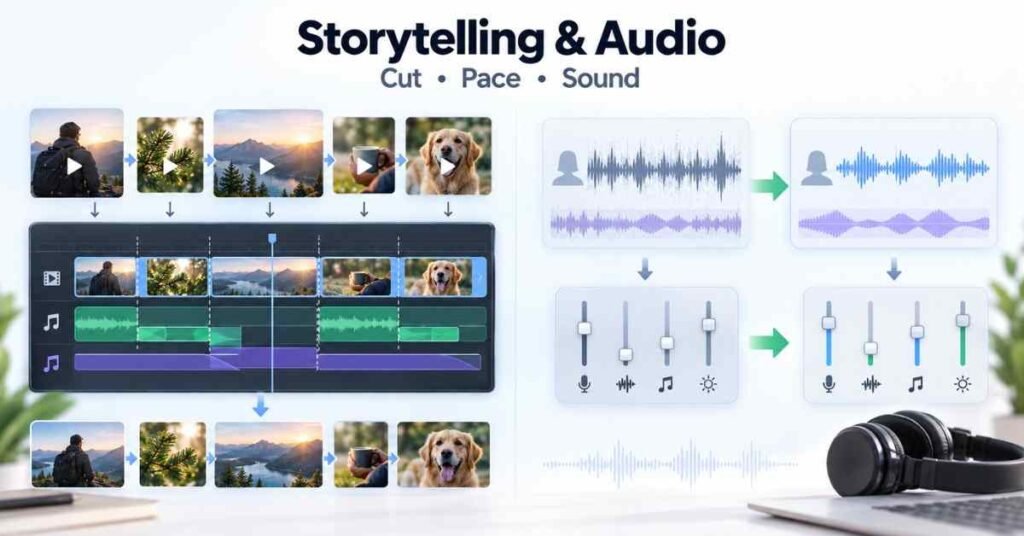
Viewers may tolerate slightly imperfect visuals, but distracting audio can make them leave quickly.
Days 15–17: Clean Dialogue
Learn to:
- Adjust dialogue volume
- Remove background noise carefully
- Reduce unwanted pauses
- Balance multiple speakers
- Add fades
- Avoid audio clipping
AI noise removal can improve recordings, but aggressive processing may make the speaker sound robotic. Always compare the corrected audio with the original.
Days 18–19: Music and Sound Effects
Choose music based on mood, pace and audience. Do not allow background music to overpower dialogue.
Use sound effects only when they improve the experience. Excessive effects can distract the viewer and make professional content feel artificial.
Understand the importance of music licensing. Random online audio should not be used in commercial or monetised projects without checking usage rights.
Days 20–21: Audio Project
Edit a one-minute interview clip with clear dialogue, balanced music and smooth audio transitions.
Week 4: Text, Transitions and Exporting : Days 22–30
Days 22–24: Titles and On-Screen Text
Create readable:
- Opening titles
- Lower thirds
- Name labels
- Key-point text
- Calls to action
- End screens
Choose a suitable font, size and colour contrast. Text should remain visible long enough for viewers to read comfortably.
Days 25–27: Transitions and Speed
Practise simple transitions such as dissolves, fades and wipes. Use them only when they support a change in time, location or subject.
Learn basic speed control:
- Slow motion
- Fast motion
- Speed ramps
- Freeze frames
Avoid using speed effects without a storytelling reason.
Days 28–30: Export Settings
Understand resolution, frame rate, aspect ratio, bitrate and file format.
Create versions for:
- YouTube landscape videos
- Vertical reels and shorts
- Square social media posts
- Lightweight review copies
- High-quality portfolio exports
Month 1 Capstone: Edit a two-minute story using clean cuts, dialogue, music, titles and suitable export settings.
Month 1 Milestone: You can organise footage, edit on a timeline, create a clear story, improve audio and export videos for different platforms.
Month 2: Creative Editing and AI Tools
Month 2 develops visual quality and introduces artificial intelligence as a supporting part of the editing process.
Discover Creative Career Opportunities – Explore the Video Editing Career Guide
Week 5: Colour Correction : Days 31–37
Days 31–33: Correct Technical Problems
Learn how to adjust:
- Exposure
- White balance
- Contrast
- Highlights
- Shadows
- Saturation
- Skin tones
Colour correction should make shots look accurate and consistent. It is different from colour grading, which creates a specific mood or visual style.
Days 34–36: Match Multiple Shots
Footage recorded using different cameras or lighting conditions may not look consistent. Practise matching brightness, colour temperature and skin tones across several clips.
Use scopes when available instead of depending only on the computer display.
Day 37: Colour Project
Correct and match five clips from the same sequence. Create one natural version and one stylised version without losing important visual detail.
Week 6: Motion Graphics and Visual Enhancement : Days 38–44
Days 38–40: Keyframes and Movement
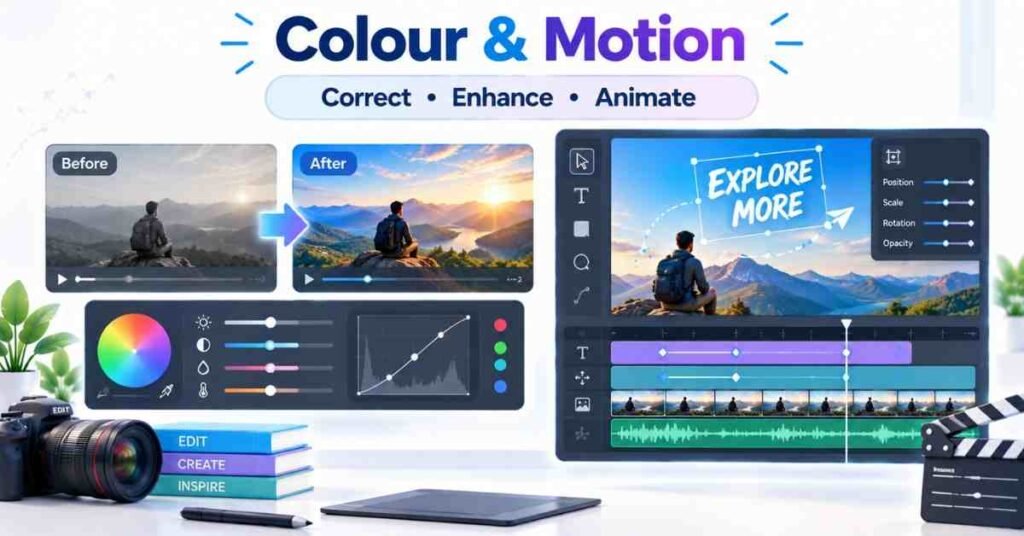
Learn how keyframes control changes over time.
Practise:
- Position
- Scale
- Rotation
- Opacity
- Text movement
- Simple zoom effects
Animations should support communication. They should not compete with the speaker or main subject.
Days 41–43: Masks and Background Work
Learn the basic use of:
- Masks
- Tracking
- Blurring
- Background removal
- Object isolation
- Screen replacement
AI tools can speed up masking and background removal, but the editor should inspect the edges, movement and lighting for visible errors.
Day 44: Graphics Project
Create a 45-second promotional video containing titles, lower thirds, animated text and a clean call to action.
Week 7: AI-Assisted Video Editing : Days 45–52
Days 45–47: Explore Useful AI Features
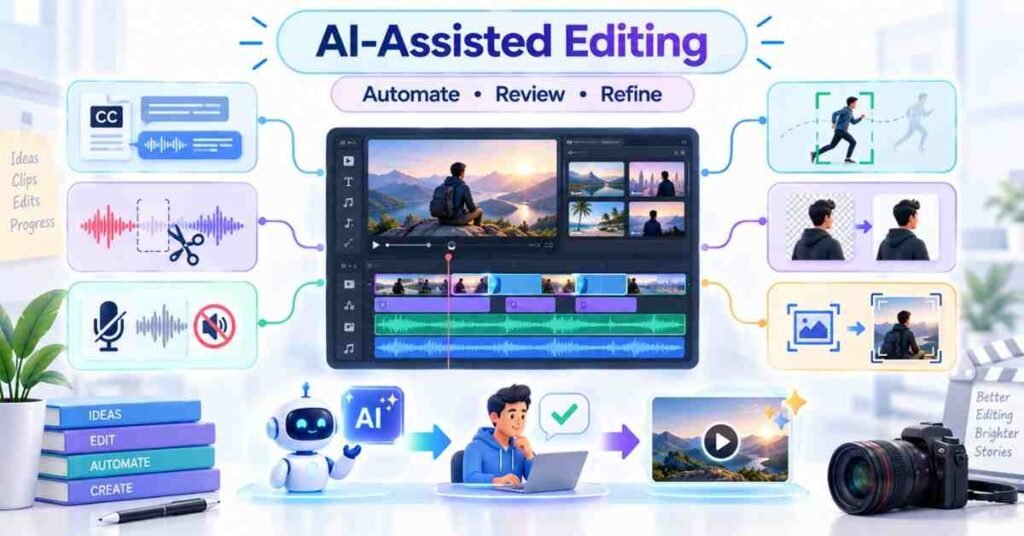
Modern video platforms may provide:
- Automatic transcription
- Subtitle generation
- Silence removal
- Speaker detection
- Background noise reduction
- Object tracking
- Background removal
- Automatic reframing
- Clip recommendations
- Text-based editing
Test each feature on sample footage and record where it performs well or creates mistakes.
Days 48–50: Subtitles and Repurposing
Generate subtitles and correct:
- Names
- Technical terms
- Punctuation
- Timing
- Line breaks
Use AI to convert a long video into potential short clips. Select the final clips based on audience value rather than accepting every automatic suggestion.
Days 51–52: AI Quality Review
Before approving an AI-assisted edit, check:
- Were important words removed?
- Are the subtitles correct?
- Does the crop follow the speaker?
- Are background edges clean?
- Does the voice still sound natural?
- Is the story understandable?
Week 7 Project: Convert a five-minute interview into one polished main video and three short social media clips.
Week 8: Social Media Editing : Days 53–60
Days 53–55: Edit Vertical Videos
Create videos for vertical viewing. Keep the main subject and important text inside safe areas so interface buttons do not cover them.
A short-form structure can include:
Hook
Problem
Useful information
Proof or example
Call to action
Days 56–58: Retain Viewer Attention
Improve retention through meaningful changes in visuals, captions, camera framing, examples and B-roll. Avoid adding random effects every second.
The first few seconds should explain why the viewer should continue watching.
Days 59–60: Month 2 Capstone
Produce a social media package containing:
One 60-second reel
Two shorter variations
Accurate captions
Suitable music
B-roll
Cover image
Platform-ready exports
Month 2 Milestone: You can correct colour, create motion graphics, use AI editing features and produce platform-specific social media content.

Month 3: Professional Projects and Career Preparation
Week 9: Long-Form Video Editing : Days 61–67
Days 61–63: Structure Long Videos
Long videos require clear organisation. Divide the content into an opening, main sections, examples, transitions and closing.
Remove repetition while preserving the speaker’s natural communication style.
Days 64–66: Add Supporting Visuals
Use B-roll, images, screen recordings, titles and simple graphics to support the message. Visuals should explain or demonstrate something relevant.
Day 67: Long-Form Project
Edit a five-to-seven-minute educational or interview video with organised audio, B-roll, titles, colour correction and a professional ending.
Week 10: Client Workflow : Days 68–74
Days 68–70: Understand the Requirement
Before editing, collect:
Video objective
Target audience
Required duration
Platform
Brand references
Deadline
Number of revisions
Required export formats
Create a written brief instead of depending only on informal messages.
Days 71–73: Handle Feedback
Maintain clear project versions such as:
Rough cut
Review version
Revised cut
Final approval
Final exports
Do not overwrite important versions. Track feedback and confirm which changes have been completed.
Day 74: Client Simulation
Complete a sample client project from brief to final delivery. Include a folder structure, review copy and final export.
Week 11: Portfolio Projects : Days 75–83
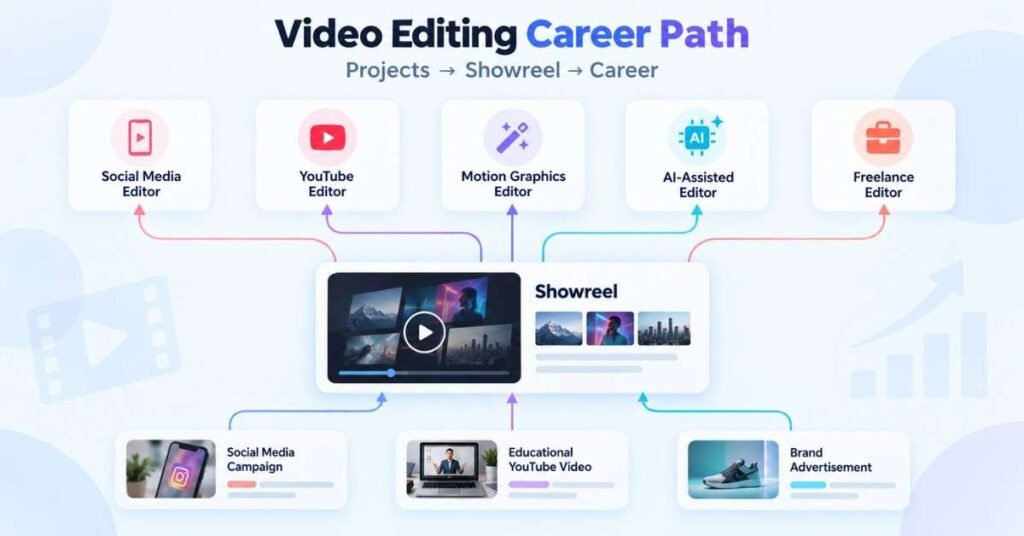
Complete three different projects.
Project 1: Social Media Campaign
Create one promotional reel and two short variations with captions, music and a clear call to action.
Project 2: Educational YouTube Video
Edit a five-to-seven-minute video with B-roll, titles, graphics, colour correction and balanced audio.
Project 3: Brand Advertisement
Create a 30-to-45-second promotional video showing strong pacing, product focus and consistent branding.For each project, document:
- Project objective
- Target audience
- Editing approach
- AI features used
- Manual corrections
- Final output
- Problems solved
Week 12: Career Launch : Days 84–90
Days 84–85: Build a Showreel
Create a 60-to-90-second showreel containing your strongest work. Begin with an engaging shot and organise clips according to the role you want.
Do not include every project. A short, focused showreel is more effective than a long collection of average work.
Days 86–87: Resume and Profiles
Your profile should mention skills honestly.
Important skill areas may include:
Timeline editing
Storytelling
Audio cleaning
Colour correction
Motion graphics
Subtitle creation
Short-form editing
Long-form editing
AI-assisted workflows
File management
Days 88–89: Interview and Client Preparation
Prepare to explain:
How you organise a project
Why you selected particular cuts
How you improve poor audio
How you maintain colour consistency
Where AI was used
What manual corrections were required
How you respond to feedback
How you meet deadlines
Day 90: Final Assessment
Complete:
One timed editing task
One showreel presentation
One portfolio review
One client-brief exercise
One mock interview
Day 90 Milestone: You have completed three portfolio projects, a professional showreel and a repeatable video-editing workflow.
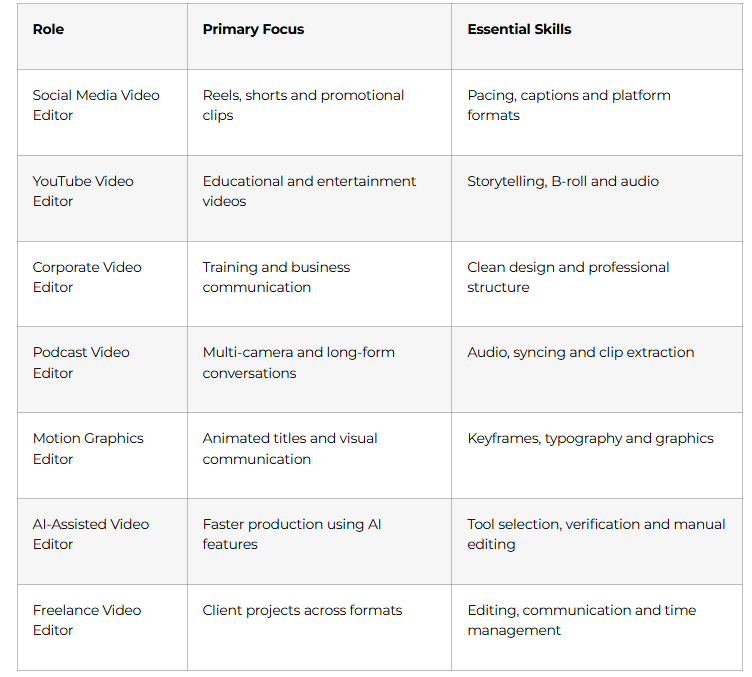
Video Editing Career Paths
Prepare for Editing Roles with Confidence – Explore the Video Editing Interview Guide
Why Choose Frontlines Edutech?
The AI Powered Video Editing Course in Telugu can help beginners understand editing concepts through Telugu-friendly explanations and practical projects.
The learning experience can cover:
- Video-editing fundamentals
- Storytelling and pacing
- Audio correction
- Colour correction
- Motion graphics
- AI-assisted editing
- Short-form content
- Long-form videos
- Portfolio development
- Career preparation
The focus should remain on building genuine editing ability. AI tools can support the process, but the learner must understand the creative and technical decisions behind the final video.
Frequently Asked Questions
1. Is video-editing experience required before starting?
No. This roadmap begins with basic concepts such as file organisation, timelines, trimming and simple storytelling.
2. Is a high-performance computer necessary?
The requirement depends on the editing software and video resolution. Beginners can start with optimised footage, lower-resolution previews and lightweight tools before upgrading their system.
3. Can I learn video editing without coding?
Yes. Video editing does not require programming knowledge. Creative thinking, observation and regular practice are more important.
4. Will AI completely edit videos automatically?
AI can automate selected tasks, but it cannot reliably make every creative decision. Human judgment is still required for storytelling, emotion, brand consistency and final quality.
Will I build practical projects during this Python DSA course?
Yes. You will build 3 portfolio projects: a console-based dynamic engine, a custom data structures library, and a graph path visualizer saved directly to your code repository.
5. Which software should a beginner learn?
Choose one editing application that supports timelines, audio, colour, text and export controls. Master the editing principles before frequently changing software.
6. How much time should I practise daily?
Spend approximately 60–90 minutes each day. Regular editing practice is more effective than watching many tutorials without creating projects.
7. What projects should be included in a portfolio?
Include a social media campaign, a long-form educational video and a brand advertisement. These projects demonstrate different editing abilities.
8. Can video editing become a freelance career?
Yes. Editors can work with creators, businesses, educators, agencies and podcast teams. A focused portfolio and reliable communication are essential for attracting clients.
9. Are AI-generated subtitles always accurate?
No. Names, technical words, accents and punctuation may be incorrect. Every subtitle file must be reviewed manually before publishing.
10. How can the AI Powered Video Editing Course in Telugu help beginners?
It can make editing concepts easier to understand through Telugu explanations, guided demonstrations, practical assignments and portfolio-oriented projects.