
How to Become a Video Editor in 2026: Complete Career Guide
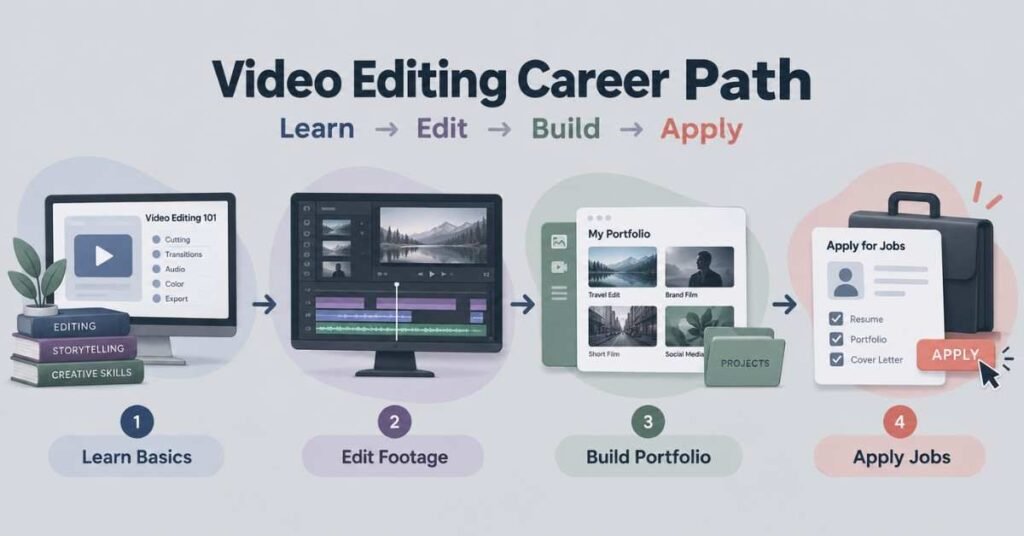
Table of Contents
Becoming a Video Editor is not simply about learning where the cut, transition, and export buttons are. A good editor knows how to turn raw footage into something people want to keep watching. That requires timing, storytelling, sound, visual judgment, and the ability to understand what a video is trying to achieve. Some editors work on YouTube videos, while others handle short-form content, advertisements, courses, corporate videos, or films. If you are starting from zero, the right path is to first understand editing basics, practise with real footage, learn one main editing tool properly, and build a portfolio that proves your ability.
What Does a Video Editor Actually Do?
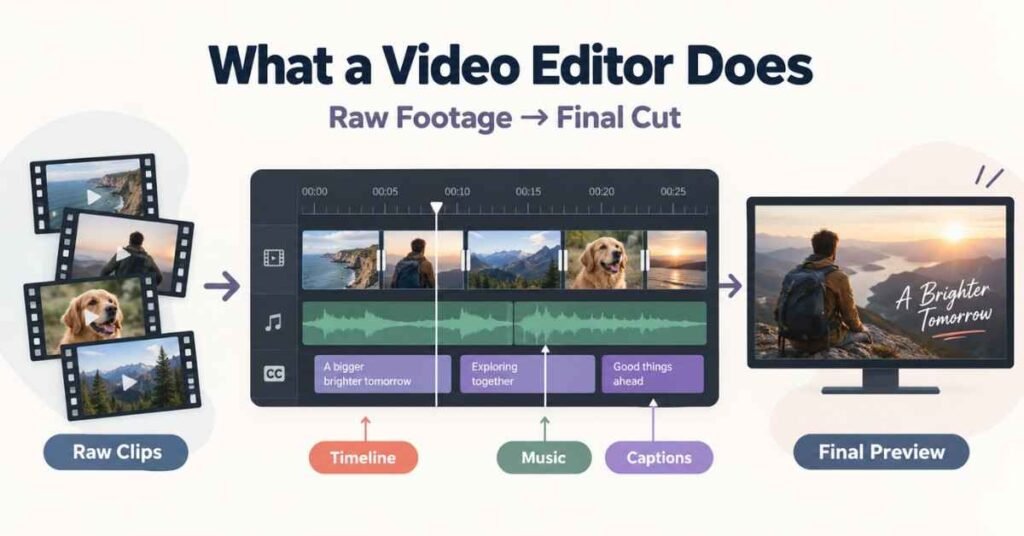
A Video Editor takes raw footage and shapes it into a finished video.
The job begins long before adding effects.
An editor may need to watch several clips, identify useful moments, remove weak sections, improve pacing, add music, clean audio, place text, and make sure the final video matches the purpose of the content.
For example, editing a training video requires clarity and structure. Editing a short Instagram Reel needs faster pacing and stronger visual attention. A YouTube interview may need clean cuts, captions, supporting visuals, and good audio balance.
Main Responsibilities
- Review raw footage
- Select the strongest clips
- Remove unnecessary sections
- Arrange footage into a clear sequence
- Improve pacing
- Add music and sound effects
- Correct audio levels
- Add titles, captions, and graphics
- Apply basic colour correction
- Export videos in the required format
- Make changes based on feedback
A Video Editor is not just operating software. The real job is deciding what the viewer should see, hear, and feel at each moment.
Why Video Editing Is a Good Career Choice
Video has become a regular part of communication for businesses, creators, education companies, brands, and social platforms.
That creates work in several formats.
A company may need product videos.
A trainer may need course videos.
A creator may need weekly YouTube edits.
A marketing team may need Reels and ad creatives.
This variety gives editors room to choose a direction based on their interests.
Why Students Choose Video Editing
- It combines creativity with technical skill.
- Beginners can practise using their own footage.
- Freelance and remote work are possible.
- Skills can be used across many industries.
- A portfolio can matter more than formal qualifications.
- Editors can specialise in long-form, short-form, ads, or motion graphics.
- AI tools can reduce repetitive editing work.
The best way to grow in this field is through practice.
Watching tutorials can teach you software. Editing real footage teaches judgment.
Build Practical Editing Skills and Start Your Journey – Explore the Video Editing Course
Video Editing Roles Compared
Video Editing has several career directions.
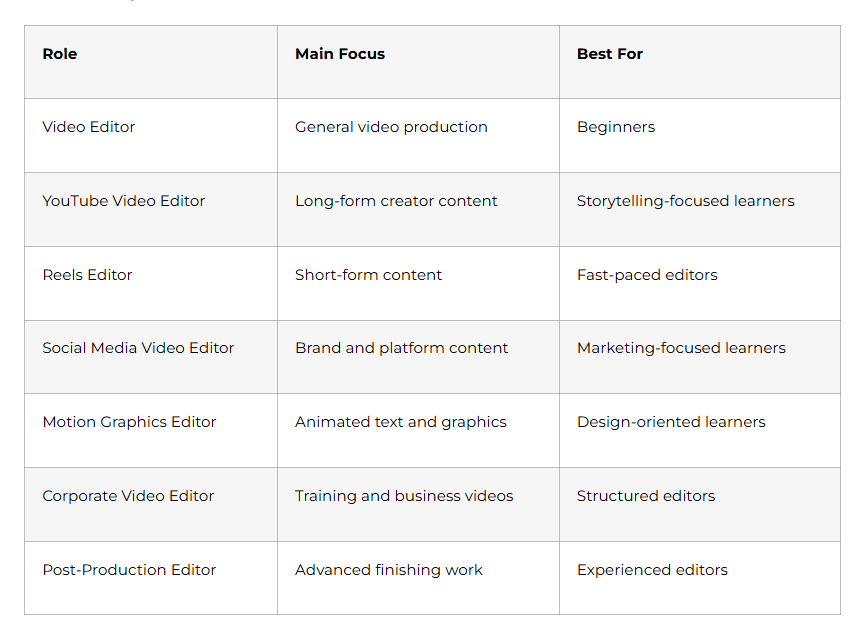
For beginners, YouTube editing, social media editing, and basic brand videos are usually easier areas to practise and build a portfolio around.
How to Become a Video Editor
Step 1: Understand the Basics of Editing
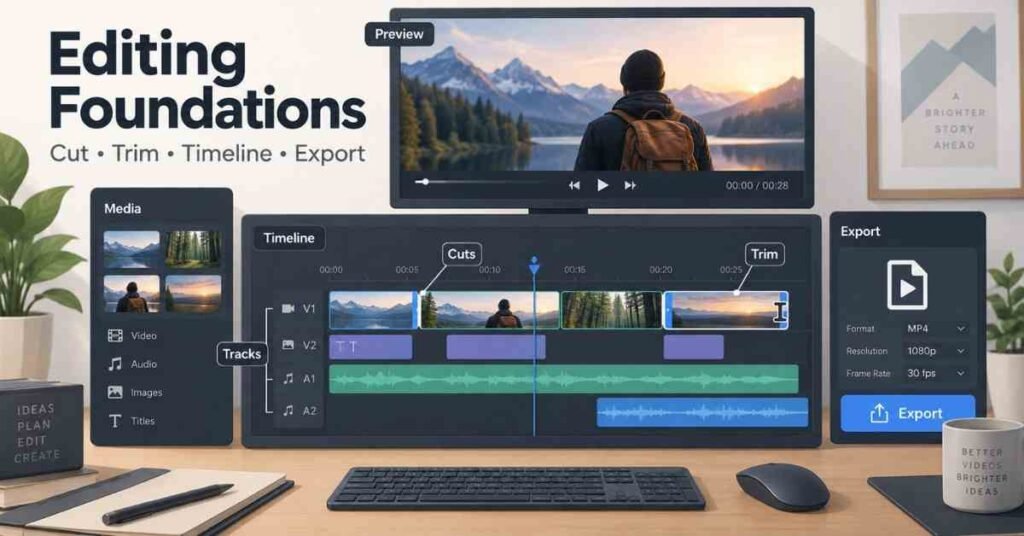
Before learning advanced effects, understand what makes a simple edit work.
Begin with:
- Cutting clips
- Trimming unwanted footage
- Timeline arrangement
- Transitions
- Frame size
- Resolution
- Frame rate
- Aspect ratio
- Audio levels
- Basic export settings
These concepts may look simple, but they affect every project.
For example, a Reel may need a vertical 9:16 format, while a YouTube video is usually edited in 16:9.
Understanding these basics prevents many beginner mistakes.
Step 2: Learn One Editing Software Properly
Beginners often jump between several tools.
That slows down progress.
Choose one main editing application and become comfortable with it.
Common options include:
- Adobe Premiere Pro
- DaVinci Resolve
- Final Cut Pro
- CapCut Desktop
The tool matters less than your ability to edit confidently with it.
Learn how to:
- Import media
- Organise files
- Use the timeline
- Cut and trim
- Work with multiple tracks
- Add text
- Use transitions
- Adjust audio
- Apply colour correction
- Export correctly
Once these steps feel natural, learning another editor becomes much easier.
Step 3: Learn Pacing and Storytelling
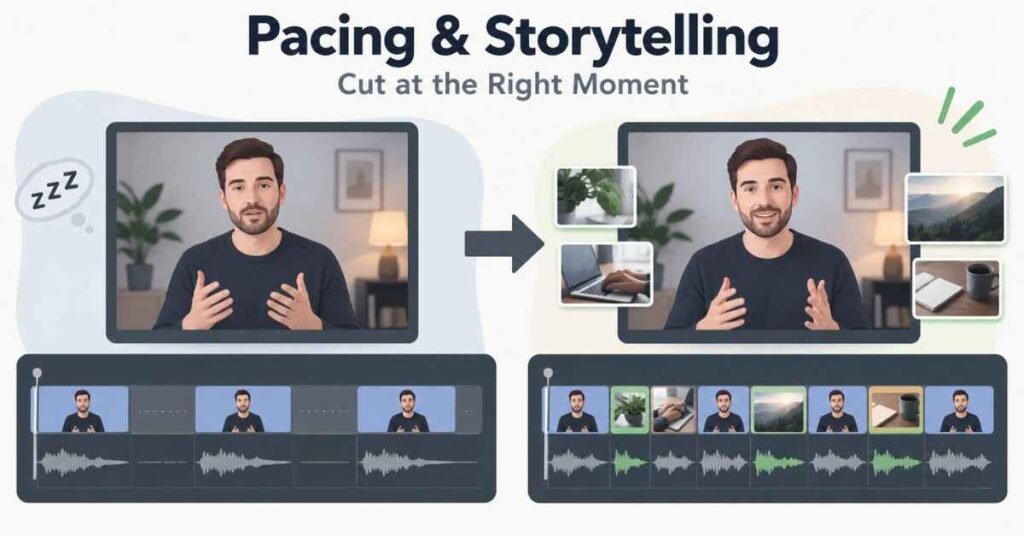
This is where editing starts to become creative.
A technically clean video can still feel boring if the pacing is poor.
You need to understand:
- Where a scene should begin
- When a clip should end
- When to remove silence
- When to hold a shot longer
- When to add supporting visuals
- When music should become stronger or softer
Take a simple talking-head video.
If the speaker pauses for several seconds, the editor may shorten the gap. If a person mentions a website or product, B-roll can make the explanation more interesting.
Good pacing should support the message.
It should not make the viewer notice every edit.
Step 4: Improve Audio Quality
Beginners often focus heavily on visuals and ignore sound.
Poor audio can make a well-edited video feel unprofessional.
Learn:
- Volume balancing
- Noise reduction
- Background music control
- Voice clarity
- Fade in and fade out
- Sound effects
- Audio syncing
The voice should usually remain clear even when music is playing.
If the viewer struggles to understand the speaker, visual effects will not fix the experience.
Step 5: Learn Text, Captions, and Motion Basics
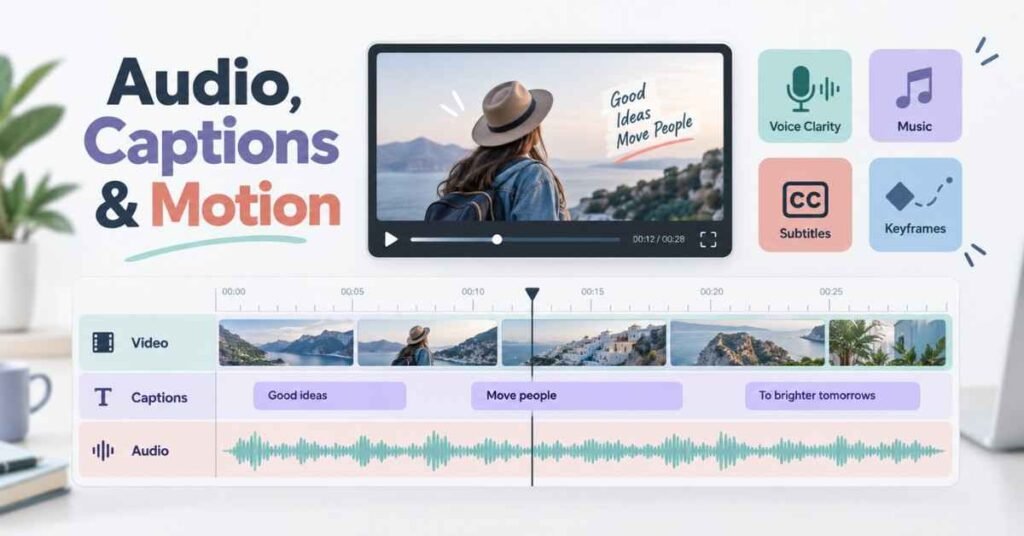
Text is now a major part of online video.
Short-form videos often depend on captions because many users initially watch without sound.
Practise:
- Basic subtitles
- Highlighted keywords
- Titles
- Lower thirds
- Callouts
- Simple motion
- Zooms and position changes
- Basic keyframes
Avoid adding movement just because the software allows it.
Every animation should have a reason.
If too many elements move at the same time, the video becomes distracting.
Step 6: Learn Colour Correction
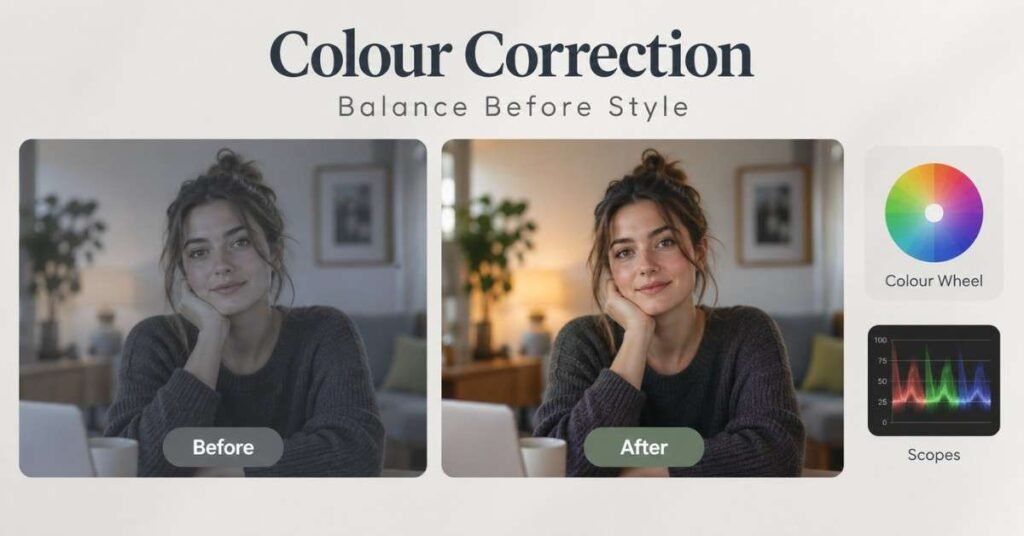
Colour work is not only about giving a video a dramatic look.
First make the footage look balanced.
Understand:
- Exposure
- Contrast
- White balance
- Highlights
- Shadows
- Saturation
- Skin tone basics
Colour correction comes before creative grading.
The beginner goal should be consistency.
If one shot looks very warm and the next looks blue, the viewer may notice the mismatch immediately.
Step 7: Practise Different Video Formats
A good editor should understand how the editing style changes with the platform.
Practise at least a few formats.
YouTube Videos
Focus on:
- Clear structure
- Removing weak sections
- B-roll
- Graphics
- Audio quality
- Viewer retention
Reels and Shorts
Focus on:
- Strong opening
- Faster cuts
- Captions
- Visual movement
- Short duration
- Vertical format
Educational Videos
Focus on:
- Clean audio
- Screen recordings
- Highlights
- Readable text
- Logical sequence
Promotional Videos
Focus on:
- Product or service message
- Strong visuals
- CTA
- Brand consistency
- Short and focused storytelling
Working across formats teaches you how editing decisions change based on the audience.
Learn What to Master at Every Stage – Explore the Video Editing Roadmap Guide
Essential Video Editing Skills
A job-ready editor needs more than software knowledge.
Editing Skills
- Cutting and trimming
- Timeline organisation
- Pacing
- Storytelling
- B-roll placement
- Transitions
Audio Skills
- Voice cleanup
- Music balancing
- Sound effects
- Syncing
- Noise reduction
Visual Skills
- Colour correction
- Captions
- Titles
- Motion basics
- Composition awareness
Professional Skills
- File management
- Receiving feedback
- Meeting deadlines
- Version control
- Communication
- Understanding client requirements
A fast editor who ignores the brief is not as useful as an editor who understands what the project needs.
Real Projects to Build
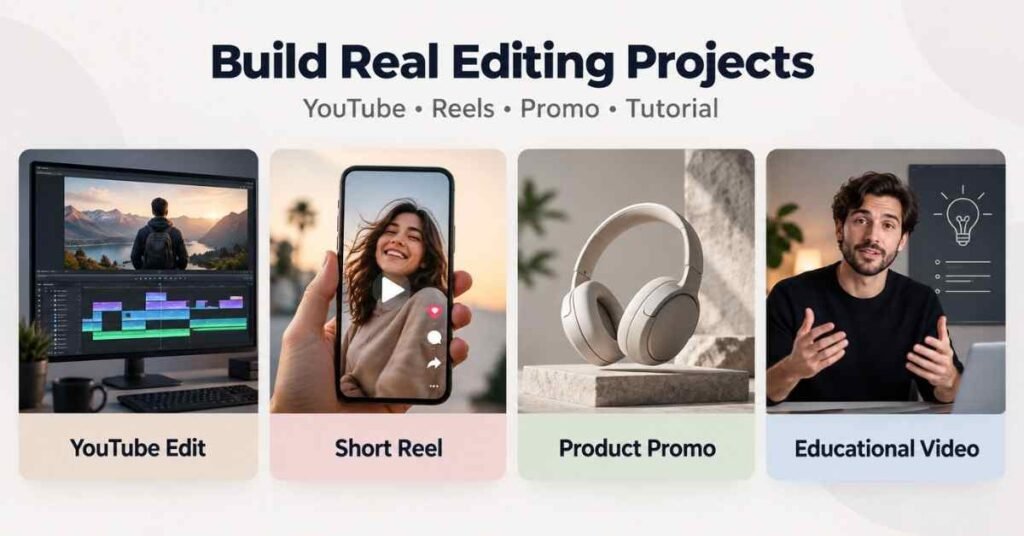
Projects are the strongest way to improve editing.
Do not wait for a client before building a portfolio.
Create your own practice work.
Talking-Head YouTube Video
Take five to ten minutes of speaking footage and turn it into a clean YouTube edit.
Include:
- Clean cuts
- B-roll
- Titles
- Captions where useful
- Background music
- Audio balancing
Short-Form Reel
Create a 30–60 second Reel with:
- Strong opening
- Fast pacing
- Dynamic captions
- Visual changes
- Proper vertical framing
Product Promo
Use product footage or copyright-safe clips to create a short promotional video.
Focus on:
- Product visibility
- Music
- Text
- Timing
- CTA
Educational Video
Create a simple tutorial using screen recording and voice.
This helps you practise:
- Screen flow
- Zooms
- Highlights
- Text placement
- Audio clarity
Your projects should look like something a real creator or business could actually use.
Salary Expectations in India
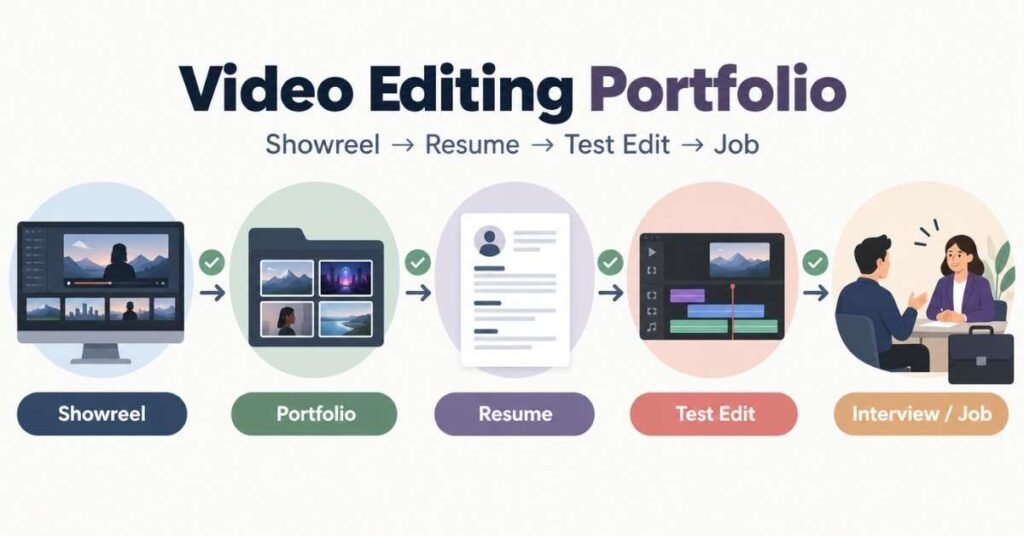
A Video Editor’s portfolio should make one thing clear:
Can this person edit real content well?
A certificate cannot answer that question as strongly as a good showreel or a few polished projects.
What to Include
- One short showreel
- One YouTube-style edit
- Two or three short-form videos
- One promotional project
- Before-and-after examples if useful
Keep the portfolio focused.
Ten average edits are not automatically better than four strong ones.
Portfolio Checklist
For every project:
- Keep the best work visible first.
- Remove unfinished-looking edits.
- Mention your role in the project.
- Mention the software used.
- Keep links easy to open.
- Update old work as your skill improves.
Your portfolio should show your present ability, not every edit you have ever made.
Job Search Strategy
Once you can edit independently and have a small portfolio, begin applying.
Do not wait until you know every feature in the software.
Resume Keywords
Depending on your actual skill set, include:
- Video Editing
- Adobe Premiere Pro
- DaVinci Resolve
- CapCut
- Colour Correction
- Audio Editing
- Motion Graphics
- YouTube Editing
- Reels Editing
- Short-Form Content
- Post-Production
Use only the software and skills you genuinely know.
Roles to Search
- Video Editor
- Junior Video Editor
- Reels Editor
- YouTube Video Editor
- Social Media Video Editor
- Content Editor
- Video Editing Intern
You can find opportunities with agencies, content creators, education companies, startups, production teams, and marketing departments.
Freelance work can also help you build initial experience.
Interview Preparation
Video Editing interviews are often practical.
You may be asked:
- Which software do you use?
- How do you organise a project?
- How do you improve a boring talking-head video?
- How do you handle poor audio?
- How do you choose music?
- How do you edit differently for Reels and YouTube?
- How do you handle revision feedback?
You may also receive a test edit.
For a test assignment, first understand:
- Target platform
- Audience
- Duration
- Style
- Brand references
- Deadline
- Required output format
Do not add unnecessary effects just to show technical ability.
A clean edit that fits the brief is usually stronger than a crowded edit.
Prepare for Video Editing Roles with Confidence – Video Editing Interview Guides
30-Day Starter Plan
The first 30 days should help you become comfortable with the complete editing process.
Week 1
- Understand timeline basics.
- Practise cutting and trimming.
- Learn video formats and resolution.
- Edit short raw clips.
Week 2
- Practise audio balancing.
- Add text and captions.
- Learn basic transitions.
- Create one short-form video.
Week 3
- Practise B-roll placement.
- Learn basic colour correction.
- Use keyframes.
- Edit one talking-head video.
Week 4
- Create two portfolio projects.
- Build a simple showreel.
- Organise your work links.
- Start applying for beginner-level opportunities.
Thirty days can help you understand the workflow, but good editing develops through repeated practice.
Continue editing different types of footage after the first month.
Why Learn Video Editing at Frontlines Edutech
Many beginners understand software features individually but struggle when they receive raw footage and need to turn it into a complete video.
A practical Video Editing learning path should connect the tools with real editing work.
Useful training should include:
- Editing fundamentals
- Timeline practice
- Storytelling
- Audio editing
- Text and captions
- Colour correction
- Short-form editing
- YouTube editing
- Practical projects
- Portfolio preparation
- Interview guidance
- Career support
For Telugu-speaking learners, regional-language explanations can make technical editing concepts easier to understand at the beginning.
At the same time, students should become familiar with common English editing terms because software interfaces, client briefs, and professional workflows often use them.
Frequently Asked Questions (FAQs)
Q1: Can I become a Video Editor without experience?
Yes. Beginners can start by practising with their own footage or copyright-safe clips and gradually build a portfolio.
Q2: Do I need a degree to become a Video Editor?
A specific degree is not required for many editing roles. Practical skill and portfolio quality are usually important when applying.
Q3: Which software should a beginner learn first?
Choose one major editing tool such as Premiere Pro, DaVinci Resolve, Final Cut Pro, or CapCut Desktop and learn it properly before switching between multiple applications.
Q4: How long does it take to learn Video Editing?
Basic editing can be learned within a few weeks, but becoming confident with storytelling, pacing, audio, and professional workflows requires continued practice.
Q5: Is Video Editing difficult for beginners?
The software may feel confusing initially, but the basics become easier with regular hands-on practice.
Q6: Is colour grading necessary for beginners?
Start with colour correction first. Learn to balance exposure, contrast, white balance, and basic colour before moving into advanced grading.
Q7: Do Video Editors need graphic design skills?
Advanced graphic design is not compulsory, but basic knowledge of typography, composition, and visual hierarchy can improve editing quality.
Q8: What projects should I add to my portfolio?
Include a mix such as a YouTube edit, short-form Reel, promotional video, educational video, or other work related to the jobs you want.
Q9: Can Video Editors work freelance?
Yes. Freelance Video Editing is common, especially for creators, agencies, brands, and businesses that need recurring content.
Q10: How can I get my first Video Editing job?
Build a small but strong portfolio, create a clear resume, practise test edits, and apply for internships, junior roles, freelance projects, and creator opportunities.