90-Day Salesforce Course Roadmap: From Beginner to Job-Ready Professional
Table of Contents
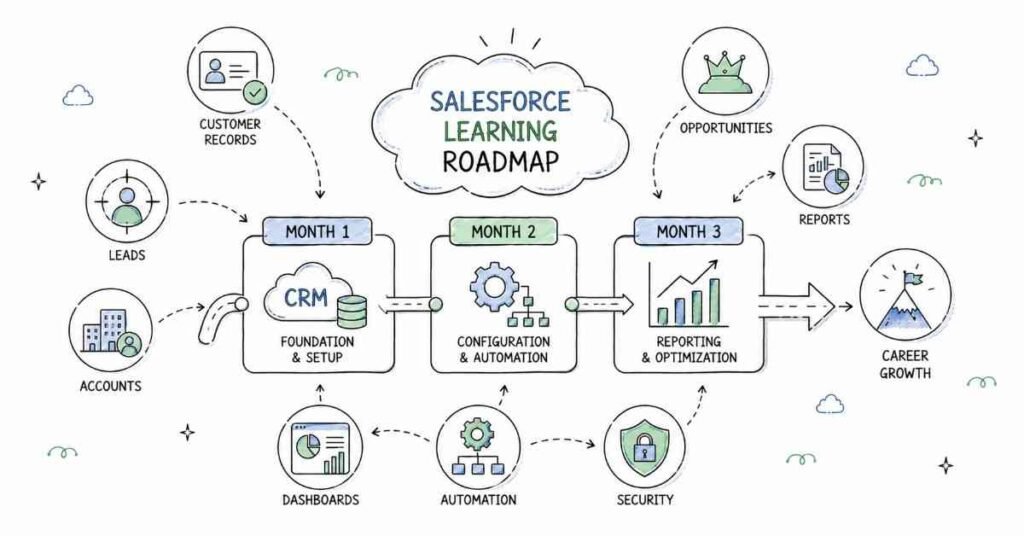
This 90-day Salesforce roadmap is designed to take you from complete beginner to job-ready professional with a practical, step-by-step plan. You will start with CRM fundamentals and the Salesforce platform, then move into objects, fields, validation rules, reports, workflows, automation, Apex basics, and projects before finishing with interview preparation. The goal is simple: help students in Hyderabad, Telangana, Andhra Pradesh, and across India learn the Salesforce skills that employers actually ask for. Salesforce roles are in demand because companies need better customer management, automation, and business process visibility. By the end of 90 days, you should be ready for entry-level Salesforce jobs with confidence and a solid project portfolio.
Why Salesforce Is a Smart Career Choice
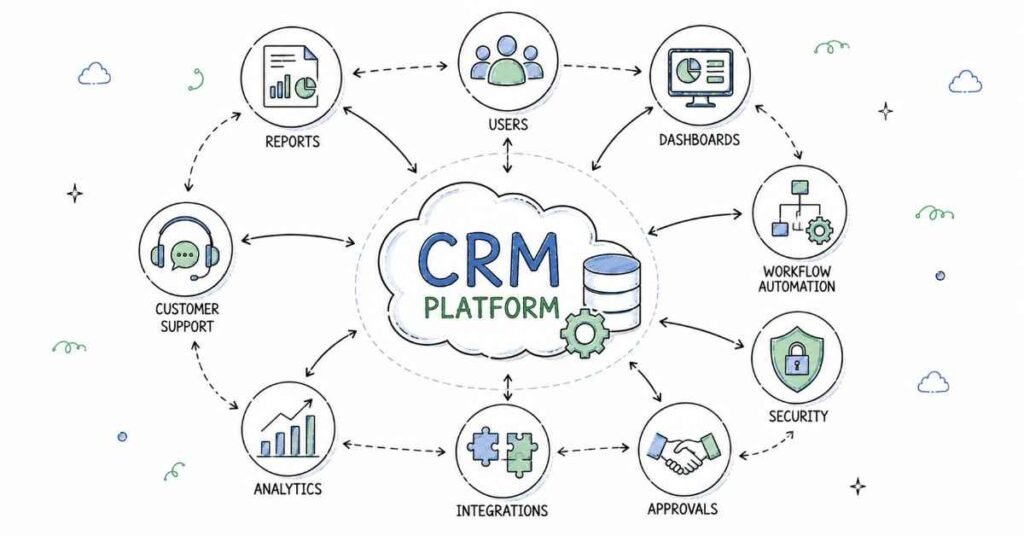
Salesforce is one of the most practical careers in enterprise software because businesses rely on it to manage leads, customers, sales pipelines, support cases, and workflow automation. Companies need professionals who can configure the platform, manage data, build reports, and improve business processes. That is why Salesforce skills are useful across IT services, consulting, finance, healthcare, education, and e-commerce.
This is also a field where practical knowledge matters more than memorizing theory. If you can set up objects, automate tasks, create reports, and understand business requirements, you already have what many employers want. That is why this roadmap focuses on hands-on learning from the beginning.
- Salesforce powers customer relationship management in many industries.
- It is used across enterprise teams, consulting firms, and service companies.
- Entry-level candidates can grow quickly with strong project work.
- The skill set is useful for both freshers and working professionals.
- Salesforce knowledge often leads to strong long-term career growth.
90-Day Learning Plan
Month | Focus Area | Outcome |
Month 1 | CRM basics, Salesforce UI, objects, fields, data model | You understand the Salesforce foundation |
Month 2 | Reports, dashboards, automation, validation rules, security | You can configure business workflows |
Month 3 | Apex basics, Lightning, projects, deployment, interview prep | You can present real Salesforce work and apply for jobs |
Month 1: Salesforce Foundations
Month 1 is all about building the base. If you skip the basics, the advanced platform features will feel confusing later. CRM concepts, Salesforce navigation, and data structures are the everyday language of Salesforce work, so this month gives you the confidence to work on real projects.
Week 1: CRM and Salesforce Basics
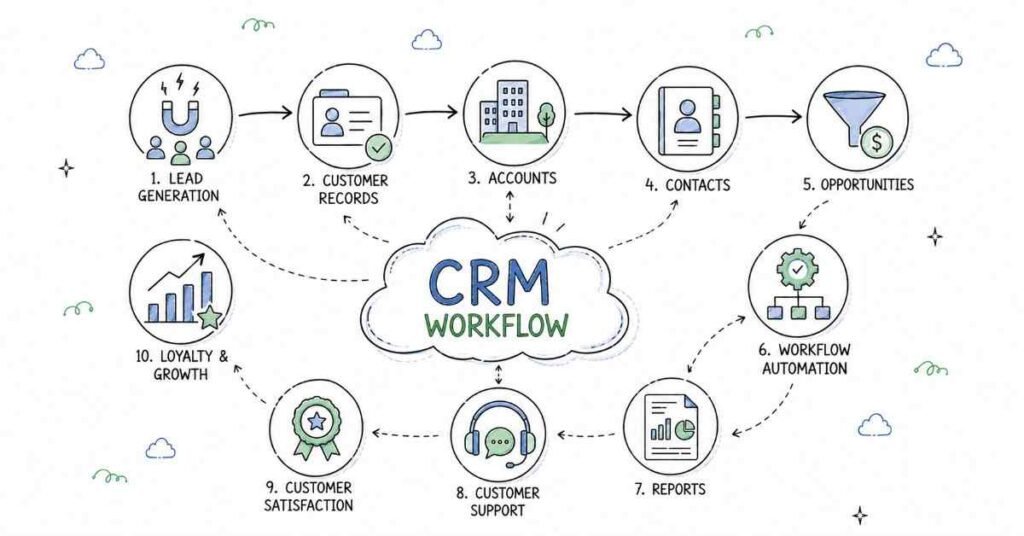
Customer relationship management is the core idea behind Salesforce. Learn what CRM means, why companies use it, and how Salesforce helps teams manage leads, customers, accounts, and support. You should also understand the structure of the Salesforce ecosystem and the difference between admin and developer roles.
- Learn what CRM means.
- Understand the purpose of Salesforce.
- Explore leads, accounts, contacts, and opportunities.
- Study admin vs. developer responsibilities.
- Practice navigating the Salesforce interface.
Week 2: Objects, Fields, and Data Model
Objects are one of the most important parts of Salesforce. Learn standard objects, custom objects, fields, relationships, and record types. Understand how data is stored and connected inside the platform. This week is important because good Salesforce work starts with a clean data model.
Salesforce Concept | Why It Matters |
Object | Stores business data |
Field | Defines specific information |
Record | A single entry in an object |
Relationship | Connects related data |
Record Type | Separates business variations |
Week 3: Page Layouts and Navigation
Salesforce users need screens that are easy to understand and use. Learn page layouts, compact layouts, tabs, apps, and basic navigation setup. This week helps you organize the platform so users can access the right information quickly and efficiently.
- Learn page layout basics.
- Understand app and tab setup.
- Explore list views and record views.
- Practice simple UI organization.
- Study how users interact with records.
Week 4: Month 1 Review and Mini Project
By the end of Month 1, you should be able to explain CRM concepts, build objects, and understand how data is organized in Salesforce. Use this week to revise key concepts and create a small project such as a customer management app with accounts, contacts, and custom fields.
Month 2: Admin Skills and Automation
Month 2 is where you begin to work like a real Salesforce professional. You move from basic setup to reporting, automation, security, and process control. This is the stage where Salesforce starts feeling like a practical job skill instead of a theory subject.
Week 5: Reports and Dashboards
Reports and dashboards help businesses understand what is happening inside their sales and support processes. Learn how to create reports, choose report types, and design dashboards that present data clearly. This week is important because decision-makers rely on reports to act quickly.
- Learn report creation basics.
- Understand different report types.
- Create charts and dashboard components.
- Practice filtering and grouping data.
- Build simple business summaries.
Week 6: Workflow and Automation
Automation saves time and reduces manual effort. Learn workflow rules, process automation ideas, approval processes, and flow basics. Salesforce Flow is especially important because it is one of the main tools used to automate tasks and business logic in modern Salesforce systems.
Automation Tool | Use Case |
Workflow Rule | Automate simple actions |
Flow | Build modern automation |
Approval Process | Route records for approval |
Validation Rule | Prevent wrong data entry |
Week 7: Security and Data Management
Security is a major part of Salesforce administration. Learn profiles, permission sets, roles, sharing rules, and basic data access control. Also study import tools and data cleanup practices. Employers care a lot about candidates who understand safe and accurate data handling.
- Learn user access basics.
- Understand roles and profiles.
- Practice permission management.
- Study data import and export.
- Review data quality best practices.
Week 8: Validation Rules and Business Logic
Validation rules help keep data accurate by stopping incorrect entries. Learn how to create rules that check conditions before a record is saved. Also study business logic and how it improves consistency across teams. By the end of Month 2, you should be able to configure a well-structured Salesforce process.
Month 3: Lightning, Apex, and Career Readiness
Month 3 focuses on making you job-ready. You will combine the tools you learned, practice development basics, and prepare projects that you can show employers. A good Salesforce portfolio proves that you can configure, automate, and explain business solutions, not just memorize terms.
Week 9: Lightning Basics
Lightning is the modern Salesforce user experience. Learn Lightning app builder, components, record pages, and basic customization. You do not need to become a full developer here, but you should understand how the interface is built and customized for business users.
- Learn Lightning experience basics.
- Explore app builder and components.
- Practice record page customization.
- Understand modern Salesforce UI.
- Review user-friendly layout design.
Week 10: Apex and Developer Basics
Apex is Salesforce’s programming language. Learn the basics of syntax, variables, logic, classes, and triggers at an introductory level. This week is not about mastering full development; it is about understanding how code supports Salesforce automation and custom business logic.
Development Concept | Why It Matters |
Apex Class | Writes reusable logic |
Trigger | Runs code on data changes |
Variable | Stores temporary information |
Condition | Controls code flow |
Week 11: Project Building
Use this week to create portfolio projects that prove your skills. Build a sales tracking app, a case management system, or a customer support workflow with reports, automation, and business rules. Make sure each project includes clear documentation and a short explanation of the problem it solves
Week 12: Interview Prep and Portfolio Launch
The final week should be used for resume building, LinkedIn optimization, portfolio updates, and interview practice. Be ready to explain your Salesforce projects, your automation choices, and how you improved business processes. Employers want students who can think clearly, configure confidently, and communicate well.
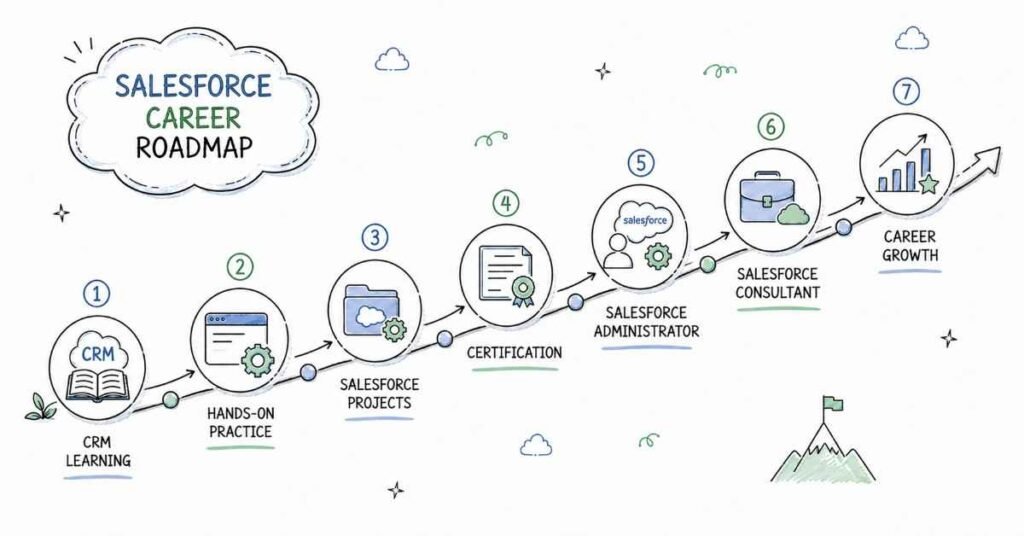
Salesforce Career Paths and Salary Guide
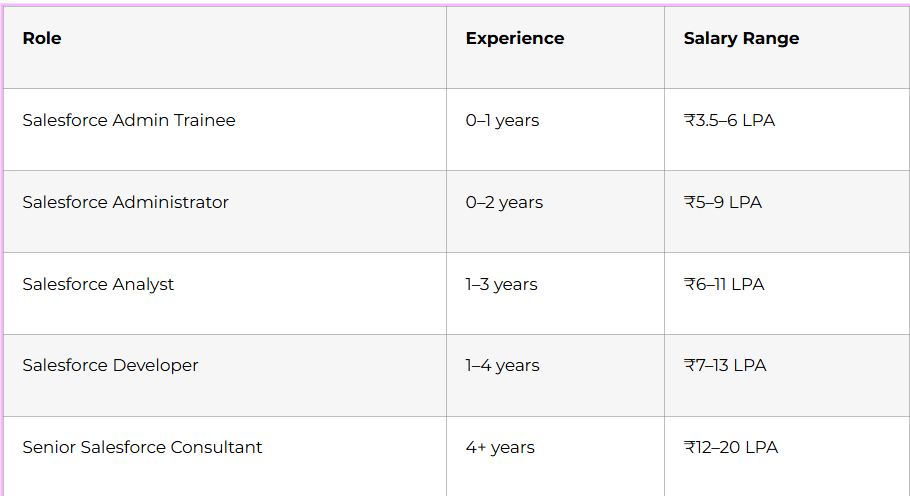
Salesforce salaries vary by company, city, and specialization, but the field remains one of the strongest entry points into enterprise technology. Hyderabad, Bangalore, Pune, Chennai, and Gurgaon are active hiring locations. Candidates who know CRM basics, objects, automation, reports, security, and Lightning usually stand out quickly.
Why Choose Frontlines Edutech
Frontlines Edutech helps students learn practical, job-focused skills in a way that feels clear and achievable. The training is designed for beginners who want real Salesforce understanding, not just theory. Students also benefit from guided learning, interview support, and a roadmap that matches current industry needs.
- Hands-on learning with real projects.
- Beginner-friendly explanations for complex topics.
- Job-focused curriculum with practical outcomes.
- Support for resumes, interviews, and career preparation.
- Training aligned with Indian hiring expectations.
Frequently Asked Questions
🎯 Preparing for your first Salesforce job? Start with real 200+ interview questions
Q1. Do I need coding experience to learn Salesforce?
A. No, you do not need advanced coding experience to start. Basic computer knowledge is enough for the first month, and platform configuration is introduced gradually.
Q2. What is the salary for a Salesforce fresher in India?
A. Salesforce fresher in India can typically expect around ₹3.5 to ₹6 LPA, depending on the role, company, and skill level. Candidates with projects and admin skills can earn more.
Q3. s Salesforce a good career for beginners?
A. Yes, Salesforce is a strong career option for beginners because companies are heavily using CRM platforms. It offers good demand, structured roles, and clear growth paths.
Q4. What will I learn in this 90-day roadmap?
A. You will learn CRM basics, objects, fields, reports, dashboards, automation, validation rules, Lightning, Apex basics, and interview preparation. You will also work on practical projects and portfolio building.
Q5. Can I get a job after learning Salesforce in 90 days?
A. Yes, you can become job-ready in 90 days if you practice regularly and build projects. A strong portfolio and interview preparation are important for getting shortlisted.
Q6. Does Salesforce use coding?
Salesforce is low-code for many admin tasks, but Apex coding is used for advanced logic and customization. That is why this roadmap focuses on admin skills first and developer basics later.
Q7. What kind of jobs can I apply for after this course?
You can apply for Salesforce admin trainee, Salesforce administrator, Salesforce analyst, and junior Salesforce developer roles. With more experience, you can grow into consultant and senior specialist positions.
Q8. Is Salesforce used in real companies?
A. Yes, Salesforce is widely used by companies across sales, support, consulting, healthcare, finance, and e-commerce to manage customer relationships. That is what makes it such a practical career path.
Published by Frontlines Edutech | blog.frontlinesedutech.com
support@frontlinesedutech.com