
The Complete .NET Full Stack Developer Roadmap: Your 90-Day Journey to a High-Paying Tech Career
Starting a career in software development feels overwhelming when you don’t know where to begin. You’ve probably seen job postings asking for “full stack developers” and wondered what skills you actually need to land those roles. The good news is that with a structured learning path and the right guidance, anyone can master .NET full stack development in just 90 days.
This roadmap breaks down everything you need to learn as a .NET Full Stack Developer into bite-sized daily lessons. By following this plan, you’ll build real-world projects, understand both frontend and backend technologies, and become job-ready for positions at companies like Infosys, TCS, Accenture, Wipro, and Cognizant.
Why .NET Full Stack Development in 2025?
The demand for .NET developers has increased by 35% year-over-year in 2025, making them among the top 10 most in-demand roles globally. Companies adopting .NET full-stack strategies report 40% faster go-to-market time and up to 30% lower infrastructure costs. Mid-level .NET developers earn between $100,645 to $126,544, while senior developers command salaries ranging from $121,543 to $152,547.
Major tech hubs like Bangalore, Hyderabad, Pune, Mumbai, Chennai, Gurgaon, and Noida are actively hiring .NET Full Stack Developers for web development, desktop applications, enterprise apps, data analytics, and cloud-based solutions.
What Makes This Roadmap Different?
This isn’t just a list of topics to study. Each day includes specific learning objectives, hands-on practice exercises, and real-world applications that mirror what you’ll actually do on the job. The Frontlines Edutech .NET Full Stack program has been designed by industry experts who understand what companies are looking for when hiring developers.
🚀 Become a Job-Ready .NET Full Stack Developer
Master C#, SQL Server, ASP.NET Core, Web API & Angular with structured training in our
.NET Full Stack Developer Course.
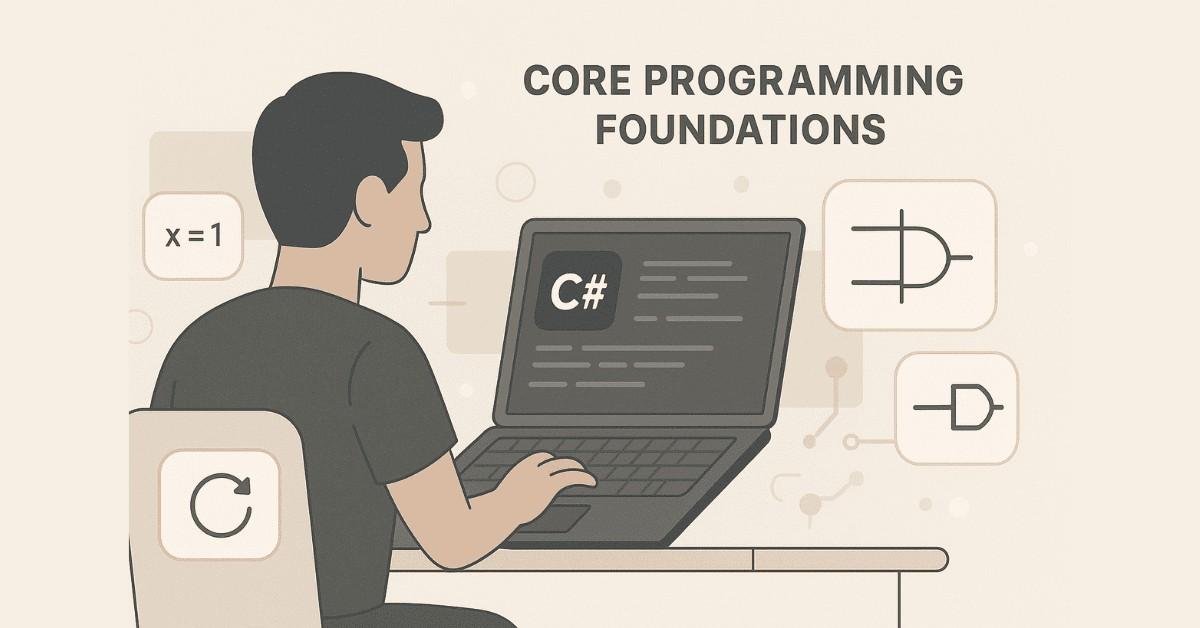
Week 1: Foundation of C# Programming (Days 1-7)
Day 1: Getting Started with .NET Framework
What Yu’ll Learn:
Understanding what the .NET Framework is and how it differs from .NET Core forms your foundation. You’ll explore the Common Language Runtime (CLR) and Framework Class Library (FCL) that power all .NET applications.
Daily Goals:
Install Visual Studio and set up your development environment. Create your first “Hello World” console application to understand the basic structure of a C# program.
Why This Matters:
Every professional .NET application runs on these fundamental concepts. Understanding the architecture helps you troubleshoot issues and write more efficient code.
Real-World Application:
Companies use .NET Framework for building Windows desktop applications, while .NET Core powers modern cross-platform web applications and microservices.
Day 2: C# Data Types and Operatorso
What You’ll Learn:
Master the different data types in C# including integers, strings, booleans, and floating-point numbers. Learn how operators work for mathematical calculations, comparisons, and logical operations.
Daily Goals:
Write programs that perform basic calculations, convert between data types, and use comparison operators to make decisions.
Hands-On Exercise:
Create a simple calculator program that takes two numbers as input and performs addition, subtraction, multiplication, and division operations.
Why This Matters:
Every application you build will manipulate data. Understanding data types prevents bugs and helps you choose the right type for each situation.
Day 3: Variables, Classes, and Objects
What You’ll Learn:
Understand the difference between static and instance variables, and how to create classes and objects. Classes are blueprints for creating objects, which represent real-world entities in your code.
Daily Goals:
Create a Student class with properties like name, age, and roll number. Instantiate multiple student objects and display their information.
Real-World Application:
In enterprise applications, you’ll model business entities like customers, products, orders, and employees as classes.
Key Concept:
Object-oriented programming (OOP) allows you to organize code into reusable components, making large applications easier to maintain.
Day 4: Constructors, Destructors, and Methods
What You’ll Learn:
Constructors initialize objects when they’re created, while methods define actions objects can perform. You’ll learn about method parameters including ref, out, default, and nullable parameters.
Daily Goals:
Create a BankAccount class with constructors to set initial balance, methods to deposit and withdraw money, and display account information.
Hands-On Exercise:
Build a program that creates multiple bank accounts, performs transactions, and tracks the balance for each account.
Why This Matters:
Professional applications have complex initialization logic and business operations that you implement through constructors and methods.
Day 5: Control Flow and Looping
What You’ll Learn:
Decision-making in programs using if-else statements, switch cases, and loops (for, while, do-while). Control statements like break, continue, and return help you control program flow.
Daily Goals:
Write programs that make decisions based on user input and repeat tasks using different loop types.
Hands-On Exercise:
Create a student grade calculator that takes marks as input, calculates percentage, assigns grades (A, B, C, D, F), and displays results using conditional logic.
Real-World Application:
Every business application has conditional logic for workflows like loan approvals, order processing, and access control.
Day 6: Arrays and Collections Basics
What You’ll Learn:
Arrays store multiple values of the same type, while multidimensional arrays and jagged arrays handle complex data structures. Learn how to iterate through arrays and perform common operations.
Daily Goals:
Create programs that store student marks in arrays, calculate class averages, find highest and lowest scores, and sort data.
Hands-On Exercise:
Build an attendance tracking system using arrays to store attendance records for multiple students across different days.
Why This Matters:
Real applications handle collections of data like customer lists, product inventories, and transaction records.
Day 7: Strings and String Manipulation
What You’ll Learn:
Strings are immutable in C#, meaning once created they cannot be changed. Master string methods for concatenation, substring extraction, searching, replacing, and formatting.
Daily Goals:
Practice string operations like splitting names, validating email formats, and formatting phone numbers.
Hands-On Exercise:
Create a text processing application that counts words, converts text to uppercase/lowercase, and removes extra spaces.
Real-World Application:
Data validation, text processing, report generation, and user input handling all rely heavily on string manipulation.
Weekend Project:
Build a simple student management system that combines all Week 1 concepts: classes, arrays, methods, and string operations to store and display student information.
Week 2: Object-Oriented Programming Deep Dive (Days 8-14)
Day 8: Encapsulation and Properties
What You’ll Learn:
Encapsulation protects data by making fields private and providing public properties to access them. This principle prevents unauthorized access and maintains data integrity.
Daily Goals:
Convert simple classes to use private fields with public properties. Implement validation logic in property setters.
Hands-On Exercise:
Create an Employee class with private salary field and public property that validates salary cannot be negative.
Why This Matters:
Enterprise applications protect sensitive data like salaries, passwords, and financial information using encapsulation.
Day 9: Polymorphism and Method Overloading
What You’ll Learn:
Polymorphism allows methods to have different implementations based on parameters. Method overloading lets you create multiple methods with the same name but different parameter lists.
Daily Goals:
Create a Calculator class with multiple Add methods that handle different data types (integers, decimals, strings).
Real-World Application:
Payment processing systems use polymorphism to handle credit cards, debit cards, and digital wallets differently while maintaining a consistent interface.
Key Concept:
Polymorphism makes code more flexible and easier to extend without modifying existing functionality.
Day 10: Inheritance and Method Overriding
What You’ll Learn:
Inheritance allows child classes to inherit properties and methods from parent classes. Method overriding enables child classes to provide specific implementations of parent methods.
Daily Goals:
Create a base Employee class and derive Manager and Developer classes that override the CalculateSalary method differently.
Hands-On Exercise:
Build a shape hierarchy with a base Shape class and derived Circle, Rectangle, and Triangle classes, each calculating area differently.
Why This Matters:
Large applications use inheritance to avoid code duplication and create logical hierarchies that mirror real-world relationships.
Day 11: Abstract Classes and Interfaces
What You’ll Learn:
Abstract classes provide partial implementation and cannot be instantiated directly. Interfaces define contracts that classes must implement, enabling multiple inheritance in C#.
Daily Goals:
Create an abstract Vehicle class with derived Car and Bike classes. Implement an IPayable interface for different payment methods.
Real-World Application:
Payment gateways, notification systems, and plugin architectures all rely heavily on interfaces for flexibility.
Key Concept:
Abstraction hides complexity and shows only essential features, making systems easier to understand and maintain.
Day 12: Boxing, Unboxing, and Delegates
What You’ll Learn:
Boxing converts value types to object types, while unboxing does the reverse. Delegates are type-safe function pointers that enable callback mechanisms.
Daily Goals:
Understand performance implications of boxing/unboxing. Create delegates to implement event handling patterns.
Hands-On Exercise:
Build a notification system using delegates where multiple subscribers can be notified when events occur.
Why This Matters:
Event-driven architectures in UI applications and asynchronous programming rely on delegates.
Day 13: Exception Handling
What You’ll Learn:
Exceptions handle runtime errors gracefully using try-catch-finally blocks. Learn about different exception types and how to create custom exceptions.
Daily Goals:
Write robust code that handles division by zero, null references, and file not found errors without crashing.
Hands-On Exercise:
Create a file reading application with proper exception handling for missing files, access denied, and invalid format scenarios.
Real-World Application:
Production applications must handle errors gracefully, log them appropriately, and provide meaningful messages to users.
Day 14: Collections Framework Deep Dive
What You’ll Learn:
Generic collections like List, Dictionary, Queue, Stack, and HashSet provide type-safe data storage. Understand when to use each collection type based on performance requirements.
Daily Goals:
Practice with different collection types to understand their strengths and use cases.
Hands-On Exercise:
Build an inventory management system using Dictionary for products, Queue for orders, and Stack for undo functionality.
Why This Matters:
Choosing the right collection impacts application performance significantly in data-intensive applications.
Weekend Project:
Create a comprehensive Library Management System that uses inheritance (Book, Magazine, Journal), interfaces (IBorrowable), collections, and exception handling.
Week 3: Advanced C# and Multithreading (Days 15-21)
Day 15: Generics and Generic Constraints
What You’ll Learn:
Generics allow you to write reusable code that works with any data type. Generic constraints restrict which types can be used with your generic classes.
Daily Goals:
Create generic repository classes that can work with any entity type in your application.
Hands-On Exercise:
Build a generic DataStore class that can store, retrieve, update, and delete objects of any type.
Real-World Application:
Modern applications use generic repositories for database operations, avoiding code duplication for each entity type.
Day 16: LINQ Fundamentals
What You’ll Learn:
Language Integrated Query (LINQ) provides a consistent way to query data from different sources. Master both query syntax and method syntax approaches.
Daily Goals:
Write LINQ queries to filter, sort, group, and transform collections of data.
Hands-On Exercise:
Use LINQ to analyze student data: find top performers, calculate class averages, group by grades, and generate reports.
Why This Matters:
LINQ is the preferred way to manipulate data in modern .NET applications, working seamlessly with databases, XML, and JSON.
Day 17: Advanced LINQ Operations
What You’ll Learn:
Master complex LINQ operations including joins, group joins, aggregations, and set operations. Learn operators like Select, Where, OrderBy, GroupBy, and their method syntax equivalents.
Daily Goals:
Combine multiple LINQ operations to solve complex data manipulation problems.
Hands-On Exercise:
Query an order management system to find customers who ordered more than a certain amount, group by region, and calculate totals.
Real-World Application:
Business intelligence reports, dashboard data preparation, and complex data transformations all use advanced LINQ.
Day 18: Multithreading Basics
What You’ll Learn:
Multithreading allows programs to perform multiple operations simultaneously. Understand thread lifecycle, priorities, and basic synchronization concepts.
Daily Goals:
Create multiple threads, set priorities, and understand race conditions.
Hands-On Exercise:
Build a file downloader that downloads multiple files simultaneously using separate threads.
Why This Matters:
Modern applications require responsiveness, and multithreading prevents UI freezing during long operations.
Day 19: Thread Synchronization
What You’ll Learn:
Synchronization prevents data corruption when multiple threads access shared resources. Learn about locks, monitors, and the wait-notify mechanism.
Daily Goals:
Implement thread-safe code using proper synchronization techniques.
Hands-On Exercise:
Create a thread-safe bank account where multiple threads perform deposits and withdrawals simultaneously without corrupting the balance.
Real-World Application:
Web servers handle thousands of concurrent requests, requiring proper synchronization to maintain data integrity.
Day 20: File I/O and Serialization
What You’ll Learn:
File streams allow reading and writing data to files. Serialization converts objects to byte streams for storage or transmission.
Daily Goals:
Work with different file types, read/write text and binary data, and serialize/deserialize objects.
Hands-On Exercise:
Build an application that saves user preferences to a file and loads them when the program starts.
Why This Matters:
Applications need to persist data between sessions, export reports, and exchange data with other systems.
Day 21: Week 3 Capstone Project
Project: Learning Management System Module
Build a comprehensive module that includes:
- Student registration with data validation
- Course enrollment using collections
- Grade calculation using LINQ
- Data persistence using file I/O
- Multi-threaded report generation
- Exception handling throughout
Why This Matters:
This project combines all concepts from Weeks 1-3 and mirrors real-world application development.
Career Impact:
Having a functional project demonstrates practical skills to potential employers beyond theoretical knowledge.
Next Steps
You’ve completed the foundation phase of C# programming, covering everything from basic syntax to advanced concepts like LINQ and multithreading. In the next part of this roadmap, we’ll dive into database programming with SQL Server and ADO.NET, where you’ll learn how to build data-driven applications.
The skills you’ve built so far are essential for any .NET developer position, and you’re now ready to tackle database integration. Continue practicing daily, and remember that consistency matters more than speed when learning programming.
Ready to Continue Your Journey?
Frontlines Edutech’s .NET Full Stack program provides hands-on training, daily assignments, resume building, LinkedIn profile optimization, and interview guidance to ensure you’re completely job-ready. The program includes live projects, Q&A sessions, on-demand video content, and placement updates to support your transition into a high-paying tech career.
Practice .NET Coding the Right Way
Explore practical examples for C#, OOP, Collections, LINQ & Delegates with our
.NET How-to Guides.
Week 4: SQL Server and Database Programming (Days 22-28)
Day 22: Introduction to DBMS and SQL Server
What You’ll Learn:
Database Management Systems organize and store data efficiently. SQL Server is Microsoft’s enterprise-grade database platform used by companies worldwide for managing critical business data. Understanding the difference between DBMS and RDBMS helps you appreciate why relational databases are the industry standard.
Daily Goals:
Install SQL Server and SQL Server Management Studio (SSMS). Connect to your local database instance and explore the interface.
Hands-On Exercise:
Create your first database called “StudentDB” and explore database objects like tables, views, and stored procedures.
Why This Matters:
Every business application needs a database to store customer information, transactions, inventory, and other critical data. SQL Server powers applications at Fortune 500 companies and startups alike.
Real-World Application:
Banking systems use SQL Server to manage millions of transactions daily, e-commerce platforms store product catalogs and order histories, and healthcare systems maintain patient records securely.
Day 23: SQL Fundamentals and Data Types
What You’ll Learn:
SQL (Structured Query Language) is the standard language for interacting with databases. Master different data types including integers, varchar, datetime, and decimal to store data correctly.
Daily Goals:
Learn DDL (Data Definition Language) commands like CREATE, ALTER, DROP, and TRUNCATE for managing database structure.
Hands-On Exercise:
Create a Students table with columns for ID, Name, Email, Phone, DateOfBirth, and Address using appropriate data types.
Why This Matters:
Choosing the wrong data type can lead to storage inefficiency, data loss, or application errors. Professional developers understand the implications of each data type choice.
Key Concept:
Tables are the foundation of relational databases, organizing data into rows and columns with defined relationships.
Day 24: DML Operations and Constraints
What You’ll Learn:
DML (Data Manipulation Language) includes SELECT, INSERT, UPDATE, and DELETE for working with data. Constraints like PRIMARY KEY, FOREIGN KEY, UNIQUE, NOT NULL, and CHECK ensure data integrity.
Daily Goals:
Insert student records, update existing information, query specific data, and delete records while understanding how constraints protect data quality.
Hands-On Exercise:
Build a complete student enrollment system with tables for Students, Courses, and Enrollments, implementing proper primary and foreign key relationships.
Real-World Application:
E-commerce systems prevent duplicate email registrations using UNIQUE constraints, banking systems ensure account balances never become negative using CHECK constraints.
Why This Matters:
Constraints prevent bad data from entering your database, which is far easier than cleaning corrupted data later.
Day 25: Advanced SQL Queries
What You’ll Learn:
Master clauses like WHERE, GROUP BY, HAVING, and ORDER BY to filter, group, and sort data. Learn the TOP and DISTINCT keywords for precise data retrieval.
Daily Goals:
Write complex queries that answer business questions like “Which students scored above 80% in Mathematics?” or “What’s the average grade by department?”.
Hands-On Exercise:
Create a comprehensive grade analysis system that calculates class averages, identifies top performers, and groups results by subject and semester.
Why This Matters:
Business intelligence and reporting rely heavily on aggregation and grouping to transform raw data into actionable insights.
Real-World Application:
Sales teams query databases to find top-performing products, marketing analyzes customer demographics, HR generates salary reports by department.
Day 26: Joins and Subqueries
What You’ll Learn:
Joins combine data from multiple tables using INNER JOIN, LEFT JOIN, RIGHT JOIN, and CROSS JOIN. Subqueries allow queries within queries for complex data retrieval.
Daily Goals:
Master the art of joining tables to retrieve related information and understand when to use correlated subqueries.
Hands-On Exercise:
Build queries that display student names with their enrolled courses, find courses with no enrollments, and list students who haven’t enrolled in any courses.
Why This Matters:
Real-world databases have hundreds of related tables, and professional developers spend significant time writing join queries.
Key Concept:
Normalization breaks data into multiple tables to eliminate redundancy, and joins reassemble that data when needed.
Day 27: Views, Functions, and Stored Procedures
What You’ll Learn:
Views create virtual tables that simplify complex queries. Functions (scalar, inline, multi-valued) perform calculations and return values. Stored procedures encapsulate business logic in the database.
Daily Goals:
Create reusable database objects that improve performance and maintainability.
Hands-On Exercise:
Build a view for student transcripts, create a function to calculate GPA, and write a stored procedure for course registration that validates prerequisites.
Real-World Application:
Banking systems use stored procedures for fund transfers to ensure transaction consistency, reporting systems use views to present data without complex joins.
Why This Matters:
Stored procedures provide security by preventing SQL injection and improve performance through query plan caching.
Day 28: Triggers, Indexes, and Database Optimization
What You’ll Learn:
Triggers automatically execute in response to INSERT, UPDATE, or DELETE events. Indexes dramatically improve query performance by creating fast lookup structures.
Daily Goals:
Implement audit triggers to track data changes, create clustered and non-clustered indexes, and understand when indexes help versus hurt performance.
Hands-On Exercise:
Create an audit log system using triggers that tracks who modified student records and when, then optimize slow queries using appropriate indexes.
Why This Matters:
Production databases with millions of records require proper indexing to maintain acceptable response times. Triggers ensure data consistency across related tables automatically.
Weekend Project:
Build a complete Library Management System database with tables for Books, Members, Loans, and Fines. Implement views for overdue books, functions for fine calculation, stored procedures for borrowing/returning books, and triggers for inventory management.
Month 2: Database Programming & Web Development
Week 5: ADO.NET and Windows Applications (Days 29-35)
Day 29: Introduction to ADO.NET
What You’ll Learn:
ADO.NET is the data access technology in .NET Framework that connects applications to databases. Understand the architecture including Connection, Command, DataAdapter, and DataReader objects.
Daily Goals:
Establish database connections from C# code, execute simple SQL commands, and retrieve data.
Hands-On Exercise:
Create a console application that connects to your StudentDB database and displays all student names.
Why This Matters:
Every database-driven application needs ADO.NET or its modern equivalent (Entity Framework) to interact with SQL Server.
Key Concept:
Connection pooling in ADO.NET improves performance by reusing database connections instead of creating new ones for each operation.
Day 30: Data Providers and CRUD Operations
What You’ll Learn:
Different data providers (OLEDB, SQL) enable connections to various database systems. Implement Create, Read, Update, Delete operations using ADO.NET.
Daily Goals:
Build complete CRUD functionality for a student management system using parameterized queries to prevent SQL injection.
Hands-On Exercise:
Create methods for AddStudent, GetStudent, UpdateStudent, DeleteStudent, and GetAllStudents using proper connection management.
Real-World Application:
Admin panels for web applications, mobile app backends, and desktop applications all implement CRUD operations as their core functionality.
Why This Matters:
Parameterized queries prevent SQL injection attacks that could compromise your entire database.
Day 31: DataSet, DataTable, and Disconnected Architecture
What You’ll Learn:
DataSets provide an in-memory representation of data that works offline. DataTables store tabular data and can be manipulated without database connections.
Daily Goals:
Work with disconnected data, perform batch updates, and understand when disconnected architecture provides advantages.
Hands-On Exercise:
Build a data entry application that loads student records into a DataSet, allows offline editing, and saves changes in batch when reconnected.
Why This Matters:
Mobile applications often work offline and need to synchronize data when connectivity returns. DataSets enable this offline-first architecture.
Day 32: Executing Stored Procedures from C#
What You’ll Learn:
Calling stored procedures from ADO.NET provides better security and performance than inline SQL. Handle input parameters, output parameters, and return values.
Daily Goals:
Execute all types of stored procedures and process their results in C# code.
Hands-On Exercise:
Create stored procedures for complex business logic like course enrollment with prerequisite validation, then call them from your C# application.
Real-World Application:
Enterprise applications place all business logic in stored procedures for centralized maintenance and security.
Why This Matters:
Database administrators can modify business logic in stored procedures without requiring code changes and redeployment.
Day 33-34: Learning Management System Project
Project Components:
Build a comprehensive desktop application covering:
Student Module: Registration, profile management, enrollment tracking
Content Posting Module: Upload study materials, assignments, announcements
Question Bank Module: Create, categorize, and manage assessment questions
Examination Module: Schedule exams, assign questions, time limits, auto-grading
Reports Module: Generate student performance reports, attendance, grade analysis
Faculty Module: Manage instructor profiles, course assignments, content approval
Technical Implementation:
Use Windows Forms for the user interface, ADO.NET for all database operations, proper exception handling, and transaction management for data consistency.
Why This Matters:
This project demonstrates full-stack desktop development skills that employers look for in .NET developer positions.
Day 35: Review and Troubleshooting
Focus Areas:
Debug common ADO.NET issues like connection leaks, timeout errors, and concurrency problems. Optimize database access patterns and implement proper resource disposal.
Daily Goals:
Refactor your LMS project to follow best practices including using statement for automatic resource cleanup, async database operations, and proper error logging.
Career Preparation:
Document your project thoroughly, create a README file, and prepare to explain your design decisions during interviews.
Week 6: Frontend Technologies (Days 36-42)
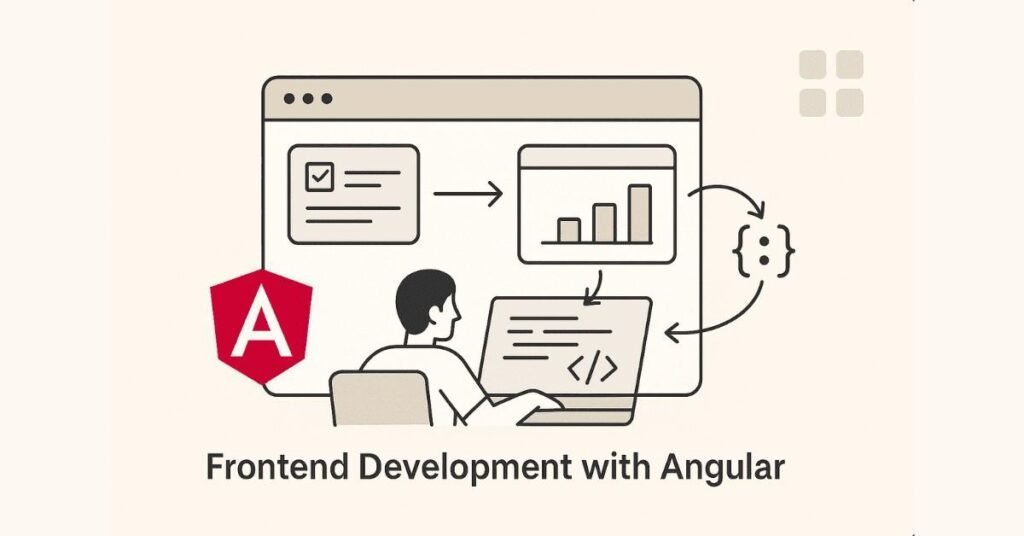
Day 36: HTML5 Fundamentals
What You’ll Learn:
HTML structures web content using elements like headings, paragraphs, lists, tables, and forms. Semantic HTML improves accessibility and SEO.
Daily Goals:
Create properly structured HTML pages with semantic elements, understand the document structure with DOCTYPE, head, and body tags.
Hands-On Exercise:
Build a student profile page with personal information, course enrollment tables, and a contact form using semantic HTML5 elements.
Why This Matters:
Every web application developer needs solid HTML knowledge regardless of backend expertise. Recruiters test HTML skills in technical assessments.
Day 37: CSS3 Styling and Layouts
What You’ll Learn:
CSS styles HTML elements controlling colors, fonts, spacing, and layout. Master the box model, positioning, display properties, and responsive design with media queries.
Daily Goals:
Style your HTML pages using inline, internal, and external CSS. Create responsive layouts that work on mobile, tablet, and desktop screens.
Hands-On Exercise:
Transform your student profile page with professional styling, create a navigation menu, implement a responsive grid layout for course cards.
Real-World Application:
Companies expect .NET developers to handle basic frontend work without dedicated frontend developers on smaller teams.
Why This Matters:
Modern applications must work seamlessly across devices, and responsive design is a fundamental requirement.
Day 38: Bootstrap Framework
What You’ll Learn:
Bootstrap provides pre-built CSS components and responsive grid systems. Rapidly prototype professional interfaces using Bootstrap’s extensive component library.
Daily Goals:
Integrate Bootstrap into your projects, use the grid system for layouts, and implement components like navbars, cards, buttons, and forms.
Hands-On Exercise:
Redesign your student profile using Bootstrap components, create a dashboard layout with cards displaying course information, grades, and announcements.
Why This Matters:
Bootstrap is the most popular CSS framework, and many companies use it for rapid UI development. Prototypes built with Bootstrap impress during project presentations.
Day 39-40: JavaScript Fundamentals
What You’ll Learn:
JavaScript adds interactivity to web pages with client-side logic. Master variables, data types, operators, control structures, functions, and the DOM (Document Object Model).
Daily Goals:
Write JavaScript code for form validation, dynamic content updates, event handling, and user interactions.
Hands-On Exercise:
Implement real-time form validation for student registration, create a dynamic course enrollment interface where students can add/remove courses without page reloads.
Advanced Concepts:
Arrow functions, promises, async/await for asynchronous operations, closures, and event looping mechanism.
Why This Matters:
Modern web applications rely heavily on JavaScript for user experience, and full-stack developers must understand both frontend and backend programming.
Day 41: jQuery and AJAX
What You’ll Learn:
jQuery simplifies DOM manipulation, event handling, and AJAX requests. AJAX enables loading data from servers without full page refreshes.
Daily Goals:
Use jQuery selectors, effects, and animations. Implement AJAX calls to fetch and submit data asynchronously.
Hands-On Exercise:
Create a searchable student directory that filters results as users type, implement autocomplete for course names, and build a notification system that checks for new messages without refreshing.
Real-World Application:
Single-page applications (SPAs) use AJAX extensively to provide smooth, app-like user experiences in the browser.
Why This Matters:
While newer frameworks exist, many legacy enterprise applications still use jQuery, and understanding AJAX concepts applies to all frameworks.
Day 42: Week 6 Integration Project
Project: Student Portal Frontend
Build a complete frontend interface integrating all Week 6 technologies:
- HTML5 structure with semantic elements
- CSS3 custom styling with responsive layouts
- Bootstrap components for professional UI
- JavaScript for interactive features
- jQuery for DOM manipulation
- AJAX for dynamic data loading without page reloads
Features to Implement:
Dashboard with course cards, dynamic grade calculator, searchable course catalog, profile editor with real-time validation, notification system, and responsive navigation menu.
Career Impact:
A polished frontend portfolio project demonstrates visual design skills that differentiate you from backend-only developers.
Prepare for .NET Technical Interviews
Access 200+ real interview questions on SQL, C#, OOP, Web API & Angular in our
.NET Interview Preparation Guide.
Week 7: ASP.NET Web Forms and MVC (Days 43-45)

Day 43: ASP.NET Web Forms Fundamentals
What You’ll Learn:
ASP.NET Web Forms provides event-driven programming model similar to desktop applications. Understand the page lifecycle, view state, and server-side controls.
Daily Goals:
Create web forms with server controls, handle button click events, and manage state across page postbacks.
Hands-On Exercise:
Build a student registration form with validation controls, master pages for consistent site layout, and user controls for reusable components.
Why This Matters:
Many enterprise applications still run on Web Forms, and migration projects require developers who understand both legacy and modern approaches.
Real-World Application:
Government portals, internal business applications, and legacy enterprise systems extensively use Web Forms architecture.
Day 44: State Management in ASP.NET
What You’ll Learn:
Web applications are stateless by default, requiring explicit state management. Master View State, Session State, Application State, Cookies, and Query Strings.
Daily Goals:
Implement shopping cart functionality maintaining user selections across pages, track login sessions, and share data between users.
Hands-On Exercise:
Create a multi-step course registration wizard that maintains selections across multiple pages, implements session timeout handling, and uses cookies for “remember me” functionality.
Why This Matters:
Understanding state management is critical for building functional web applications that track user interactions.
Security Considerations:
Properly securing view state and session data prevents tampering and unauthorized access to sensitive information.
Day 45: Introduction to ASP.NET MVC
What You’ll Learn:
MVC (Model-View-Controller) separates applications into three interconnected components. Models represent data, Views display UI, Controllers handle user requests and application logic.
Daily Goals:
Create your first MVC project, understand routing, define controllers and actions, and render views with data.
Hands-On Exercise:
Build a basic student management system with MVC architecture showing list of students (Index), student details (Details), and new student form (Create).
Why This Matters:
MVC is the preferred architecture for modern .NET web applications, offering better testability, separation of concerns, and maintainability than Web Forms.
Real-World Application:
New .NET projects almost universally use MVC or its successor (Razor Pages), making this knowledge essential for career growth.
Week 7-8: Advanced MVC & Entity Framework (Days 46-56)
Day 46: Deep Dive into MVC Architecture
What You’ll Learn:
The MVC pattern separates concerns for better code organization and testability. Controllers handle user requests and coordinate between models and views, models contain business logic and data, views present information to users.
Daily Goals:
Master strongly-typed views, understand action methods and action results, implement model binding for automatic parameter mapping.
Hands-On Exercise:
Build a complete student management module with list view (Index), detail view (Details), create form (Create), edit form (Edit), and delete confirmation (Delete) actions.
Why This Matters:
MVC architecture is the industry standard for modern web applications, providing separation of concerns that makes code maintainable and testable.
Real-World Application:
Companies like Microsoft, Stack Overflow, and thousands of enterprises build their web platforms using ASP.NET MVC for its scalability and maintainability.
Day 47: Razor View Engine and HTML Helpers
What You’ll Learn:
Razor syntax combines C# code with HTML markup using the @ symbol. HTML helpers generate form elements, links, and other HTML with proper model binding.
Daily Goals:
Create dynamic views using Razor syntax, implement form helpers for input elements, and use validation helpers for client-side validation.
Hands-On Exercise:
Build registration and login forms using HTML helpers, implement data annotations for validation, display validation messages using validation helpers.
Key Concept:
Razor views are compiled for performance, combining the flexibility of HTML with the power of C# for dynamic content generation.
Why This Matters:
Razor is the default view engine in ASP.NET MVC and understanding it thoroughly is essential for frontend development in .NET applications.
Day 48: Layouts, Partial Views, and View Components
What You’ll Learn:
Layouts define common structure for multiple pages, partial views create reusable view fragments, sections allow content injection into layouts.
Daily Goals:
Create a master layout with header, footer, and navigation. Implement partial views for reusable components like student cards or grade displays.
Hands-On Exercise:
Build a complete site structure with _Layout.cshtml as master page, create partial views for student list items, implement sections for page-specific scripts and styles.
Real-World Application:
Enterprise applications maintain consistent branding and navigation across hundreds of pages using layouts and partial views.
Why This Matters:
Code reusability reduces maintenance effort and ensures consistency across large applications.
Day 49: URL Routing and Custom Routes
What You’ll Learn:
Routing maps URLs to controller actions, enabling clean and SEO-friendly URLs. Attribute routing provides fine-grained control over URL patterns.
Daily Goals:
Configure custom routes, understand route constraints, implement area-based routing for organizing large applications.
Hands-On Exercise:
Create custom routes like “students/{id}/courses” for viewing student courses, implement area routing to separate admin and student sections.
Why This Matters:
Clean URLs improve SEO rankings and user experience, making your application more discoverable and professional.
Real-World Application:
E-commerce sites use routing to create product URLs like “/products/electronics/laptops” that are both user-friendly and search engine optimized.
Day 50: Filters and Action Filters
What You’ll Learn:
Filters execute code before or after specific stages in the request processing pipeline. Authorization filters control access, exception filters handle errors, action filters modify request/response.
Daily Goals:
Implement custom authorization filters to restrict pages to authenticated users, create exception filters for global error handling, use action filters for logging.
Hands-On Exercise:
Create an AdminOnly filter that restricts access to administrative pages, implement a logging filter that tracks all actions, build an exception filter for error pages.
Why This Matters:
Filters provide cross-cutting concerns without cluttering controller logic, following the single responsibility principle.
Real-World Application:
Enterprise applications use filters for authentication, logging, caching, compression, and security throughout the application.
Day 51-52: Introduction to Entity Framework ORM
What You’ll Learn:
Entity Framework (EF) is an Object-Relational Mapper that eliminates most data-access code developers typically write. EF Core provides DbContext for database operations and DbSet for entity collections.
Daily Goals:
Install Entity Framework Core, create entity classes representing database tables, configure DbContext, and perform basic CRUD operations.
Hands-On Exercise:
Create Student, Course, and Enrollment entities with relationships. Configure ApplicationDbContext and perform operations like adding students, enrolling in courses, and querying data using LINQ.
Code First Approach:
Define entities as C# classes and let EF generate the database schema automatically.
Database First Approach:
Generate entity classes from an existing database using scaffolding commands.
Why This Matters:
ORM frameworks like Entity Framework dramatically increase productivity by eliminating repetitive database code and providing type-safe queries.
Day 53: EF Core Migrations and Relationships
What You’ll Learn:
Migrations track database schema changes over time, enabling version control for your database. Relationships include one-to-many, many-to-many, and one-to-one.
Daily Goals:
Create initial migration, update database schema, add new properties to entities, establish foreign key relationships.
Hands-On Exercise:
Implement one-to-many relationship between Student and Enrollment, many-to-many relationship between Student and Course through Enrollment junction table.
Commands to Master:
Add-Migration, Update-Database, Remove-Migration, and understanding migration history.
Why This Matters:
Production applications evolve continuously, and migrations enable safe schema changes without data loss.
Day 54: Advanced EF Core Concepts
What You’ll Learn:
Eager loading, lazy loading, and explicit loading control when related data is retrieved. Tracking vs. no-tracking queries affect performance.
Daily Goals:
Optimize queries using Include for eager loading, understand change tracking, implement repository pattern for data access layer.
Hands-On Exercise:
Create generic repository with methods for Get, GetAll, Add, Update, Delete. Implement Unit of Work pattern for transaction management.
Why This Matters:
Performance optimization through proper loading strategies prevents N+1 query problems and reduces database round trips.
Real-World Application:
Large-scale applications require repository and unit of work patterns for maintainable and testable data access layers.
Day 55-56: Campus Management System Project
Comprehensive Project:
Build an enterprise-level campus management system incorporating all concepts from MVC and Entity Framework:
Student Module: Complete CRUD with profile management, course selection, grade viewing
Staff Module: Faculty management, course assignment, attendance tracking
Admin Module: User management, system configuration, report generation
Department Module: Department CRUD, faculty assignment, course management
Time Table Module: Schedule creation, conflict detection, room allocation
Examination Module: Exam scheduling, grade entry, result processing
Technical Implementation:
Use MVC architecture with proper separation of concerns, Entity Framework Core for data access with repository pattern, model validation using data annotations, authentication and authorization filters, responsive UI with Bootstrap.
Why This Matters:
This project demonstrates full-stack .NET development skills that directly translate to enterprise development positions.
Week 9-10: Modern Frontend with TypeScript & Angular (Days 57-70)
Day 57: Introduction to TypeScript
What You’ll Learn:
TypeScript is a strongly-typed superset of JavaScript that compiles to plain JavaScript. Static typing catches errors during development rather than runtime.
Daily Goals:
Understand TypeScript fundamentals including type annotations, interfaces, classes, and generics.
Hands-On Exercise:
Convert JavaScript student management code to TypeScript, define interfaces for Student and Course, use generics for repository classes.
Why This Matters:
TypeScript is the foundation of Angular and provides better tooling, refactoring support, and code quality for large applications.
Real-World Application:
Microsoft, Google, and most Fortune 500 companies have adopted TypeScript for frontend development due to its scalability advantages.
Day 58-59: Angular Fundamentals
What You’ll Learn:
Angular is a comprehensive framework for building single-page applications (SPAs). Understand components, templates, data binding, and the Angular CLI.
Daily Goals:
Install Angular CLI, create your first Angular project, understand project structure, create components, and implement data binding.
Hands-On Exercise:
Build a student dashboard component with interpolation, property binding, event binding, and two-way binding using ngModel.
Component Architecture:
Every Angular application is a tree of components, each with its own template, styles, and logic.
Why This Matters:
Angular is one of the top three JavaScript frameworks (along with React and Vue) and is extensively used for enterprise applications.
Day 60-61: Angular Modules and Routing
What You’ll Learn:
Modules organize application into cohesive blocks of functionality. Routing enables navigation between views without page reloads.
Daily Goals:
Configure RouterModule, create routes for different views, implement navigation links, lazy load modules for performance.
Hands-On Exercise:
Build a multi-page student portal with routes for dashboard, courses, grades, and profile. Implement lazy loading for admin module.
Why This Matters:
SPAs provide app-like experience in the browser, and proper routing is essential for navigation and deep linking.
Real-World Application:
Gmail, Google Drive, and Microsoft Office 365 are SPAs that provide seamless navigation without full page reloads.
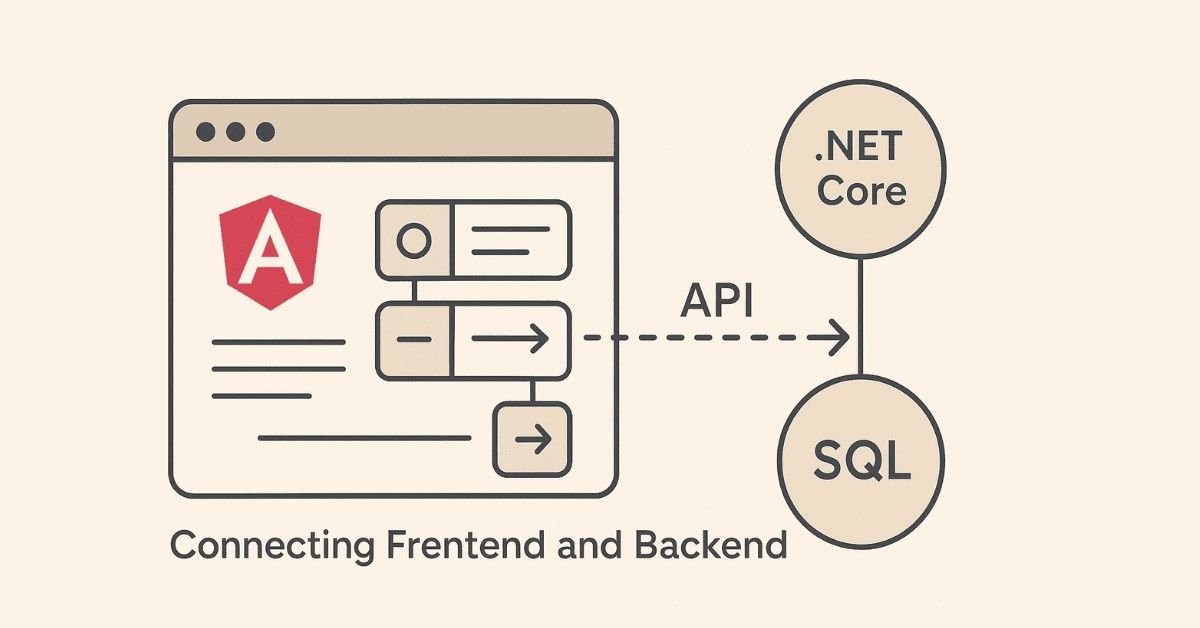
Day 62-63: Angular Services and Dependency Injection
What You’ll Learn:
Services encapsulate business logic and data access, keeping components focused on presentation. Dependency injection provides services to components automatically.
Daily Goals:
Create services for API communication using HttpClient, implement dependency injection, share data between components using services.
Hands-On Exercise:
Build StudentService with methods to get, create, update, and delete students. Inject this service into multiple components.
Why This Matters:
Services promote code reusability and testability by separating business logic from presentation logic.
Day 64-65: HTTP Communication and Observables
What You’ll Learn:
HttpClientModule enables communication with backend APIs. Observables handle asynchronous operations using RxJS library.
Daily Goals:
Make HTTP GET, POST, PUT, and DELETE requests to Web API endpoints. Use RxJS operators like map, filter, and catchError.
Hands-On Exercise:
Connect Angular frontend to ASP.NET Core Web API, display student list fetched from API, implement create/edit forms that submit to API.
Why This Matters:
Modern applications are distributed systems where frontend and backend communicate via APIs.
Real-World Application:
Every web and mobile application communicates with backend servers using HTTP APIs for data exchange.
Day 66-67: Angular Forms and Validation
What You’ll Learn:
Template-driven forms use directives in templates, reactive forms use explicit models in code. Built-in validators ensure data quality before submission.
Daily Goals:
Build complex forms with validation, display error messages, implement custom validators, handle form submission.
Hands-On Exercise:
Create student registration form with validators for required fields, email format, phone pattern, password strength. Display validation errors conditionally.
Why This Matters:
Forms are the primary way users input data, and proper validation prevents bad data from reaching the backend.
Day 68-69: Authentication and Route Guards
What You’ll Learn:
Auth guards protect routes from unauthorized access. Interceptors modify HTTP requests to add authentication tokens.
Daily Goals:
Implement login functionality, store JWT tokens, create auth guard to protect routes, add token to all HTTP requests using interceptor.
Hands-On Exercise:
Build complete authentication system with login, logout, token storage, route protection, and automatic token inclusion in API calls.
Why This Matters:
Security is paramount in web applications, and proper authentication prevents unauthorized access to sensitive data.
Real-World Application:
Banking apps, healthcare portals, and enterprise systems all implement sophisticated authentication and authorization.
Day 70: Personal Loan Lending System Project
Complete Angular + ASP.NET Core Project:
Build a full-stack loan application system:
Customer Module: Registration, profile management, loan application, document upload, application tracking
Credit Manager Module: Application review, credit score evaluation, approval/rejection workflow, communication with customers
Admin Module: User management, system configuration, loan product management, reporting dashboard
DMS Module: Document management with upload, download, preview, verification status
Reports Module: Application statistics, approval rates, loan portfolio analysis, performance metrics
Technical Stack:
Angular frontend with reactive forms and lazy loading, ASP.NET Core Web API backend with JWT authentication, Entity Framework Core for data persistence, role-based authorization, file upload and management.
Why This Matters:
Financial applications demonstrate handling of sensitive data, complex business logic, and regulatory compliance – highly valued skills in the job market.
🎯 Become a Complete .NET Full Stack Developer
Join our
.NET Full Stack Course
to build real full-stack applications with Frontend + Backend + Database + API skills.
Week 11-12: Microservices, Docker & Cloud (Days 71-84)
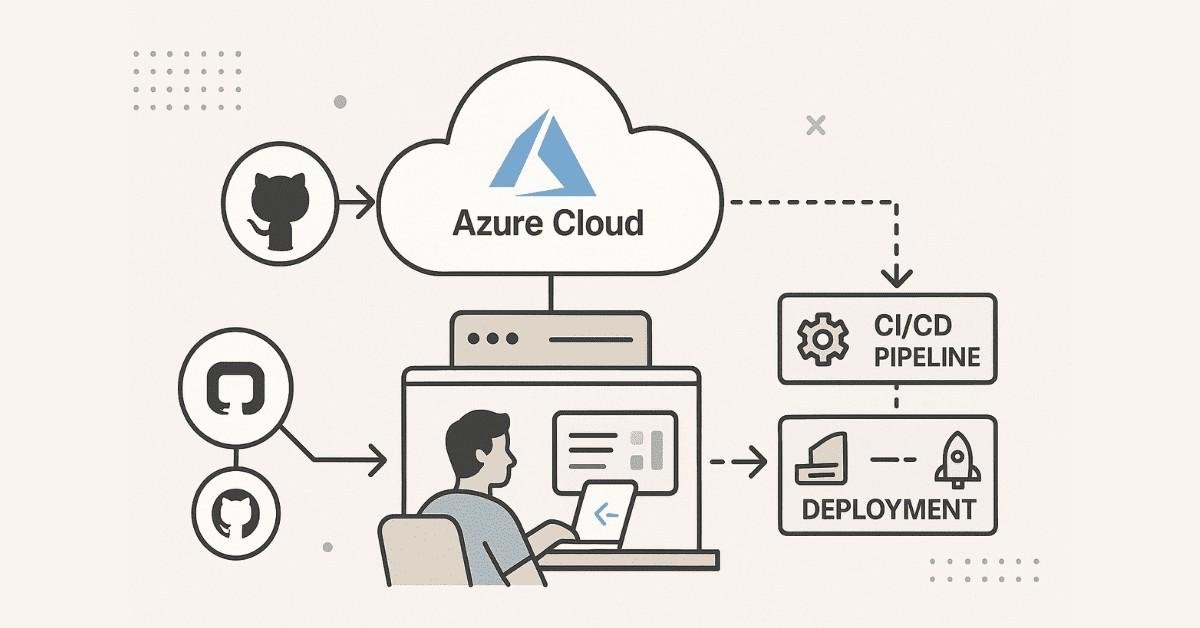
Day 71-72: Introduction to Microservices Architecture
What You’ll Learn:
Microservices decompose applications into small, independent services that communicate via APIs. Each service owns its database and can be deployed independently.
Daily Goals:
Understand monolithic vs. microservices architecture, learn microservices design principles, explore benefits and challenges.
Hands-On Exercise:
Design a microservices architecture for an e-commerce system with separate services for products, orders, payments, and notifications.
Why This Matters:
Major tech companies like Netflix, Amazon, and Uber use microservices for scalability and independent team workflows.
Real-World Application:
Modern cloud-native applications are built as microservices to enable continuous deployment and horizontal scaling.
Day 73-74: Docker Fundamentals
What You’ll Learn:
Docker packages applications with all dependencies into portable containers. Containers ensure consistency across development, testing, and production environments.
Daily Goals:
Install Docker, understand Docker architecture, create Dockerfile for .NET applications, build and run containers.
Hands-On Exercise:
Containerize your ASP.NET Core application, create Docker images, run multiple containers, understand container networking.
Why This Matters:
Containerization is the standard deployment method for modern applications, solving the “works on my machine” problem.
Docker Compose:
Orchestrate multi-container applications with a single configuration file.
Day 75-76: Building Microservices with ASP.NET Core
What You’ll Learn:
Create independent microservices using ASP.NET Core Web API. Implement API Gateway pattern for unified entry point.
Daily Goals:
Build multiple microservices, implement inter-service communication, use message queues for asynchronous communication.
Hands-On Exercise:
Create Product Catalog microservice, Shopping Cart microservice, Order Processing microservice. Implement synchronous communication using HTTP and asynchronous using message queues.
Why This Matters:
Microservices enable teams to work independently, deploy frequently, and scale services individually based on demand.
Day 77-78: Authentication in Microservices
What You’ll Learn:
OAuth2 and OpenID Connect provide industry-standard authentication and authorization. IdentityServer4 enables centralized authentication for microservices.
Daily Goals:
Implement JWT token-based authentication, secure microservices using bearer tokens, understand authorization flows.
Hands-On Exercise:
Set up IdentityServer4, configure client credentials flow, protect microservices with JWT validation, implement role-based authorization.
Why This Matters:
Distributed systems require sophisticated security mechanisms to protect APIs from unauthorized access.
Day 79-80: CQRS and Event Sourcing Patterns
What You’ll Learn:
CQRS (Command Query Responsibility Segregation) separates read and write operations. Event Sourcing stores all changes as a sequence of events.
Daily Goals:
Understand when to apply CQRS pattern, implement command handlers and query handlers, explore event-driven architecture.
Hands-On Exercise:
Build an order management system using CQRS with separate models for commands (CreateOrder, UpdateOrder) and queries (GetOrder, GetAllOrders).
Why This Matters:
High-performance systems like trading platforms and banking systems use CQRS to optimize read and write operations independently.
Day 81-82: Azure Cloud Fundamentals
What You’ll Learn:
Azure provides cloud infrastructure for hosting .NET applications. Azure App Service, Azure SQL Database, and Azure Storage simplify deployment and scaling.
Daily Goals:
Create Azure account, deploy ASP.NET Core application to Azure App Service, configure Azure SQL Database, use Azure Storage for files.
Hands-On Exercise:
Deploy your microservices to Azure Kubernetes Service (AKS), configure Azure DevOps pipelines for CI/CD, implement Azure Key Vault for secrets management.
Why This Matters:
Cloud skills are essential for modern developers, and Azure is the preferred cloud platform for .NET applications.
Real-World Application:
Companies are migrating from on-premises to cloud for cost efficiency, scalability, and disaster recovery capabilities.
Day 83-84: Kubernetes and Container Orchestration
What You’ll Learn:
Kubernetes automates deployment, scaling, and management of containerized applications. Understand pods, services, deployments, and ingress controllers.
Daily Goals:
Deploy microservices to Kubernetes cluster, configure horizontal pod autoscaling, implement health checks, manage configuration with ConfigMaps and Secrets.
Hands-On Exercise:
Deploy your Job Portal System microservices to AKS with load balancing, implement rolling updates, configure monitoring with Azure Monitor.
Why This Matters:
Kubernetes is the industry standard for container orchestration, used by 88% of organizations running containers in production.
Week 13: Real-Time Skills & Project Management (Days 85-88)

Day 85: SDLC, Agile, and Scrum Methodologies
What You’ll Learn:
Software Development Life Cycle (SDLC) includes phases like requirements, design, development, testing, deployment, and maintenance. Agile emphasizes iterative development with customer collaboration.
Daily Goals:
Understand waterfall vs. agile methodologies, learn Scrum framework with sprints, daily standups, sprint planning, and retrospectives.
Hands-On Exercise:
Participate in simulated sprint planning, create user stories with acceptance criteria, estimate tasks using story points, conduct sprint retrospective.
Why This Matters:
Companies expect developers to work in Agile teams with two-week sprints, daily standups, and continuous delivery.
Real-World Application:
Agile practices enable teams to respond quickly to changing requirements and deliver value incrementally.
Day 86: Version Control with Git
What You’ll Learn:
Git tracks code changes enabling collaboration among team members. GitHub, GitLab, and Bitbucket provide cloud-based Git repositories.
Daily Goals:
Master Git commands like clone, checkout, add, commit, push, pull, branch, merge. Understand branching strategies like GitFlow.
Hands-On Exercise:
Create repository, implement feature branches, resolve merge conflicts, create pull requests, perform code reviews.
Why This Matters:
Every software development job requires Git proficiency, and recruiters often review GitHub profiles during hiring.
Real-World Application:
Teams collaborate on projects with hundreds of contributors using Git’s branching and merging capabilities.
Day 87: JIRA and Project Management
What You’ll Learn:
JIRA manages project tasks, bugs, and user stories in Agile environments. Create epics, stories, tasks, and track progress through sprint boards.
Daily Goals:
Create JIRA projects, define epics and user stories, estimate story points, track sprint progress, log work time.
Hands-On Exercise:
Set up project in JIRA, create backlog, plan sprint, move tasks through workflow states (To Do, In Progress, In Review, Done), generate burndown charts.
Why This Matters:
Agile teams use JIRA for sprint planning and tracking, and understanding JIRA workflows demonstrates professional work experience.
Day 88: Job Portal System – Final Capstone Project
Comprehensive Microservices Project:
Build a complete job portal demonstrating all learned technologies:
Job Seeker Module: Registration, profile creation with resume upload, job search with filters, application submission, application tracking
Company Module: Company registration, job posting, application management, candidate shortlisting, interview scheduling
Resume Building Module: Template selection, dynamic resume generation, PDF export, LinkedIn import
Notification Module: Email notifications for applications, SMS alerts for interviews, in-app notifications
Technical Architecture:
Multiple microservices with separate databases, Angular frontend with lazy loading and progressive web app features, ASP.NET Core Web API backend, Docker containerization, Azure deployment, CI/CD pipeline with Azure DevOps, Redis caching, Azure Service Bus for messaging.
Documentation:
Create comprehensive documentation including flow diagrams, database diagrams, use cases, test cases, API documentation, deployment guide, and user manual.
Why This Matters:
This portfolio project showcases enterprise-level development skills across the entire technology stack.
Week 14: Job Readiness & Career Launch (Days 89-90)

Day 89: Resume Building & LinkedIn Optimization
Resume Preparation:
Your resume is your first impression with recruiters and needs to highlight technical skills and project experience effectively. Structure your resume with clear sections for summary, technical skills, professional experience (or projects), education, and certifications.
Technical Skills Section:
List all technologies learned: C#, .NET Core, ASP.NET Core MVC, Web API, Entity Framework Core, SQL Server, HTML5, CSS3, JavaScript, TypeScript, Angular, Docker, Kubernetes, Azure, Microservices, Git, JIRA, Agile/Scrum.
Project Showcase:
Detail your three major projects (Learning Management System, Campus Management System, Job Portal System) with technology stack, your role, features implemented, and quantifiable achievements.
LinkedIn Profile Optimization:
LinkedIn is where recruiters find candidates, with 87% of recruiters using LinkedIn for candidate sourcing. Your LinkedIn profile should mirror your resume but with more personality and engagement.
Profile Components:
Professional headshot showing approachability, compelling headline beyond job title (example: “.NET Full Stack Developer | ASP.NET Core | Angular | Azure | Microservices”), detailed summary showcasing passion for technology and problem-solving, comprehensive experience section with project details, skills endorsements for all technologies, recommendations from instructors or peers .
Content Strategy:
Post regularly about your learning journey, share technical articles with your insights, engage with .NET and web development communities, follow companies you want to work for, congratulate connections on achievements.
Frontlines Edutech Support:
The program provides personalized resume review and LinkedIn profile optimization services, ensuring your professional presence stands out to recruiters.
Action Items:
Create resume highlighting all projects and skills, optimize LinkedIn with professional photo and detailed profile, build GitHub repository showcasing clean, well-documented code, create portfolio website using your skills to demonstrate capabilities.
🛣️ Explore Complete .NET Career Paths
Plan your long-term journey — Junior Developer → Senior Developer → .NET Architect using our
.NET Career Path
Job Platforms & Application Strategy
Where to Find .NET Jobs:
Multiple job platforms cater to technology positions with varying effectiveness:
Naukri.com: India’s largest job portal with extensive .NET developer listings. Set up job alerts for “.NET Full Stack Developer,” “ASP.NET Core Developer,” “Angular Developer” to receive daily opportunities.
LinkedIn Jobs: Apply directly through company pages, leverage your network for referrals, engage with recruiters posting opportunities.
Indeed India: Aggregates jobs from multiple sources, provides salary insights, allows direct applications.
AngelList: Specializes in startup positions offering equity and growth opportunities for developers willing to work in fast-paced environments.
Company Career Pages: Apply directly on websites of Infosys, TCS, Accenture, Wipro, Cognizant, Capgemini, IBM, Microsoft, Amazon, and other top employers.
Freshersworld: Specifically for entry-level positions, useful for candidates with under 2 years of experience.
Application Strategy:
Apply strategically rather than mass-applying to every listing. Customize resume for each application highlighting relevant skills, write personalized cover letters referencing specific company projects or values, follow up politely after one week if no response received.
Networking Approach:
Attend local .NET meetups and technology conferences, join online communities like C# Corner, Stack Overflow, and Reddit’s r/dotnet, participate in hackathons showcasing your skills, connect with Frontlines Edutech alumni working in companies you target.
Application Tracking:
Maintain spreadsheet tracking companies applied to, positions, application dates, interview stages, and follow-up dates.
Interview Preparation – Technical Round
Interview Process Overview:
Most companies follow a multi-stage process: initial phone screening with HR, technical assessment or coding test, technical interview with developers, system design round for experienced roles, HR round discussing compensation and culture.
Common Technical Questions:
C# Fundamentals: Explain boxing and unboxing with examples, difference between abstract class and interface, what are delegates and when to use them, explain polymorphism with real-world example.
ASP.NET Core: Explain MVC architecture and request lifecycle, difference between .NET Framework and .NET Core, what is middleware and how to create custom middleware, explain dependency injection in ASP.NET Core.
Entity Framework: Difference between Code First and Database First approaches, explain eager loading vs lazy loading, what are migrations and why use them, how to optimize EF queries for performance.
Angular: Explain component lifecycle hooks, difference between template-driven and reactive forms, what are observables and operators, how to share data between components.
Database & SQL: Write query to find second highest salary, explain normalization and its types, difference between clustered and non-clustered indexes, how to optimize slow queries.
Architecture & Design: Explain microservices vs monolithic architecture, what is CQRS pattern and when to use it, how to ensure data consistency across microservices, explain SOLID principles with examples.
Coding Challenges:
Practice on LeetCode focusing on easy and medium problems, HackerRank’s problem-solving and SQL tracks, CodeSignal for company-specific assessments.
System Design:
For mid-level positions, prepare to design systems like URL shortener, notification service, e-commerce platform, discussing scalability, database design, caching strategies, API design.
Frontlines Edutech Interview Support:
The program provides mock interviews simulating real scenarios, comprehensive question banks with 200+ technical questions and answers, guidance on explaining projects effectively to interviewers, tips for handling pressure and thinking aloud during problem-solving.
Detailed Interview Guide:
For comprehensive preparation with behavioral questions, salary negotiation strategies, and company-specific insights, refer to the complete “.NET Full Stack Developer Interview Preparation Guide” available exclusively through Frontlines Edutech training program.
Day 90: Behavioral Interview & Salary Negotiation
Behavioral Questions:
Interviewers assess cultural fit and soft skills through behavioral questions:
“Tell me about yourself” – Craft a 2-minute pitch covering background, technical journey, why .NET development, and career goals.
“Describe a challenging project” – Use STAR method (Situation, Task, Action, Result) to structure answers, focus on problem-solving approach and learning outcomes.
“How do you handle tight deadlines?” – Discuss prioritization, communication with team, breaking down tasks, delivering incremental value.
“Tell me about a time you disagreed with a team member” – Emphasize respectful communication, data-driven decisions, finding common ground.
“Where do you see yourself in 5 years?” – Express growth within .NET ecosystem, learning new technologies, potentially leading teams.
Company Research:
Study the company’s products, technology stack, recent news, company culture, and prepare thoughtful questions about their development practices, team structure, learning opportunities.
Salary Negotiation:
Entry-level .NET Full Stack Developers in India earn between ₹3.5-6 lakhs annually depending on location and company. Tier-1 cities like Bangalore, Hyderabad, and Pune offer higher compensation.
Negotiation Strategy:
Let the employer state first offer when possible, research market rates for your city and experience level, negotiate total compensation including benefits, training budget, flexible work arrangements, emphasize the comprehensive skillset you bring covering frontend, backend, database, cloud, and DevOps.
Multiple Offers:
If you have multiple offers, use them as leverage professionally, consider growth potential and learning opportunities beyond just salary, evaluate company stability, work culture, and technology stack modernity.
Post-Offer:
Get written offer letter before resigning current position or declining other offers, clarify joining date, required documents, probation period terms.
Continuous Learning & Career Growth
First 90 Days on Job:
Focus on understanding codebase thoroughly, ask questions proactively without fear, build relationships with team members, deliver small wins consistently, document learnings for future reference.
Ongoing Skill Development:
Technology evolves rapidly requiring continuous learning:
Stay updated with .NET releases (currently .NET 9), follow Microsoft’s blog and documentation, join C# Corner and .NET Foundation communities, attend conferences like Microsoft Build, contribute to open-source projects on GitHub.
Specialization Paths:
After gaining experience, specialize in cloud architecture focusing on Azure certifications, microservices and distributed systems, frontend specialization deepening Angular/React expertise, DevOps and CI/CD pipeline optimization, solution architecture designing large-scale systems.
Career Progression:
Typical path follows: Junior .NET Developer (0-2 years), .NET Developer (2-4 years), Senior .NET Developer (4-7 years), Lead Developer/Architect (7+ years), with salary growing from ₹3.5L to ₹25L+ based on skills and impact.
Frontlines Edutech Alumni Network:
Leverage the Frontlines Edutech community for mentorship, job referrals, technical discussions, and career guidance throughout your professional journey.
4. Why Choose Frontlines Edutech for Your .NET Full Stack Journey?
Comprehensive Curriculum:
This 90-day roadmap is taught by industry experts with practical experience at top companies. The curriculum covers everything from foundational C# programming to advanced microservices architecture, ensuring you’re job-ready upon completion.
Industry-Standard Training:
Unlike theoretical courses, Frontlines Edutech focuses on hands-on learning with daily assignments, three major capstone projects mirroring real-world applications, and practical exposure to industry workflows including Git, JIRA, and Agile methodologies.
Complete Career Support:
The program doesn’t just teach technology—it prepares you for career success with resume building assistance, LinkedIn profile optimization, mock interview sessions, placement updates from hiring partners, course completion certificate.
Flexible Learning:
On-demand video content allows learning at your own pace, live Q&A sessions for doubt clarification, downloadable resources for offline reference, lifetime access to course materials.
Proven Success:
Thousands of learners across India have transitioned to high-paying tech careers through Frontlines Edutech programs. The focus is on transforming learners into highly skilled professionals sought after by top companies like Infosys, TCS, Accenture, Wipro, Cognizant, Capgemini, and IBM.
Affordable Investment:
Quality education shouldn’t be expensive. Frontlines Edutech offers transparent pricing with affordable payment plans, making career transformation accessible to everyone regardless of background.
Beginner-Friendly Approach:
Special care is taken for non-IT students with concepts explained from scratch, complex topics broken into simple terms, multiple examples for each concept, patient instructors who ensure no one is left behind.
Take the First Step Toward Your Tech Career Today
The technology industry offers unparalleled opportunities for growth, innovation, and financial stability. With .NET Full Stack development skills, you’ll be equipped to build modern web applications, contribute to enterprise systems, and work with cutting-edge technologies like Angular, Docker, and Azure.
This 90-day journey transforms complete beginners into job-ready developers through structured learning, hands-on projects, and comprehensive career support. The roadmap you’ve just explored is not theoretical—it’s been refined through the success of thousands of Frontlines Edutech alumni now working in top companies.
Your next 90 days could change your career trajectory forever. The question is: are you ready to invest in yourself and unlock opportunities you never thought possible?
Contact Frontlines Edutech Today:
Phone: +91-83330 77727
Email: media.frontlines@gmail.com
Website: www.frontlinesedutech.com
Follow us on LinkedIn for daily tech insights, success stories, and career guidance:
- Frontlines Edutech
- Frontlines Media
- FLM Pro Network
Don’t wait for the perfect moment. The perfect moment is now. Enroll in the .NET Full Stack Development program and start building your future today.
Building Trust & Careers – Frontlines Edutech Private Limited
🎯 Your.NET Full Stack Journey Starts Now
Take your next step — learn, practice, or prepare for interviews with Frontlines Edutech.