
90-Day AI Mastery Roadmap: From Beginner to Future-Ready
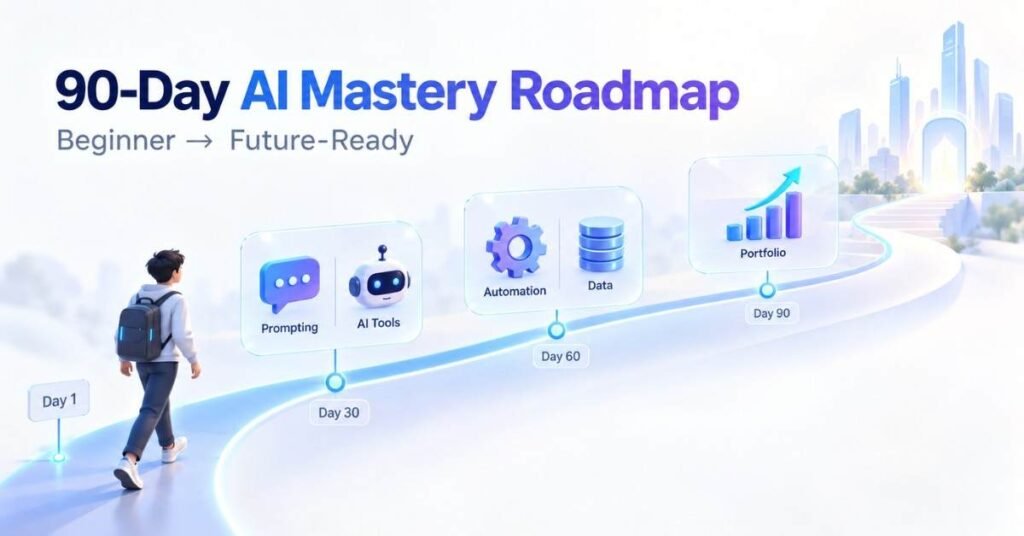
Table of Contents
Artificial Intelligence is becoming an important part of education, marketing, customer support, software development, data analysis and business operations. Professionals are using AI to research topics, write content, analyse information, prepare presentations and automate repetitive tasks.
Using an AI tool does not automatically make someone an AI expert. Real AI mastery requires clear prompting, critical thinking, output verification, privacy awareness and practical problem-solving.
This 90-day AI Mastery Roadmap gives beginners a structured learning path. No previous AI or coding experience is required. By following the weekly plan and completing the projects, learners can build useful skills and create a practical portfolio.
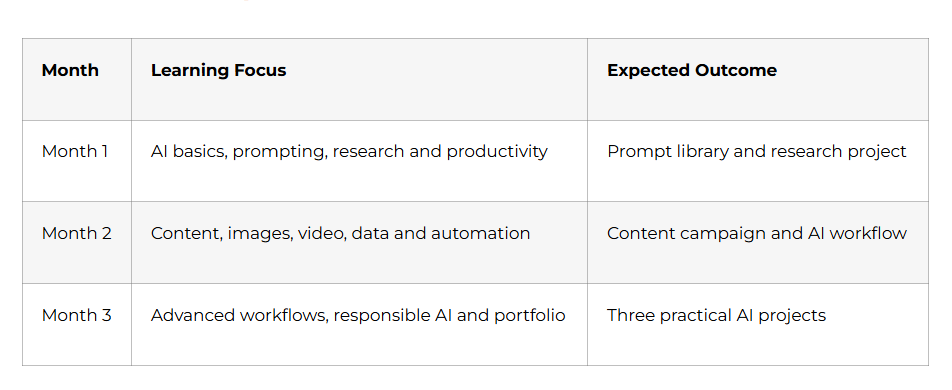
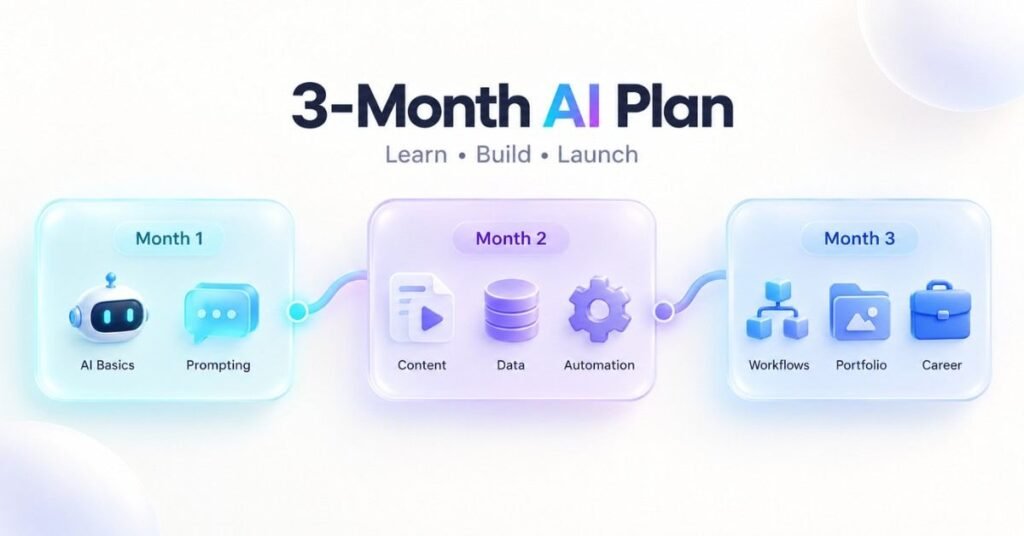
3Month Learning Plan
Build Practical AI Skills for the Future – Discover the AI Mastery Course
Month 1: AI Foundations and Prompt Engineering
Week 1: Understanding Artificial Intelligence : Days 1–7
Begin by learning the difference between Artificial Intelligence, Machine Learning, Deep Learning and Generative AI.
Artificial Intelligence is the broad concept of machines performing tasks that normally require human intelligence. Machine Learning identifies patterns from data, while Generative AI creates new text, images, audio, video and code.
Explore how AI is used in:
- Education
- Digital marketing
- Customer service
- Data analytics
- Software development
- Business operations
AI is useful for generating ideas, organising information, creating drafts and explaining concepts. However, it can also produce false information, biased answers, incorrect calculations and fabricated references.
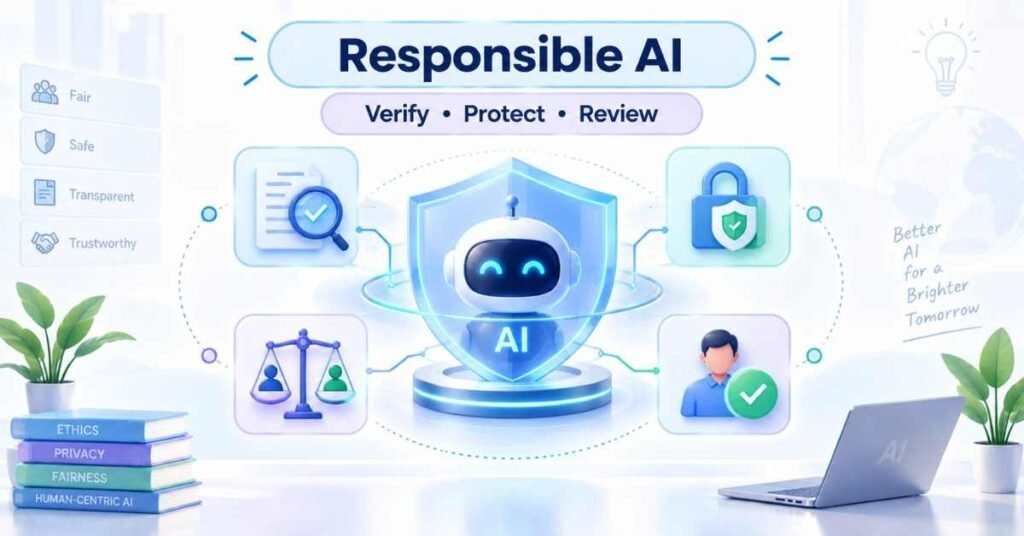
Learn the basic principles of responsible AI:
- Verify important information
- Protect personal and company data
- Review content for bias
- Check copyright concerns
- Keep humans involved in important decisions
Week 1 Activity: Create an AI opportunity map containing 15 tasks from your studies, job or business. Mention how AI can assist with each task and where human review is required.
Week 2: Prompt Engineering : Days 8–14
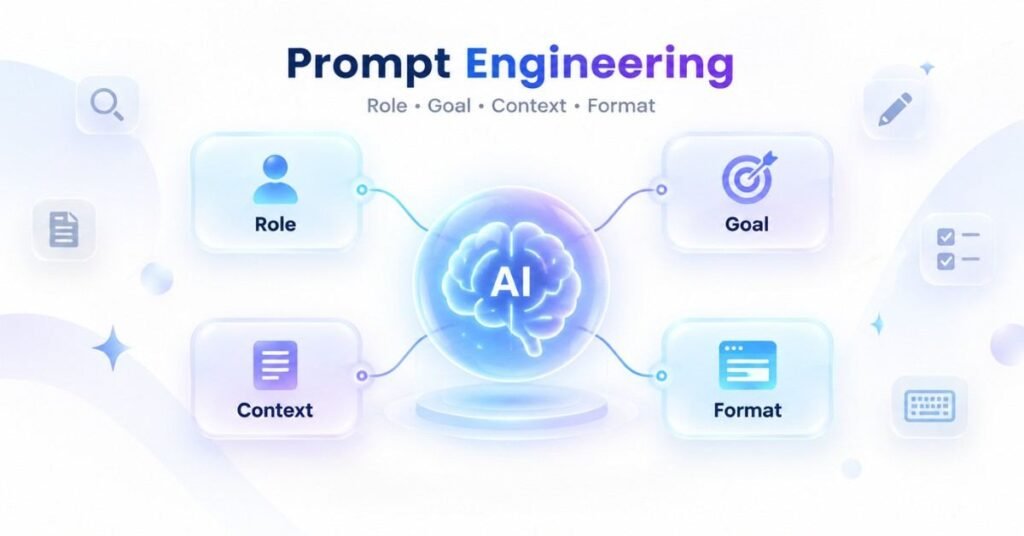
A prompt is the instruction given to an AI system. Clear prompts produce more focused and relevant answers.
A strong prompt should contain:
- Role: The perspective the AI should follow
- Goal: The task that must be completed
- Context: Relevant background information
- Input: The information to be processed
- Constraints: Rules and limitations
- Format: The required structure of the answer
Learn different prompting methods:
- Zero-shot prompting
- One-shot prompting
- Few-shot prompting
- Role-based prompting
- Step-by-step prompting
- Template prompting
Do not accept the first response immediately. Ask the AI to identify missing information, remove repetition, add practical examples, simplify the language or evaluate its answer.
Week 2 Project: Build a personal prompt library with 15 reusable prompts for research, learning, writing, planning, communication and career preparation.
Week 3: AI for Research and Writing : Days 15–21
AI can support research by helping learners prepare questions, keywords, summaries and comparisons. It should not replace trustworthy sources.
Follow this research process:
- Define the main question.
- Divide it into smaller topics.
- Identify suitable sources.
- Collect supporting information.
- Compare different viewpoints.
- Verify important claims.
- Record limitations.
- Prepare the final summary.
Practise using AI for professional writing, including:
- Emails
- Reports
- Blog outlines
- Meeting agendas
- Proposals
- Presentation notes
- Standard operating procedures
Review the final content for factual accuracy, natural language and unnecessary repetition.
Week 3 Project: Prepare a two-page research brief containing the main question, findings, evidence, limitations and recommendations.
Week 4: AI for Productivity : Days 22–30
Use AI to convert meeting notes into summaries, decisions, responsibilities and follow-up messages. Verify every date, name and deadline before sharing the final document.
Learn how AI can support:
- Presentation planning
- Study schedules
- Topic explanations
- Practice questions
- Document summaries
- Email communication
- Daily task planning
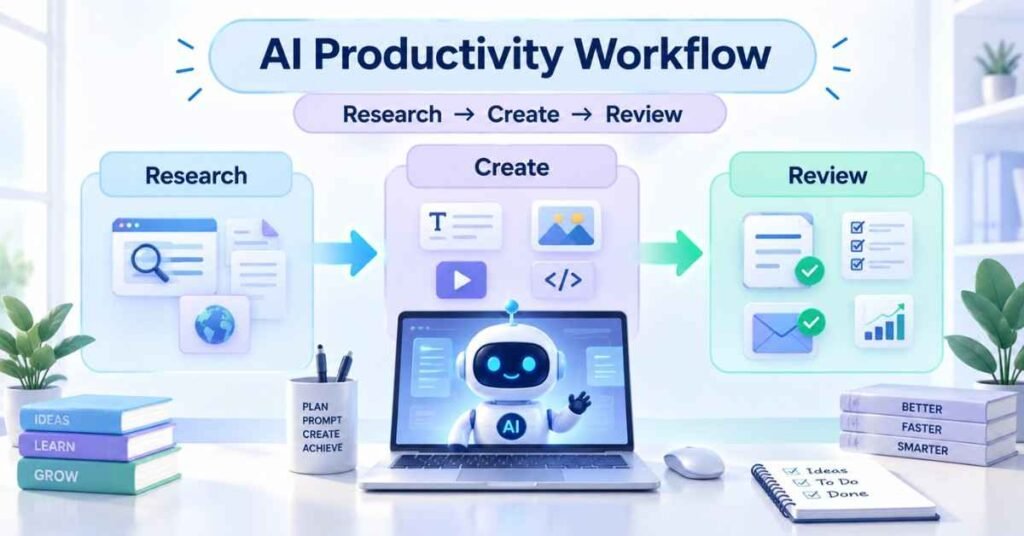
Month 1 Project: Create an AI Productivity Toolkit containing your prompt library, research template, meeting-summary format, email templates and verification checklist.
Month 1 Milestone: You can understand AI limitations, write effective prompts, conduct research, and use AI for everyday productivity.
Shape Your Career in Artificial Intelligence – Unlock the AI Mastery Career Guide
Month 2: AI Content, Data and Automation
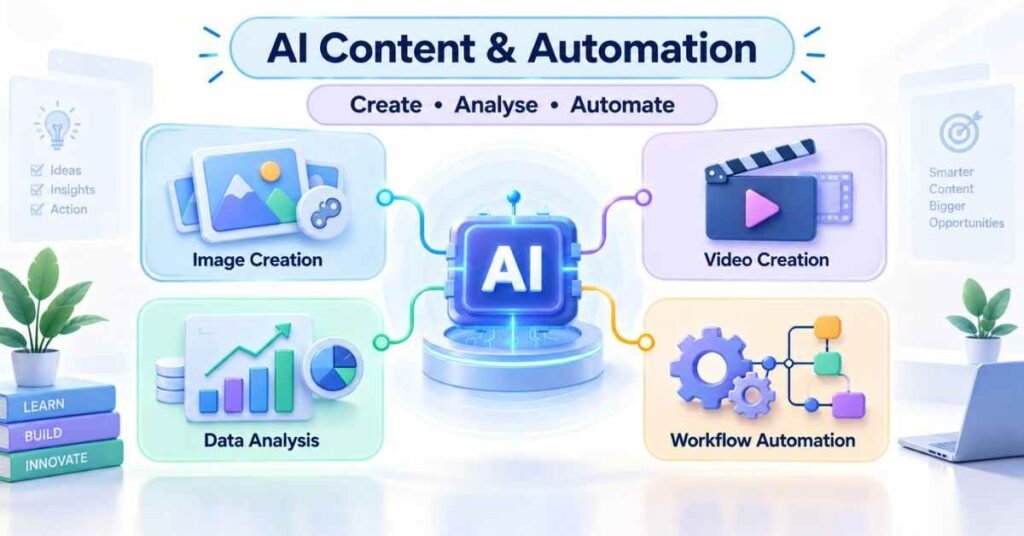
Week 5: AI Image Creation : Days 31–37
Learn how to write clear image-generation prompts. A useful image prompt should describe the subject, background, composition, lighting, colours, visual style and output dimensions.
Practise creating:
- Social media posters
- Blog banners
- YouTube thumbnails
- Presentation graphics
- Course advertisements
Review every image for incorrect text, poor readability, distorted objects and brand inconsistency.
Week 5 Project: Create five related visual assets for one educational or marketing campaign.
Week 6: AI Video Workflows : Days 38–44
Use AI to develop video concepts, hooks, voiceovers, storyboards and calls to action.
Learn to prepare:
- Short-video scripts
- Long-form video outlines
- Scene descriptions
- B-roll suggestions
- Subtitle drafts
- Video titles and descriptions
- Thumbnail ideas
Do not use cloned voices, recreated faces or synthetic media without proper consent.
Week 6 Project: Create a complete 60-second educational video package containing a hook, script, scene plan, captions and thumbnail brief.
Week 7: AI for Data Analysis : Days 45–52
Understand basic data concepts such as rows, columns, data types, duplicates, missing values, metrics and dimensions.
AI can help explain spreadsheet formulas, SQL queries, trends and charts. However, every calculation should be tested before it is used in a report.
Avoid common mistakes such as:
- Ignoring missing information
- Using misleading percentages
- Selecting unsuitable charts
- Confusing correlation with causation
- Presenting assumptions as facts
Week 7 Project: Analyse a sample dataset and prepare five findings, two charts, three recommendations and a list of limitations.
Week 8: AI Automation : Days 53–60
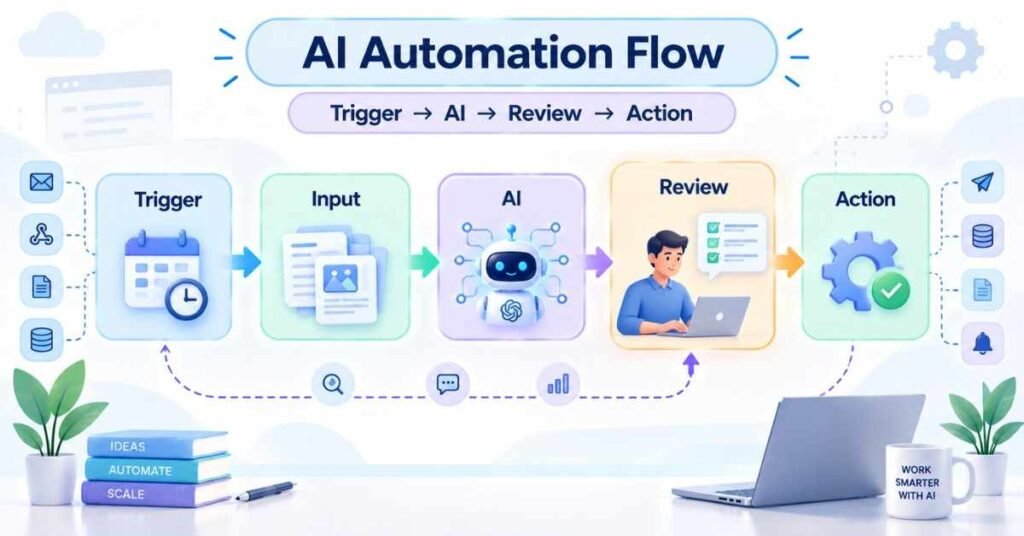
A basic AI automation contains:
- Trigger
- Input
- AI processing
- Business rule
- Human approval
- Final action
- Result tracking
- Error handling
Begin with simple workflows such as lead classification, customer-query summaries, content planning or report preparation.
Month 2 Project: Create a human-reviewed workflow in which AI prepares a draft, a person approves it and the final result is recorded.
Month 2 Milestone: You can create AI-assisted content, work with images and videos, analyse data and design a controlled automation workflow.
Month 3: Advanced AI and Career Preparation
Week 9: Advanced AI Workflows : Days 61–67
Learn how AI assistants can use approved documents, FAQs and internal information to provide relevant answers.
Understand the purpose of:
- Context windows
- Knowledge bases
- Document retrieval
- Source-based answers
- Citations
- Prompt chains
Divide complex tasks into planning, drafting, reviewing, correcting and approval stages.
Week 9 Project: Build an AI knowledge assistant prototype using approved course notes or company FAQs. It should avoid guessing when information is unavailable.
Week 10: Responsible AI : Days 68–74
Classify information as public, internal, confidential or restricted. Sensitive information should not be entered into unapproved AI tools.
Create rules for:
- Data protection
- Human approval
- Copyright review
- Bias checking
- Output verification
- Incident reporting
Test AI responses using normal, incomplete, ambiguous and sensitive inputs.
Week 10 Project: Prepare a Responsible AI SOP explaining permitted uses, prohibited information, review requirements and escalation procedures.
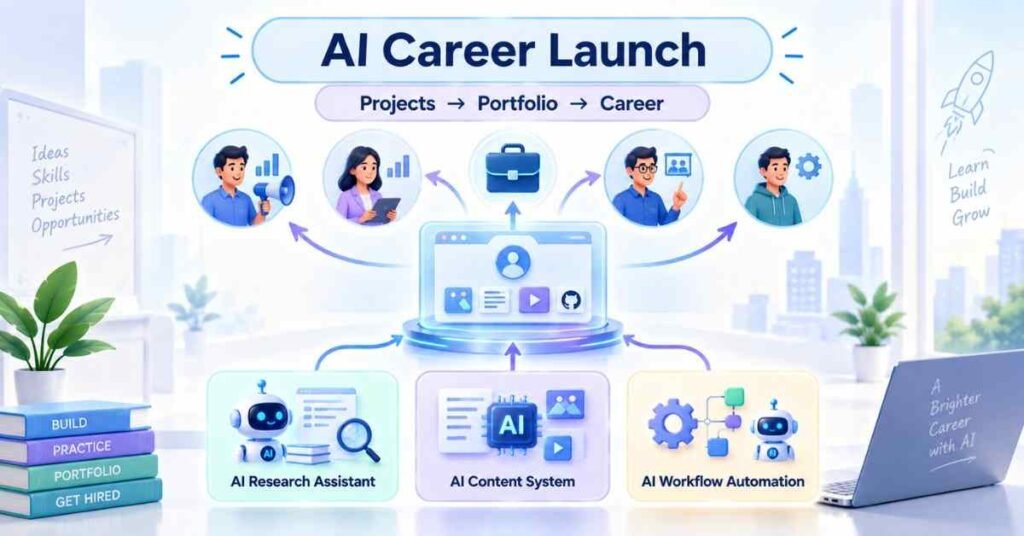
Week 11: Portfolio Projects : Days 75–83
- Complete three portfolio projects.
Project 1: AI Research Assistant
Convert a broad question into a research plan, verified summary and recommendation document.Project 2: AI Content System
Create a blog outline, social media post, video script, image brief and email for one campaign.Project 3: AI Workflow Automation
Design an automation for lead management, customer support, content approval or report generation.For every project, explain the problem, workflow, prompts, verification process, outcome and limitations.
Week 12: Career Launch : Days 84–90
Prepare a resume and portfolio that show practical outcomes. Avoid statements such as “Expert in all AI tools.” Explain what you built and how it solved a real problem.
Possible AI-enabled career directions include:
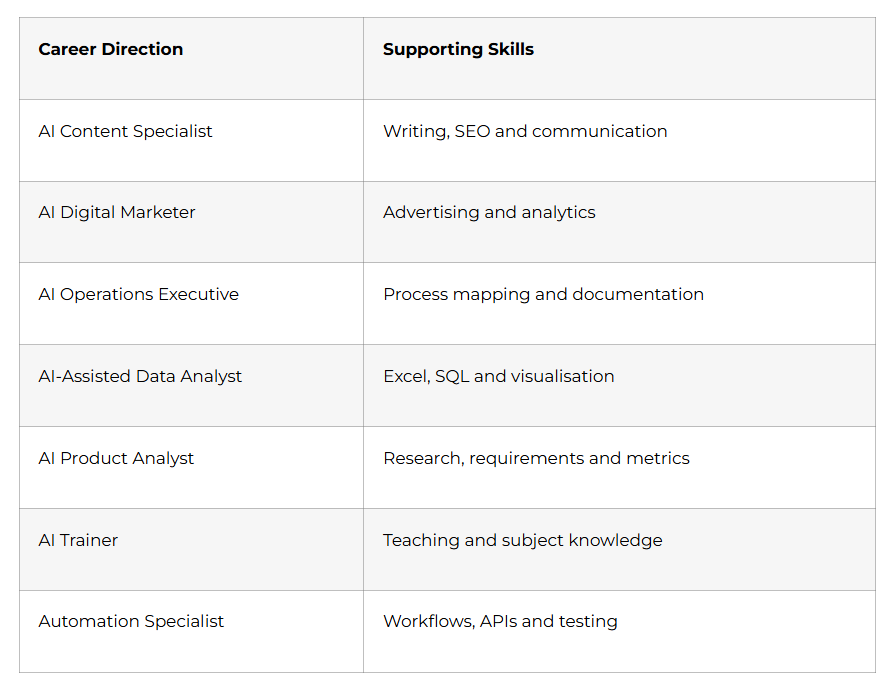
- During Days 88–90, complete a mock interview, portfolio presentation and practical AI assignment.
Day 90 Milestone: You have a prompt library, productivity toolkit, Responsible AI SOP and three portfolio-ready projects.
Why Choose Frontlines Edutech for AI Mastery?
The AI Mastery Course in Telugu can help learners understand modern AI tools through clear explanations and practical activities.
The learning approach can include:
- Beginner-friendly AI concepts
- Telugu-based explanations
- Practical prompt engineering
- AI research and productivity
- Image and video creation
- Data-analysis support
- Workflow automation
- Responsible AI practices
- Portfolio development
- Career guidance
The objective is to help learners select suitable AI tools, verify their output and apply them confidently in real situations.
Prepare for AI-Focused Job Opportunities – Access the AI Mastery Interview Guide
Frequently Asked Questions
Q1: Is coding required for AI Mastery?
No. The roadmap begins with prompting, research, content and productivity. Coding is only an optional application area.
Q2: Can non-technical students learn AI?
Yes. Beginners can start with practical tools and gradually develop prompting, verification and workflow-building skills.
Q3: How much time should I practise daily?
Spend approximately 60–90 minutes every day. Divide the time between learning, practical work and output review.
Q4: Is prompt engineering enough for a job?
Prompting is valuable, but it should be combined with marketing, data, operations, training, development or another professional domain.
Q5: How can I avoid incorrect AI information?
Verify important claims through reliable sources, test calculations and review every output before using it.
Q6: What should an AI portfolio contain?
It should contain practical projects explaining the problem, workflow, prompts, safeguards, final outcome and lessons learned.