
How to Build a Career in AI Mastery in 2026: Complete Career Guide
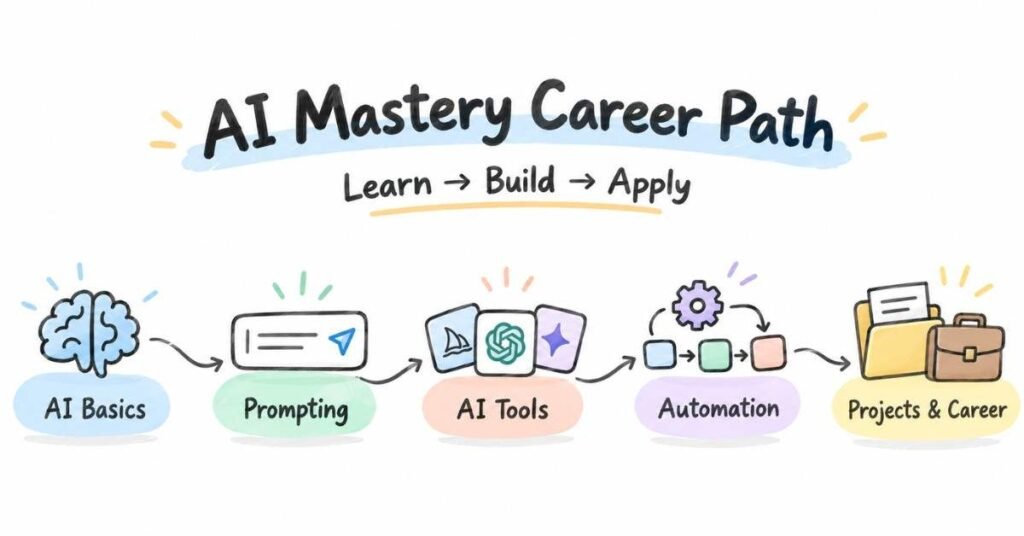
Table of Contents
Artificial Intelligence is no longer limited to research labs or highly specialised teams. Today, businesses use AI for content creation, customer support, automation, data analysis, coding assistance, decision-making, and productivity. For a beginner, this creates many possible career directions, but it can also create confusion. AI Mastery is not about learning every tool available on the internet. It is about understanding how AI works, using the right tools for real tasks, building projects, and learning how to solve problems with AI. This guide explains a clear path from beginner-level understanding to practical, job-ready skills.
What Does an AI Professional Actually Do?
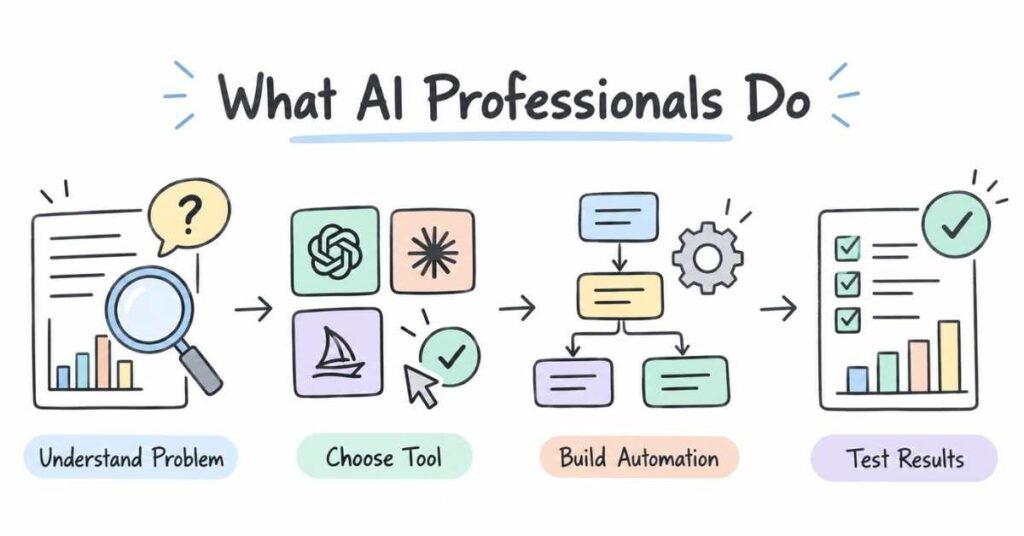
An AI professional uses artificial intelligence to solve practical problems.
The exact work depends on the role.
One person may build AI-powered applications. Another may create automation workflows. Someone else may work with data, prompts, models, or business processes.
For example, a company may receive hundreds of customer questions every day. Instead of answering every repeated question manually, an AI professional may help design a system that understands the request and gives a useful response.
The work may involve:
- Understanding a business problem
- Choosing a suitable AI tool or model
- Writing and improving prompts
- Working with text, images, audio, or data
- Connecting AI tools with applications
- Testing output quality
- Creating automation workflows
- Building AI-powered prototypes
- Reviewing results and improving accuracy
- Working with developers, marketers, analysts, or business teams
AI work is not only about technology. It also requires clear thinking about what problem needs to be solved.
Why AI Mastery Is a Smart Career Choice
AI is becoming part of many existing roles rather than creating only one single “AI job.”
Marketing teams use AI for content and research.
Developers use AI for coding and debugging.
Data teams use AI for analysis.
Businesses use AI to automate repetitive work.
This means AI skills can support several career paths.
Why Students Are Moving Towards AI
- AI can be used across many industries.
- Beginners can experiment with practical tools quickly.
- AI improves productivity in existing roles.
- Projects can be created without large infrastructure.
- Automation skills are becoming valuable.
- AI can support both technical and non-technical careers.
- Learning AI can make other skills more useful.
The important point is not to chase every new tool.
Build a strong foundation first.
Build Practical AI Skills for the Future – Explore the AI Mastery Course
AI Career Roles Compared
AI can lead to different roles depending on your technical depth and interests.
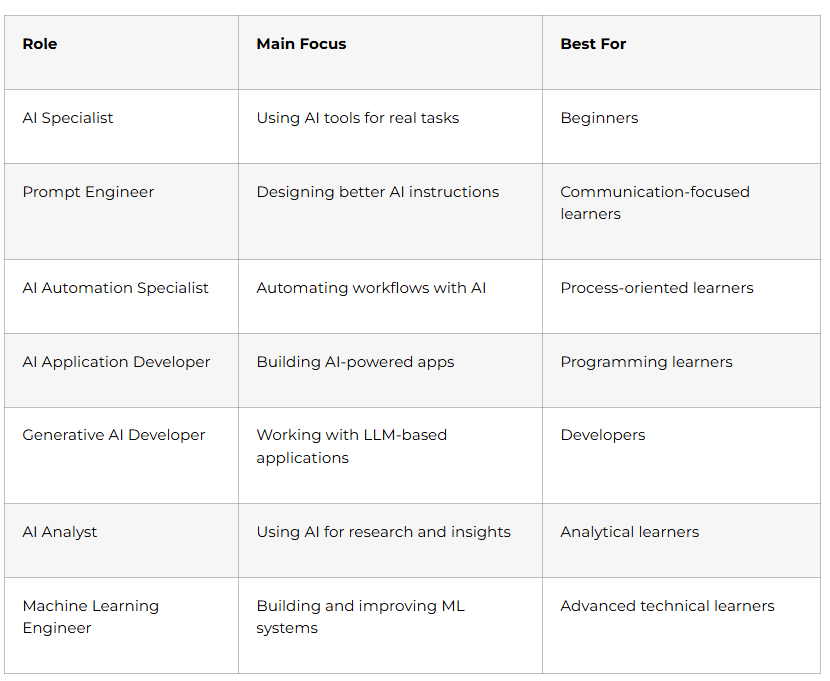
For beginners, AI Specialist, AI Automation, Prompt Engineering, and AI Application roles can be easier starting directions before moving into deeper machine-learning roles.
How to Build a Career in AI Mastery
Step 1: Understand AI Before Chasing Tools
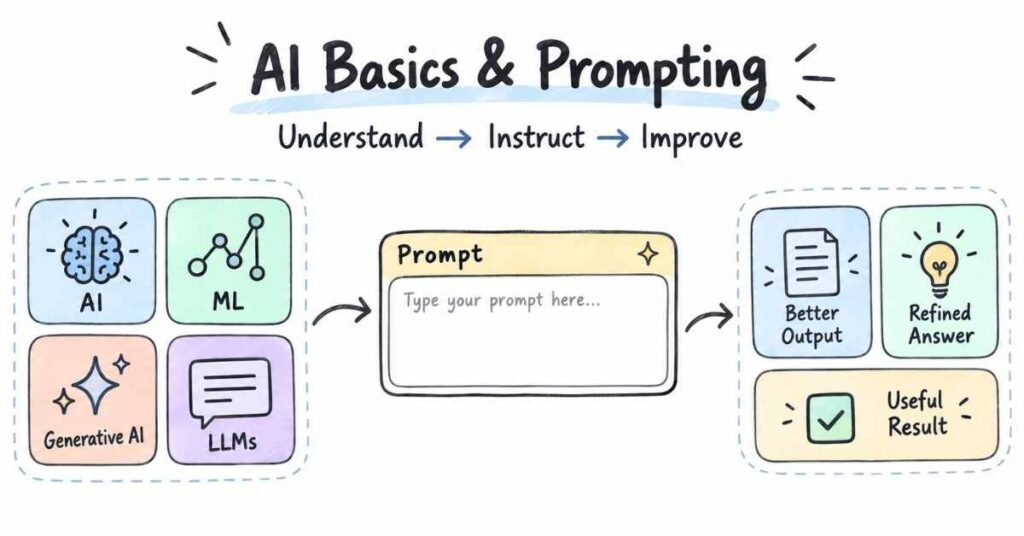
A common beginner mistake is learning ten AI tools without understanding what they actually do.
First understand the basic ideas.
You should be comfortable with terms such as:
- Artificial Intelligence
- Machine Learning
- Generative AI
- Large Language Models
- Prompts
- Training data
- AI models
- Automation
- AI agents
- Multimodal AI
You do not need advanced mathematics at this stage.
The goal is to understand the difference between using an AI model and building one.
For example, asking an AI assistant to summarise a report is AI usage. Building a system that automatically receives a document, summarises it, and sends the result to another application is closer to AI automation.
That distinction helps you choose the right learning direction.
Step 2: Learn Prompting as a Practical Skill
Prompting is more than typing a question into a chatbot.
Good prompting means giving enough context, defining the task clearly, explaining the expected output, and improving the response when needed.
Practise:
- Clear instructions
- Role-based prompting
- Context setting
- Output formatting
- Step-based tasks
- Examples inside prompts
- Prompt refinement
- Comparing different outputs
For example, instead of asking:
“Write about marketing.”
A better prompt might explain the audience, goal, format, tone, and length.
The aim is not to memorise prompt formulas.
It is to learn how to communicate a task clearly to an AI system.
Step 3: Work with Different Types of AI Tools
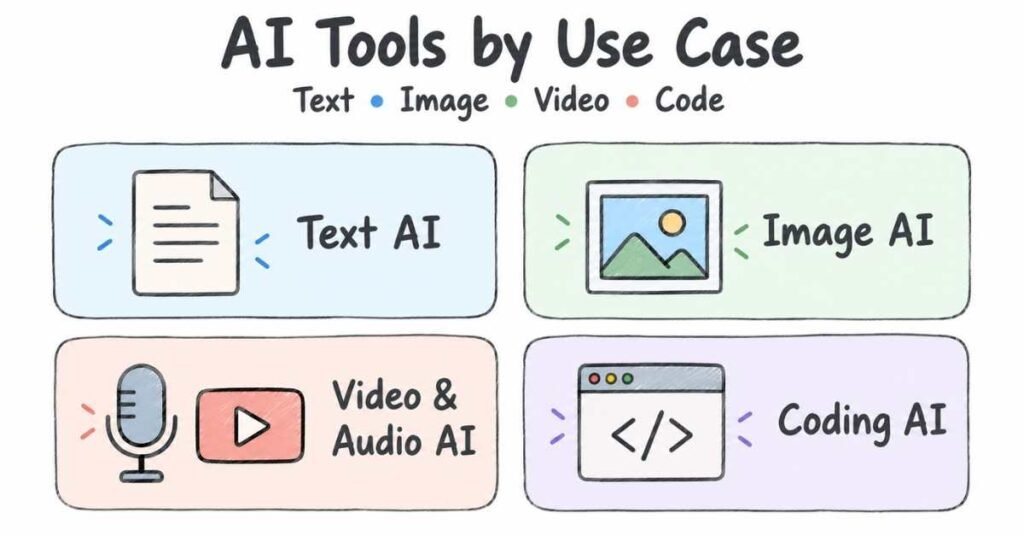
Once you understand the basics, explore AI across different tasks.
Useful areas include:
Text AI
Use AI for:
- Writing
- Summarising
- Research support
- Idea generation
- Documentation
- Customer support drafts
Image AI
Explore:
- Image generation
- Visual concepts
- Ad creatives
- Design references
- Product mockups
Video and Audio AI
Understand how AI can help with:
- Video creation
- Voice generation
- Transcription
- Captioning
- Editing assistance
Coding AI
Use AI for:
- Code explanation
- Debugging support
- Test generation
- Documentation
- Small prototypes
Do not measure progress by how many tools you know.
Measure whether you can use a tool to complete a real task better.
Step 4: Learn AI Automation
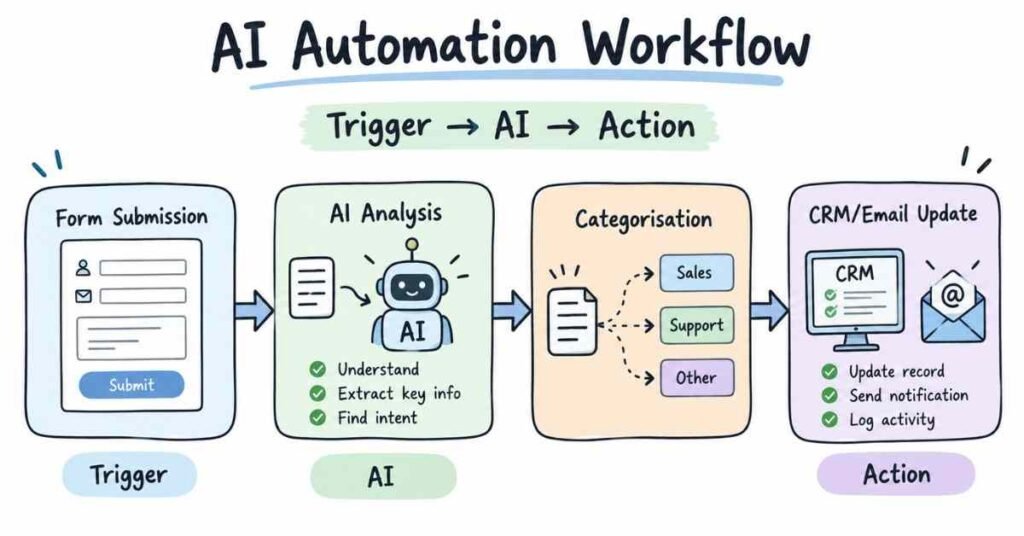
Automation is one of the most practical AI skills.
Instead of using AI manually every time, automation connects AI with a repeatable workflow.
For example:
Form Submission → AI Analysis → Categorisation → Email or CRM Update
A workflow like this can save time when the same type of task happens repeatedly.
Learn concepts such as:
- Triggers
- Actions
- APIs
- Webhooks
- Data flow
- Conditional logic
- AI model calls
You can begin with no-code or low-code automation tools before moving into programming-based workflows.
The main skill is understanding the process.
Step 5: Learn Basic Python and APIs
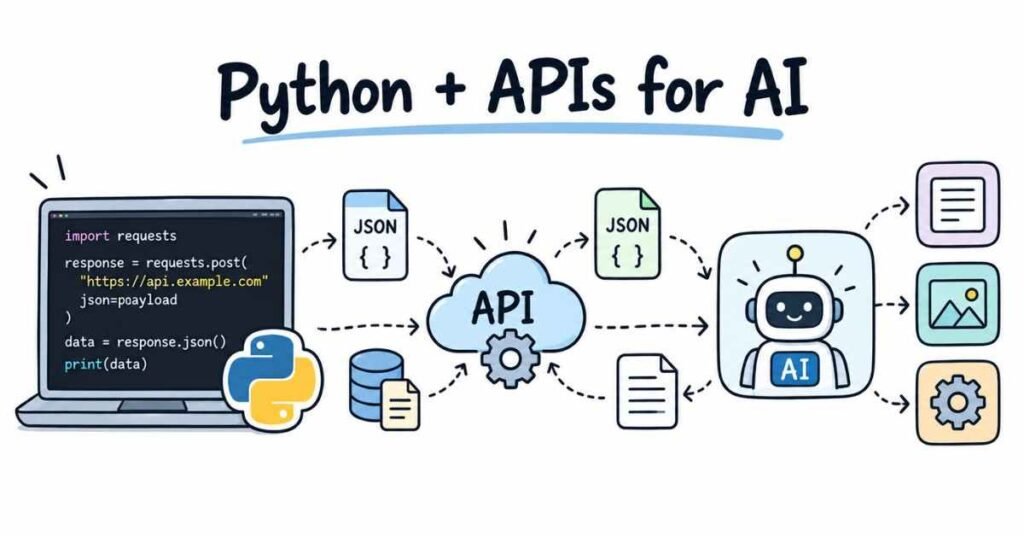
You do not need advanced coding for every AI career, but basic programming makes you much more flexible.
Python is useful because it can help you:
- Process data
- Call AI APIs
- Build small applications
- Automate repetitive tasks
- Work with files
- Connect multiple services
Begin with:
- Variables
- Conditions
- Loops
- Functions
- Lists and dictionaries
- File handling
- Basic API calls
For AI work, you should also understand what an API does.
An API allows one application to communicate with another.
For example, a Python application can send text to an AI model through an API and receive the generated response.
Step 6: Build AI Projects
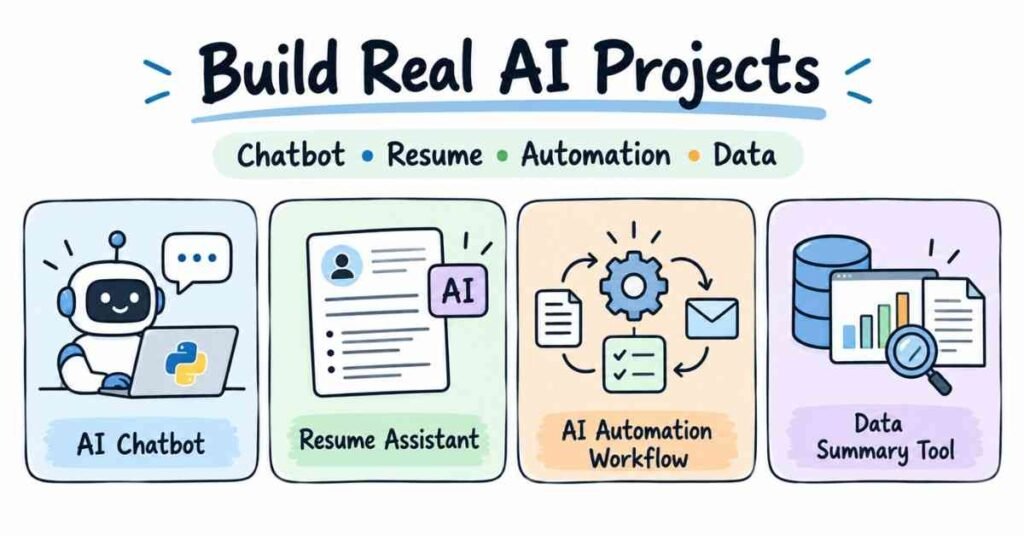
Projects are where AI knowledge becomes practical.
Do not copy complicated projects only because they look impressive.
Build small solutions around real problems.
AI Resume Assistant
Create a tool that accepts resume content and gives structured suggestions.
You can include:
- Skill identification
- Missing keyword suggestions
- Summary improvement
- Role matching
AI FAQ Assistant
Build a simple assistant that answers questions from a fixed set of business information.
This helps you understand:
- Prompting
- Context
- Response quality
- Basic AI application logic
AI Content Workflow
Create a workflow that takes a topic and produces:
- Research notes
- Outline
- Draft
- Social post variations
The value of this project is in designing the process, not just generating text.
AI Data Summary Tool
Take a simple dataset or report and use AI to produce a readable summary.
This project can demonstrate how AI supports business analysis.
AI Automation Workflow
Build a flow such as:
New Lead → AI Qualification → Category → CRM Update
Projects like this show how AI can be connected with business operations.
Build Your AI Skills Step by Step – Explore the AI Mastery Roadmap Guide
Essential AI Mastery Skills
A beginner does not need every advanced AI topic.
Build skills in layers.
AI Fundamentals
- AI basics
- Generative AI
- Large Language Models
- Prompting
- AI limitations
- Responsible AI usage
Practical AI Skills
- Text generation
- Research support
- Image generation
- Automation
- AI-assisted coding
- Data interpretation
Technical Skills
- Basic Python
- APIs
- JSON
- Automation tools
- Basic database understanding
- Git and GitHub
Career Skills
- Problem-solving
- Clear communication
- Documentation
- Testing AI outputs
- Understanding business needs
The strongest AI learners are usually not the people who know the largest number of tools. They are the people who can choose the right approach for a task.
Projects That Help You Stand Out
Your projects should make it easy for someone to understand what you can do.
A useful beginner portfolio may include:
- AI chatbot
- Resume assistant
- AI content workflow
- AI automation project
- Data summarisation tool
- Simple AI-powered web application
For each project, explain:
Problem → AI Approach → Tools Used → What You Built → Result
Also mention where the AI output failed or needed improvement.
That makes the project feel more genuine because real AI systems are rarely perfect on the first attempt.
Salary Expectations in India
AI-related salaries vary widely because “AI” covers several different job categories.
A beginner working in AI automation may have a different salary from a Machine Learning Engineer or AI Application Developer.
Experience Level | Broad Salary Range |
Fresher | ₹3.5 LPA to ₹7 LPA |
1–3 Years | ₹6 LPA to ₹12 LPA |
3–5 Years | ₹10 LPA to ₹20 LPA |
5+ Years | ₹18 LPA to ₹30 LPA+ |
These are broad estimates, not guaranteed packages.
Actual compensation depends on technical depth, role, company, location, projects, and interview performance.
Portfolio That Gets Interviews
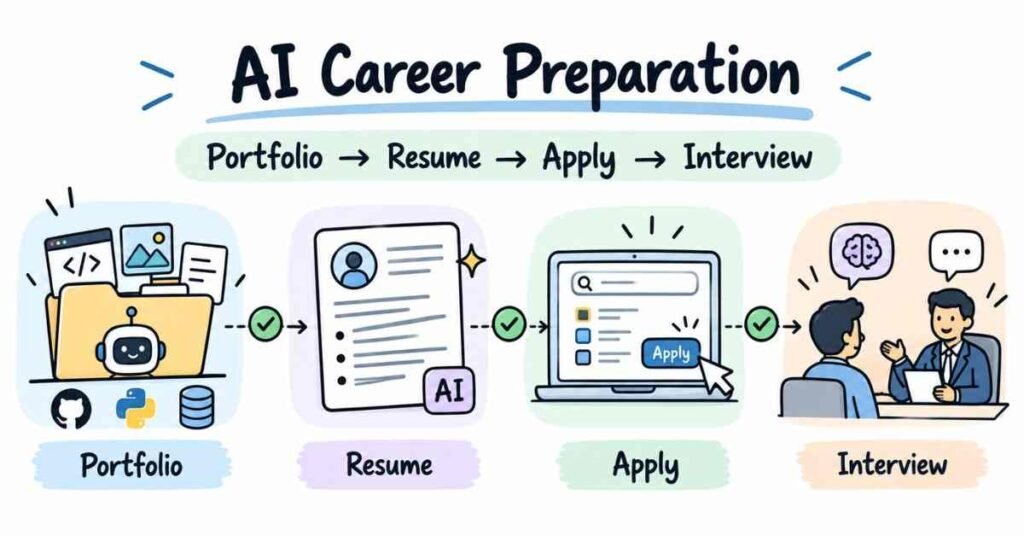
An AI portfolio should show that you can apply AI, not just talk about it.
What to Include
- Three or four original projects
- GitHub repositories where relevant
- Screenshots or short demos
- Clear project descriptions
- Automation workflows
- Prompt examples
- Notes about testing and improvements
Portfolio Checklist
For each project:
- Explain the problem clearly.
- Mention why AI was useful.
- Show how the workflow works.
- Explain the tools used.
- Mention challenges.
- Show the final outcome.
Avoid claiming that AI solved everything perfectly.
A realistic project explanation is more believable than an exaggerated one.
Job Search Strategy
Once you understand AI fundamentals, have practical tool experience, and can explain a few projects, begin looking at entry-level opportunities.
Resume Keywords
Depending on your actual skills, you may use:
- Generative AI
- Artificial Intelligence
- Prompt Engineering
- AI Automation
- Python
- APIs
- Large Language Models
- AI Tools
- Workflow Automation
- GitHub
- Problem-Solving
Do not add terms simply because they are popular.
Use the skills that you can demonstrate.
Roles to Search
- AI Intern
- AI Specialist
- Generative AI Intern
- Prompt Engineer
- AI Automation Associate
- Junior AI Developer
- AI Application Developer
- Automation Intern
Read each job description carefully because AI roles can differ significantly from one company to another.
Prepare for AI Roles with Confidence – Explore the AI Mastery Interview Guides
Interview Preparation
AI interviews may test how well you understand both the tool and the problem.
Be ready to explain:
- What Generative AI is
- How LLMs are used
- How you create a good prompt
- What an API does
- How AI automation works
- What problems AI is not suitable for
- How you check output quality
- What you built in your projects
You may also receive scenario questions.
For example:
“A company receives 500 customer queries every day. How would you use AI to reduce manual effort?”
Do not answer by naming a tool immediately.
First explain the process.
Understand the type of queries, identify repeated tasks, decide where AI helps, think about human review, and then suggest the workflow.
That kind of answer shows practical thinking.
30-Day Starter Plan
The first month should give you a clear foundation.
Week 1
- Understand AI and Generative AI basics.
- Learn how LLMs are used.
- Practise simple prompting.
- Compare different AI outputs.
Week 2
- Improve prompt quality.
- Explore text, image, and research tools.
- Learn basic AI limitations.
- Create small practical tasks.
Week 3
- Understand automation concepts.
- Learn basic API ideas.
- Begin Python fundamentals.
- Build one simple AI workflow.
Week 4
- Complete one small AI project.
- Document the project.
- Create a GitHub or portfolio entry.
- Prepare basic AI interview questions.
Thirty days will not make you an AI expert.
It will give you enough direction to continue with stronger projects, automation, APIs, Python, and advanced AI concepts.
Why Learn AI Mastery at Frontlines Edutech
AI can become confusing when students jump between tools without understanding how the pieces connect.
A useful AI Mastery learning path should bring the concepts together in a practical order.
Training should ideally include:
- AI fundamentals
- Generative AI
- Prompting
- AI tools
- Automation
- Basic Python
- APIs
- AI projects
- Interview preparation
- Resume guidance
- Career support
For Telugu-speaking learners, regional-language explanations can make unfamiliar AI terms easier to understand in the beginning.
As students progress, they should also become comfortable using standard English AI terminology because interviews and workplace discussions commonly use it.
Frequently Asked Questions (FAQs)
Q1: Can a beginner learn AI Mastery?
Yes. Beginners can start with AI fundamentals and practical tools before moving into automation, APIs, and programming
Q2: Do I need coding to start learning AI?
No. You can begin with AI tools and prompting without coding. Basic Python becomes useful when you want to build custom applications or automation.
Q3: What should I learn first in AI?
Begin with AI fundamentals, Generative AI, Large Language Models, and prompting. Then move into practical tools, automation, APIs, and projects.
Q4: Is prompt engineering enough for an AI career?
Prompting is useful, but it is stronger when combined with business understanding, automation, APIs, projects, or programming skills.
Q5: Is Python important for AI?
Python is useful for AI applications, automation, data processing, and API-based projects. It is not mandatory for every beginner role, but it can increase your options.
Q6: What type of AI projects should beginners build?
Start with projects such as an AI chatbot, resume assistant, content workflow, data summariser, or simple automation system.
Q7: Do I need advanced mathematics?
Not for every AI role. Tool-based AI, automation, and Generative AI application work can be started without advanced mathematics. Deeper machine-learning roles usually require stronger mathematical understanding.
Q8: Can non-technical students build an AI career?
Yes. Non-technical learners can begin with prompting, AI tools, automation, content, or business-focused AI use cases and gradually add technical skills.
Q9: How do I build an AI portfolio?
Create a few original AI projects, explain the problem and workflow clearly, show screenshots or demos, and document what worked and what needed improvement.
Q10: How should I prepare for AI interviews?
Understand AI basics, prompting, automation, APIs, and the projects you built. Practise explaining how you would use AI to solve a real business problem rather than only memorising definitions.