
90-Day AI-Powered Graphic Design Course Roadmap: Transform Your Creative Career
Are you ready to turn your creative ideas into professional designs that brands will pay for? This comprehensive 90-day roadmap takes you from complete beginner to job-ready graphic designer, combining industry-standard tools with real-world projects that build your portfolio from day one.
What You’ll Achieve in 90 Days:
After completing this intensive program, you’ll master Adobe Photoshop, Premiere Pro, Audition, and Canva while building a professional portfolio that showcases your skills to potential employers across India’s booming design industry. The graphic design job market in India is experiencing unprecedented growth, with entry-level designers earning ₹3-5 LPA and experienced professionals commanding ₹15-25 LPA or more. Whether you dream of working with top companies like Infosys, TCS, Accenture, Cognizant, or building your freelance empire, this roadmap gives you everything needed to succeed.
🎨 Begin with the basics—Learn foundational design tools with step-by-step guides.
Month 1: Foundation Building (Days 1-30)
Week 1: Design Fundamentals & Photoshop Basics (Days 1-7)
Day 1: Welcome to Your Design Journey
Your first day establishes the foundation for everything ahead. You’ll understand what graphic design really means in today’s digital world and why companies are desperately searching for skilled designers. The session covers design principles like balance, contrast, alignment, and hierarchy through real-world examples from successful brands. You’ll explore career paths ranging from UI/UX design to motion graphics, branding to digital marketing design. Most importantly, you’ll set up your creative workspace and understand the bootcamp structure that transforms beginners into professionals.
Day 2: Introduction to Adobe Photoshop
Today marks your hands-on introduction to the most powerful design tool in the industry. You’ll navigate Photoshop’s workspace, understanding panels, tools, and menus that initially seem overwhelming but become second nature with practice. The focus stays on practical learning as you open your first image files, save projects in different formats, and understand resolution concepts that separate amateur work from professional output. By day’s end, you’ll feel comfortable launching Photoshop and finding the tools you need without hesitation.
Day 3: Selection Tools & Layer Basics
Selection tools are your precision instruments for isolating and manipulating specific image areas. You’ll master the Marquee, Lasso, Magic Wand, and Quick Selection tools through hands-on exercises. Layers revolutionize how designers work, allowing non-destructive editing and infinite creative possibilities. Today’s session teaches layer creation, organization, blending modes, and opacity adjustments. Your first mini-project involves creating a simple composite image using multiple layers and selections.
Day 4: Cropping, Resizing & Transform Tools
Professional designers must deliver images in exact dimensions for websites, social media, print materials, and advertisements. You’ll learn proper cropping techniques that maintain visual interest while meeting technical specifications. The Transform tools (Scale, Rotate, Skew, Distort) become essential as you resize and reposition elements without quality loss. Today’s assignment challenges you to prepare one image in five different sizes for various social media platforms.
Day 5: Color Correction & Adjustment Layers
Colors make or break designs. Today focuses on adjustment layers that let you modify brightness, contrast, hue, saturation, and color balance non-destructively. You’ll understand color theory basics and how different colors evoke specific emotions in viewers. The practical session involves taking poorly lit or dull images and transforming them into vibrant, professional photographs using only adjustment layers. This skill alone will set your work apart from beginners.

Day 6: Text Tools & Typography Fundamentals
Typography communicates meaning beyond words themselves. You’ll explore Photoshop’s text tools, learning to create, format, and style text with precision. The session covers font pairing, hierarchy, spacing, and alignment principles that professional designers use daily. Today’s project involves creating a motivational quote poster that demonstrates your understanding of typography and visual balance.
Day 7: Week 1 Project – Social Media Graphics Suite
Your first week culminates in creating a complete social media graphics suite for an imaginary brand. You’ll design profile pictures, cover photos, and post templates using everything learned this week. This project enters your portfolio as evidence of rapid skill development. The assignment includes three Instagram posts, one Facebook cover, and one Twitter header, all maintaining consistent branding.
📘 Download PSD files, layer practice sheets & beginner design resources.
Week 2: Advanced Photoshop Techniques (Days 8-14)

Day 8: Advanced Selection & Masking
Today elevates your selection skills to professional levels. You’ll master the Pen Tool for creating precise paths around complex shapes, refine edge technology for hair and fur, and layer masks for non-destructive editing. The practical session focuses on extracting subjects from backgrounds cleanly, a skill essential for product photography, advertising, and creative composites.
Day 9: Photo Retouching Basics
Professional photographers rely on retouching artists to perfect their work. You’ll learn spot healing, clone stamp, patch tools, and frequency separation for skin retouching. Today’s ethical discussion addresses realistic retouching versus harmful manipulation. Your assignment involves retouching three portraits to professional standards while maintaining natural appearance.
Day 10: Advanced Retouching & Beauty Enhancement
Building on yesterday’s foundation, you’ll dive deeper into beauty retouching techniques used by fashion magazines and advertising agencies. Dodge and burn tools sculpt facial features, while liquify tool adjustments create subtle enhancements. You’ll learn professional workflows that ensure consistency across multiple images from the same photoshoot.
Day 11: Text Effects & 3D Typography
Text becomes art today as you explore layer styles, blending options, and 3D text creation. You’ll create metallic text, neon signs, embossed letters, and glowing effects that grab attention. The project involves designing a movie poster title treatment that demonstrates your mastery of text effects and dramatic typography.
Day 12: Photo Manipulation & Creative Effects
This session unleashes your creativity through photo manipulation techniques that combine multiple images into surreal or hyper-realistic scenes. You’ll work with blend modes, filters, and adjustment layers to seamlessly integrate disparate elements. The artistic freedom here lets your imagination run wild while maintaining technical precision.
Day 13: Compositing Mastery
Compositing combines everything learned so far into cohesive images that tell stories. You’ll understand lighting consistency, perspective matching, and color harmony across multiple source images. Today’s advanced techniques include shadow creation, reflection addition, and depth-of-field simulation that make composites believable. Your assignment creates an advertisement composite featuring a product in an impossible or fantastical environment.
Day 14: Week 2 Capstone – Magazine Cover Design
Your second week concludes with designing a professional magazine cover from scratch. This project demands everything learned: advanced selection, retouching, typography, effects, and composition. You’ll work with provided assets or source your own, creating a cover that could sit on newsstands. This portfolio piece demonstrates your transformation from beginner to intermediate designer in just 14 days.
🔥 Master Photoshop faster—Access pro-level How-to guides with real client examples.
Week 3: Canva for Rapid Design & Templates (Days 15-21)
Day 15: Introduction to Canva Platform
While Adobe tools dominate professional studios, Canva revolutionizes design accessibility and speed for social media, marketing materials, and quick turnarounds. Today introduces Canva’s interface, template library, and brand kit features. You’ll understand when to use Canva versus Photoshop based on project requirements and client needs. The practical session involves creating your first Canva account and exploring available templates.
Day 16: Social Media Graphics in Canva
Social media marketing demands constant content creation. You’ll master Canva’s optimized templates for Instagram posts, stories, reels, Facebook ads, LinkedIn banners, Twitter headers, and Pinterest pins. Today’s focus stays on customization that maintains brand consistency while working quickly. Your assignment produces 10 social media graphics for a fictional brand launch.
Day 17: Presentation & Infographic Design
Canva excels at presentations and infographics that communicate complex information visually. You’ll learn data visualization principles, icon usage, and information hierarchy. Today’s project creates a 10-slide presentation and one infographic about a topic of your choice, demonstrating professional communication design skills.
Day 18: Brand Identity in Canva
Strong brands maintain visual consistency across all touchpoints. Today focuses on creating logo concepts, color palettes, font pairings, and brand guidelines within Canva. You’ll build a complete brand identity kit for a startup, including logo variations, business cards, letterheads, and social media templates. This project shows clients your strategic thinking beyond individual designs.
Day 19: Marketing Materials & Print Design
Businesses need flyers, brochures, posters, and promotional materials constantly. You’ll learn print design fundamentals including bleed, trim marks, resolution requirements, and color modes. Canva’s print-ready templates accelerate production while maintaining professional standards. Today’s assignment creates a complete marketing kit: flyer, trifold brochure, poster, and business card set.
Day 20: Advanced Canva Features & Animation
Canva’s recent updates include animation features that bring static designs to life. You’ll explore animated elements, transitions, and simple motion graphics within Canva. The session also covers brand kit management, team collaboration features, and workflow optimization. Your project animates three social media posts with eye-catching motion that increases engagement.
Day 21: Week 3 Project – Complete Brand Launch Package
This week culminates in creating an entire brand launch package for a fictional company using Canva. You’ll design logo, business cards, social media presence, presentation deck, and promotional flyer. This comprehensive portfolio piece demonstrates your ability to handle complete branding projects from concept to execution, a skill that commands premium rates in the freelance market.
🎨 Get Canva brand kits, social media templates & design starter packs.
Week 4: Portfolio Development & Month 1 Review (Days 22-30)

Day 22: Understanding Portfolio Strategy
Your portfolio makes or breaks your design career. Today focuses on what to include, how to present work, and storytelling that engages potential employers or clients. You’ll analyze successful designer portfolios from Behance and Dribbble, understanding what makes them effective. The session covers portfolio platforms including personal websites, Behance, Dribbble, and Instagram strategies for designers.
Day 23: Creating Your Behance Portfolio
Behance serves as the global showcase for creative work. You’ll set up your professional Behance profile, understanding project presentation best practices. Today focuses on writing compelling project descriptions, organizing work into cohesive case studies, and tagging projects for discoverability. Your assignment uploads your three best projects from Month 1 with professional descriptions.
Day 24: Photography & Asset Collection
Designers need quality photos, icons, illustrations, and graphics. Today explores free and paid resource platforms including Unsplash, Pexels, Freepik, and Adobe Stock. You’ll learn proper attribution, licensing restrictions, and building your personal asset library. The practical session involves curating 100+ assets organized by category for future projects.
Day 25: Client Communication Basics
Technical skills alone don’t guarantee success. Today addresses professional communication, understanding client briefs, asking clarifying questions, and managing expectations. You’ll practice presenting design rationale, accepting feedback constructively, and negotiating project scope. Role-playing exercises simulate real client interactions you’ll face in your career.
Day 26: Feedback & Iteration Workshop
Great designers embrace feedback as improvement opportunities. Today’s peer review session involves presenting your portfolio projects and receiving constructive criticism. You’ll learn to separate personal attachment from professional work, identifying valid feedback versus subjective preference. The afternoon focuses on implementing revisions that strengthen your portfolio pieces.
Day 27: Month 1 Skills Assessment
This comprehensive assessment tests everything learned across Photoshop and Canva. You’ll complete a timed design challenge that simulates real-world project conditions. The assignment provides a brief, assets, and deadline, requiring you to deliver professional work under pressure. This experience builds confidence for actual client work and job interviews.
Day 28: Resume & LinkedIn Profile for Designers
Your resume must showcase design skills while remaining professional and readable. Today focuses on designer resume best practices, portfolio links, and skill presentation. The LinkedIn session optimizes your profile for recruiter searches, includes portfolio samples, and networks within design communities. You’ll draft your complete designer resume and update your LinkedIn profile with newly acquired skills.
Day 29: Design Industry Insights & Career Paths
Guest speakers from the industry share real experiences working as in-house designers, agency creatives, and freelancers. You’ll understand salary expectations, growth trajectories, and specialization options in UI/UX, motion graphics, branding, or marketing design. This session helps you make informed decisions about your career direction after course completion.
Day 30: Month 1 Portfolio Review & Celebration
Your first month concludes with comprehensive portfolio review and celebration of progress. Instructors provide personalized feedback on your strongest work and improvement areas. You’ll set specific goals for Month 2 based on your interests and career aspirations. The celebration acknowledges your transformation from complete beginner to confident designer in just 30 days.
Month 2: Motion & Video Design (Days 31-60)
Week 5: Premiere Pro Basics (Days 31-37)
Day 31: Introduction to Video Editing
Video content dominates digital marketing, social media, and brand storytelling. Today introduces video editing concepts, resolution standards, frame rates, and aspect ratios. You’ll understand when businesses need video content and how designers with video skills command higher rates. The session includes analysis of effective video marketing campaigns that combine graphics and motion.
Day 32: Premiere Pro Interface & Workspace
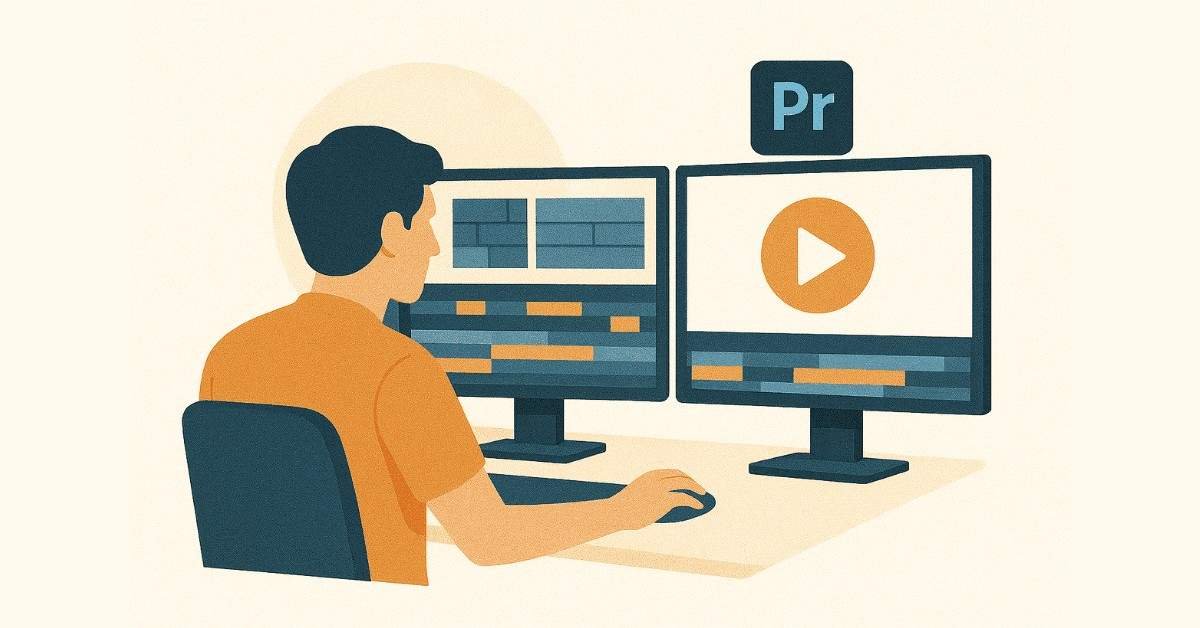
Adobe Premiere Pro’s interface initially seems complex but becomes intuitive with practice. You’ll navigate the timeline, source monitor, program monitor, and essential panels. Today’s hands-on session involves importing footage, creating your first sequence, and understanding project organization. By day’s end, you’ll confidently navigate Premiere Pro and locate necessary tools.
Day 33: Basic Editing Techniques
Video editing starts with fundamentals: trimming clips, arranging sequences, and creating smooth transitions. You’ll master the razor tool, ripple edit, slip, and slide functions. Today’s project involves editing a simple 1-minute video from provided footage, implementing cuts that maintain pacing and viewer engagement. You’ll understand how editing rhythm affects emotional impact.
Day 34: Transitions & Basic Effects
Transitions guide viewers between scenes or emphasize content changes. You’ll explore cross dissolves, wipes, slides, and when to use each appropriately. The session covers basic video effects including brightness/contrast adjustments, speed changes, and stabilization. Today’s assignment adds professional transitions and effects to yesterday’s edit, transforming rough cuts into polished sequences.
Day 35: Adding Graphics & Lower Thirds
Video content often needs text overlays, lower thirds, and graphic elements. You’ll create animated titles, name tags, and informational graphics directly in Premiere Pro. The session integrates skills from your Photoshop and Canva training, bringing static designs into motion. Your project adds complete graphics package to a video interview or presentation.
Day 36: Audio Basics in Premiere Pro
Audio quality makes or breaks videos. Today covers audio level management, removing background noise, and balancing music with dialogue. You’ll understand audio transitions, fades, and creating dynamic sound mixes. The practical session involves fixing common audio problems in provided footage and adding background music at appropriate levels.
Day 37: Week 5 Project – Social Media Video Content
This week concludes with creating social media video content for Instagram reels, YouTube shorts, or Facebook ads. You’ll edit provided footage into three different 15-30 second videos with graphics, transitions, and audio. These portfolio pieces demonstrate your emerging video skills to potential employers who need designers capable of creating complete multimedia content.
🎬 Download video editing project files, transitions pack & motion presets.
Week 6: Advanced Premiere Pro (Days 38-44)

Day 38: Color Correction Fundamentals
Professional video demands color consistency and mood-appropriate grading. Today introduces Lumetri Color panel, color wheels, and basic correction techniques. You’ll fix white balance issues, adjust exposure, and create consistent look across multiple clips from the same shoot. The assignment involves color correcting a poorly shot video to professional standards.
Day 39: Color Grading for Mood & Style
While correction fixes problems, grading creates artistic looks. You’ll explore cinematic color grades, vintage effects, high-contrast styles, and brand-specific color treatments. Today’s creative session involves applying different grading styles to the same footage, understanding how color dramatically affects emotional impact. Your project creates three distinct moods from identical source material through color alone.
Day 40: Advanced Titles & Motion Graphics
Premiere Pro’s Essential Graphics panel enables sophisticated motion graphics without leaving the video editing environment. You’ll create animated lower thirds, kinetic typography, and dynamic title sequences. The session includes keyframe animation fundamentals that bring static text to life. Today’s project designs an opening title sequence for a fictional YouTube channel or brand video series.
Day 41: Multi-Camera Editing & Sync
Events, interviews, and performances often involve multiple camera angles. You’ll learn multi-camera sequence creation, angle switching, and maintaining sync across multiple sources. Today’s practical session edits an interview or performance from three camera angles, creating dynamic cuts that maintain viewer engagement. This specialized skill proves valuable for corporate video work and event coverage.
Day 42: Effects & Transitions Mastery
Beyond basic cuts, advanced effects and custom transitions elevate production value. You’ll explore video effects library, creating custom transitions, and using adjustment layers. The session covers trendy effects used in social media content including zoom transitions, glitch effects, and VHS aesthetics. Your assignment applies advanced effects tastefully to create a promotional video that feels contemporary.
Day 43: Exporting for Different Platforms
Finished videos must meet platform-specific requirements. Today covers export settings for YouTube, Instagram, Facebook, TikTok, websites, and broadcast. You’ll understand codec selection, bitrate optimization, and file size management without quality loss. The practical session involves exporting one video in five different formats optimized for specific platforms and purposes.
Day 44: Week 6 Capstone – Brand Promotional Video
Your second video week culminates in creating a complete brand promotional video. You’ll combine footage, graphics, titles, color grading, effects, transitions, and audio into a polished 60-90 second advertisement. This portfolio piece showcases your progression from basic editing to professional video production in just two weeks. The project simulates real client work where you receive a brief, assets, and deadline.
Week 7: Audio Production with Audition (Days 45-51)
Day 45: Introduction to Audio Editing
Quality audio elevates video content and podcasts from amateur to professional. Today introduces Adobe Audition’s interface, waveform versus multitrack view, and audio editing concepts. You’ll understand sample rates, bit depth, and audio file formats. The practical session involves importing audio, making basic cuts, and understanding how audio complements visual content.
Day 46: Cleaning & Restoring Audio
Real-world audio often contains background noise, hum, clicks, or other unwanted sounds. You’ll master noise reduction tools, hiss removal, and audio restoration effects in Audition. Today’s challenging assignment takes poor-quality recordings and transforms them into broadcast-ready audio. This skill proves invaluable for client work with less-than-perfect source material.
Day 47: Mixing Music & Sound Effects
Engaging videos combine dialogue, music, and sound effects in balanced mixes. Today covers multitrack mixing, volume automation, and creating dynamic soundscapes. You’ll work with provided music beds and sound effects, creating layered audio that enhances without overwhelming visual content. The project involves creating complete audio mix for a 2-minute video.
Day 48: Voice Recording & Podcast Production
Podcasts and voiceovers require specific recording and editing techniques. You’ll learn microphone basics, recording clean audio, removing mouth clicks, and processing voice for clarity. The session includes practical recording exercises and voice editing workflows. Your assignment records and edits a 3-minute podcast intro or voiceover script to professional standards.
Day 49: Audio Effects & Processing
Audition’s effects library enables creative audio manipulation beyond basic editing. Today explores compression, EQ, reverb, delay, and creative effects. You’ll understand how audio processing shapes listener perception and emotional response. The creative assignment involves designing soundscapes for different moods: suspenseful, uplifting, energetic, and calm.
Day 50: Integrating Audio into Video Projects
Today connects your Premiere Pro and Audition skills through Dynamic Link and roundtrip workflows. You’ll edit audio in Audition while maintaining timeline sync with video in Premiere Pro. This professional workflow enables specialized audio editing without export/import disruptions. The project takes a video edit from Week 6 and creates an advanced audio mix in Audition.
Day 51: Week 7 Project – Complete Audiovisual Story
This week culminates in creating a complete audiovisual piece that showcases integrated skills. You’ll edit video in Premiere Pro, create sophisticated audio mix in Audition, and combine them seamlessly. The project could be a short documentary, brand story, or creative narrative. This portfolio piece demonstrates your capability to handle complete production from concept to delivery.
🎧 Learn sound design & voice editing with our detailed How-to tutorials.
Week 8: Integration & Month 2 Portfolio (Days 52-60)

Day 52: Brand Identity Through Multimedia
Strong brands maintain consistency across static graphics, video content, and audio elements. Today focuses on developing cohesive brand identities that translate across media. You’ll create style guides that define visual elements, motion styles, audio signatures, and brand voice. The assignment involves developing a complete brand identity with examples across all media types learned.
Day 53: Logo Animation & Brand Motion
Animated logos elevate brand presence in video content. Today teaches logo animation principles, reveal techniques, and creating memorable brand motion signatures. You’ll work with logo files created earlier, bringing them to life through Premiere Pro. The project creates three different logo animation styles for various contexts: social media intro, formal presentation, and website header.
Day 54: Social Media Content Calendar
Consistent content posting drives audience growth. Today addresses content planning, creating templates for efficient production, and batch-creating content. You’ll develop a 30-day social media content calendar with planned graphics, videos, and themes. The practical session involves creating one week’s content in advance using templates and efficient workflows.
Day 55: Advanced Integration Project – Campaign Creation
Real clients need complete campaigns spanning multiple platforms and content types. Today’s ambitious project simulates an actual brand launch campaign. You’ll create logo, graphics suite, multiple videos, and audio elements that work together cohesively. This comprehensive portfolio piece demonstrates your ability to handle large-scale projects that real businesses need.
Day 56: Portfolio Website Development
While Behance showcases work, a personal website establishes professional credibility. Today introduces website builders suitable for designers including Wix, Squarespace, or WordPress with portfolio themes. You’ll plan your website structure, organize projects, and begin building your online presence. The session covers domain names, hosting basics, and presenting work effectively online.
Day 57: Case Study Development
Professional portfolios present projects as case studies with process documentation. Today focuses on writing project descriptions that showcase problem-solving, not just final aesthetics. You’ll document your creative process, initial concepts, iterations, and final solutions. The assignment involves creating three complete case studies from your strongest Month 1 and 2 projects.
Day 58: Month 2 Skills Assessment
This comprehensive multimedia assessment tests your integrated skills. You’ll receive a project brief requiring Photoshop graphics, Premiere Pro video, and Audition audio within a deadline. The challenge simulates real client work where you must deliver complete multimedia content independently. Successfully completing this proves your readiness for professional work.
Day 59: Industry Tools & Workflow Optimization
Professional designers use various tools and software beyond Adobe Suite. Today explores complementary tools including Figma for collaborative design, Trello for project management, and Dropbox for file sharing. You’ll understand efficient workflows that maximize productivity while maintaining quality standards. The session includes time management strategies and avoiding creative burnout.
Day 60: Month 2 Review & Career Planning
Your second month concludes with portfolio review and career planning conversations. Instructors assess your progress, identify strengths, and recommend specialization paths based on your work. You’ll create an action plan for Month 3 focusing on job preparation, advanced specialization, or freelance launch. The celebration recognizes your transformation into a multimedia designer capable of handling diverse project types.
Month 3: Career Launch & Specialization (Days 61-90)

Week 9: Advanced Specialization (Days 61-67)
Day 61: Choosing Your Design Path
Successful designers often specialize while maintaining broad capabilities. Today explores specialization options: UI/UX design, motion graphics, branding, social media design, or marketing design. You’ll analyze job market demands, salary ranges, and growth trajectories for each path. Industry professionals share insights about daily responsibilities, challenges, and rewards in their specializations. This session helps you make informed decisions about where to focus advanced skill development.
Day 62-64: Specialization Deep Dive Track A – UI/UX Design
For those interested in digital product design, these three days focus on user interface and experience principles. You’ll learn wireframing, prototyping basics, understanding user flows, and creating designs that prioritize usability. The track covers Figma fundamentals, mobile app design principles, and responsive web design. Your project involves designing a complete mobile app interface with multiple screens and interaction flows. This specialization commands ₹5-8 LPA for entry-level positions with senior designers earning ₹18-30 LPA.
Day 62-64: Specialization Deep Dive Track B – Motion Graphics
If animation and video captivate you, this track introduces After Effects fundamentals for motion graphics. You’ll learn keyframe animation, shape layers, text animation, and creating explainer videos. The advanced sessions cover character animation basics, particle effects, and motion tracking. Your project creates a 30-second explainer video or animated infographic. Motion graphic designers earn ₹4-7 LPA starting out, with experienced professionals commanding ₹15-25 LPA.
Day 62-64: Specialization Deep Dive Track C – Brand Identity Design
For those passionate about strategy and storytelling, this track focuses on complete brand identity development. You’ll learn brand strategy fundamentals, creating comprehensive brand guidelines, and developing visual systems. Advanced sessions cover packaging design concepts, environmental branding, and brand evolution. Your capstone project develops a complete brand identity from research through final deliverables. Brand designers work toward art director roles earning ₹18-30 LPA.
Day 65: Portfolio Expansion for Specialization
Your chosen specialization needs dedicated portfolio pieces that demonstrate depth beyond general skills. Today focuses on creating 2-3 additional projects specifically for your specialization path. You’ll research what employers or clients look for in specialized portfolios, ensuring your work speaks directly to your target opportunities. The session includes portfolio critique from specialization perspectives.
Day 66: Industry Software & Advanced Tools
Different specializations utilize specific tools beyond core Adobe Suite. UI/UX designers need Figma or Adobe XD, motion designers benefit from After Effects or Cinema 4D, brand designers use Illustrator extensively. Today introduces these specialized tools with trial versions and learning resources. You’ll create one project using new software to demonstrate learning agility and tool versatility.
Day 67: Week 9 Capstone – Specialization Showcase Project
This week culminates in a major project showcasing your chosen specialization. UI/UX track creates a complete app or website design, motion track produces an animated brand video, and brand track develops comprehensive identity system. These advanced portfolio pieces position you for specialized opportunities rather than general design roles. The quality of this work directly impacts your ability to command premium rates.
🎓 Choose your career path—Explore UI/UX, Brand Design & Motion Graphics learning guides.
Week 10: Job Search & Profile Optimization (Days 68-74)

Day 68: Understanding the Design Job Market
India’s design industry offers diverse opportunities across cities and sectors. Today analyzes job markets in Bangalore, Hyderabad, Mumbai, Pune, Chennai, Gurgaon, and Noida. You’ll understand company types hiring designers: product companies, marketing agencies, design studios, startups, and corporate in-house teams. The session covers salary negotiations, benefits evaluation, and recognizing growth opportunities. Current market analysis shows strong demand with entry-level positions starting ₹3-5 LPA and rapid growth potential.
Day 69: Job Platforms for Designers
Designers find opportunities through specialized platforms beyond generic job boards. Today creates profiles on Behance Jobs, Dribbble Jobs, LinkedIn, Internshala, Naukri, and specialized design job platforms. You’ll optimize each profile for search algorithms, showcase portfolio samples, and set up job alerts. The session includes networking strategies and joining design communities where opportunities get posted. Many design jobs come through referrals and networking rather than formal applications.
👉 Want to master job platform optimization? Check out our Complete Job Search Guide for Designers for platform-specific strategies, profile examples, and insider tips that land interviews.
Day 70: LinkedIn Optimization for Designers
Your LinkedIn profile serves as your professional storefront. Today transforms your basic profile into a designer showcase that attracts recruiters and clients. You’ll write a compelling headline, craft an about section that tells your story, add portfolio samples with project descriptions, and optimize for design-related searches. The session covers LinkedIn networking strategies, sharing work for visibility, and engaging with design content. Recommended format includes banner design showcasing your style and featured section highlighting best projects.
Day 71: Behance & Dribbble Profile Mastery
Behance and Dribbble serve as primary portfolios for many successful designers. Today optimizes your presence on both platforms for maximum visibility. You’ll understand their different focuses, uploading strategies, project presentation best practices, and community engagement. Behance favors complete case studies with process documentation, while Dribbble emphasizes visual impact through shots. The assignment involves uploading your complete portfolio with professional descriptions, relevant tags, and engaging thumbnails. Active presence on these platforms often leads to direct client inquiries and recruiter contact.
👉 Download our Behance & Dribbble Optimization Checklist with templates, examples from successful designers, and step-by-step profile building instructions.
Day 72: Resume & Cover Letter for Design Jobs
Designer resumes must showcase creativity while remaining professional and ATS-friendly. Today creates your master resume highlighting skills, projects, tools, and achievements. You’ll design a visually appealing resume that reflects your style without compromising readability. The session covers writing impactful project descriptions, quantifying achievements, and tailoring applications for specific opportunities. Cover letter training focuses on connecting your skills to employer needs rather than repeating resume content.
Day 73: Cold Outreach & Freelance Platforms
Waiting for job postings limits opportunities. Today teaches proactive outreach to agencies, studios, and companies you want to work with. You’ll craft personalized outreach messages, identify decision-makers, and follow up professionally. The session also covers freelance platforms including Upwork, Fiverr, Freelancer, and Toptal. You’ll create optimized freelancer profiles, understand pricing strategies, and write proposals that win projects. Many designers start with freelance work while searching for full-time positions.
Day 74: Building Your Design Network
Professional networks often prove more valuable than job applications. Today focuses on networking strategies for introverted creatives. You’ll join design communities, attend virtual meetups or webinars, and engage meaningfully with other designers’ work. The session covers mentorship opportunities, peer support groups, and building relationships before needing them. Recommended communities include local design groups, Adobe Creative Cloud forums, and specialized Slack or Discord channels for designers.
Week 11: Interview Preparation (Days 75-81)
Day 75: Understanding Design Interviews
Design interviews differ significantly from other fields. Today demystifies the process including portfolio presentations, skills tests, cultural fit assessments, and sometimes design challenges. You’ll understand what employers evaluate beyond technical skills: communication, problem-solving, collaboration, and growth mindset. The session includes real interview format examples from product companies, agencies, and startups.
Day 76: Portfolio Presentation Mastery
Your portfolio presentation makes or breaks design interviews. Today focuses on telling compelling stories about your work rather than simply showing finished pieces. You’ll practice explaining your creative process, design decisions, constraints faced, and solutions implemented. The session covers handling questions about your work, defending design choices, and discussing what you’d do differently. Mock presentations with feedback help you refine your presentation style.
Day 77: Technical Design Questions
Interviewers ask technical questions to assess your design knowledge beyond software skills. Today covers common questions about design principles, color theory, typography, composition, file formats, and workflow processes. You’ll practice explaining concepts clearly using layman’s terms, demonstrating teaching ability valuable for collaborative environments. The session includes questions about staying current with design trends, learning new tools, and adapting to feedback.
👉 Access our Complete Design Interview Question Bank with 100+ questions, model answers, and explanation techniques that impress interviewers.
Day 78: Behavioral Interview Questions
Employers evaluate cultural fit and work style through behavioral questions. Today prepares responses to questions about teamwork, handling criticism, meeting deadlines, managing difficult clients, and creative problem-solving. You’ll learn the STAR method (Situation, Task, Action, Result) for structuring compelling answers with real examples from your coursework or projects. The session includes practicing answers until they feel natural rather than rehearsed.
Day 79: Design Challenge Practice
Many companies assign take-home or in-person design challenges during interviews. Today simulates timed design challenges where you receive a brief and must deliver solutions within constraints. You’ll practice thinking aloud, explaining decisions in real-time, and managing time effectively. The session covers common challenge types: logo design, social media campaign, app screen, email newsletter, or branding concept. Multiple practice rounds build confidence for actual interview challenges.
Day 80: Salary Negotiation for Designers
Understanding your market value and negotiating effectively impacts your entire career trajectory. Today addresses researching appropriate salary ranges, presenting your value, and negotiating professionally. You’ll learn when to negotiate, how to respond to offers, and discussing benefits beyond base salary. The session includes role-playing negotiations from both employee and freelance perspectives. Current market data shows entry-level designers earning ₹3-8 LPA depending on specialization and location.
Day 81: Week 11 Mock Interviews
This week culminates in complete mock interviews simulating real hiring processes. You’ll present your portfolio, answer technical and behavioral questions, complete a timed design challenge, and receive comprehensive feedback. Multiple mock interviews with different interviewers prepare you for various interview styles. The experience builds confidence and identifies improvement areas before actual job interviews. Recorded sessions let you review and refine your presentation.
📝 Upgrade your portfolio—Download project documentation templates & case-study formats.
Week 12: Major Projects & Launch (Days 82-90)
Day 82-84: Major Project 1 – Social Media Campaign
Your first major project simulates a real client engagement for a brand or product launch campaign. You’ll create complete assets including social media graphics, video advertisement, and audio mixing. The project spans three days, mimicking actual project timelines where you juggle multiple deliverables with a deadline. You’ll use Photoshop for image assets, Canva for templated content, Premiere Pro for video editing, and Audition for audio production. The final campaign includes 10+ graphics, one 30-60 second video ad, and complete audio mix. This portfolio piece demonstrates your capability to handle real brand campaigns independently.
Day 85-87: Major Project 2 – Multimedia Portfolio Piece
Your final major project combines all learned skills into a showcase portfolio entry that demonstrates your full range. The project includes brochure or poster design, promotional video, and complete sound design. You’ll develop concept, execute across multiple software applications, and deliver polished final assets. This three-day intensive simulates the compressed timelines common in client work. The deliverables include print-ready brochure or poster created in Photoshop/Canva, 60-90 second promotional video edited in Premiere Pro, and professionally mixed audio from Audition. This comprehensive piece showcases your transformation from beginner to professional-level designer.
Day 88: Portfolio Assembly & Final Presentation Prep
Today focuses on assembling your complete portfolio with guidance on selecting strongest pieces and creating cohesive presentation flow. You’ll finalize case study descriptions, ensure consistent presentation across projects, and create PDF portfolio for email applications. The session includes preparing your portfolio presentation for the final day, practicing transitions between projects, and refining your storytelling. You’ll also complete any remaining profile optimizations across job platforms and social media.
Day 89: Final Presentations & Peer Feedback
Each student presents their complete portfolio to classmates, instructors, and potentially industry guests. You’ll deliver your portfolio presentation as if in an actual interview, receiving constructive feedback and celebrating accomplishments. Peer presentations expose you to different design styles, approaches, and specializations, expanding your creative perspective. The collaborative feedback session helps identify final refinements before launching your job search. This day marks your transition from student to professional designer.
Day 90: Certification & Career Launch
Your 90-day journey culminates in course completion certification and career launch celebration. You’ll receive your official Frontlines Edutech certificate validating your training and skill development. The session includes final career coaching, action plan for your first 30 days post-graduation, and staying connected with the alumni community. You’ll leave with a professional portfolio, optimized profiles across job platforms, interview preparation, and confidence to pursue design opportunities. The celebration recognizes your dedication and transformation over three intensive months.
💡 Ready to grow further? Explore resources to upskill in UI/UX, Motion, Branding & Video.
Month 4:Beyond 90 Days: Career Growth & Continuous Learning
Immediate Next Steps (Days 91-120)
Your first month post-graduation focuses on active job search, freelance project acquisition, and portfolio expansion. Apply to 3-5 positions daily on platforms identified during training. Continue creating personal projects that explore your chosen specialization deeper. Engage with design communities, share work regularly, and build your professional network. Many graduates land their first opportunity within 30-60 days of completing training.
Salary Expectations & Growth Trajectory
Entry-level graphic designers in India earn ₹3-5 LPA, with specialization increasing starting salaries to ₹5-8 LPA for UI/UX or ₹4-7 LPA for motion graphics. Mid-level designers (2-3 years experience) command ₹6-12 LPA, while senior designers earn ₹15-25 LPA. Art directors and creative directors at agencies or product companies earn ₹18-50+ LPA. Freelance designers can earn ₹15,000-₹80,000 per project depending on scope and complexity. Your earning potential grows rapidly as you build portfolio, gain experience, and develop specialization expertise.
Freelance Opportunities
Freelancing offers flexibility and often higher hourly rates than employment. New designers find projects on Upwork, Fiverr, Freelancer, and through direct outreach to small businesses. Starting rates typically range ₹500-1500 per hour or ₹5,000-25,000 for small projects. As you build reputation and portfolio, rates increase significantly. Many designers maintain freelance clients while employed, building toward full-time independent practice. The skills learned in this bootcamp prepare you for both employment and entrepreneurship paths.
Continuous Skill Development
Design evolves constantly with new tools, techniques, and trends. Successful designers commit to continuous learning through online courses, tutorials, and experimentation. Adobe regularly updates Creative Cloud with new features worth exploring. Follow design blogs, YouTube channels, and thought leaders on social media. Participate in design challenges, contribute to open-source projects, and experiment with emerging technologies like AI design tools. Your growth mindset and learning agility determine long-term success more than initial skill level.
Building Your Design Business
Many graduates eventually transition to running their own design studios or agencies. Start by freelancing individually, then partner with other designers or developers for larger projects. Build systems for client acquisition, project management, and service delivery. As reputation grows, you can hire junior designers and focus on strategy and client relationships. The business skills developed during this course create foundation for entrepreneurship if that path interests you.

Month 5:Why Choose Frontlines Edutech for Your Design Career?
Industry-Aligned Practical Training
Frontlines Edutech bridges the gap between academic learning and industry requirements through hands-on, project-based training. The curriculum comes from analyzing actual job requirements from companies like Infosys, TCS, Accenture, Wipro, Cognizant, IBM, and other employers actively hiring designers. Every project simulates real client work, building your portfolio with pieces that demonstrate professional capabilities from day one. This practical approach means you finish the course genuinely job-ready, not just knowledgeable.
Comprehensive Career Support
Training alone doesn’t guarantee employment, which is why the program includes extensive career preparation. You receive resume building support, LinkedIn profile optimization, interview coaching, and placement assistance throughout your journey. The program provides Q&A sessions for personalized guidance, downloadable resources for continued learning, and access to placement updates connecting you with hiring companies. Many graduates secure positions through direct company connections facilitated by Frontlines Edutech.
Affordable, Results-Driven Education
Quality design education shouldn’t require massive debt. Frontlines Edutech offers affordable training options that deliver transparent value and measurable results. The focus stays on your highest good and greatest growth, providing support that’s both caring and challenging. The program emphasizes solution-focused, results-driven learning where your success defines program success. Thousands of learners across the state have trusted Frontlines Edutech to transform their careers.
Expert Mentorship from Industry Professionals
Your instructors come from top industries and agencies, bringing real-world experience to every lesson. They’re not just teachers but mentors passionate about helping you reach your full potential. The instruction balances warmth with high standards, positivity with honest feedback. You learn industry best practices, common pitfalls to avoid, and insider knowledge that typically takes years to discover independently. This mentorship relationship continues beyond the 90 days through alumni networks and ongoing support.
Beginner-Friendly Systematic Approach
No design experience? No problem. The curriculum takes you from absolute basics to advanced professional techniques systematically. Special care ensures non-technical students feel supported throughout their learning journey. The program welcomes anyone passionate about creativity regardless of educational background. The progression builds confidence gradually, ensuring solid foundation before advancing. By graduation, beginners often can’t believe how far they’ve progressed in just 90 days.
Complete Skill Development Beyond Software
Technical skills alone don’t guarantee success. The program develops communication abilities, client management skills, problem-solving capacity, and professional habits that distinguish successful designers. You learn to present ideas persuasively, accept feedback constructively, manage time effectively, and maintain creativity under pressure. These soft skills combined with technical capabilities create the complete professional package employers and clients value.
Enrollment Call-to-Action
Transform your creative passion into a lucrative professional career in just 90 days. The graphic design industry in India is experiencing unprecedented growth with thousands of open positions across Bangalore, Hyderabad, Mumbai, Pune, Chennai, Gurgaon, and Noida. Companies desperately need skilled designers who can create compelling visual content across graphics, video, and audio platforms.
This comprehensive bootcamp provides everything needed to launch your design career:
- Industry-standard training in Adobe Photoshop, Premiere Pro, Audition, and Canva
- Professional portfolio with 10+ completed projects demonstrating real-world capabilities
- Career preparation including resume building, LinkedIn optimization, interview coaching, and placement assistance
- Certification validating your skills to potential employers
- Ongoing support through Q&A sessions, downloadable resources, and alumni community
Limited seats available for the next batch starting soon.
Don’t wait while opportunities pass you by. Whether you’re a fresh graduate seeking your first job, a professional looking to switch careers, or someone who’s always been creative but never pursued it professionally, this program transforms your potential into marketable skills.
Contact Frontlines Edutech today:
- Phone: +91-83330 77727
- Email: media.frontlines@gmail.com
- Website: www.frontlinesedutech.com
Your design career starts now. The question isn’t whether you can do this—the question is when you’ll start. Thousands of learners have already transformed their lives through Frontlines Edutech training. Join them in building the creative career you’ve always dreamed about.
👉 Enroll now and receive exclusive bonuses: Advanced design templates library, lifetime access to course materials, and priority placement assistance.
This roadmap represents the transformative journey awaiting you at Frontlines Edutech. Every day builds toward your goal of becoming a professional designer earning competitive salaries in India’s booming creative industry. The skills, portfolio, and confidence developed over these 90 days launch careers that provide creative fulfillment and financial security. Your future as a successful designer begins with enrolling today.